 | Find great prices for amazing hotels wherever your next destination may be. It's simple to search 100+ sites at once! From our sponsors  |
| APKTOP |
| Free Android Apps,Games Download From Android Market |
Smart Tools 1.7
6/5/2014 6:01:56 PM
Current Version: 1.7
Requires Android: 2.2 and up
Category: Tools
v1.7 update:
- v1.6.7a : Minor bug fix.
- v1.6.7 : SGS5 support. Compass update.
- v1.6.6 : More models calibrated.
- v1.6.5 : Compass update (direction/qibla).
- v1.6.4 : Compass and flashlight update.
- v1.6.3 : More models calibrated (Nexus 5).
- v1.6.2 : Mirror and compass update.
- v1.6.1 : Ruler update.
- v1.6.0 : Mirror added. Support 2nd-gen Nexus 7.
Overview:
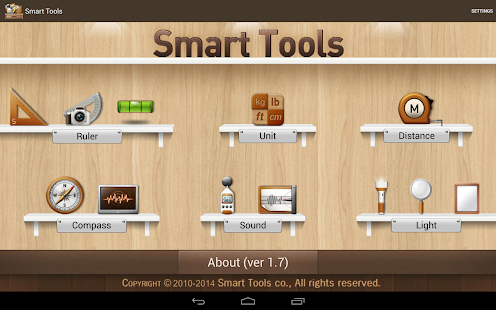
Smart Tools® is a complete package of 6 app sets. It includes 5 Pro sets for a total of 16 tools. In a word, All-in-One.
Set 1: Length, Angle, Slope, Level, Thread – Smart Ruler Pro
Set 2: Distance, Height, Width, Area – Smart Measure Pro
Set 3: Compass, Metal detector, GPS – Smart Compass Pro
Set 4: Sound level meter, Vibrometer – Sound Meter Pro
Set 5: Flashlight, Magnifier, Mirror – Smart Light Pro
Set 6: Unit – Unit Converter
For more information, see the manuals of the apps, watch YouTube video and visit the blog: http://androidboy1.blogspot.com/
Do you want to get more tools and features? Please send an email. androidboy1@gmail.com
I hope my apps are useful to your SMART Life. Thank you.
** Off-line support (for Wi-Fi only tablets) : open this app several times with the connection, you can open it without the connection.
** This app does not support the devices that have NO magnetic sensor (e.g HTC Desire V, ST21i, Micromax).
** Google has recommended this app as one of the essential apps of Google Play for Education.
Elixir 2 – Widgets 2.37.1
6/5/2014 4:19:50 PM
Current Version: 2.37.1
Requires Android: 2.1 and up
Category: Tools
v2.37.1 update:
- Fix of using custom icon packs on Android 4.4
Overview:
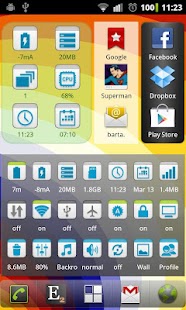
This application is an add-on for Elixir 2 but it can use as a standalone application too. Widgets makes it possible to put higly configurable widgets to your home screens.
Features:
- multiple widget sizes, each can be disabled
- small widget icons, up to 7*7 icons per screen.
- widget performance screen
- customize widget icons by icon packs
- various widget backgrounds, changeable transparency
- various icon sizes
- change label position/color/size, hide labels
- backup/restore widget definitions
- change image, label, refresh rate of widget types
Widget icon types:
- application launcher
- recent application (dynamic)
- contact
- shortcut: bookmark, contact, setting, …
- battery
- battery current
- battery temperature
- battery time
- battery voltage
- internal storage
- external storage
- cpu usage
- cpu frequency
- cpu usage * frequency
- memory
- running/recent applications/processes count
- e-mail unread count: gmail or any imap server
- missed calls count
- messages unread count
- bookmarks, history
- time
- uptime
- date
- next alarm
- mobile signal strength
- mobile traffic
- wifi signal strength
- wifi traffic
- wifi name
- wifi link speed
Widget toggles:
- cpu governor
- profile
- mobile data
- mobile network (2G/3G/4G) – opens settings
- apn
- apn selector
- data roaming
- wimax (4g)
- wifi
- wifi selector
- wifi ap (hotspot)
- bluetooth (2 or 3 state)
- bluetooth tethering
- nfc – opens settings
- gps
- airplane mode
- auto-brightness
- brightness (can set levels)
- auto-rotate
- lock
- screen timeout (can set levels, keep screen on)
- screen off
- screen filter
- screen orientation
- wallpaper
- auto-sync
- sync all
- background data
- speakerphone
- ringer mode
- vibrate
- haptic feedback (vibrate on touch in ics)
- ringtone
- sd mount
- sd refresh
- usb mass storage
- flash (needs TeslaLED Flashlight)
- mute
- clear cache
- reboot (for rooted devices, normal/recovery/bootloader/shutdown)
- usb debugging
- stay awake (with wake lock)
- refresh widget
- locale
- volume
- volume profile selector
Languages: english, magyar, русский, deutsch, ελληνικά, polski, español, český, 正體中文, yкраїнський, italiano, slovenčina, 日本語, 한국의
This is a free, ad-supported application. If you donate:
- ads will be removed
- set custom label color for every widget icon, on/off/unread/missed icon states
You can donate by buying the Elixir 2 – Donation Key application or you can make a donation from my web site or from the application.
Contact: bartadev@gmail.com
Site: http://bartat.hu
Translation: http://crowdin.net/project/elixir
Facebook: http://www.facebook.com/elixir.for.android
Elixir 2 2.37
6/5/2014 4:19:22 PM
Current Version: 2.37
Requires Android: 2.1 and up
Category: Tools
v2.37 update:
- New toggle: Location mode toggle from Android 4.4
- New widget: CPU temperature if available
- Ringtone toggle: can change ringtone for streams alarm, notification and ring
- CPU information displays CPU temperature if available
- New widget serialization to fix “Tried to marshall a Parcel” error
- Other fixes and changes
Overview:
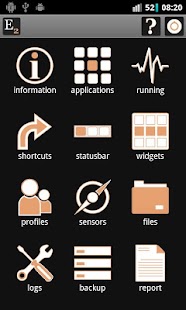
Elixir 2 is a system information application with highly configurable widgets.
Features:
- open system screens from one place
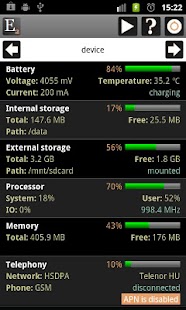
- displays hardware information: battery, internal/external storage, cpu, memory, telephony, wifi, bluetooth, nfc, location, display, audio, airplane mode, camera, camcorder, input devices, usb
- displays software information: synchronization, accessibility, build, operating system, settings, configuration, clipboard, drm, environment variables, features, java, media effects, shared libraries
- change settings (brightness, screen timeout, …), do actions (mount/unmount sd, clear cache, start bluetooth discovery, …), turn things on/off (apn, wifi, bluetooth, auto-brightness, rotation, …)
- displays installed applications: code, data and cache size, network traffic; launch, uninstall, clear cache, move to sd, organize applications by labels, batch mode, enable/disable applications or components
- displays running and recent processes / services / tasks: pid, cpu usage, memory usage, total cpu, network traffic, view logs of a process, kill background processes, batch mode
- displays output of the top linux command
- shortcuts to widgets, application labels or Elixir screens
- statusbar icon can display values in different form
- can handle profiles: turn toggles, change settings, launch applications by one click
- displays sensor information, turn sensors on/off, microphone
- file browser
- generating and sending reports
- display/save/share logcat/dmesg logs
Widgets:
- multiple widget sizes, each can be disabled
- small widget icons, up to 7*7 icons per screen.
- open widgets from shortcuts, put to notification area or home screen.
- widget performance screen
- customize widget icons by icon packs
- various widget backgrounds, custom color, background image, changeable transparency
- different icon sizes
- change label position/color/size, hide labels
- backup/restore widget definitions
- change image, label, refresh rate of widget types
Widget icon types:
- application launcher
- recent application (dynamic)
- contact
- shortcut: bookmark, contact, setting, …
- battery: state, current, time, temperature, voltage
- internal storage
- external storage
- cpu usage
- cpu frequency
- cpu usage * frequency
- memory
- running/recent applications/processes count
- e-mail unread count (imap)
- missed calls count
- messages unread count
- bookmarks, history
- time
- uptime
- date
- next alarm
- mobile signal strength
- mobile traffic
- wifi signal strength
- wifi traffic
- wifi name
- wifi link speed
Widget toggles:
- cpu governor
- profile
- mobile data
- mobile network toggle (2G/3G/4G) – opens settings
- apn
- apn selector
- data roaming
- wimax (4g)
- wifi
- wifi selector
- wifi ap (hotspot)
- usb tethering
- bluetooth (2 or 3 state)
- bluetooth tethering
- nfc – opens settings
- gps
- airplane mode
- auto-brightness
- brightness (can set levels)
- auto-rotate
- lock
- screen timeout (can set levels, keep screen on)
- screen off
- screen filter
- screen orientation
- wallpaper
- auto-sync
- sync all
- background data
- speakerphone
- ringer mode
- vibrate
- haptic feedback
- ringtone
- sd mount
- sd refresh
- usb mass storage
- flash (needs TeslaLED Flashlight)
- volume
- volume profile selector
- mute
- clear cache
- reboot (for rooted devices, normal/recovery/bootloader/shutdown)
- usb debugging
- stay awake (with wake lock)
- refresh widget
- locale
Languages: english, magyar, русский, deutsch, ελληνικά, polski, française, español, český, 正體中文, yкраїнський, italiano, slovenčina, 日本語, 한국의
This is a free, ad-supported application. Donation will remove ads and enable features.
You can donate by buying the Elixir 2 – Donation Key application or make a donation from my web site or from the application.
Contact: bartadev@gmail.com
Site: http://bartat.hu
Translation: http://crowdin.net/project/elixir
Facebook: http://www.facebook.com/elixir.for.android
AppMonster Pro Backup Restore 3.4.3.google
6/5/2014 4:18:29 PM
Current Version: 3.4.3.google
Requires Android: 2.1 and up
Category: Tools
v3.4.3.google update:
3.4.3
Bugfix: SD not writable on sharing app (apk)
Start now faster
3.4.1
Bugfixes: app search, storage copy/move, crashes
3.4.0
Fix for display free storage on ext. SD card
Fix for crash on some devices
3.3.9
Fix for backup to external SD card on KITKAT devices.
Configuration of storage location is improved and simplified.
If you update from previous version your old backups will be adopted automatically.
Overview:
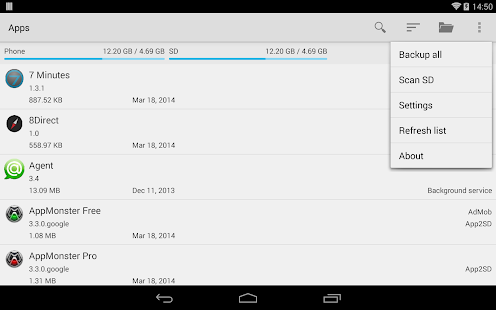
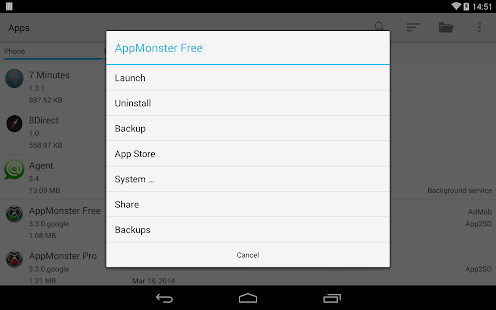
AppMonster is an application manager for Android smartphones and tablets, that provides anything regarding installed Android Apps (like backup, restore, manage), by simple and powerful user interface.
The very first App Manager for Android, since 03. March 2009 on the Market.
Languages: English, German, Russian, Spanish, Polish, Japanese
With AppMonster you can easily manage, backup and restore your apps. Enjoy features like batch backup, batch restore, uninstall, install from SD card, share and much more. Simple, fast, easy to use, stable.
Let the AppMonster support you after phone reset or switch to a new phone.
It does not need ROOT, all features like backup, restore and other work without ROOT. But if you have ROOT on your phone or tablet, you get more features.
Local Share
Share your backups with everyone over Wifi and any web browser. There is no cloud, your backups stay in your local Wifi.
Root support (busybox with installed applets “tar”, “gzip” and “ls” required)
- 1-Click batch restore
- 1-Click batch uninstall
- Backup paid & protected apps
- Backup & restore app-data (f.e. settings)
Backup apps:
- Automatic backup on new app installations – you have nothing to worry about
- Multiple version backup, you can always downgrade any app
- Backup apps to SD card
- Restore apps from SD card
- Backup/restore install-files (.apk) or Market-Links
- Batch restore from SD card or from Market
- Batch delete backups
Manage apps:
- Quick uninstalling
- Search in apps and backups
- Sort your apps by install-date, name, size etc.
- Display apps with Ads (AdMob)
- Display apps can be moved to SD card
and more:
- Access to extended options like APP2SD, cache, permissions
- Scan SD card for install-files (.apk-files)
- Share app-links via Facebook, Twitter, mail
- Share install files directly
- Send backed up apps (.apk-files) by mail, Dropbox or what ever
G+ BETA community: http://goo.gl/5vykqE
http://think-android.com
https://www.google.com/+Think-android
https://www.facebook.com/think.android.apps
https://twitter.com/think_android
Thanks a lot to cvxcvx from http://www.cvxcvx.pl for the polish translation
Cinema FV-5 1.24
6/5/2014 3:17:12 PM
Current Version: 1.24
Requires Android: 4.0 and up
Category: Photography
v1.24 update:
- New audio monitoring feature. Directly available on the main screen, when active you can monitor the audio quality with headphones in realtime and check the audio levels before starting the recording.
- Fixed crashes on some devices when setting a custom recording frame rate.
Overview:
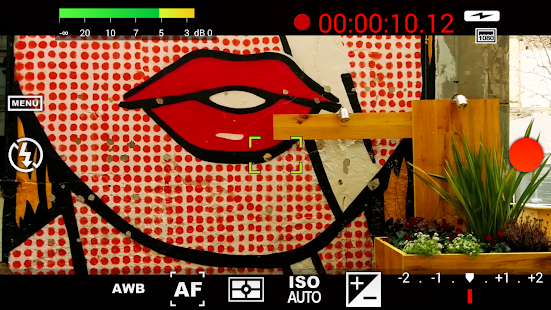
Cinema FV-5 is a professional video camera application for mobile devices, that puts professional manual controls in your fingertips. Tailored to enthusiast and professional videographers and filmmakers, with this video camera application you can capture the best footage with top-of-the-line controls for perfect postproduction purposes. The only limit is your imagination and creativity!
Major features:
● Adjust all the image sensor parameters that you only thought pro-videocameras had: exposure compensation, ISO, light metering mode (matrix/center/spot), focus mode and white balance.
● Change sensor parameters (like ISO, exposure compensation or white balance) also during recording.
● Zoom after and while recording. Set specific focal lengths thanks to the 35mm equivalent-based focal length display.
● Focus adjustments during recording: lock focus on your subject before recording and change focus planes while recording.
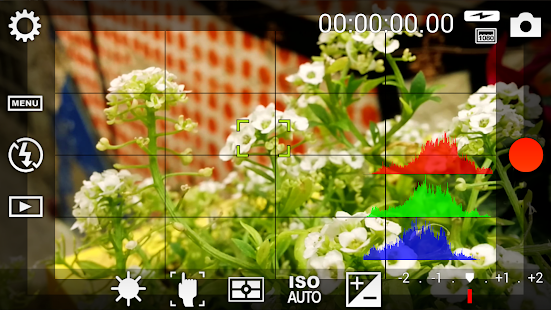
● Professional viewfinder: 10+ compositing grids, 10+ crop guides available, safe areas display and much more.
● The most advanced electronic viewfinder on a video camera: live RGB and luminance histogram are available also during recording.
● Professional sound metering options: display audio peaks and sound clipping warnings during recording.
● Choose video and audio codec, adjust the bitrates, audio sampling rates and number of channels.
● All camera functions assignable to volume keys. You can adjust EV, ISO, color temperature, zoom and more using volume keys (including those in cable-headsets) as well as focusing and recording. Devices with hardware camera shutter keys are also supported.
● Video geotagging support.
● Autofocus, macro, touch focus and infinity focus modes, plus a focus lock switch (AF-L).
● Autoexposure (AE-L) and auto white balance (AWB-L) locks in Android 4.0+. You can also lock exposure and white balance during clip recording automatically.
● Powerful video clips organization options: different storage locations and fully customizable file names (even with variables).
Cinema FV-5 is the perfect app for producing the best footage for any short- to medium-sized production. With it you can record the best material possible with any medium- to high-end device. Cinema FV-5 specially supports Android-based compact cameras, so you can even leverage a high-quality, optically stabilized zoom. The footage captured with Cinema FV-5 can be easily edited on any NLE like Apple Final Cut Pro, Adobe Premiere, Sony Vegas or DaVinci Resolve.
Permissions explained:
- Approximate location and precise location: only used for geotagging functionality (disabled by default, and requires manual GPS activation).
- Modify or delete the contents of your USB storage and take pictures and videos: required for the usual camera operation.
WidgetHome Launcher 1.27
6/5/2014 1:13:20 PM
Current Version: 1.27
Requires Android: 4.0 and up
Category: Personalization
v1.27 update:
v1.27(JUN 3)
- Added new color of each theme (BOSTON, MADRID, BRUSSELS)
v1.26(MAY 29)
- Fixed bugs
v1.25(MAY 28)
- Added function to change color for application dock bar
- Fixed some layout for Tablet devices
- Fixed known issues
v1.24(MAY 16)
- Fixed layout and known issues
v1.23(APR18)
- Removed Ads.
v1.22(APR1)
- Fixed known issues
v1.21(MAR24)
- Added function to change switch items
- Added Free grid layout
- Fixed known bugs
Overview:
How many times do you see your homescreen in a day?
Does your homescreen make you happy?
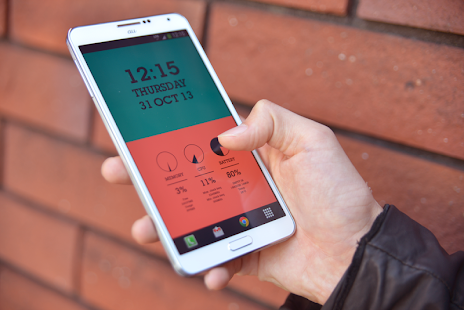
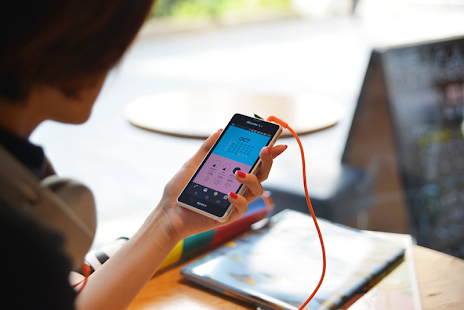
Take a look at WidgetHome that lets you to make your homescreen more stylish.
Arrange the widgets with a few flicks, and creates your favorite design.
Here are widgets we provide.
- Clock Widget
- Calendar Widget
- Battery Widget
- System Resource Widget (CPU, Storage, and Battery)
- Switch Widget (WiFi, Bluetooth, GPS, Brightness, Volumes, etc.)
- Music Player Widget (require Google “Play Music” app)
- App Launcher Widget
Typographic and Infographic. Fashionability and Functionality.
WidgetHome, only for Android. Redefines your homescreen.
———-
How to change the widget design and function:
http://www.youtube.com/watch?v=cTPaIomOBHk
How to remove advertisements:
You can remove ads by posting image of home screen to twitter. Open the App drawer, tap the [:] icon on the top, then choose the [RemoveAds]. After you take the screen-shot, kindly share the image on Twitter.
You are receiving this email because you subscribed to this feed at feedmyinbox.com
If you no longer wish to receive these emails, you can unsubscribe from this feed, or manage all your subscriptions


No comments:
Post a Comment