 | 100 shapes on sale, up to 40%, at Sur La Table! From our sponsors  |
| APKTOP |
| Free Android Apps,Games Download From Android Market |
Jota Text Editor 0.2.34
6/29/2014 4:53:52 AM
Current Version: 0.2.34
Requires Android: 1.6 and up
Category: Tools
v0.2.34 update:
[2014/06/28 v.0.2.34]
Support Android L preview release.
Overview:
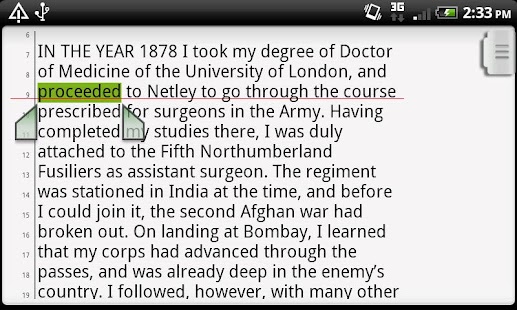
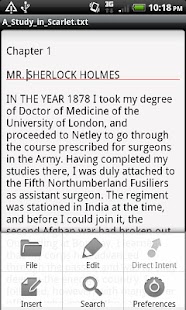
Jota is a text editor designed for a long text file.
It's pronouced as “i-o-ta”.
Functions
- Support until 1 million characters.
- Auto-Detect multiple character codes.
UTF-8
UTF-16BE
UTF-16LE
UTF-32BE
UTF-32LE
WINDOWS-1251
WINDOWS-1252
WINDOWS-1253
WINDOWS-1255
SHIFT_JIS
ISO-2022-JP
ISO-2022-CN
ISO-2022-KR
ISO-8859-5
ISO-8859-7
ISO-8859-8
BIG5
GB18030
EUC-JP
EUC-KR
EUC-TW
IBM855
IBM866
KOI8-R
MACCYRILLIC
HZ-GB-2312
X-ISO-10646-UCS-4-3412
X-ISO-10646-UCS-4-2143
(Whether you can decode or not depends on Android's implementation.)
- Change character codes.
- Auto-Detect linebreak code.
- Change linebreak code.
- Keep linebreak code until saving a file.
- Save position of the cursor with file.
- Save history of recened files.
- Search/Replace (Support Regular Expression)
- Text sharing with external application.
Mushroom
Share (ACTION_SEND)
Search (ACTION_SEARCH)
Open (ACTION_VIEW)
★Direct Intent : You can launch any one application on menu item.
- Scroll with Thumb-drag.
- Scroll with Flick.
- Undo/Redo
- Support a Shortcut key with ALT/CTRL Key.
- Customize colors.
- Create a shortcut icon on HOME app.
- Customizable shortcut key bind.
- Text selector like Gingerbread.
(Double tap to select the word , then touch selected area to show marker.)
- Word wrap ON/OFF and set word wrap width.
- Set tab width.
- Viewer Mode.
- Show Line numbers.
- Word Counter.
- Support Landscape Mode correctly.
- Auto save.
- Auto Indent.
- Show Tab/Linebreak.
- Auto capitalize.
- you can used as SL4A editor.
- Customizable Toolbar.
- Customizable Syntax highlght.
- Capture Screen shot.
- Wallpaper customize.
- Support Android OS 1.6 or later.
- Support both touch-screen device and qwerty-keyboard device.
- Forever FREE and NO-AD.
- This software is an Open Source Software under the Apache License.
CAUTION
RTL-Language and bi-directional text is not supported.
★If you need a reply from me , DON'T put it in Market's Review .
Instead please let me know by E-mail or Twiter(@jiro_aqua)
You can send a message to me from Jota's Preferences Screen.
★If you need grep (search from multiple text files), try my app “aGrep”.
★If you want to localize Jota Text Editor, see this page.
https://sites.google.com/site/aquamarinepandora/home/jota-text-editor/howtotranslate
Sliding SMS (CM Messaging) 0.7.5.1
6/29/2014 4:53:43 AM
Current Version: 0.7.5.1
Requires Android: 4.0 and up
Category: Communication
v0.7.5.1 update:
0.7.5.1
- Fixed thread order for some users
0.7.5
- Updated conversation list to use newer database query methods, loads a bit quicker
- Fixed message text box being hidden accidentally for long messages
- Various bug fixes
0.7.3.1
- Fixed notification sound preference
0.7.3
- Fixed logo color not showing for some people
- Fixed attachment issues
0.7.1
- Message font size option
- iOS emoji option
- For donate users: change logo color in title bar
Overview:
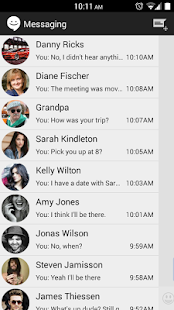
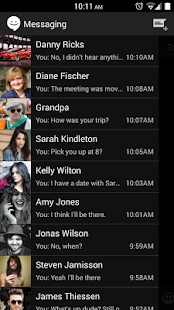
Stock CM10 messaging app with sliding conversation UI. For Kit Kat, Jelly Bean, and Ice Cream Sandwich.
Features:
Sliding conversation UI (hangouts style)
Pop-up reply
Quick reply from notification
Mark read from notification
Breathing notification icon (enable in settings)
Show or hide contact avatar
Circle contact avatar option
Dark and light themes
Customize message colors
New Android emojis (or iOS)
Extra features are available if you donate in-app (bottom of Settings page). These features include:
- Change title bar color to anything you like
- More will be added
You can donate any amount in settings page to unlock these features. If you donated via PayPal, please contact me so I can unlock features for you.
Email me to make feature requests.
Of course this app will remain free and I am always adding features that everyone can use. Next I'll be adding iOS emoji option and more font sizes.
This is a beta app! I am actively developing this app (almost) every day. Sometimes I break things, but most issues are found and taken care of within a day or two. Try and be patient.
I am a full time student and I am the only person working on this app. I do this for fun and provide it for free, so if you have issues please contact me via email. Most things are fixable, but leaving a bad rating and a short comment is of little help to me.
You can donate via Paypal as well here: http://goo.gl/dFz7vh
tags: cyanogenmod, cm, kit kat, ics, mms, messaging, aosp, slide
Quick System Info PRO 3.3.8
6/29/2014 4:53:08 AM
Current Version: 3.3.8
Requires Android: 1.5 and up
Category: Tools
v3.3.8 update:
* NOTE YOU MUST INSTALL APPROPRIATE “Quick System Info NL Pack” AND CHANGE SETTINGS TO GET EXTRA LANGUAGE SUPPORT NOW *
v3.3.8
* UI and performance improvement.
* Fixed the bug for process viewer when sort by memory size.
Overview:
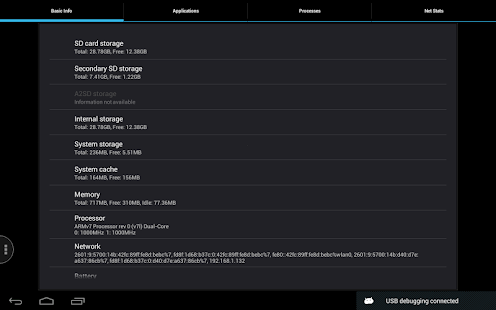
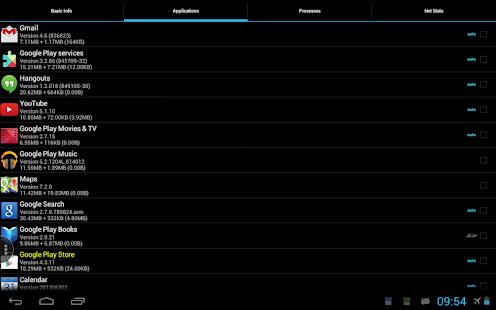
Quick access of the basic system information for your Android platform, including information for CPU, memory, SD Card, running processes, network states and installed applications.
This is the ad-supported version of Quick System Info, which provides extra features as following:
* Live CPU/MEM Usage Monitor
* Live 2G/3G/Wi-Fi Traffic Monitor
* Comprehensive Device/Hardware Details Viewer, e.g. Storage/Memory/Processor/Sensor/Network
* One-click Application Cache Cleaner
* Application History Cleaner
* Advanced System Properties Viewer, e.g. System/Phone/Screen/OpenGL/Build and Runtime Settings
* Enhanced Application Viewer with Tag and Backup/Restore support
* Enhanced Process Management and Viewer
* Enhanced Network Connection and Traffic Viewer
* Enhanced Battery Status in Notification Area.
ADs can be removed by donations. Thanks for your support of this app.
Get a free unlock code for translation contributor. If you are interested, please contact the author.
*** Paid version available now! ***
** The 'read/write bookmark' permission is needed for the 'Clean History' function **
* Widgets will not work if you install app to SD card, please check Quick System Info Widget Pack for additional support *
Pushover 2.2.2
6/29/2014 4:48:50 AM
Current Version: 2.2.2
Requires Android: 2.2 and up
Category: Productivity
v2.2.2 update:
2.2.2:
- Work properly on Android L Developer Preview
2.2.1:
- Add support for priority -2 messages, which generate no notifications at all (useful for Tasker)
2.2:
- Pushover now supports a free 5-day trial. Unlimited usage beyond the 5-day trial requires a one-time $4.99 in-app purchase. Users that have previously purchased the app up front will have their license converted automatically.
Overview:
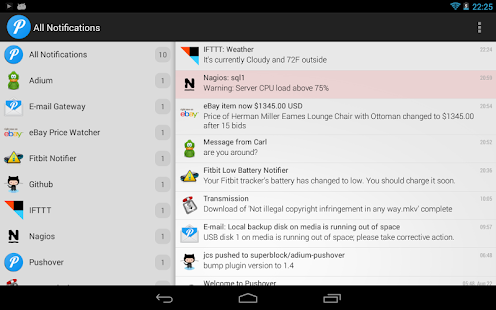
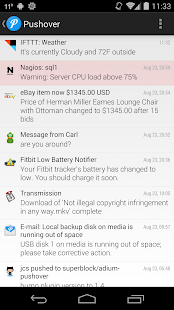
Pushover is a simple push notification service that integrates easily into web apps like IFTTT, network monitors like Nagios, shell scripts, servers, and anything else that needs to send alerts to your Android, iPhone, iPad, and Desktop. App includes a free 5-day trial and unlimited usage beyond the 5-day trial requires a one-time $4.99 in-app purchase.
Now includes home-screen and lock-screen widgets for Android 4.0+, support for sending notifications to Pebble watches, a DashClock extension, and a Tasker event plugin!
Visit https://pushover.net/ to find apps, plugins, and services that support Pushover, or get a free API key to create your own app. Also find out about our iOS and Desktop clients to get notifications on all of your devices.
You are receiving this email because you subscribed to this feed at feedmyinbox.com
If you no longer wish to receive these emails, you can unsubscribe from this feed, or manage all your subscriptions


No comments:
Post a Comment