 | OptionsHouse is a cutting-edge platform with award-winning technology. Even with our professional tools, you'll still pay great rates. From our sponsors  |
| APKTOP |
| Free Android Apps,Games Download From Android Market |
KakaoHome 2.0.1
6/22/2014 5:32:06 AM
Current Version: 2.0.1
Requires Android: 4.0 and up
Category: Personalization
v2.0.1 update:
v.2.0.1
- Added a feature to change app icon size
- Rearranged location of Support menu.
- Other bug fixes
Overview:
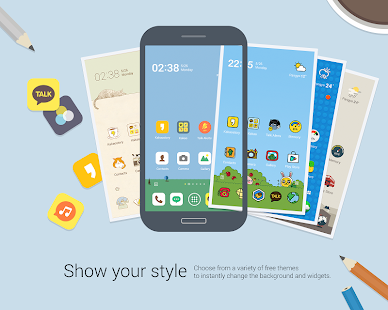
The All New KakaoHome!
* Simple & Easy Widgets: 2×1 clock, 1×1 multi-switch and weather widgets fit perfectly on your home screen.
* Better Wallpapers & Icons: Bigger icons and brighter default wallpapers.
* New Themes for KakaoHome 2.0: See the "Suggestions" and "Themes" folders for optimized themes for KakaoHome 2.0!
* You can now change your app icon size in KakaoHome Settings.
Handy Home features
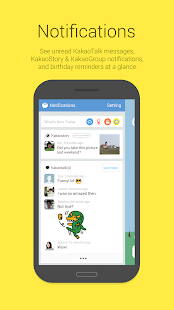
* KakaoHome Notifications: View KakaoTalk, KakaoStory and KakaoGroup notifications and birthday reminders at a glance!
* Quick Reply: Reply to KakaoTalk messages straight away without opening the app.
* Kakao Widgets: Plug in useful widgets like Talk Alerts, weather, clock, task killer, etc.
* "Most used" folder: This folder houses useful features including your calendar, DMB, music, notifications and more.
KakaoHome helps you create a customized home screen experience for your smartphone.
Be a smart Kakao user with KakaoHome!
- HELP : http://www.kakao.com/requests?service=7
GMD Auto Hide Soft Keys ★ root 2.5
6/22/2014 5:31:22 AM
Current Version: 2.5
Requires Android: 4.0 and up
Category: Productivity
v2.5 update:
2.5:
Bug fixes
2.4:
Added LG G2 Theme
Added Nexus 5 Theme
Adjusted button positioning
Actions in ring button now can have custom icons assigned
Android 4.4.3 support
CM 11 support
PA 4.3 Beta 7 support
PA 4.4 Beta support
Fully customizable buttons actions
Customizable QuickBar color
Customizable buttons color and icons
UI update
Overview:
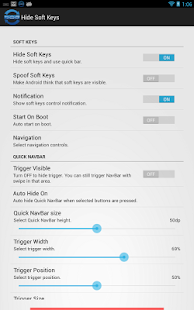
This application allows to hide navigation bar and auto show/hide it with simple swipe from bottom. It hides only navigation bar (soft keys) in Phone UI and does not hide notification bar.
Requires ROOT!
KitKat support added!
Known issues:
- On Android 4.4 (KitKat) Hiding/showing stock navigation bar will trigger lock screen.
Unique features:
- Hide just navigation bar and keep notifications bar.
- Show Quick NavBar and click soft button with one simple swipe.
- Spoof Soft Keys – make Android think you still have soft keys and display Menu button in applications actions bar.
- Theme Quick NavBar – use any custom image for buttons.
- Adjust trigger size and position.
- Integrate with Gesture Control or Tasker using Shortcuts.
- Stock firmwares, CyanogenMod, Pac Rom and Paranoid Android supported.
- No modifications and no reboot required.
PRO features:
- Change trigger color and/or transparency.
- Disable trigger (and Quick NavBar) if you use other alternative.
JOIN Beta version community – https://plus.google.com/communities/115800359125266491041
AndroidPolice.com review: http://www.androidpolice.com/2013/06/04/new-app-gmd-hide-soft-keys-banishes-the-navigation-bar-for-root-users-nexus-only-for-now
Other full screen apps hide notifications bar too and has no option to hide just navigation bar. Hide Soft Keys is different – it only removes navigation bar and replaces it with Quick NavBar. You can always access stock notifications list and recent applications list.
Fake gps – fake location 3.01
6/22/2014 5:31:14 AM
Current Version: 3.01
Requires Android: 2.3 and up
Category: Tools
v3.01 update:
-Added favorites
Overview:
Introducing Fake GPS – currently the best looking fake location app from all the fake location apps!
Trick your phone into thinking that it is somewhere else. You can be in Rome, London, New York or simply anywhere in the world. It's simple and great fun to trick people with. You can use the app to pull a prank or show that you're somewhere else as an excuse. It's a simple idea with a lot of potential.
How does it work?
1. First enable the developer settings on your device(on older versions it is not needed).
To enable the developer settings go to settings > about phone > and click on the android version about 7 times.
2. in the developer options enable mock locations.
3. set your location to be 'device only'(use only gps location).
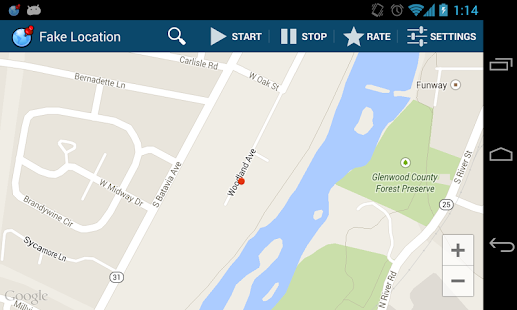
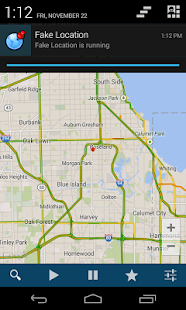
4. open the app, move the red dot anywhere you like and click on the 'play button'.
Important notes:
- This fake location app requires to have google play services, and google maps installed.
- It might not work with some apps, but it works with fb,whatsapp,twitter, and other apps.
- it doesn't work with viber since it requiters network location enabled.
- if the app stops working, or behaving strangely then simply restart the device.
Feel free to contact me by email for anything regarding this app.
hello sms 1.8.15
6/22/2014 5:31:02 AM
Current Version: 1.8.15
Requires Android: 2.3.3 and up
Category: Communication
v1.8.15 update:
Recent feature updates:
- Delete a single message
- Send to multiple people in one go (new!)
- hellocam and photos over data (beta)
- Sync contact photos with Facebook (new permissions needed)
- Night mode / dark theme
New: Send to multiple people in one go
Send your photos to multiple people – just check off the names after you take a picture.
Overview:
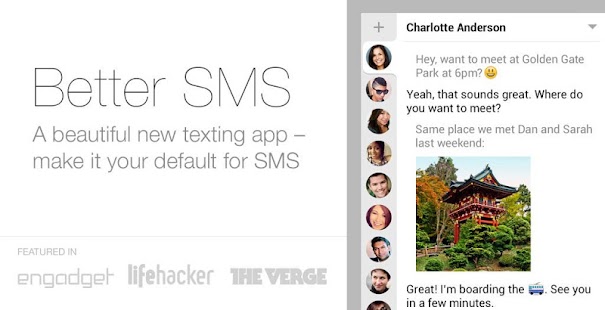
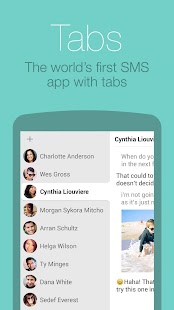
Meet the world's first SMS and MMS app with tabs. It's the fastest way to text.
You can group chat easily, send and receive photos quickly, and switch between chats with a single touch. Hello is a streamlined way to text: no inbox, no clutter, no ads. Just you and your conversations.
Hello replaces your default SMS and MMS app by creating a deep integration with your phone that makes tabbed texting a seamless experience.
We're constantly working to make hello better — try it and tell us what you think!
Featured in:
Engadget: “My favorite texting app so far.”
Cult of Android: “Hello SMS may be the best SMS app ever developed.”
Lifehacker: “A beautiful app with a unique tabs-based interface. It's gorgeous and minimalistic.”
App Usage Manager 2.34
6/22/2014 5:30:26 AM
Current Version: 2.34
Requires Android: 2.3 and up
Category: Tools
v2.34 update:
v2.34
★ fixed: does not update most used apps notification
v2.33
★ change the default window background dim value to maximum
★ fixed crash errors
★ bugs fixed
v2.32
★ new “most used apps” feature. This new function shows most used apps on widgets or a notification
★ support TalkBack function for user guide pages
Overview:
App Usage Manager (a.k.a Batch Uninstaller) is the most easy to use but powerful application management app. It provides the following key features:
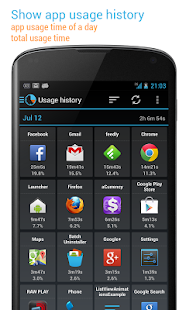
★ Show app usage history: gather the usage time about apps that you used
★ Track all installs: keep track of all installs and uninstalled apps
★ Manage apps: 1-tap to uninstall apps, sort apps by various option
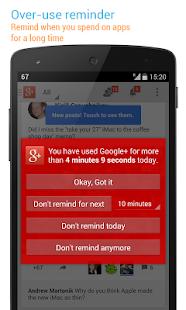
★ Over-use reminder: remind when you spend on apps for a long time
★ App install reminder: notify when apps installed and the summary of daily installed apps
★ Most used apps – show most used apps on widgets or a notification
Become a beta tester or any questions about this app? Please join App Usage Manager (http://goo.gl/nBH00s) Google group.
FEATURES
★ App usage history
★ Most used apps
★ Over-use reminder
★ App installation history
★ App install reminder
★ Keep track of uninstalled apps so you can install them later
★ Batch uninstall apps
★ Root uninstaller – 1-tap to uninstall apps, rooted device required
★ Add personal notes for each app
★ Sort apps by name, usage time, update time or size
★ Show apps in multi-column view
★ Batch clear apps cache or data
★ Batch show the App info window of selected apps
★ Batch view apps on Google Play
★ Easy search apps by name
★ Share the apps list with friends
► SHOW APP USAGE HISTORY
Do you know how much time you spend on Facebook, Candy Crash or Angry Birds app? Do you know the total use time of a day or average use time of an app?
This function lists the usage time of apps by you preferred sorting order. This usage information is helpful for you to check which apps should be uninstalled as they are not used. It can also be used for spying whether an app has been used by someone else (e.g. your kid, friend).
► TRACK ALL INSTALLS
Do you know which app has been installed or uninstalled without getting your confirmation? Do you know how frequent updates of xxx app?
This function tracks and lists the history of all installs and uninstalled apps by you preferred sorting order. It's convenient for you to track how many apps updated in a day, and how frequent updates of an app.
► MANAGE APPS
Do you know which apps that are not used for a long time? You can get more available space by uninstalling apps, but which one is bloatware?
This function helps you to list apps by app name, usage time, update time or size, and allows you to uninstall apps easily and quickly.
► OVER-USE REMINDER
This function reminds you when you spend on apps for a long time.
► APP INSTALL REMINDER
This function reminds you when an app installed and the summary of daily apps installation.
► MOST USED APPS
This function shows a list of your most used apps on widgets or system notification. It's a convenient way to quick start the apps you use most frequently.
KW: uninstall apps, delete apps, remove apps, app remover, batch uninstall, app manager, easy uninstaller
We have been selected as a Google I/O 2011 Developer Sandbox partner, for its innovative design and advanced technology.
News+ | Google News RSS Reader 1.1.2
6/22/2014 5:30:07 AM
Current Version: 1.1.2
Requires Android: 2.3 and up
Category: News & Magazines
v1.1.2 update:
v1.1.2
* NEW: Pull to sync
* FIXED: Embedded Youtube video issue on Android 4.4.3
* FIXED: Crashes in previous version
v1.1.0
* NEW: 2 new beautiful themes: Blue and Green
* NEW: Custom notification for feeds (PREMIUM)
* NEW OPML: Export (Manage Sources)
* IMPROVED: Sort by feed now sorts like Manage sources
* FIXED: Display issue on some websites
* FIXED: Bug fixes
Overview:
Brought to you by the creators of gReader.
Difference between News+ and gReader: http://newsplus.co/difference-between-newsplus-and-greader
*** About News+ (Google News)***
Since Google has decided to shutdown Google Reader, lots of new and innovative RSS services have arose to light. Many of those services appeared as worthy replacements, and even an upgrade. We couldn't choose just one or two, and we also had to make some decisions about how our work will continue. We decided not to pick! We created a new app that is the successor of gReader, taking it's features and functionality but supports as many reading services as possible: News+.
*** Simple, fast and intuitive ***
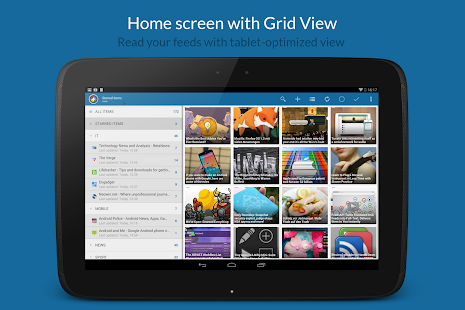
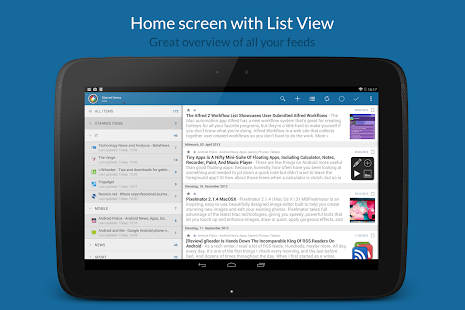
Our goal was to create a news reader with the best possible reading experience. Our users LOVED how customizable gReader is, and it made sense because a lot of the feature ideas came from the community itself. So, on News+ users can also quickly read their feeds in a simple and intuitive user interface. Article pages can be reduced to the minimum of just the main contents, so that a reader could just concentrate on, well… reading! Consuming content at places without an internet connection is also possible using the great offline Reading features. You can also let News+ read your news to you when out laud, leaving your hands free for other tasks. These and many more features could be found on the features page, at http://newsplus.co/features/.
*** Why choose just one service? Supporting extensions in News+ ***
The power of News+ is as an aggregator. We took gReader's functional features and added the ability to expand News+ with extensions. Not just for RSS services, but Read Later services as well (Pocket, Readability or Instapaper), and news websites could be integrated too. We plan on integrating more and more services to News+, making it a one-stop-shop for all your news and articles needs. In a single, unified user interface, you can now read and consume content from various different services, and the list will just get bigger and bigger.
Extensions are independent app that can be created and published by everyone. News+ recognized the extensions by itself and shows them directly in the app. Here is a list of current services News+ supports:
* Google News
* Feedly
* InoReader
* Bazqux
* Tiny Tiny Rss
* FeedBin
* NewsBlur
* SubReader
* Reedah
* CommaReader
* Pocket
Finally, we encourage the News+ community to create extension, and have them published to everyone!
*** Links ***
Homepage: http://newsplus.co
API Documentation and Extension source codes: https://github.com/noinnion/newsplus
Forum: https://groups.google.com/forum/#!forum/news_plus
Play Store (beta): https://play.google.com/apps/testing/com.noinnion.android.newsplus
News+ is an app with Google News features.
https://github.com/noinnion/newsplus
FIFA 2.1
6/22/2014 5:29:36 AM
Current Version: 2.1
Requires Android: 2.3 and up
Category: Sports
v2.1 update:
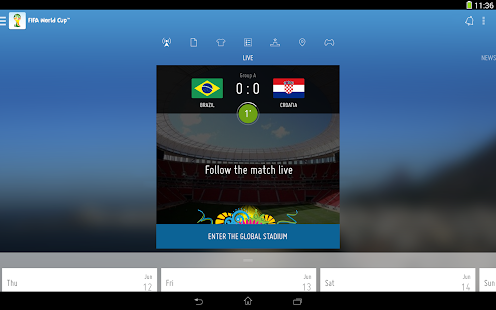
- Enter the Global Stadium and follow minute-by-minute action, live from all 64 games
- #Joinin the biggest football conversation in history alongside friends, players, coaches and fellow fans
- Keep up to date with match alerts from your favourite teams
- Follow our daily Live Blog, which will give you up-to-the-minute coverage of everything happening at the tournament with exclusive photo and video coverage
- Affect what happens at the World Cup by voting for Man of the Match
Overview:
The Official FIFA World Cup App
Download the Official App of the 2014 FIFA World Cup Brazil™, unlocking all the exclusive coverage from the planet's biggest single-sporting event. With the official FIFA World Cup App, you can take the World Cup with you everywhere you go.
With the action in Brazil coming thick and fast, keep up to date with match alerts from your favourite teams or follow all the games live in the Global Stadium where you can #Joinin and share your excitement with your friends, players, coaches and celebrities. You can also follow our daily Live Blog, which will give you up-to-the-minute coverage of everything happening at the tournament and see exclusive text, photo and video coverage.
You can also affect what happens at the World Cup too by being able to vote for the Man of the Match in each of the 64 games. There's also a chance to win the actual kick-off ball from the matches and share your views with fans from around the world during the games themselves. You can also play a variety of games in the FIFA.com Club, including Fantasy, Dream Team, Your XI, Predictor and more.
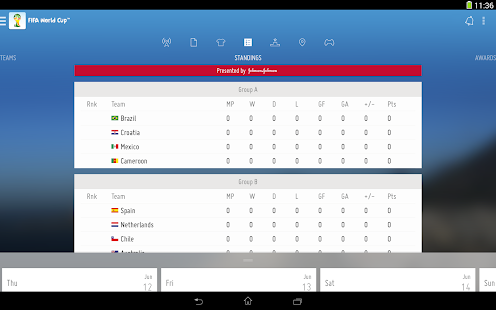
Look deeper into what is taking place in Brazil with detailed profiles of teams and players, as well as the awards they are competing for. There's a host of features on the host nation itself and the cities where the games will be played. This is on top of all FIFA.com's usual breaking news, exclusive interviews, photos from around the globe and eye-catching videos, plus live scores from 197 world leagues across the globe.
You can also keep track of the FIFA/Coca-Cola World Ranking and explore how FIFA brings to life its passion for developing the game and building a better future with stories from our worldwide projects.
Download the Official FIFA World Cup App and #Joinin the Global Stadium to share your excitement!
Want to find out more? See what FIFA Club members and other football fans say:
www.fifa.com/app
www.twitter.com/fifacom
www.facebook.com/fifa
Root App Delete (help Root) 7.0.6
6/22/2014 5:25:49 AM
Current Version: 7.0.6
Requires Android: 1.6 and up
Category: Tools
v7.0.6 update:
add search box for sys-apps.
add system app info of samsung and others.
towel is the latest root tool , which can root all devices from android 2.1~4.4.
but some antivirus tool warns it as a risk.
so v7.0.6 would not offer it to you, you can download it by yourself.
Overview:
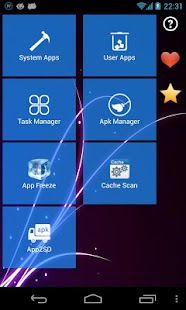
RootAppDelete is the best tool For rooted Android users.
I have provided a good app for all users and will continue making improvments.
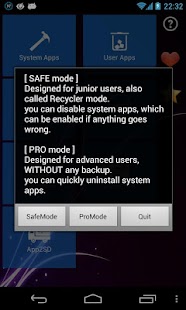
It helps you freeze or uninstall system apps inside phone
It's special:
* tiny,fast,especially fast for old phones with low memory
* “modify” MODE, change system apps before uninstalling
* can “Disable” backgroud system service, such as “google backgroud transport” and “contact sync service”
—————————————————-
Explanation of permissions:
we might use lib file, which provided by AD company.
But we only use this file to show [hot apps],
which Never cost any resource untill you click and see recommended apps.
so please don't be bothered by warnnings from Virus Protecter
[hot app] never runs, if you ignore it。
“read phone state” and “internet” permissions are used to stat how many users are using my app, and when FC happens, I can get error report.
it's just used to improve my app. If you still can't accept, uninstall.
—————————————————-
compared to other uninstall tools in android market, it is much more better
for example, the app ” uninstaller ” is a very popular uninstall app in google play, it's the smallest uninstall tool, simple and easy. But uninstall does NOT support rooted phones. Even you have root permission, you can NOT modify system apps inside your phone, which is very annoying.
the app ” app remover “, is another similar uninstall tool in google play, but app remover neither supports rooted phones.
the app ” system app remover “, is also a famous uninstall tool , and it does support rooted phones. But system app remover never give you any warnning before you uninstall a system app, which might be kernel file of your android phone. so it's much safer to use ” root app delete ” than “system app remover ” in a rooted phone, especially for those new android users, who don't quite understand the danger of uninstalling system apps with root permission.
compared to many other similar uninstall tools, you will find how useful and how safe this App is.
Guys, enjoy!
7Zipper 1.28
6/22/2014 5:25:27 AM
Current Version: 1.28
Requires Android: 2.1 and up
Category: Communication
v1.28 update:
** Please give your hand to localize 'Zipper' app **
http://androboy.cafe24.com/zipper.html
You can download 7zipper app directly.
http://androboy.cafe24.com/zdownload.html
———- 1.28 update list ———–
(Minor) Bug Fix
———- 1.19 update list ———–
Shortcut for launching the Android's Hidden App Permission Manager. Control Permissions For Individual Apps!
Overview:
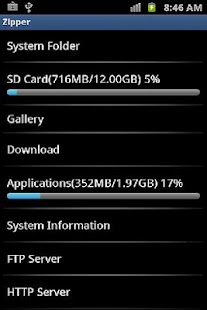
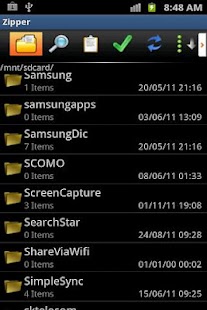
7Zipper help you to browse
(7Zipper is not just un7zipper but a total commander for file management, and it require some permission)
SDCard,copy,move,delete,rename,zip,unzip,7zip, check usage,backup and launch app
Features:
- Multi-select
- copy,move,paste (file, folder)
- open,rename,delete (file, folder)
- 7zip, zip,unzip,send as
- sdcard usage
- backup app
- archive
zip, 7zip
- extract
zip, alz, egg, tar, tar.gz, tar.bz2, gz, bz2, rar, jar, 7zip, lzh
support split zip archive (z01, z02 …, zip.001, zip.002 ..)
- image viewer (support animated gif)
- text viewer
- swf (flash) viewer
- system information (cpu, memory, battery, network etc..)
- task killer
- ftp client
- ftp server (you can manage files of your phone by wifi)
- http server (you can manage files of your phone by wifi)
- photo calendar (all of your photos will be sorted by the date automatically. you can browse your photos by calendar)
- Hex Viewer
- SDCard Storage Usage
- Manage Default app launcher
- Image Resize
- file search & find string in text-files
keyword:
file manager file explorer file browser sdcard manager Andro Commander egg alz lzh 7zip photo calendar winzip
Onavo Count | Data Usage 2.1.8-3
6/22/2014 5:24:59 AM
Current Version: 2.1.8-3
Requires Android: 2.3.3 and up
Category: Tools
v2.1.8-3 update:
- Disk use optimizations (requires the new “Storage” permission)
- Performance + bug fixes
- New flexible data plans, including daily and weekly plans
- Detection of background data use by apps is now more accurate
- Widgets are back and better than ever!
v2.0.0
We've redesigned Onavo Count from the bottom-up. With all new features, you can go well beyond monitoring your data. Introducing comparative data and fresh reporting graphics.
Overview:
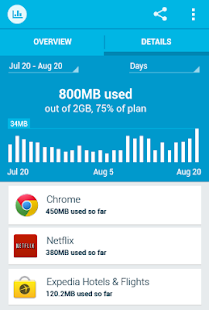
Onavo Count is a stunning app with intuitive reporting to help you understand how you use mobile data. It also lets you compare how much data you use in specific apps to other people.
Features
• Simple setup: Get going in seconds by setting your monthly cap and billing cycle
• You compared with everyone: See how your data use measures up to other people for each app
• Your data life: Understand how you use your data in categories that matter to you like music, maps and videos
• Real-time alerts: Know when you're approaching your data limit and get an indication of where you stand in your current data cycle with notifications on your phone
• Onavo Extend integration: See how much data you're saving with Onavo Extend right from the Onavo Count home screen
How it works
Onavo Count monitors and analyzes all types of mobile data and phone use. This includes background, foreground, and Wi-Fi use. To keep your battery from being drained, Onavo Count transfers and analyzes all of your mobile data use in the cloud.
Notes
Onavo Count supports hundreds of operators around the world, including Verizon, T-Mobile, AT&T, Sprint, O2, Vodafone, Orange, Movistar, Three (3), Bell, Rogers, Claro, Telus, Virgin and Optus.

You are receiving this email because you subscribed to this feed at feedmyinbox.com
If you no longer wish to receive these emails, you can unsubscribe from this feed, or manage all your subscriptions


No comments:
Post a Comment