 | Enjoy HD DVR service in every room. Get every game every Sunday. Watch hit movies and shows anywhere. Bundle and save today! From our sponsors  |
| APKTOP |
| Free Android Apps,Games Download From Android Market |
PiazzA Theme 2.0
6/19/2014 12:54:49 PM
Current Version: 2.0
Requires Android: Varies with device
Category: Personalization
v2.0 update:
Made radio buttons and checkboxes smaller.
Added custom notification panel handle.
Touched up iconmask icons
Added a bunch more app icons as requested from users.
More icons to come……
Overview:
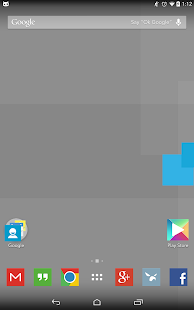
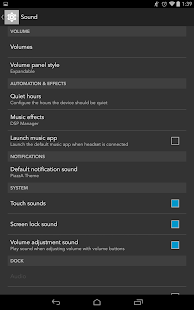
PiazzA Theme is for the new CM Theme Engine introduced in CM11.
You will need to have a custom Rom that supports the CM11 TE installed on your phone or tablet.
CM11, PA4+, and AOKP are some examples of the custom Roms.
The main focus of PiazzA is to be square. 
A lot of icons have been Piazza'd. Over 350+ and more to come.
What has been themed in Styles so far?
Android Framework
Android SystemUI
Android System
Android Calculator
Android Keyboard
Google Keyboard
Google News and Weather
This theme will grow in icon support.
But to do that, I'll need your help.
Please goto the PiazzA Theme Community on Google+ if you have an icon not Piazza'd.
https://plus.google.com/u/0/communities/109283716999357818152
Thank you for your support and I hope you enjoy PiazzA.
Pushbullet 14.3.4
6/19/2014 12:53:46 PM
Current Version: 14.3.4
Requires Android: 4.0 and up
Category: Productivity
v14.3.4 update:
14.3: We've worked with EvolveSMS to add support for replying to text messages from PC! Right now this only works with the latest EvolveSMS version (1.8.0+)
- Added swipe-to-delete too!
- Various fixes and improvements
14.1: Pushbullet can mirror your notifications between Android devices now too! (Android 4.3+)
Now you can see who's calling or read a text/WhatsApp message right on your tablet! (To enable this, head to Settings in our app.)
Overview:
Never miss another phone call or text message again while using your computer!
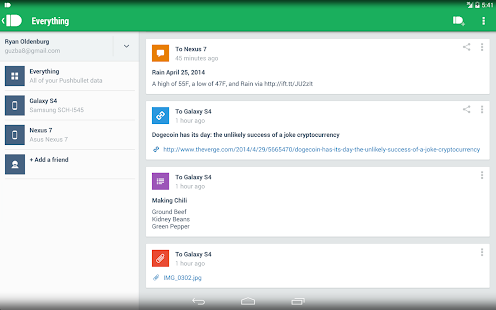
Pushbullet automatically shows you all of your phone's notifications right on your computer. This means you can see who's calling or read text messages even if your phone is on silent or in another room.
Pushbullet also makes it easy to send pictures, files, links, and more between your devices and even to friends.
Sending things with pushbullet is the easiest way to share things between your devices:
• Push a link to your phone by just right-clicking on it on your computer. You can then go right to the link by tapping on the notification.
• Send pictures and other files to your phone wirelessly from your computer and open them right from the notification. No more digging things out of your email inbox or Dropbox.
• Send any address over to your phone so you can get right into Google Maps instead of having to look it up again on your phone.
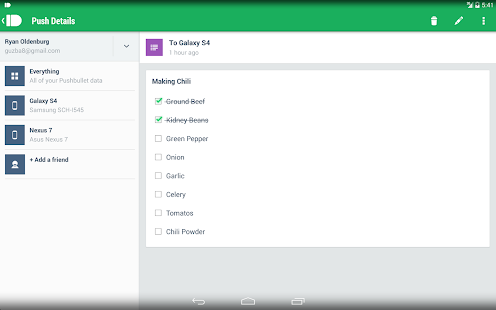
• Put a todo list right in your notification tray and check of items as you go.
Pushbullet looks and works great on tablets too.
This app works best when paired with our Chrome or Firefox extension:
Chrome: https://chrome.google.com/webstore/detail/pushbullet/chlffgpmiacpedhhbkiomidkjlcfhogd
Firefox: https://addons.mozilla.org/en-US/firefox/addon/pushbullet/
And our Windows desktop app from here:
Pushbullet has been translated into over 30 languages thanks to volunteers from all over the world. This is amazing! If you want to help us improve our translations for your language, head here: https://crowdin.net/project/pushbullet and thank you!
Thanks to Kyusang Whang and Seungju Choi for translating our app into Korean! Want your name here? Just let us know!
Fort Conquer 1.1.5
6/19/2014 12:13:21 PM
Current Version: 1.1.5
Requires Android: 2.3.3 and up
Category: Strategy
v1.1.5 update:
V1.0.9:
Bug fix
V1.0.4:
New Arena Mode!!!
Enjoy fighting against players all over the world!
V1.0.3:
Bug fix
Overview:
Waves of monsters have evolved and are rushing towards your territory. Build up your loyal troop and train them for the battle! You must defend your own tower and conquer the opponent's fort!
Highlighted features include but are not limited to:
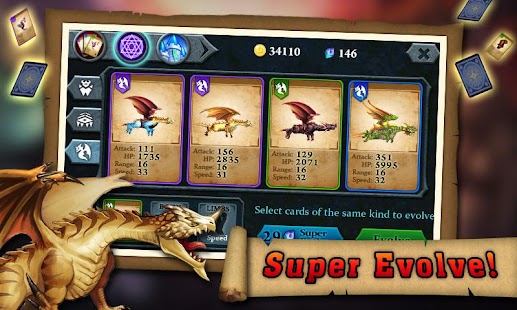
# Evolvement of the same species. Mightier power and incredible new creatures are available.
# Abundant species for evolvement. Challenge your imagination to create new species.
# Multiple row tower defense. Take smart strategy to win the battle.
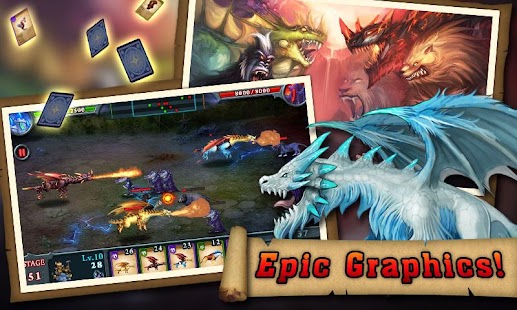
# High quality gorgeous graphics and amazing sound effect.
# Challenge BOSS stages!
Ready? Who will be the conqueror in the end?
Traffic Monitor+ & 3G/4G Speed 6.0
6/19/2014 12:10:56 PM
Current Version: 6.0
Requires Android: 2.2 and up
Category: Productivity
v6.0 update:
- Network Coverage:
Browse the network coverage on a heat map.
- Speedtest Benchmark:
Check the speed test results of other users in your neighborhood.
- Added localization for Hungary – many thanks to Gidano!
- Performance improvements and minor bug fixes
Overview:
Demand more. Have it all at your fingertips.
Speed – Data – Voice – Quality
With the ad-free RadioOpt Traffic Monitor you can check your 3G / 4G speed and keep an eye on network coverage and data usage on your smartphone. Integrated key-features: speed test for 3G / 4G networks, inspection of network availability and data usage monitoring. You can also manage apps with the Traffic Monitor Task Manager.
Speed test
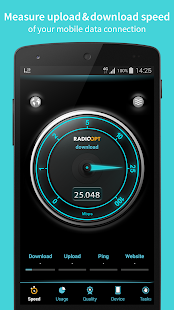
The speed test of the RadioOpt Traffic Monitor shows you the speed and latency of your UMTS, LTE and Wi-Fi network on a speedometer, separated into upload, download and ping speed. After each test you receive an assessment of your result, comparing it to users in your region. So you can find out if you surf the net faster or slower than the rest of the world. All speed tests are archived with all details and can be accessed anytime and viewed on the integrated map view. The archived data helps you to recognize speed variations quickly.
Voice / SMS counter
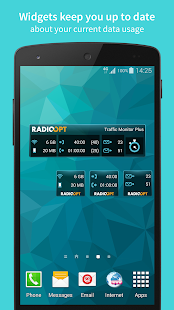
Check the number and duration of your voice calls and SMS and view your predicted usage based on this data. Using the home screen widget you are always up to data on your voice and SMS usage.
Data usage
Monitor your data usage in a self-specified period of time. Therefore you can set all your details of your data plan like the starting date of your billing period or your maximal data allowance. You can also choose between weekly, monthly or 30-day billing period lengths. Traffic Monitor measures your data usage in general and by app. So you are always well-informed because Traffic Monitor warns you if you have exceeded your specified data volume. In addition, data usage abroad is shown separately so that you can track your roaming charges easily.
Task manager
The integrated task manager shows you all running apps at a glance and offers you also the possibility to close memory-consuming apps.
Traffic Monitor is for free and does not contain any ads! We are happy about positive ratings and your feedback 
Opera browser for Android 22.0.1485.78487
6/19/2014 11:49:55 AM
Current Version: 22.0.1485.78487
Requires Android: 4.0 and up
Category: Communication
v22.0.1485.78487 update:
- Fixed a stability issue
- Introduced swipe gestures in tab manager
- Added possibility to re-open recently closed tabs
- New design for some UI elements
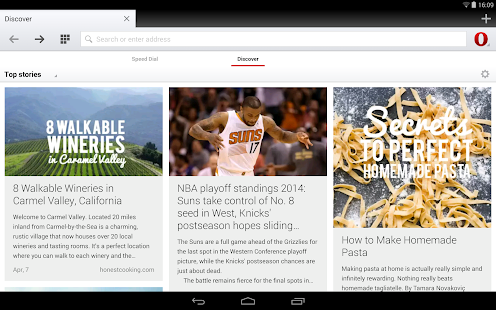
- Improvements for Discover section
- Improvements for downloads
- Fixed issue with downloading bigger files
- Chromium version update to 35
- Various stability and usability improvements
Overview:
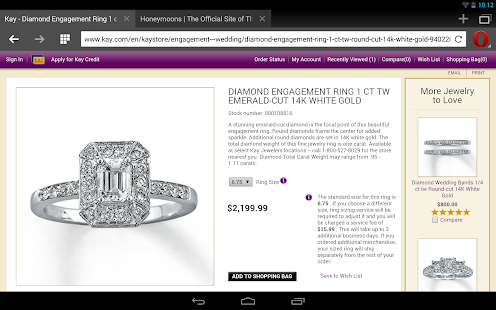
Get the best mobile web browser for Android phones and tablets. Opera is designed for the latest Android devices.
Opera looks gorgeous, runs fast and comes with a long list of useful features installed. Get it now and start enjoying:
- A BETTER CONNECTION: Stay online even when on slow or congested networks by switching to Off-Road mode. (It also gives you cheaper internet!)
- ENTERTAINMENT: Use the built-in download manager to get movies and music off the web.
- PRIVACY: Go anywhere on the internet without leaving a trace when you use private browsing mode.
- INSPIRATION: Get the latest stories right in the browser from the world's leading magazines and newspapers with the Discover feature.
- YOUR FAVOURITE THINGS: The sites you love are always on top thanks to the visual Speed Dial.
CNET editors' rating: Outstanding. "We highly recommend taking Opera out for a spin!"
See for yourself why reviewers and users alike are raving about Opera's all-new Android browser. New and improved features include:
- A completely redesigned interface that's light, clean and bright
- More responsive elements, from smart scroll bars to automatic page sizing
- Enhanced stability and compatibility — more websites work better than ever in Opera
This is our fastest browser, designed for the most popular Android phones, such as:
- Samsung
- HTC
- Sony Ericsson
- LG
If your device is not compatible with the latest version of Opera browser, try Mobile Classic (http://play.google.com/store/apps/details?id=com.opera.browser.classic) or Opera Mini (http://play.google.com/store/apps/details?id=com.opera.mini).
About Opera
Made in Scandinavia, Opera is the independent choice for those who care about quality and design in their web browser. Since 1994, our products have been crafted to help people around the world find information, connect with others and enjoy entertainment on the web.
Enjoying Opera? +1 us on Google+!
Discover more at http://opera.com/mobile/
Keep in touch:
Twitter – http://twitter.com/opera/
Facebook – http://www.facebook.com/opera
Instagram – www.instagram.com/operabrowser
[root] StickMount 3.01
6/19/2014 11:46:24 AM
Current Version: 3.01
Requires Android: 4.0 and up
Category: Tools
v3.01 update:
v3.01:
- Fix possible force close
v3.00:
- (Pro) Make mounts available by label or uuid instead of block device name
- (Pro) Make mounts available through /mnt and /storage
- White notification icon for KitKat
v2.50:
- Fixed a number of (un)mounting issues
- Fixed one possible cause of /sdcard disappearance
- Anticipate and work-around '4.5' issues
- Suggest FS support add-on download
v2.40
- Add mount master usage if available, and warning if not
Overview:
Automatically mount and dismount USB sticks on various devices like the Galaxy Nexus, Nexus 7 and Nexus 10. The Nexus 4 is not supported – this is an issue with the device, not with StickMount !
!!! REQUIRES ROOT !!!
Various Nexus and “stock Android” devices do not automatically “mount” mass storage devices (such as USB sticks). StickMount has been made to solve this problem, and give you access to the files on your USB connected storage from all your apps.
StickMount is known to work on many devices, but is built *only* with *Nexus* devices in mind.
Once StickMount is installed and you connect a USB stick with a “USB host / OTG cable”, the device will show you a popup if you want to open StickMount. It is advised to tell the device that you want to do this by default.
If you have just installed StickMount and you already had a USB stick connected, you must manually launch the program, or disconnect/reconnect the USB stick for StickMount to start working.
Mass storage devices are mounted to “/sdcard/usbStorage/xxxx/”.
—– (Pro) Kill apps preventing unmount —–
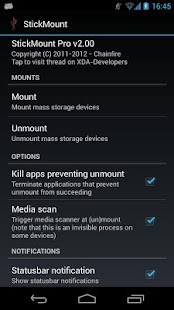
Sometimes an app has a file in use located on the USB device, and won't let go of it. This can prevent StickMount from unmounting the USB device. It will seem like the device stays connected (this is harmless). StickMount Pro provides an option that attempts to kill (terminate) all the apps that are preventing the unmount from succeeding.
—– (Pro) Media scan —–
StickMount Pro supports triggering the media scanner on each (un)mount action. This will automatically make the files on your USB device available in apps like Gallery and Music. Please note that the media scanner is not a visible process on all Android devices – it might actually work silently in the background without any visual cues. It may take a minute for your files to show up, so don't panic if they don't show immediately.
Even if you have this option enabled, you can prevent folders from being scanned by placing an empty file called “.nomedia” in that folder. If you put it in the root of the USB device, the entire device will not be scanned.
—– (Pro) Mount as partition label —–
Instead of using the block device name for the partition, use the partition label as mount name, falling back to uuid or block device name if the label is unavailable.
—– (Pro) Create symbolic links —–
Create symbolic links in /mnt and /storage to the actual mounts in /sdcard/usbStorage/
—– Filesystem support —–
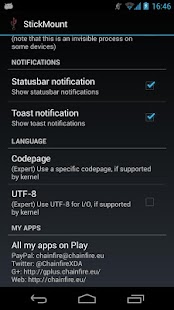
The filesystems supported depends on your device firmware. On most devices, at least vfat/fat/fat32 and ext2/3/4 are supported. On the latest Android versions, ntfs is also supported in read-only mode. Some devices also support exfat out the box, but most do not.
StickMount can utilize the “ntfs-3g” and “mount.exfat-fuse” binaries to add support for ntfs (untested) and exfat, but these are not included. If you place the “ntfs-3g” or “mount.exfat-fuse” files in the root of your internal storage ( /sdcard ), StickMount will automatically use them.
You can find the needed files here:
ntfs-3g: http://forum.xda-developers.com/attachment.php?attachmentid=1145436&stc=1&d=1340293802
mount.exfat-fuse: http://forum.xda-developers.com/attachment.php?attachmentid=806200&d=1323109372
—– Troubleshooting —–
For some users, the app appears not to work, while in fact it is the device itself or the cable not working. One OTG cable is not the other OTG cable. If you have a USB stick with a light on it, it should light up when you connect it to the Galaxy Nexus using your OTG cable. If it does not, either your cable or your Nexus is faulty. 99 out of 100 times it is going to be your cable. That the cable works fine with another device does not mean anything! Cables known to work on a one devices may not work on another device.
SD card unmounting: If your SD card unmounts when unmounting a USB device, you have a bug in your kernel. This is *not* a bug in StickMount !
You are receiving this email because you subscribed to this feed at feedmyinbox.com
If you no longer wish to receive these emails, you can unsubscribe from this feed, or manage all your subscriptions


No comments:
Post a Comment