 | Create a one of a kind personalized gift. It's fun and easy to design! From our sponsors  |
| APKTOP |
| Free Android Apps,Games Download From Android Market |
Uface – Unique Face Maker 1.1.9
6/9/2014 5:10:14 PM
Current Version: 1.1.9
Requires Android: 2.3 and up
Category: Entertainment
v1.1.9 update:
New items with original Chinese style are now available.
Overview:
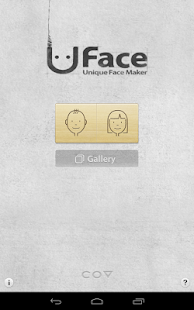
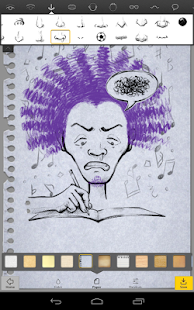
Make your face into a cartoon character like a professional illustrator!
★ Easy!
Uface is the easiest face sketch tool for everyone. you can create all faces you want by simple controls. You will be satisfied with unique faces and funny looks made by various items. Surprise your friends with a hand-drawn style images.
★ Share!
Do you want to share your own face sketches with others? Share the images on your gallery via Facebook and twitter.
When you see various face sketches with phone ringing, it will make your day more funny.
★ Enjoy!
Does it annoy you to select items one by one? Just touch random button. Unique faces that you've never imagined make you smile.
Uface will give you a little break in your boring life with various features.
Now, have a new experience!
Pushbullet 14.2.5
6/9/2014 4:44:45 PM
Current Version: 14.2.5
Requires Android: 4.0 and up
Category: Productivity
v14.2.5 update:
14.2.4: Quick fixes
14.2: Remove devices & friends from your account by long-pressing on them.
14.1: Pushbullet can mirror your notifications between Android devices now too! (Android 4.3+)
This means you can see who's calling or read a text/WhatsApp message right on your tablet! (To enable this, head to Settings in our app.)
14: Pushbullet has been completely redesigned–the app is now easier to use and has tons of new features!
Overview:
Never miss another phone call or text message again while using your computer!
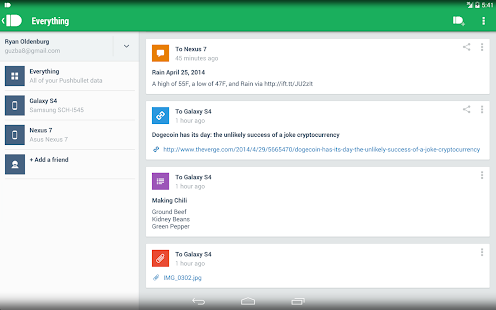
Pushbullet automatically shows you all of your phone's notifications right on your computer. This means you can see who's calling or read text messages even if your phone is on silent or in another room.
Pushbullet also makes it easy to send pictures, files, links, and more between your devices and even to friends.
Sending things with pushbullet is the easiest way to share things between your devices:
• Push a link to your phone by just right-clicking on it on your computer. You can then go right to the link by tapping on the notification.
• Send pictures and other files to your phone wirelessly from your computer and open them right from the notification. No more digging things out of your email inbox or Dropbox.
• Send any address over to your phone so you can get right into Google Maps instead of having to look it up again on your phone.
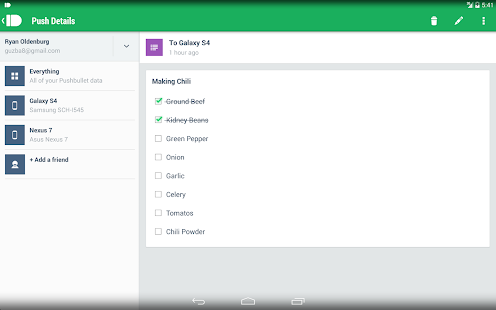
• Put a todo list right in your notification tray and check of items as you go.
Pushbullet looks and works great on tablets too.
This app works best when paired with our Chrome or Firefox extension:
Chrome: https://chrome.google.com/webstore/detail/pushbullet/chlffgpmiacpedhhbkiomidkjlcfhogd
Firefox: https://addons.mozilla.org/en-US/firefox/addon/pushbullet/
And our Windows desktop app from here:
Pushbullet has been translated into over 30 languages thanks to volunteers from all over the world. This is amazing! If you want to help us improve our translations for your language, head here: https://crowdin.net/project/pushbullet and thank you!
Thanks to Kyusang Whang and Seungju Choi for translating our app into Korean! Want your name here? Just let us know!
Murum 1.3
6/9/2014 4:23:22 PM
Current Version: 1.3
Requires Android: 4.0.3 and up
Category: Personalization
v1.3 update:
1.3
- Various crash fixes. A new permission is needed for a crashing issue.
- Added option to remove the app from the app drawer
- Added the ability to choose how many columns you want the wallpapers to be shown in (1,2 or 3).
- It won't scroll to the top when you exit out of a single wallpaper.
- You can cancel loading a wallpaper buy hitting the softkey back button.
- Added a 'Back' button next to 'Save' & 'Apply'
- Minor Colour & text changes.
Don't forget to rate! 
Overview:
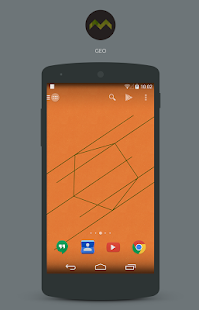
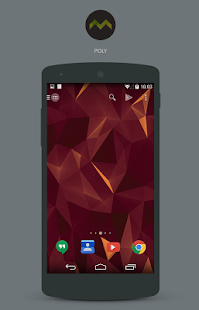
A small collection of wallpapers inspired by my current offerings. 95 wallpapers spilt into different categories, Geo, Blur, Poly and more. These wallpaper should match with most icon sets so you can create some great setups.
In version 1.3:
- Over 95 wallpapers spilt between multiple sections
- Wallpapers hosted in the cloud
- Muzei Live Wallpaper support
- B-LINK for Behang support
- App with cropping function.
New wallpapers and new categories will be added in future updates.
If you wish to see a wallpaper in the pack a different colour, feel free to contact me and I can add it into the pack.
If you've downloaded it, please rate & also, please don't share single wallpapers, if someone is interested, direct them to this page.
Enjoy.
No One Dies 1.0.7
6/9/2014 1:21:06 PM
Current Version: 1.0.7
Requires Android: 2.3 and up
Category: Trivia
v1.0.7 update:
-Add INFERNO MODE
-Multiplayer Support
-Fix Bug
Overview:
Can you last out 10s?
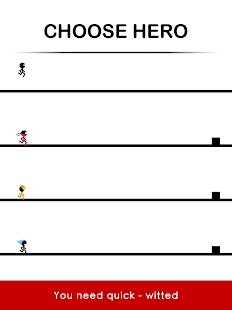
Helping one dude to run and jump over objects is one thing. Have you got what it takes to control 2 – 4 stickman at the same?
No One Dies is a test your brain hand game. Find out which one of you can run faster without tripping!
Features:
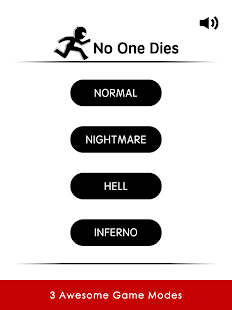
3 Awesome Game Modes
You need quick – witted
Test your brain hand!
Full languages Support !
SImple Control
Game Center Support
Social Share Support
Have it and have fun! Thanks.
Follow Us : https://www.facebook.com/NoOneDies
Wikipedia Beta 2.0-beta4
6/9/2014 1:20:46 PM
Current Version: 2.0-beta4
Requires Android: 2.3.3 and up
Category: Books & Reference
v2.0-beta4 update:
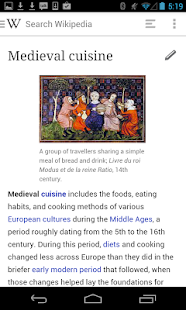
* A major design update (we went native!)
* Editing – help improve Wikipedia articles from your phone!
* Everything is faster, whether you're searching, browsing, or settling a bar bet
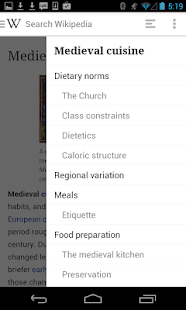
* Table of contents to help you navigate long article and get to the information you need
* Wikipedia Zero support – data charges waived for select participating mobile operators (Wikipedia is of course freely licensed)
* Search any language Wikipedia
* Bookmark pages
* Random article
* Recent browsing history
Overview:
Welcome to the Wikipedia Beta for Android! We're excited to offer a major update to the Wikipedia Android app for beta testing before our full market release.
What's new in this app:
* A major design update (we went native!)
* Editing – help improve Wikipedia articles from your phone!
* Everything is faster, whether you're searching, browsing, or settling a bar bet
* Table of contents to help you navigate long article and get to the information you need
* Wikipedia Zero support – data charges waived for select participating mobile operators (Wikipedia as always is of course freely licensed)
Additional features:
* Search any language Wikipedia
* Bookmark pages
* Random article
* Recent browsing history
You can install Wikipedia Beta alongside your current version of Wikipedia for Android, so you can test our new features before they go live for all Wikipedia for Android users. Your feedback will help us fix bugs and decide what features to focus on next.
Please help us improve this app by leaving feedback here or sending a note to our mailing list, mobile-android-wikipedia@wikimedia.org
Dark Stories: Midnight Horror 1.0.10
6/9/2014 12:40:24 PM
Current Version: 1.0.10
Requires Android: 2.2 and up
Category: Puzzle
v1.0.10 update:
Changes in version 1.0.1:
- fixed a bug with the black wool
- fixed a bug in the dialogue with the suspect
Changes in version 1.0.2:
- english translation was updated
- fixed bug on loading screen
- minor fixes
Changes in version 1.0.3:
- fixed a bug with the disappearance of inventory items
Changes in version 1.0.4:
- added languages: Spanish, German, French
- minor fixes
Changes in version 1.0.5:
- added “ads free”
Changes in version 1.0.7:
- fixed game crashes
Overview:
From developers of 100 Doors and 100 Doors: Parallel Worlds
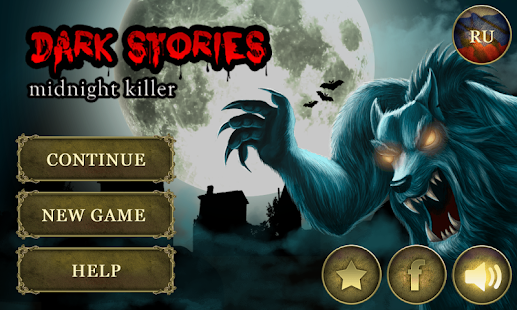
Horror and mystical crime story!
Gregory Ross is a detective from Los Angeles homicide department. He doesn't have much friends and probably will never won popularity contest in his police station. It is all because Gregory has a gift – he is connected to the world of supernatural. Gregory can see things, hidden from others and solves the cases which couldn't be told about for a cup of tea. This detective investigates dark stories.
Play Dark Stories: Midnight Horror for free!
Features:
- Two different finals of the game
- Dialogue system
- Huge and beautiful game world
- Supports two languages (English, Russian)
- Alternation of day and night
Follow us on Facebook: http://www.facebook.com/MpiGames

AutomateIt Pro 4.0.99
6/9/2014 12:18:28 PM
Current Version: 4.0.99
Requires Android: 2.2 and up
Category: Productivity
v4.0.99 update:
• Support additional devices
• Bug fix for Android 2.2
More plugins available at http://goo.gl/Czfgoi
Join our Beta Users Group at http://goo.gl/PRgQGA
Overview:
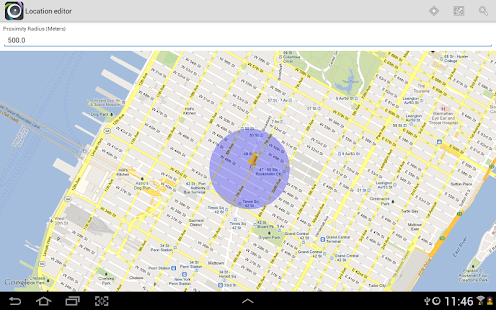
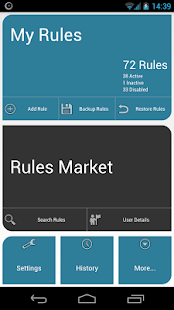
AutomateIt is designed to make your life easier by automating various tasks on your Android smartphone or tablet.
AutomateIt Pro has all the goods that the free version has and it's an ad-free, popup-free version with some awesome new and advanced features (ALL locked features of the free version are unlocked with AutomateIt Pro)
Limited time offer: Pro users don't need points to download rules from the rules market
www.androidapps.com – “Cool and innovative!”
AutomateIt Pro provides a set of useful rules:
Conserve power when battery level is low
Quiet at night when screen is off
Vibrate mode during meetings
Max volume when headset unplugged
Lower volume when headset plugged
Unmute by SMS
Automatically turn on/off speaker during call using proximity sensor
And more…
The advanced features included in this version are:
• Composite Triggers – use more than a single trigger for each rule using AND/OR logic between these triggers
• Composite Action – execute several actions as a result of a single trigger (which can be a composite trigger)
• Rule Active Period – set an active period for each rule. Really useful if you only want a certain rule to be active only during daytime, weekends, just an hour a day etc.
• Sensor Trigger – utilize all your device' sensors as a trigger for a desired action. This includes usage of all the sensors supported by Android – Accelerometer, Light, Proximity etc.
• Calendar Trigger – monitor events on your different calendars
• Enable/Disable Screen Lock Action – Enables or disables your screen lock slide/pattern/password/pin
• Cancel delayed execution by trigger – Auto-cancel delayed execution when defined trigger is launched
• Cell ID Trigger – Trigger when connecting or disconnecting from defined cellular cells (Unlimited number of predefined saved locations)
• Recurring Event Trigger – Executes a defined action every defined time interval
• Copy Rule – Create a new rule, based on an existing one
Visit the developer's website for user guide for these new features.
If you are upgrading from the free version, follow these simple steps for an easy upgrade:
Backup your existing rules from the main screen menu
Uninstall AutomateIt free version
Install AutomateIt Pro
Restore your backed-up rules
Note: Some features might require root – see description of free version or visit developer's website.
Want to AutomateIt with your own language ? visit http://automateitapp.com/translateit.
Currently supports English, German, Spanish, Hebrew, Polish, Danish, French, Italian, Czech, Slovak, Romanian, Chinese, Hungarian, Portuguese, Japanese, Koreanת Dutch and Russian.
Quick Command 1.0.20
6/9/2014 12:17:44 PM
Current Version: 1.0.20
Requires Android: 4.1 and up
Category: Tools
v1.0.20 update:
Overview:
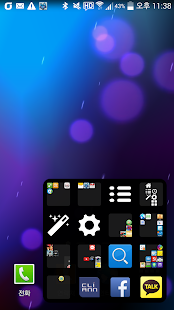
Quick Command provides quick solution to customer's wants. It can be activated in all situations.
Directions
1. Touch the pre-set region of the screen and drag it.
2. Release it after dragging it for certain distance will make a pad to pop up.
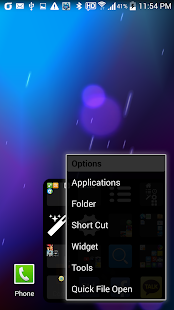
3. Touch the pad for a period of time to add desired functions and launch it.
Feature
- Execute an application
- Shortcut
- Widget
Rainville 1.5.1
6/9/2014 12:17:31 PM
Current Version: 1.5.1
Requires Android: 4.0 and up
Category: Health & Fitness
v1.5.1 update:
Release 1.5.1(2014-06-07)
- 新增新手引导提示,避免错过部分功能
- 修复播放按钮状态无法更新的问题
雨声效果中有关水流声过大的问题我会统一调整下,同学们给我点时间 :^)
Overview:
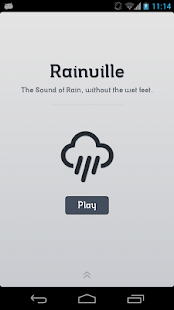
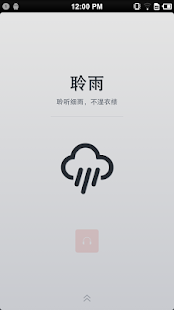
!!! Features
- Cleanly Design;
- Simplify, Easy and comfortable to navigation;
- Headset Output Only, Does't disturb other people;
- Many types of Rain Sound;
- HD Sounds Quality;
- That's All Free, And Open Source!!
!!! Usage
Noise Masking
Your worst enemy can sometimes also be your best friend. The noises you will find here are of the second league, and will help you in masking noise you don't want to hear. Some people find it impossible to read, study, work, or do pretty much anything in the presence of undesired noise. Noise blockers usually use white noise, a continuum of frequencies equally distributed over the whole hearing range, which will mask the other noises in the room. This website introduces the concept of frequency-shaped noises, focusing on the frequencies one wants to effectively block. This ensures higher efficiency, and quieter masking levels.
At the Office
Open offices can be either too quiet or too noisy. In one situation, the slightest sound becomes distracting; in the other, ambient noise makes it impossible to concentrate. Open offices often benefit from sound masking devices, as the added noise covers existing sounds in the area, making workers less distracted and more productive.
On another issue, private offices often appear to provide privacy but are poor performers in terms of acoustics. Sound masking between adjacent offices can be used to ensure that confidential conversations remain confidential. Either the masking sound is played inside the room where privacy should be guaranteed, or on the outside, depending on the application. For example, a doctor who does not want those in the waiting room to overhear a private conversation with a patient, will provide sound masking in the waiting area, not in his office.
Baby Sleep
Noises and noisescapes are known to help soothe the babies to sleep, and sleep through the night. It helps parents too, when all sleep in the same room: healthy sleeping newborns can be pretty noisy as they move and make noises while they sleep. Playing some low-level noise in your bedroom will help you sleep through the wiggles and soft squeals your baby makes.
Relaxation
Sound affects many areas of the brain and has an undeniable effect on the body. A good way to test if a particular sound is relaxing to you is to check your pulse: if it slows down, then you have found the sound that is calming you. Keep listening to it and you will relax, reaching a state of increased calmness and reducing your levels of anxiety, stress, or anger.
Sound Therapy
Sound Therapy was common in the world of the Ancient Greeks. Pythagoreans used mathematical techniques to create harmonic structures for emotional balance, spiritual and relationship healing, and overall health. Although science and medicine evolved in the meanwhile – harmonic structures are now perfectly understood as resulting from the laws of physics – many people still rely on sounds as a natural healing method, with numerous successes and no side effects yet known. myNoise offers different tonal noises characterized by rich harmonic structures.
Rocket Music Player 2.8.4.14
6/9/2014 12:17:05 PM
Current Version: 2.8.4.14
Requires Android: 2.1 and up
Category: Music & Audio
v2.8.4.14 update:
* Version 2.8.2
** NEW: Delete files on KitKat SD cards (uses a hack that might go away)
** FIXED: Chromecast not starting properly
** FIXED: Free EQ dropping out on some devices
** FIXED: Widget not responding on the Galaxy S5
** FIXED: Clicking a tab results in only one shown tab
* Version 2.8.1
** NEW: Export playlists
** NEW: Sort playlists
** FIXED: Missing and hidden playlists
* Version 2.8.0
** NEW: Chromecast Audio Support
Overview:
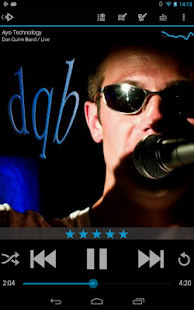
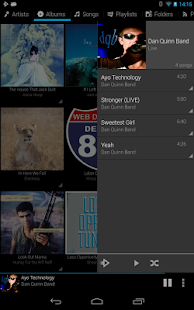
Rocket Player was designed with both the easy and advanced listener in mind. The easy to use interface allows you to browse to the music you want to hear faster without getting bogged down in details and extra buttons. Additionally, advanced options give you an opportunity to create your own music listening experience with quick playlist editing and a dynamic equalizer.
Frequently asked questions are available at http://www.jrtstudio.com/RocketPlayer/FAQ
This free Android media player contains key features focused on streamlining your music player interaction including:
- Personalize your look with themes
- Stream music to your Chromecast
- Control sound with 5 band graphic equalizer (Android 2.3+)
- Browse and play your music by albums, artists, genres, songs, podcasts, folders, composers, videos and playlists
- Video browser and player
- Play or shuffle by albums, artists, genres, songs, podcasts, folders, composers, videos and playlists
- Batch operations for optimizing your library
- Display embedded lyrics support
- Remove unused media tabs
- Edit tags
- Programmable sleep timer
- Create and edit playlists within the player
- Create dynamic "Live List" playlists based on rules
- Fade in and out when playing and stopping songs
- Controllable lockscreen
- Bookmark podcasts
- Customize the default action for different categories
- Add music up next, like in iTunes
- Control your music with 4×1 and 4×2 widgets
- Support for most scrobbling apps
When combined with iSyncr, an app for syncing your iTunes music with your Android device, Rocket Player allows you to:
- Sync new playlists and playlist changes back to iTunes
- Sync podcast bookmarks to and from iTunes
- Sync song ratings to and from iTunes
- Sync video play counts
To take your music listening to the next level, upgrade Rocket Player with the Rocket Player Premium Unlocker. The Premium version unlocks the following features:
- Support for even more audio formats: Apple Lossless (alac), True Audio (tta), APE (ape), Musepack (mpc),Waveform Audio File (wav), Free Lossless Audio Codec (flac), WavePack (wv) and Windows Media Audio (except lossless and copy protected) (wma)
- Download album art
- Customize sound using a 10 band graphic equalizer
- Limit distortion and clipping with limiter
- Assign an equalizer preset to a song, genre, playlist, artist, album, or podcast
- Preamp
- Right/Left balance control
- Replay Gain
- Gapless playback
- Variable playback speed for podcasts
- Variable playback speed for music
- Crossfading
- Marked gapless albums in iTunes will play gapless when used with iSyncr
- Start/stop time from iTunes is used when used with iSyncr
Need help? Visit http://www.jrtstudio.com for quick tips or to contact support.
Want to help translate to your language?
http://www.getlocalization.com/JRTStudio/
App updates and Giveaways!
Follow us on
Twitter: @JRTStudio
Google+: http://plus.google.com/+JRTStudio/posts
Facebook: http://www.facebook.com/JRTStudio
Blog: http://www.jrtstudio.com/blog
Community: http://plus.google.com/communities/112746646322808171156
© 2014 JRT Studio LLC | iSyncr is a trademark of JRT Studio LLC | iTunes is a trademark of Apple Inc., registered in the U.S. and other countries.
You are receiving this email because you subscribed to this feed at feedmyinbox.com
If you no longer wish to receive these emails, you can unsubscribe from this feed, or manage all your subscriptions


No comments:
Post a Comment