 | GoTo Webinar is a new, affordable, do-it-yourself Web event service that doesn't require a consultant. Get $10 off after your complimentary trial. From our sponsors  |
| APKTOP |
| Free Android Apps,Games Download From Android Market |
Starlink 1.53
6/13/2014 12:18:31 PM
Current Version: 1.53
Requires Android: 2.3.3 and up
Category: Arcade
v1.53 update:
151: Listened to player feedback! Pace restored for players, and UFOs are back to dots.
152: The arrangement of options on the Play menu was all wrong.
153: Fix for arrows rarely pointing in the wrong direction and restored profile import.
Overview:
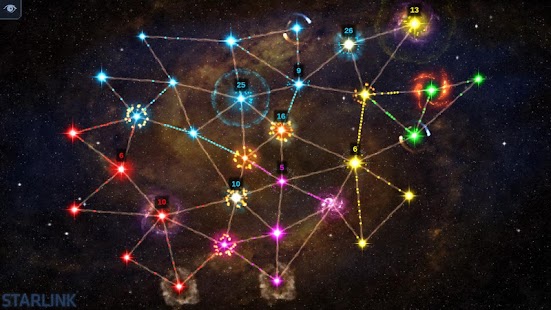
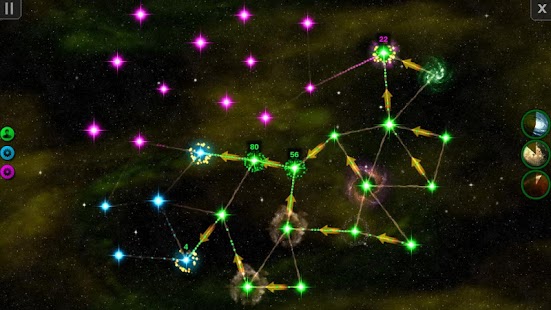
Starlink is a tactical real-time strategy game about galactic domination. You start by controlling a star in a procedurally generated galaxy, and each star you control produces ships. You can direct ships to other nearby stars that happen to be connected via hyperspace routes in order to capture them, but beware other hostile factions trying to do the same. Don't let your guard down, or you will quickly find your stars overrun with enemy ships.
If the AI proves to be too much of a challenge, invite a friend (or five) to play with you, and share control of the galaxy with them, or join opposing teams and compete against each other — it's all up to you.
To make the flow of the game even less predictable, each player can choose from a large list of abilities to take with them into each match that can drastically change the way the game plays. Some abilities are defensive in nature, some offensive, and others are a mix of the two. There are even abilities that let you reshape the galaxy to your advantage, collapsing or creating new hyperspace routes between stars.
And if that's not enough, certain abilities can be used in a sequence for even more devastating effects.
Can your galactic empire prevail and rise up above others? There is only one way to find out…
EZ Weather HD Beautiful Widget 0.9 beta 1
6/13/2014 11:35:49 AM
Current Version: 0.9 beta 1
Requires Android: 2.2 and up
Category: Weather
v0.9 beta 1 update:
v 0.8 beta 6
-Add notification position option
v 0.8 beta 6
- Zip traffic data
- Fix “Tomorrow” issue
- Add some translation
- Delete image after share
v 0.7 beta 2
- New help and feedback.
- Support online redeem system
- Fix battery and memory issue.
v 0.6
- Support DashClock extension
- Support expandable notification weather
- Support new feature on KitKat 4.4 – Full-screen immersive mode
- Support lock screen widget.
- Support share weather to friends.
- Fix world clock issue.
Overview:
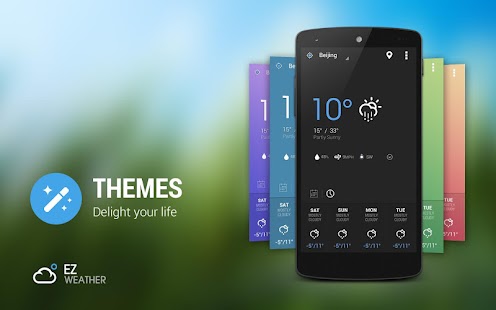
EZ Weather has a simple, clean and beautiful HOLO interface. It's designed for easy using .
You can get weather conditions quickly including daily and hourly forecasts for any location.
Your best weather app on home screen!
■ TESTIMONIALS
—————————————————————
"EZ Weather is, in my opinion, the best looking app on show….EZ Weather is actually an app of high quality. It displays weather data with a light-on-dark colour scheme, which makes for glorious clarity."- Appstorm
“If you're tired of your weather app and want something new, EZ Weather HD is definitely an app to try!”-Androidtapp
"A clean simple weather app. Great app: Great widgets: Great notification weather. Can't ask for much more!
"-Androiddissected
"A simple and easy to use weather app. Currently ad-free, so get while the getting's good."-Bestappsmarket
■ FEATURES
—————————————————————-
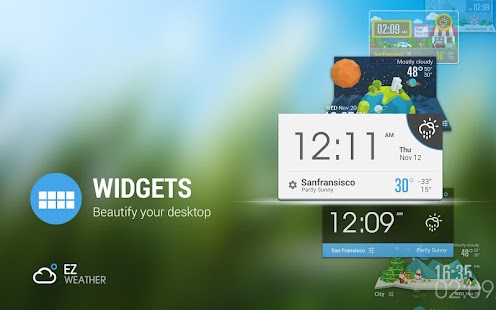
- Transparent weather widget
- Daily and hourly weather report ( 7 days and 24 hours), current detail conditions
- Intuitive information of temperature , wind speed and direction, humidity, visibility, pressure, dew point, UV etc.
- Auto-location,updated with your position
- Multi weather data source service.
- Support show current and future weather in expandable notification bar.
- Support clock & weather, forecast and current weather info widget for tablet and phone.
- Support Lock Screen Widget and DashClock extension.
- Quick-Action:You could open clock, calendar, weather, widget settings, or any other app by click different area in widget
- Support tens of thousands cities's climate around the world, also support world clock take it when you are traveling!
- Support Arabic, Catalan ,Chinese ,Croatian ,Czech ,Danish ,Dutch ,English French ,German ,Greek ,Hebrew ,Hungarian ,Italian ,Japanese ,Korean ,Norway ,Polish ,Portuguese(Brazil) , Portuguese(Portugal), Romanian, Russian, Serbian, Slovakia, Spanish, Swedish, Turkish, Ukrainian, Vietnamese etc.
- Support new feature on KitKat 4.4 – Full-screen immersive mode
■ COMMING SOON
—————————————————————-
- More Widget Style
- Severe forecast alert
- Customize Elements
- Doppler and Radar map.
- Feel like and wind chill temperature
■ USER REVIEWS
————————————————————
“Beautiful design & fantastic usability I love this app. It has a beautiful minimalist design and a lot of options to choose from, and it's wonderfully efficient at much more than just reporting the weather.” — by Melissa Kim
“Nice simple and clean! Finally a good looking simple weather app! Developer very responsive on feedback.” — by Brett Watson
“Awesome Weather App Great App, great customer support service, as after update crashed widgets, the creator sent me a email with a newer version which fixed the issues…. Best weather app I've used.” — by Steven Murphy
“I don't like it… I Love It! “Beautiful Widgets” doesn't van compare to this app/widget. This app is amazingly clean, simple, and exactly what I've been looking for. I do however have one suggestion, and it isn't a flaw, just a personal preference. Would it be possible to make the weather icon in the notification have the same functionality as the icon on the widget? That would make this even more quick for me. Again, I seriously LOVE this app so far. Thanks for developing!” — by Josh Bach
EZ Weather is AD-FREE at present, get your personal meteorologist now!
Any suggestion and problem, please contact support@infolife.mobi
#KW
Weather, weather forecasts, severe weather, travel weather, world weather, weather widget, clock and weather, minimal weather, minimal widget , transparent weather, transparent widget, world clock, climate, meteoearth, meteorology, forecasting, dashclock;
ES File Explorer File Manager 3.1.7
6/13/2014 9:54:41 AM
Current Version: 3.1.7
Requires Android: Varies with device
Category: Productivity
v3.1.7 update:
V3.1.7
-Encrypt/Decrypt Menu
-Clear defaults in Open as
-Some minor improvements
FAQ
1)Download Facebook video?
-FB link in homepage
2)Meet Android bug error -24 (not ES issue) & cant update?
-Clear Google play cache,reboot
-Clear data/data/com.estrongs.android.pop(for root)
V3.0.0~V3.1.6
Homepage;Saveto;Multithread copy;Thumbnail;Web Search;OTG;Recycle Bin;Batch Rename;GIF;Open As;Task Manager;Playlist;WiFi send;Gesture;Theme;Root Explorer,Bitcasa…
V1.6 available on our website
Overview:
ES, 300 millions global downloads, file manager trend leader on Android!
Rated as one of best resource management tools on Android market.
ES File Explorer is a free, full-featured file and application manager.
It functions as all of these apps in one: file manager, application manager, task killer, download manager, cloud storage client (compatible with Dropbox, Google Drive, SkyDrive, Box.net, Sugarsync, Yandex, Amazon S3, and Ubuntu One…), FTP client, and LAN Samba client.
It provides access to pictures, music, video, documents, and other files on both your Android devices and your computers.
ES File Explorer allows Android users, no matter where they are, to manage their resources freely. You can access all of your files from your mobile device and share them with others. This app makes it easy to stay connected over 3G, 4G, EDGE, or Wi-Fi to share with friends, upload photos, and watch videos.
ES File Explorer 3.0 currently supports 30+ languages:
English, Russian, Japanese, Korea, French, Spanish, German, Italian, Czech, Hungarian, Ukrainian, Tamil, Catalan, Turkish, Lithuanian, Portuguese…
This standard version is for Android 2.1, 2.2, 2.3, 3.1, 3.2, 4.0, 4.1,4.2 and 4.4. Android 1.5 ~ 2.0 users, please use ES File Explorer Cupcake.
You can download older version from our official website.Classic Theme can be downloaded on Google Play.
Features List:
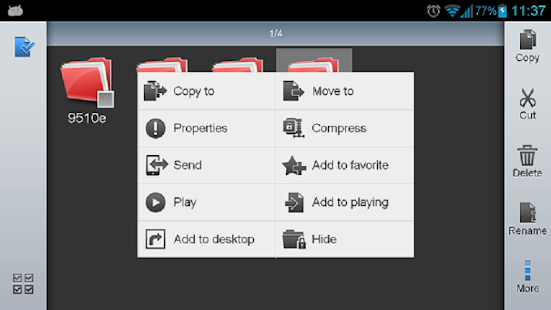
* File Manager – Manage your files like you do on your desktop or laptop using Multiple Select, Cut/Copy/Paste, Move, Create, Delete, Rename, Search, Share, Send, Hide, Create Shortcut, and Bookmark; operations can be performed on local files (on Android device) or remotely (on your computer)
* Application Manager – categorize, uninstall, backup, and create shortcuts to your apps
* Remote File Manager – when enabled, manage files on your phone from your computer
* Built-in ZIP and RAR support allows you to compress and decompress ZIP files, unpack RAR files, and create encrypted (AES 256 bit) ZIP files
* Built-in viewers and players for various file types, including photos, music, and videos; supports third-party applications, such as Quick office, for opening others
* Shows thumbnails for APKs and images
* Text viewers and editors
* Access your home PC via WiFi with SMB
* Functions as your FTP and WebDAV client. Manage files on FTP, FTPS, SFTP, and WebDAV servers just like you manage files on your SD card
* Supports Dropbox, Box.net, Sugarsync, Google Drive (Google Docs is now a part of Google Drive), SkyDrive, Amazon S3, Yandex and more.
ES File Explorer is an enhanced cloud storage client with more functions than the official versions,
it can save photos, videos, and other files to your internet drives and share them with others.
* Bluetooth file browser You can copy and paste files between Bluetooth ready devices. It supports OBEX FTP for browsing devices and transferring files between Bluetooth devices.
* Kill tasks with a single click, increase memory and speed up your device — includes a simple widget that stays on your home screen for knowing your current RAM situation and automatically killing tasks, with an ignore list to ignore the applications you want to keep running.Task Manager module required
* Cache Cleaner and Autostart manager — Delete those junk files that take up valuable storage space.Task Manager module required.
* Root Explorer — the ultimate set of file management tools for root users. Provides access to the entire file system and all data directories, and allows the user to change permissions.
* Developers can visit our website for the developer interface for picking files from your applications, emailing attachments, etc.
* More features included, and more to come
We're working to create the best file manager on Android Market, so plz do not hesitate to CONTACT US with your comments, suggestions, issues.
FACEBOOK: https://www.facebook.com/EStrongs
Video from others: https://www.youtube.com/watch?v=l6lcJZdflac
Epic Launcher 1.2.1
6/13/2014 9:54:20 AM
Current Version: 1.2.1
Requires Android: 4.0.3 and up
Category: Personalization
v1.2.1 update:
v1.2.1
+ Separate shortcut and app icon edit
+ Fix bugs
Overview:
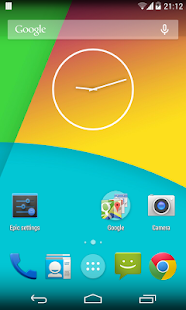
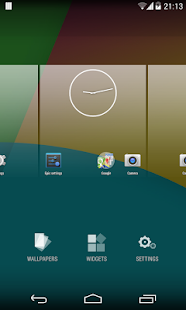
Highly customizable, performance driven, home screen replacement based on the AOSP 4.4 KitKiat Launcher.
Epic Launcher features:
+ Customizable icon size and icon text size
+ Support ADW icon packs
+ Swipe right to open Google Now
+ Customizable desktop grid and drawer grid
+ Lock, Unlock desktop
+ Infinite scrolling on desktop, drawer and dock
+ Elastic scrolling on desktop, drawer and dock
+ Hide apps in drawer
+ Scrollable dock, customizable dock pages and number of dock icons
+ Dock icon scale, show labels on dock icons
+ Customizable icon label color
+ Screen orientation
+ Set default screen for desktop
+ Card stack effect for desktop scrolling
+ Show/Hide persistent search bar
+ Show/Hide icon labels
+ Edit shortcut icons and text
+ Enable/Disable wallpaper scrolling
+ Enable/Disable haptic feedback
+ Enable/Disable reset drawer position
+ More than 16 icons in folder
+ Resize any widget
+ Home button and menu button action
+ Customizable desktop/drawer/dock margins
+ Backup and restore
Epic Launcher Prime unlocks the following features:
+ Unread counts, support ADW Notifier and Holo Notifier
+ Folders in drawer, organize apps into folders
+ Gestures support
+ Swipe gestures on any icons
+ Add/Delete folder items quickly
+ Customizable swipe right action
+ Customizable folder background color and drawer background color
+ Swipe left on last page to open Google Now
+ Support Nova Launcher, Apex Launcher, Go Launcher and LauncherPro icon packs
+ 1×1 widgets in dock
+ More scrolling effects
Ghost Commander File Manager 1.52.2
6/13/2014 9:54:13 AM
Current Version: 1.52.2
Requires Android: 1.6 and up
Category: Tools
v1.52.2 update:
v1.52.2
Changed the external sdcard detection method
Improved text messages and translations.
Some fixes.
v1.52
A new way to browse and modify the files on the external sdcard even if the system forbids the direct writing access. Please go to the home: panel to find it.
Overview:
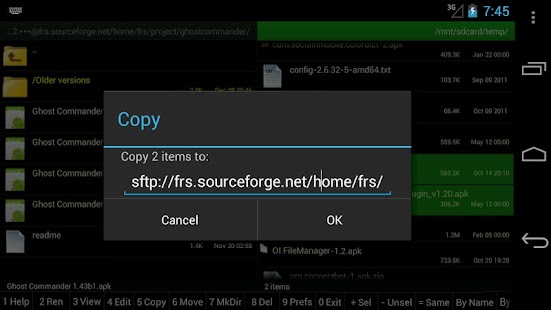
Ghost Commander is a dual-panel, customizable, ad-free and donation supported open sourced file manager which will let you to manage your files or tweak your system in the root mode.
Copy and move files from one panel to another. This method of operating is far more convenient than what is offered by some other file managers, in which you would have to copy/cut items and then navigate to various different folders to paste them – back and forth, again and again.
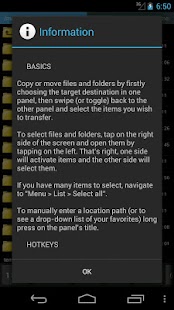
Open files and folders by simply tapping on the left and select single or multiple items by tapping on the right side, where the size/date info is situated.
Besides the basic file manager functions you would expect, Ghost Commander lets you transfer files both to and from FTP and SFTP servers and Windows network shares (SMB plugin required), Google Drive, BOX cloud storage, plus it can create/extract ZIP archives and view inside them before they're extracted.
For advanced users, this file manager also fully supports root (superuser) mode, which is essential to work with critical system files on a rooted phone, change file permission attributes/owners (chmod/chown) and even execute your own shell commands (busybox required).
This file manager is very customizable and comes with a lot of useful options in settings which allow you to adjust its appearance and behavior to your personal tastes and habits.
Ghost Commander's features include, but are not limited to:
* root / superuser (su) mode: remount partitions and make changes to critical system files
* change file owner and permissions (in root mode only)
* ZIP archive support: create and extract ZIP files, plus view inside without extracting
* built-in FTP client: upload to/download from your own site or a public one
* multiselect (by tapping, or select all/wildcards via 'Menu > List > Select all')
* favorite folders and locations
* calculation of file and folder size and MD5 sum
* sorting by name, extension, size or date
* file and folder wildcards search
* text editor (built-in or external)
* built-in text and picture viewers
* open files with the default handler, or manually chosen
* sends files via email, bluetooth and so on
* personalization options: colors, font size, interface language, custom toolbar, etc
* fully manage files on your SD card and internal memory (if your device is rooted)
* all the standard features you expect: open/create/copy/move and delete files and folders
* Windows network support via an optional SMB plugin
* Streaming audio/video from a remote location to an external player (VPlayer is recommended)
* Access to the Google Drive and BOX cloud storage
Requested permissions explanation:
INTERNET – to make FTP and other network plugins be able to connect to an internet hosts.
No connection is established without your command to do so.
ACCESS_WIFI_STATE – to not to let the WiFi down during a file transfer.
WAKE_LOCK – to not to let the phone go to a deep sleep during a file transfer.
WRITE_EXTERNAL_STORAGE – to let the file manager copy files to the sdcard.
VIBRATE – to let the phone vibrate when a long file operation is done.
INSTALL_SHORTCUT – to create shortcut icons to the desktop.
MOUNT_UNMOUNT_FILESYSTEMS – to do so when you have asked that.
ACCESS_SUPERUSER – to let the root: mode of the file manager functioning properly. Not used for any other purposes.
USE_CREDENTIALS – only to let the Google Drive plugin access to the Google based services.
Visit the website (http://tinyurl.com/gc1site) for more details.
Vote for new features here: http://tinyurl.com/gc-user
And, of course, If you like this application, make a donation (from the app menu).
Keywords: SD card, root, file manager, fileman, manage files, explorer, root explorer, Total Commander, Midnight Commander, Norton Commander, FAR manager, dual panel, FTP client, SFTP client, SMB, ZIP, BOX
Video made by Appgovideo.com (http://www.appgovideo.com/)
Power Toggles 5.5.6
6/13/2014 9:33:52 AM
Current Version: 5.5.6
Requires Android: Varies with device
Category: Tools
v5.5.6 update:
Version 5.5.6
Fixed theme picker
Version 5.5.5
Bug fixes
Updated translations
Added one click toggle option for rotation lock
Added counter icon option for timeout tracker, it will displays the number of minus or seconds.
Version 5.5
Improved tablet support
Added immersive mode toggle for Kitkat (keyboard and other input methods will not work)
Added themes support. If you have a theme you want to be included in the app, share it on the g+ page or on the forum.
Some bug fixes
Overview:
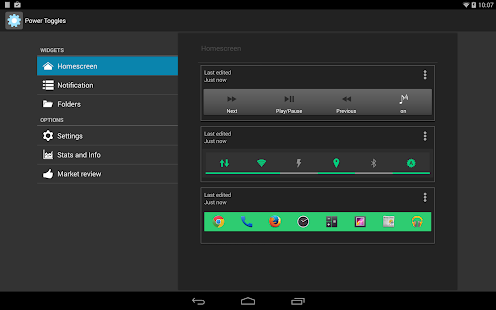
An advanced power control widget. FREE and No ads
For creating a Tasker toggle, refer http://powertoggles.com/tasker/
For concerns regarding SuperUser permission: http://m.powertoggles.com/help.php?e=26 , https://plus.google.com/103583939320326217147/posts/T9xnMJEnzf1
FAQ: http://powertoggles.com/help/
(****** Note: Do not install on SD card ******)
**Call phone permission is required for adding direct call shortcuts on the widget.
Contains 40+ toggles including
Wifi
Mobile Data (3G/4G)
Bluetooth (toggle, discovery and tether),
Flashlight
Custom application shortcut
Custom system shortcuts
And many more…
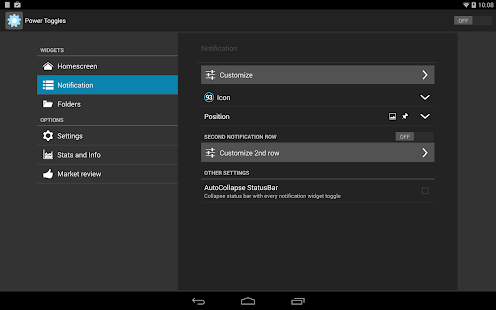
Supports homescreen widgets and notification widget. Also supports expandable notification widget on Jelly Beans and above.
Lockscreen widgets on android 4.2+
Many customization options like changing color theme and icons for individual toggles.
Backup and share widget settings from the widget configure screen (Menu > Import / Export) as well as various themes for multi-icon toggles and battery toggle.
Permissions:
android.permission.ACCESS_SUPERUSER: Required for running root commands. No effect on non-rooted phones. Users will still get the prompt asking for permission when running root command. http://m.powertoggles.com/help.php?e=26
android.permission.CAMERA: Required for the flashlight to work.
android.permission.SYSTEM_ALERT_WINDOW: required to display a toggle choice popup when using notification widget (Only on gingerbread)
Note: on gingerbread, direct notification toggle is not possible. The clicking the notification widget, it displays a popup to choose an action.
Feel free to suggest more toggle button ideas.
Please go through the Help and FAQ section in the app (fully searchable) twice before reporting a bug, most likely it is already answered there.
It is difficult for me to reply to each email individually, some of the emails may get lost in the huge list of unread mails. If you do not get a reply within a week, ping me again.
You are receiving this email because you subscribed to this feed at feedmyinbox.com
If you no longer wish to receive these emails, you can unsubscribe from this feed, or manage all your subscriptions


No comments:
Post a Comment