 | You can reap the rewards with great discounts at participating Pullman, M Gallery, Grand Mercure, Novotel, Mercure, ibis and Formule 1 hotels. From our sponsors  |
| APKTOP |
| Free Android Apps,Games Download From Android Market |
Greenify 2.4 (build 1)
6/10/2014 6:19:21 PM
Current Version: 2.4 (build 1)
Requires Android: Varies with device
Category: Tools
v2.4 (build 1) update:
v2.3.1
Fixed compatibility issue with Xposed 2.6.
[DONATION PACKAGE]
New experimental feature – Reveal Hidden Sync
v2.3
Automated manual hibernation is now compatible with more devices and ROMs (Kindle Fire, MIUI…)
New option to override working mode.
System apps are now shown in orange in App Analyzer.
Critical system services are now hidden by default.
[DONATION PACKAGE]
New experimental feature for Android 4.4+: “Periodic Timer Coalescing”.
Reinforced the feature “wake-up paths cut-off”.
Overview:
NEW: Non-root working mode is now supported in 2.0+, but still in early stage. It currently lacks auto-hibernation due to privilege restriction. Try “Hibernate All” shortcut (widget) for convenience. On Android 4.1+, an accessibility service can be activated to automate this manual procedure, thus eliminate all the clicks.
Greenify NEVER EVER collects your personal data despite the capability of accessibility service, it just takes advantage of it to automate things.
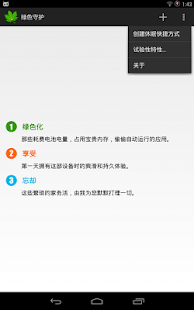
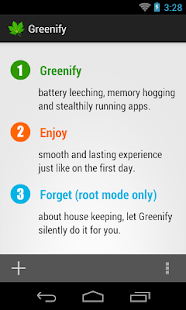
Never should your phone or tablet become slower and battery hungrier after lots of apps installed. With Greenify, your device can run almost as smoothly and lastingly as it did the first day you had it!
Featured as Lifehacker's Top 1 Utility in 2013 Best Android Apps (http://goo.gl/1VMwnE), Android Authority's Top 3 Best Root Apps (http://goo.gl/g0L0qZ).
Greenify help you identify and put the misbehaving apps into hibernation when you are not using them, to stop them from lagging your device and leeching the battery, in an unique way! They can do nothing without explicit launch by you or other apps, while still preserving full functionality when running in foreground, similar to iOS apps!
Please report bugs in the XDA forum (http://goo.gl/urHEa) or G+ community (http://goo.gl/MoszF).
IMPORTANT: Greenifying an app implies that you are aware that all the background functionality (service, periodic task, event receiver, alarm, widget update, push message) of this app will become out of service during the hibernation except when you are using this app.
NEVER greenify alarm clock apps, instant messaging apps unless you don't rely on them. Please do verify the impact of greenified apps on which you heavily rely.
Compared to other popular tools aimed for the similar purpose, Greenify offers the following advantages:
◆ Unlike the “Freeze” feature in “TitaniumBackup Pro” that totally disable the app, you can still use your app as usual, share content with it. No need to freeze & defrozen it.
◆ Unlike “Autostarts”, you can benefit from almost all of its advantages, without needing to deal with the complexity and risk of obscure app components, and never lose functionality when app is actively running.
◆ Unlike any “XXX Task Killer”, your device will never fall into the cat-mouse-game of stealthy-running and aggressive killing, which unnecessarily consumes more battery juice.
Note: Greenify do need a background persistent “Cleaner” service to put the greenified apps back into hibernation when you are not actively using them. It is designed and implemented in extremely lightweight, with an average RAM footprint at 3M in total, and nearly zero CPU and battery consumption.
In case you cannot install from Play Store: http://oasisfeng.com/Greenify.apk
=== PERMISSIONS ===
INTERNET: Needed by “Raise Your Voice” program to send back only small amount of anonymous statistics data, without privacy information. You can opt-out at any time.
DRAW OVER OTHER APP: To show guide layer over the app setting UI of system in non-root mode.
READ SENSITIVE LOG: To analysis the wake up cause of greenified apps.
GET ACCOUNTS & WRITE SYNC SETTINGS: Control the account sync of apps if its sync task is too frequent.
=== FAQ ===
* Why not support Android 2.x?
* It seems that automatic hibernation is not working.
* Some of my greenified apps (e.g. Google Maps) seems not hibernating.
* I want to greenify system apps!
* De-greenified apps still got no push notification!
……
Read here: http://goo.gl/1F5pY
=== Beta Channel ===
See G+ community board: http://goo.gl/MoszF
=== Translation ===
All translations are open for improvement: http://goo.gl/zCCDce
=== Donation ===
If you love Greenify, please consider the “donation version” http://goo.gl/fpz5l for extra experimental features:
* Greenify system apps
* Allow GCM push for hibernated apps
* Detect “who” woke the hibernated apps
Any.do To-do List & Task List 2.84
6/10/2014 5:18:11 PM
Current Version: 2.84
Requires Android: 2.2 and up
Category: Productivity
v2.84 update:
v2.53
- Avoid incoherent login scenarios
Overview:
Millions use Any.do every day to remember all the tasks they want to-do and make sure they get them done. Key benefits: Seamless cloud sync, Speech recognition, Web App access on your computer, Alerts, Any.do Moment, Snooze tasks, Google Task Sync, Notes, Sub tasks, Amazing Widgets, Repeating / Recurring Tasks, Missed call, Auto complete, In app actions, Gesture support & much more!
☞ Get the most out of Any.do:
■ Beautiful & Functional – Any.do is beautifully designed, simple to use and user friendly.
■ Always there when you need it – Any.do syncs seamlessly with the cloud so you can stay on top of just about anything across all your devices.
■ Any.do puts the power in your hands – Drag & drop to plan your agenda, swipe off a task to mark it as complete & shake your android to clear your completed tasks. It just feels right.
■ Speak your mind – Instead of typing just tap the microphone icon and say what you want to do. Any.do will automatically convert your words into text in almost any language.
■ Type less, DO more – Mobile typing can be a hassle; Any.do's auto-suggest predicts what you want to do as you type it.
■ Any.do works for you – Simply add a time based reminder for the things you want to do and Any.do will remind you just at the right time. You can even try some repeat options.
■ Better together – Share lists with your friends, family, and colleagues to accomplish even more. Here are some ideas: A shared grocery list with your spouse, plan an event with your friends or just make sure you're on top of an office project.
■ Any. DO is available in different languages: English, French, German, Italian, Japanese, Korean, Dutch, Swedish, Spanish, German, Portuguese, Chinese (simplified & traditional), Russian, Arabic & Hebrew.
☞ What makes our app so hot:
✔ Just like real life – Swipe a task with your finger to mark it as complete.
✔ Shake it away – Shake your device to remove all completed tasks.
✔ Powerful widgets – Add a widget to your home screen to see all the things you need to do – just when you need them.
✔ Don't miss another call – Turn missed calls into reminders.
✔ Take actions – With Any.do you can easily make calls, text, emails and even schedule meetings from within the app
✔ Make it personal – Choose your favorite app theme (white or black).
✔ Do it your own way – You can easily customize your folders, so you can organize your tasks to best suit your needs (for example: Work, Home, Errands). Plus, you can have as many folders as you wish.
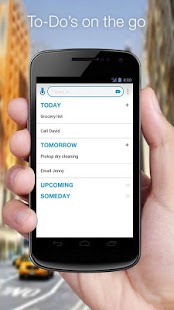
✔ Your tasks, Your choice – You can switch between Date view (Today, Tomorrow, Upcoming & Someday) and Folder view, it's up to you.
♥ Our Customers Say ♥
"I want to say that I absolutely love this app and that's an understatement! I love the modern look, ease of use and how much it has helped me already. I just wanted to let you know how awesome this app is and that I have downloaded the Chrome extension as well. Thank you so much!" (Sarah L.)
"What you've developed is awesome and fills a real need in the busy Professionals daily life. Thank you so much for your hard work and I'm so excited to start using Any.do frequently. Keep up the awesome work!" (Max N.)
"You have tapped into the awesome." (Erick T.)
We ♥ to stay connected with our users! If you have any feedback, questions or concerns, please email us at: android@Any.do or visit: www.Any.do/faq
For news and updates you can follow us on Twitter and Facebook:
http://twitter.com/Anydo
http://www.facebook.com/Any.do
Help translate Any.do to your language: Go to http://www.getlocalization.com/anydo to get started.
NOTE: We are asking for permissions to access your personal information and read contacts. We ask this to enable you to collaborate with your friends. Read more about our permissions requirements on our FAQ page – http://www.Any.do/faq and our privacy policy http://www.Any.do/privacy
Boat Browser for Android 7.7
6/10/2014 4:35:55 PM
Current Version: 7.7
Requires Android: 2.1 and up
Category: Communication
v7.7 update:
V7.7 update:
1. Support to sync bookmarks with Firefox account (introduced from Firefox version 29).
2. Other bug fix and stability improvement.
Overview:
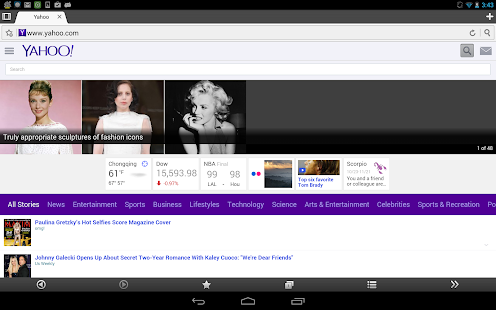
Boat Browser is a fast, smart and cool Mobile Browser; that brings an amazing Premium web experience. It is fully customizable, and you can easily change the button's locations as you choose and you can install your favorite add-ons to make your browser even more powerful!
What's special?
1. More Customizable
We have optimized the default features listed in the (Side) Toolbar. And you can customize the features as you like: re-arrange, add and remove buttons, just by dragging the corresponding icon.
In addition to the toolbar customization, you can also personalize the background color and the action of the Volume Keys. You can set the Volume Key's action to switch tabs, scroll up/down the page or zoom into the page.
2. Personalized Themes
Bored with the default theme? Can't be satisfied just changing the theme's color? No Problem! Boat Browser's got you covered!
Boat Browser's team will supply you more and more cool themes and styles, to make your browser completely personalized!
3. Add-ons
An Add-on is the unlimited expansion of your browser. Customize your browser by installing Boat Add-on's that will enhance your browsing experience. These features can be easily found in the Side Toolbar, after installation.
We will continue to develop a variety of popular and fashionable add-ons. Keep your browser up to date!
4. Powerful Bookmarks Management
Bookmarks Manager supports new folder, drag and drop, batch delete, import, export and Sync with stock browser bookmarks!
Cloud center supports backup and restore bookmarks and speed dials with Google Drive between devices with the same Google account. Also Firefox bookmark sync is supported (Pro feature).
5. Side Toolbar
You can reach the toolbar by swiping the right side of the screen. And, if you don't like it, just change the settings in setting menu. We hope it will bring you a new quicker, smarter browsing experience from now on!
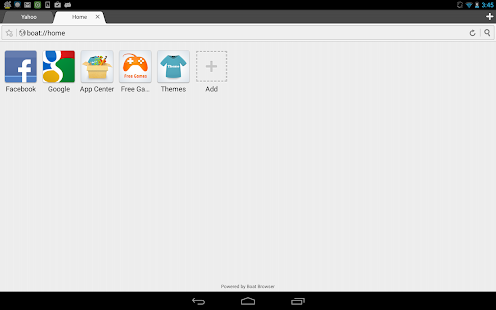
6. Speed dial
Add your favorite websites into the speed dial menu and keep them handy 
7. Floating tab
This feature supports multi-windows as PC does. You may float multiple tabs on any app.
Boat Browser also supplies some very useful features like,
- Video & Flash Video & YouTube Video Support… (In Android 4.4 plus flash doesn't work on some devices)
- Voice Command and Voice Search…
- Support App to SD function…
- Support Cache to SD function…
- Easy file Downloading
- User Agent Switching that allows you to view websites/web pages, in many formats!
- Multi-touch Pinch to Zoom support
- Super easy copy/paste
The add-ons can be easily found by searching the key worlds below, in Google Play:
1. Boat FB Add-on
2. Boat Password Manager Add-on
3. Boat URL Shortener Add-on
4. Boat Web2PDF Add-on
5. Boat Tab History Add-on
6. Boat Show IP Add-on
7. Boat Evernote Web Clipper Add-on
Also, there are some features which need purchase license key to unlock, including:
1. Floating tab feature which will float on any app.
2. Removes the banner Ads in the bookmark page and the interstitial Ads when exit browser.
3. Supports the ability to delete ALL speed dial icons, including the preset icons.
4. Supports folders for speed dial icons.
5. Firefox bookmark sync support.
6. Support up to 32 tabs.
Please download license key apk file from Google play
https://play.google.com/store/apps/details?id=com.boatbrowser.license.key
About Ads:
In this free version, users may see two kinds of Ads:
1. Banner ads in some pages, such as bookmark page.
2. Interstitial ads when users exit the browser.
This is a Browser for you! If you have any problems with it, please let us know. We are committed to providing you with the best Browser available!
Our Email: boatbrowser@gmail.com
Find out more about us via:
Twitter – http://twitter.com/BoatBrowser
Facebook – http://www.facebook.com/boatmobile
Website – http://www.boatmob.com/
Google plus – http://goo.gl/um2r08
You are receiving this email because you subscribed to this feed at feedmyinbox.com
If you no longer wish to receive these emails, you can unsubscribe from this feed, or manage all your subscriptions


No comments:
Post a Comment