 | Reducing our carbon footprint one bottle at a time! From our sponsors  |
| APKTOP |
| Free Android Apps,Games Download From Android Market |
SMS Backup & Restore Pro 7.11
6/10/2014 3:59:37 AM
Current Version: 7.11
Requires Android: 1.5 and up
Category: Tools
v7.11 update:
v7.11:
- Crash fix
- Fix for external SD Card issues on some phones
v7.10:
- New backup folder option for Android 4.4+ device. Backups can now be created in app-specific folder on external SD Card.
- More options displayed in Backup and Restore screens.
- Links are now clickable when viewing messages.
- Bug fixes
v7.08:
- MMS Backup bug fix.
v7.07:
- MMS Restore bug fix.
v7.06:
- More bug fixes.
v7.05:
- MMS attachments can now be viewed.
- Viewer performance improvements
- Bug fixes
Overview:
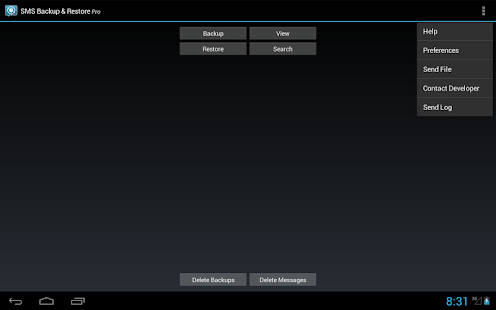
A simple App to Backup and Restore SMS Messages. This is a Paid No-Ads version of the Ad-Supported Free App.
NOTE:
The backup is created locally on the phone by default unless you configure it to upload to Email, Google Drive or Dropbox. You are responsible for backup files and the files are not sent to the developer in any case.
On Android 4.4+ devices, if you have performed the Restore and the messages don't appear in Hangouts then:
- Open Hangouts and Disable SMS from Settings.
- Exit the Hangouts app
- Open Hangouts and Enable SMS from Settings.
APP FEATURES:
- Backup SMS Messages in XML format.
- Backup created locally on the device with options to automatically upload to Email, Google Drive or DropBox using the Add-On app.
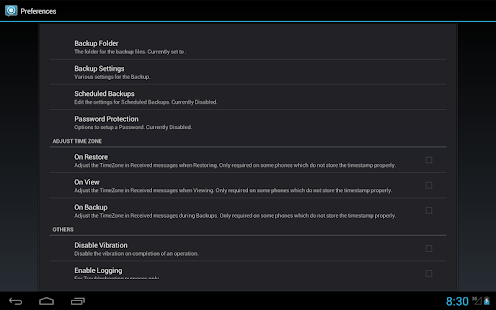
- Choose a scheduled time to automatically backup.
- Backup format is independent of the Android version so the messages can be easily moved from one phone to another, irrespective of the Android version.
- Option to select which conversations to backup.
- View/Restore all Messages or only selected conversations.
- Delete all SMS Messages on the Phone.
- Email a backup file.
- The XML can then be converted to other formats, and can also be viewed on a computer.
- Tested on Android v1.5 to v4.4.2
Please note that MMS (Picture/Audio/Video messages) support is currently in BETA.
On newer phones with inbuilt storage the default backup location will probably be the internal storage card and not the external.
This is because the phone reports the storage that way.
If you intend to do a factory reset on the phone, please make sure you save/email a copy of the backup outside the phone before doing it.
Lots more info at http://android.riteshsahu.com/apps/sms-backup-restore
FAQs can be found at http://bit.ly/d9t7Jk
Please start the app at least once after updates so that the scheduled backups start working.
This App needs access to the following:
* Your messages: Backup and Restore messages. Receive SMS permission needed to properly handle messages received while the app is the default messaging app on Android 4.4+ devices.
* Storage: To create the Backup file on the SD card.
* Phone calls – Without this the Restore fails on some phones.
* Your social information: To display and store the contact names in the Backup file.
* Run at start-up: Start scheduled Backups.
* Control Vibration: To vibrate the phone when an operation is completed.
* Prevent Phone from Sleeping: To prevent the phone from going to sleep/suspended state while a Backup or Restore operation is in progress.
* Test access to Protected Storage: To create the Backup file on the SD card.
Icons designed by Vlad Kitanoski of www.vk-solutions.com
JB Extreme Theme CM11 AOKP 5.09
6/10/2014 3:59:27 AM
Current Version: 5.09
Requires Android: Varies with device
Category: Personalization
v5.09 update:
Get the complete changelog and leave comments on my blog!
http://bigdx.blogspot.com
*
v5.1
**
- Fixed dialer on 4.4.3
- Fixed play store 4.8.20
- Made improvements to play store and dialer
Overview:
✩✩ATTENTION✩✩
This theme is NOT for launchers. This theme for for devices that are ROOTED and running a CUSTOM ROM that supports theme chooser. For more info see this link
http://bit.ly/WhatisRoot-ROM
WHATS INCLUDED
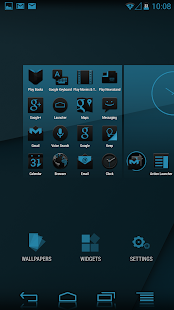
• Custom, Original Design Work
• Custom Wallpaper
• 4,200 Custom Images!!
• 1,000 App Icons (New Theme Engine Only)
• 44 packages themed
I LOVE the Jelly Bean look, but there were some things i didn't like and some things I thought I could improve. That is what this theme is all about. Taking Jelly Bean to the Extreme!
WHATS REQUIRED
ROOT is needed and a custom ROM that supports the Theme Engine
★This Theme will work for the following ROM's★
• CM 9, 10, 10.1, 10.2, 11
• AOKP ICS, JB, KK
• Paranoid Android
• BAM
• Slim
• Eclipse
• Baked Bean
• EOS
• Liquid
• Carbon
• Gummy
• Droid Kang
• Purity
HOW TO USE WITH THEME CHOOSER
-Download Theme
-Go to System Settings -> Themes
-Select JB Extreme and press apply
SOCIAL
G+ Community: http://bit.ly/BigDX-Google
Twitter: http://www.twitter.com/bignadad
Website: http://www.bigdxmarket.com
Google+: https://plus.google.com/+AddieBaker
For more details about this theme visit my Blog
http://bit.ly/JB-ExtremeDetails
For more details about this theme on new CM Theme Engine
http://bit.ly/JBExtremeThemeEngine
OPG Pro 9.5.0
6/10/2014 3:58:27 AM
Current Version: 9.5.0
Requires Android: 2.2 and up
Category: Tools
v9.5.0 update:
V9.5.0
1、Support move this apk to /system/app
2、Fix .so library load on some devices bug, and support more ROMs
3、Fix unable to restart when reboot
4、Fix Net speed bug
5、Improve memory/system info inferface UI
6、Improve custom mode time settings
V9.3.0
1. Children's Day Special Version
V9.2.0
1. Fix msm-dcvs CPU governor was filtered bug
2. Fix Safe Clean UI bug
3. Fix the custom mode swtiching bug
4. Fix the custom mode tips bug
5. Add lock screen interval
6. Add wireless sleep mode interval
Overview:
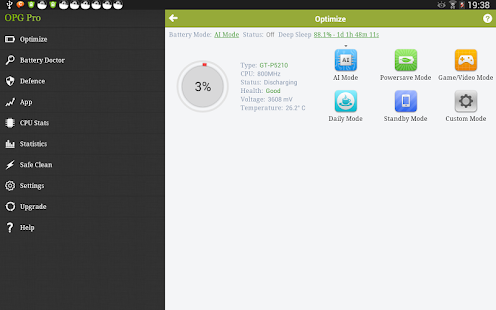
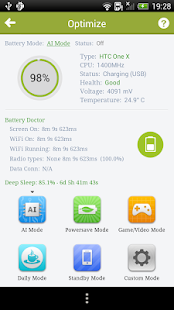
OnePowerGuard Pro is a best, excellent, brilliant android battery saver on rooted Android smartphones/tablets. It is an optimized combination and not a single solution.
XDA Report: http://www.xda-developers.com/android/give-your-battery-some-extra-life-with-onepowerguard-pro/
Features
1. Extends stand-by time and battery life and optimizes charging parameters
2. Easily find the consumption processes by Battery Doctor
2. Optimizes system kernel and CPU usage to improve device performance
4. Six (6) customized power-saving modes to suit different scenarios
6. Proactively guards from power-killer apps and safely shuts down useless power-consuming programs
7. Fast ON/OFF settings for 100% system customization
9. Intelligently switches to/from WiFi/Cell data to preserve battery life
10. Professional tips on power optimization
Help: http://onexuan.com/blog/help/
Cloud Stats: http://www.opgpro.com/cloud/
Samba Filesharing for Android 140525
6/10/2014 3:58:15 AM
Current Version: 140525
Requires Android: 2.0.1 and up
Category: Tools
v140525 update:
Version 140525
* Code improvements for crashes under Android JellyBean
* Bugfix for incorrect User Interface status Enabled / Not running when file-sharing was infact running
* Show IPv4 addresses correctly
Version 111107
* Wifi Whitelist lets you limit which Wifi Access Points filesharing will start on.
* Better JCIFS client compatibility
* Improved wifi tether / hotspot operation.
* Pressing 'samba' logo toggles between Enabled / Disabled mode.
* Bug fixes: shell & SU access.
Overview:
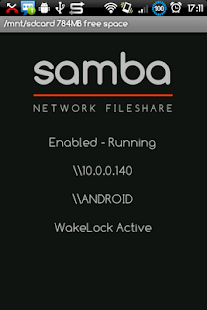
Access your Android device over wifi as a Windows shared folder.
* Samba Filesharing server for Android [ Recently updated for JellyBean probs ].
* Your Android device becomes visible to other Windows (& SMB compatible) computers on your network.
* The 'external' storage in your Android device is accessible as a network shared folder.
* Copy files and folders to and from your Android device using drag and drop.
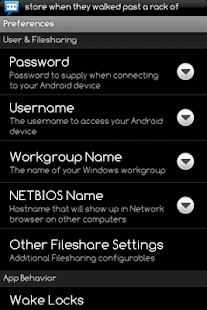
* Customisable username, password, Windows workgroup name, and device network (NETBIOS) name.
Requirements:
* Your Android device must already be rooted and a SuperUser app installed.
Notes:
* On the first run, make sure you catch the SuperUser Auth request to allow the Samba Filesharing app root access.
* If an update from an earlier version fails, try a full uninstall (either from the application manager of your Android device, or the file sharing app 'Menu -> Settings -> Uninstall' option), then re-install from Android Market.
* If you experience problems accessing your device, be sure to try all three methods: Network browser, specifying \name, & also \ipaddress.
* You may see 'com.funkyfresh.samba' remain in the Android process list even though you have disabled it from auto-starting. This is normal – whenever the WIFI interface transitions up/down the app needs to run temporarily to check its settings as to whether it should start/stop the filesharing server, after that, its done. Android will kill the inactive process if your device is running low on memory, otherwise the process remains inactive in memory for faster loading next time you launch it.
* Pérsio Menezes: Thanks for the new logo!
SAMBA – Opening Windows to a wider world http://www.samba.org/
See 'Menu -> Settings -> About' in the app for a pointer to information about Samba GNU Licensing & Source code changes.
Doodle God™ HD 2.5.4
6/10/2014 3:58:04 AM
Current Version: 2.5.4
Requires Android: 2.3.3 and up
Category: Puzzle
v2.5.4 update:
Bug fix
Overview:
Over 130,000,000 Players Worldwide.
ALL NEW VERSION WITH EXCLUSIVE CONTENT!
IMPORTANT: This application is optimized to run on tablets 7″ or more
Available in 13 different languages with HD Graphics.
UNLEASH YOUR IMAGINATION & BE A GOD
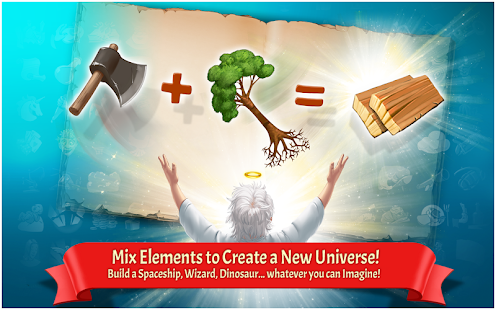
The power of creation is in your hands! In this addictive, ALL ages, puzzle game mix and match different combinations of fire, earth, wind and air to create an entire universe! Of course the universe was not created in a single day. You'll have to work your up from a simple microorganism to create animals, tools, storms and even build armies before you have what it takes to build the universe! But beware, the power of creation may have unintended consequences, inventing the wheel might just trigger a zombie plague… Don't worry, you are not alone on this cosmic journey! Every time you successfully create a new item you'll be rewarded with the wit and wisdom of some of the greatest philosophers and comedians of all time. Unleash your inner god with Doodle God™!
NEW FEATURES
✔ Now available in 13 languages: English, Dutch, French, Spain, Italian, Russian, Japanese, Chinese, Korean, Portuguese, Swedish, Polish & German.
✔ NEW HD graphics.
✔ New UI and in-game graphics.
✔ New "Puzzle" mode.
Create locomotives, sky scrappers and more.
✔ New "Quests" mode. Can you save the Princess or escape a Desert Island?
✔ New 20th Century Greatest Inventions. Inventions for every decade of 20th century.
✔ New artifacts. Collect special collectible artifacts created by amazing triple reactions.
✔ New reactions with existing elements and episodes.
✔ New achievements.
✔ New Elements encyclopedia with wikipedia links.
✔ Mold fire, wind, earth and air to create the Universe.
✔ Create 300+ advanced items and concepts.
✔ Intuitive one-click game play encourages thoughtful, creative play
.
✔ Hundreds of interesting, funny and thought-provoking quotes and sayings.

Angry Birds Star Wars II 1.5.1
6/10/2014 3:55:42 AM
Current Version: 1.5.1
Requires Android: 2.3 and up
Category: Arcade
v1.5.1 update:
We used Jedi mind tricks to fix some minor issues and give you an even better game experience! Thanks for playing, and may the birds be with you!
Overview:
The Force is strong with this one. Get ready for Angry Birds Star Wars II – the epic follow-up to the #1 smash hit game! Based on the Star Wars movie prequels, use the Force for good against the greedy Pork Federation or choose a much darker path. That's right; for the first time ever you can "Join the Pork Side" and play as the fearsome Darth Maul, Emperor Palpatine and many other favorites!
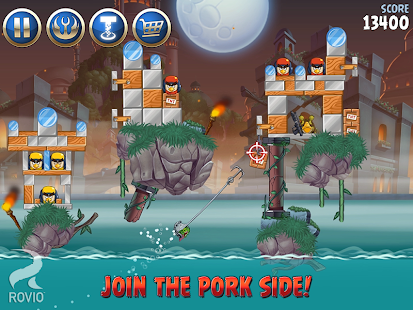
JOIN THE PORK SIDE! For the first time ever play as the pigs! Wield Darth Maul's double-bladed Lightsaber, or play as Darth Vader, General Grievous and other villains!
30+ PLAYABLE CHARACTERS! Our biggest line-up ever of playable characters – Yoda, pod-racing Anakin, Mace Windu, Jango Fett and many more!
TELEPODS! A groundbreaking new way to play! Now teleport your favorite characters into the game by placing your Angry Birds Star Wars Telepods* figures on your device's camera!
BECOME A JEDI OR SITH MASTER! So many Bird and Pork Side levels to master, plus a bonus reward chapter and a ton of achievements to unlock!
SWAP CHARACTERS AS YOU PLAY! Switch characters in the slingshot at any time – yours to earn or purchase!
ToonsTV READY TO GO! The home of the hugely popular Angry Birds Toons animated series, plus many other top-quality videos!
Angry Birds Star Wars II also supports tablet devices, so you can unleash the Force on the big screen. May the birds be with you!
*Availability varies by country. Angry Birds Star Wars Telepods sold separately and are compatible with select mobile devices. See the full list of supported devices from Hasbro: http://www.hasbro.com/starwars/en_US/angry-birds-telepods.cfm
Important Message for Parents
This game may include:
- Direct links to social networking websites that are intended for an audience over the age of 13.
- Direct links to the internet that can take players away from the game with the potential to browse any web page.
- Cross-promotion of relevant Rovio or Angry Birds products and services.
- The option to make in-app purchases. The bill payer should always be consulted beforehand.
Minecraft – Pocket Edition 0.9.0
6/10/2014 3:17:43 AM
Current Version: 0.9.0
Requires Android: Varies with device
Category: Arcade
v0.9.0 update:
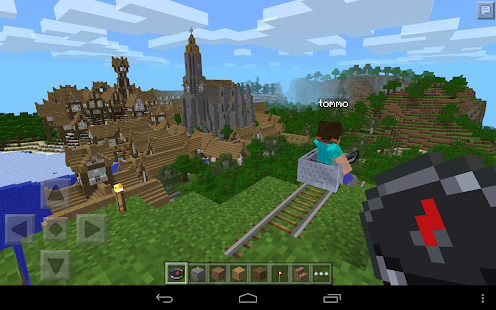
- Minecarts, rails, and powered rails!
- The view distance has been massively increased. Check the options!
- New textures, colours and block functionality taken directly from the PC version
- New blocks: carpets, more wood types, hay bales, iron bars, and more
- New crops and food types: beetroot, carrots, potatoes and pumpkins.
- Lots more blocks and items to use in Creative Mode.
- New AI and breeding.
- A new Creative inventory with tabs.
- Improved lighting and fog effects.
Overview:
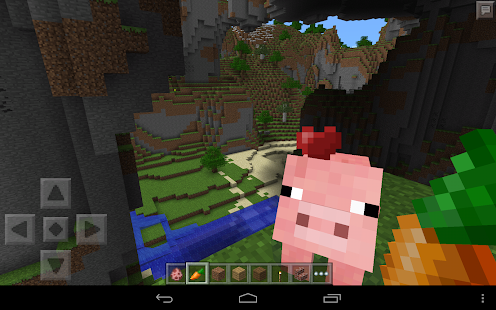
Minecraft is about placing blocks to build things and going on adventures.
Pocket Edition includes Survival and Creative modes, multiplayer over a local Wi-Fi network, and randomly generated worlds. You can craft, create and breed anywhere in the world so long as you have hands spare and battery to burn.
Since the first release of Minecraft: Pocket Edition, we've added heaps of new features and made massive improvements to the way things look. There's never been a better time to enjoy Minecraft on the move.
Minecraft — Pocket Edition is a Universal App. Pay once and play on any of your Android devices.
Babylonian Twins Platformer + 1.7.8
6/10/2014 3:16:59 AM
Current Version: 1.7.8
Requires Android: 2.3 and up
Category: Adventure
v1.7.8 update:
1.7.8
Now supports NVIDIA SHIELD, MOGA and most game controllers
1.7.4
Less permissions required
Better MOGA controller support
Version 1.7.3:
x86 platform support
MOGA controller
Bug fixes
Version 1.7.0
- Bug fixes
- Ability to skip level with in-app purchase
Email us at contact at babyloniantwins.com if you experience any problem
*** Check the IndieYard.com current free offers from within the shop ***
Overview:
LIMITED TIME SALE
The premium version of the award-winning puzzle platform game (All premium levels unlocked with no ads).
Play it on NVIDIA SHIELD
Now supports MOGA and most game controllers.
THE GAME
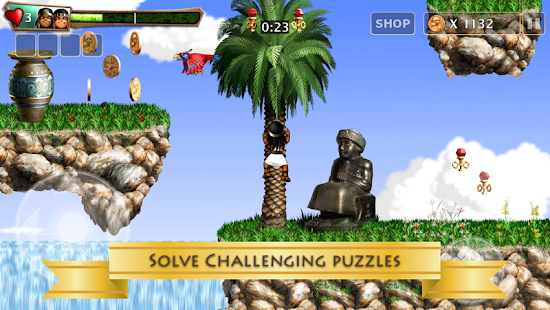
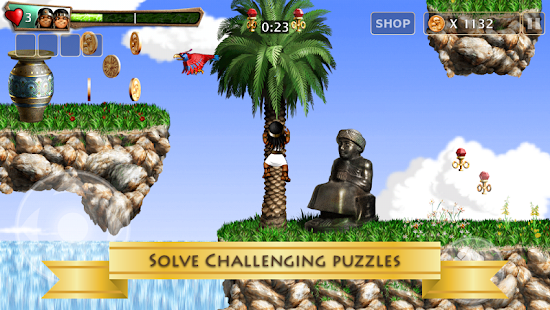
A challenging puzzle platform game with unique historical theme & co-op game play. You guide the twin princes of Babylon to solve puzzles and find hidden treasures. Babylonian Twins takes you to 576 BC to explore ancient Mesopotamia (Iraq) with beautiful environments derived from authentic history books & original Middle Eastern music.
The game was originally made for the Commodore Amiga in the early 90s, the team, an engineer (design and coding), an architect (graphics) and a brain surgeon (music), reunited 17 years later to bring the game to mobile devices and next generation platforms.
- Over a dozen large levels across five worlds including: Tower of Babel, the Assyrian Place, the Procession Street and the Hanging Gardens of Babylon.
- Super crisp HD graphics
- An album worth of original authentic music
- Super smooth scrolling at 60 fps
- Secret treasures and bonus levels
USER REVIEWS
- “Thank you for giving your players credit, this game is from an era when game designers did't care if you could beat their game” – US user
- “Thank you for giving your players credit, this game is from an era when game designers did't care if you could beat their game” – US user
- “Appreciate the effort that went into drawing an authentic Babylon city, down to the blue bricks of the Ishtar Gate”
CRITICAL REVIEWS:
“A challenging, explorative platformer that respects its players and refuses to hold you by the hand”
- TouchArcade
“Fantastic head-scratching puzzles” – Top 25 iPad Games – 4.5/5
-GamePro
“Charming and demanding in equal measure, reminds us what was so good about 16-bit gaming” – Silver Award – 8/10
- PocketGamer
“A proud member of Mensa”
- 148apps.com
“Top marks level design, superb challenges that provide a true test of your platforming mettle”
- EuroGamer
“A gorgeous, charming platformer with one of the most interesting backstories”
- C-Net
“An Instant Classic – the storyline, design and overall challenge simply mesh together to make up a game for the ages”
- TheAppEra
“A Long Awaited Beautiful Platformer” , 5/5
- AppSmile
Also featured on AOL News, Kotaku, GamePro, Eurogamer, Wired.com, Arstechnica, The Independent & The Vancouver Sun
http://babyloniantwins.com
http://twitter.com/babyloniantwins
http://facebook.com/babyloniantwins
OruxMaps Donate 5.5.22 Donate
6/10/2014 3:15:02 AM
Current Version: 5.5.22 Donate
Requires Android: 2.1 and up
Category: Travel & Local
v5.5.22 Donate update:
WHAT'S NEW v.5.5.22:
–>Solved some bugs.
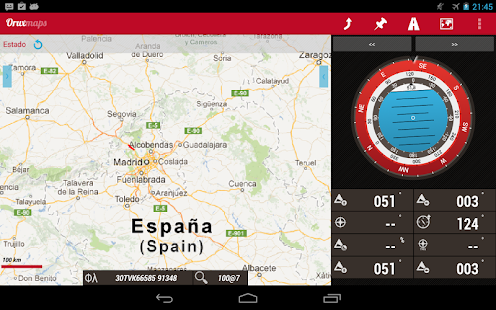
Overview:
ATTENTION, THIS IS THE VERSION 'DONATE'. IF YOU WANT, YOU CAN TRY THE FREE VERSION, WHICH IS IDENTICAL TO THIS.
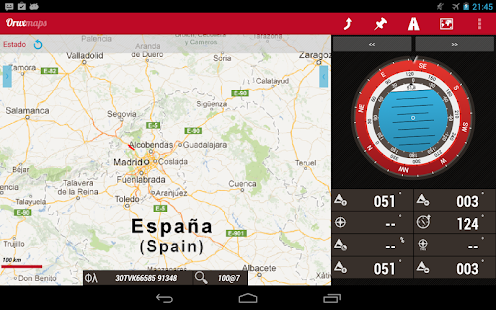
Map viewer, track logger.
You can use OruxMaps for your outdoor activities (running, treking, mountain bike, paragliding, flying, nautic sports,….)
100% free
100% no adversisements
Online and offline maps. Support to multiple formats:
-OruxMaps format. You can use maps from Ozi Explorer transformed wit a PC tool.
-.ozf2
-.img garmin (vectorial) -no full support is provided-.
-.mbtiles
-.rmap
-.map (vectorial from mapsforge). Support to custom themes similat than Locus themes.
Support to Wms, you can use the application as a WMS viewer.
3D view.
Support to multiple external devices:
-GPS bluetooth.
-Heart rate monitors, bluetooth Zephyr, Polar (including bluettoh smart devices, like polar H7).
-ANT+ (speed, cadence, heart rate, distance,…).
-AIS information systems (experimental), for nautical sports, using Wifi o BT.
More features:
Support to KML KMZ and GPX formats.
Share your position with your friends, display the position of your friends in your device.
Download online maps for offline use.
Text to speech support.
Profiles; save your preferences in your SD card.
Statistics with graphics.
Follow routes, with different alarms to alert you if you are near a waypoint, or you are far from the route.
Create/save wayponits, attaching photo/audio/video extensions.
Custom waypoints types, with your icons.
Basic support to Geocaching.
Correct the altitude of your tracks/routes using DEM files (offline) or online services.
Search/download tracks from:
-everytrail.com
-gpsies.com
Search or create tracks using online services from Cloudmade or offline using Broute app.
Upload tracks to:
-mapmytracks.com
-trainingstagebuch.org
-ikimap
-wikirutas
-openxplora
Live tracking using:
-mapmytracks.com
-okmap application
-gpsgate protocol
More info here: www.oruxmaps.com
PrintHand Mobile Print Premium 6.2.3
6/10/2014 3:14:35 AM
Current Version: 6.2.3
Requires Android: 2.1 and up
Category: Business
v6.2.3 update:
Minor bugs fixed
Overview:
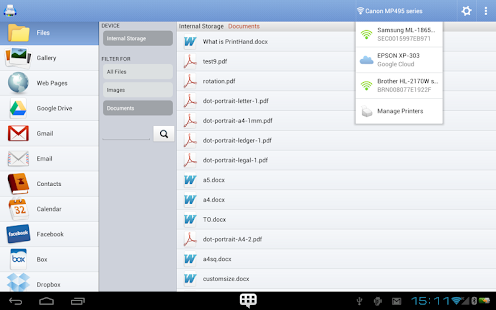
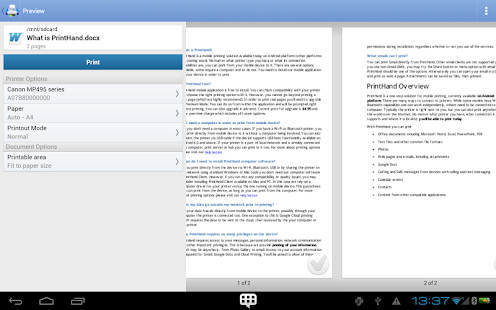
Print from your device directly via WiFi or Bluetooth without a computer.
You can print:
- Office documents (DOC, XLS, PPT, PDF, TXT)
- Images and photos
- Emails and attachments
- Web pages
- Calendar, call log, text messages
- Google Drive files
- Facebook albums
- Files from Dropbox
- Files from Box
- Files from SugarSync
- Files from OneDrive
- Content from many other apps, by clicking on Share button
Print to Mac or Windows shared printers, Workgroup, Domain and Active Directory. Print directly via USB cable from Android 4.0 and above. Print to Google Cloud. Share the printer with our free software for Mac and PC from printhand.com, and print to any printer as long as you can print from the computer.
Our Printer Setup Wizard will detect your printers automatically, and guide through the configuration process if needed. In a few clicks you'll be able to print.
You can try to print test page in our free app, but for unlimited printing you have to purchase premium app or make in-app purchase in free app.
Have a good print!
You are receiving this email because you subscribed to this feed at feedmyinbox.com
If you no longer wish to receive these emails, you can unsubscribe from this feed, or manage all your subscriptions


No comments:
Post a Comment