 | Track and analyze all of your farming inputs, costs and profits so you can farm more efficiently this season and in the future! From our sponsors  |
| APKTOP |
| Free Android Apps,Games Download From Android Market |
TouchPal X Keyboard 5.6.0.4
6/19/2014 6:22:40 PM
Current Version: 5.6.0.4
Requires Android: Varies with device
Category: Productivity
v5.6.0.4 update:
5.6.0.4
• Fix prediction behaviour under T12 layout
• Fix a crash on Android 4.x devices
5.6.0.3
• New layout for Spanish QWERTY, German QWERTZ, Arabic. Update the language pack to find the layouts.
• Improve Korean prediction
• Swipe down on the candidate word to input the word without auto-space, useful for inputing the compound words
• Fix the issue that the auto-correction can't be enabled when word prediction is off
• Add Hinglish Support (beta)
• Improve stability, fix crashes.
Overview:
TOUCHPAL X KEYBOARD – FEEL THE SPEED AND HAVE FUN!
• The No.1 popular FREE keyboard on Play. No Ads. Never Expires.
• The winner of Mobile Innovation Global Award
• Over 100 million users worldwide. Default keyboard on Sony, HTC, Alcatel, Huawei, ZTE and other 20 brands
• Customizable themes, Emoji, and 70+ languages.
SAVE TIME WITH SIMPLE GESTURES
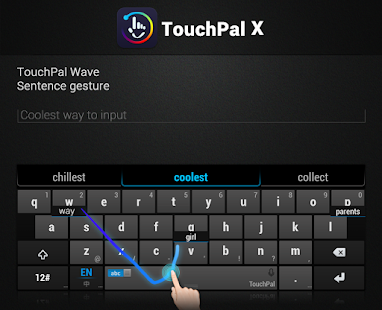
• With TOUCHPAL CURVE on, no need to tap each word letter by letter. Just swipe from one letter to another and TouchPal will take care of the rest!
• To write even faster, enable TOUCHPAL WAVE and write entire sentences just by sliding from one word to another!
• Flip up the space bar to access the EMOJI AND SMILEYS and, for even more fun, download the EXTENDED +800 EMOJI PACK!
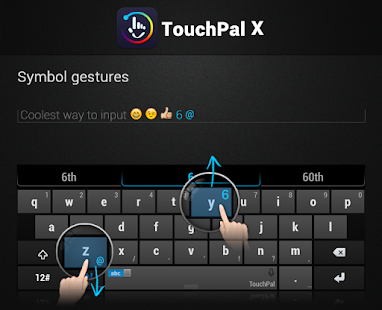
• Slide up or down on the keys to input a NUMBER OR SYMBOL
• Long press on the space bar to write with the TALKIE-WALKIE STYLE VOICE INPUT
YOUR OWN KEYBOARD
• Tap with your eyes closed and save more than 90% keystrokes thanks to CONTEXTUAL PREDICTION. This technology learns your writing style basing itself on your Tweets/messages/contacts to personalize candidate outputs.
• Thanks to TOUCHPAL CLOUD BACKUP & SYNC, backup user words and your input habit on Cloud and synchronize them across all your devices. CLOUD PREDICTION will enhance next word prediction and other prediction.
• WORD TRENDS automatically updates trending words, phrases and language models so that you're writing style stays up-to-date.
• RESIZE your keyboard as you wish.
• Choose one of TouchPal's pre-made THEMES or set one of your personal pictures in the background of the keyboard!
OTHER FEATURES:
• Supports more than 70 LANGUAGES
• TOOLBAR PLUGINS (Twitter plugin)
• MIXED LANGUAGE PREDICTION
• KEYBOARD METER AND SPEED STATISTICS TRACKER
• T+ DUAL-LETTER LAYOUT: Bigger keys than QWERTY
Install & activate
After installation, please launch TouchPal from the app list and follow the steps to activate TouchPal X.
You may receive a warning message when activating TouchPal X saying "This keyboard may collect your personal data". We take your privacy seriously. TouchPal X does not collect your private data including password or credit card info. The warning message when you enable the keyboard is a standard message on Android for ANY third-party keyboard app. Refer yourself to our privacy policy on www.touchpal.com/privacypolicy.html.
Permission Explanation
• Read contacts
To import contact names as user words. Can ONLY be enabled manually by the user.
• Read text messages
To import sent SMS text. Can ONLY be enabled manually by the user.
* TouchPal takes your privacy seriously. All the personalization learning service will ONLY be enable by user.
Supported languages
Albanian
Arabic
Azerbaijani
Basque / Euskara
Belarusian
Bengali
Bosnian
Bulgarian
Burmese
Catalan
Chinese 5-Stroke
Chinese BoPoMoFo
Chinese Cangjie
Chinese Handwriting
Chinese Pinyin
Chinese Simple Cangjie
Chinese Stroke
Croatian
Czech
Danish
Dutch
English (General)
English (U.K)
English (U.S)
Estonian
Finnish
French
French (CA)
Galician
Georgian
German
Greek
Hebrew
Hindi
Hungarian
Icelandic
Indonesian
Irish
Italian
Kannada
Kazakh
Khmer
Korean
Laos
Latvian
Lithuanian
Macedonian
Malagasy
Malay
Malayalam
Maori
Marathi
Norwegian
Persian / Farsi
Polish
Portuguese (Brazilian)
Portuguese (European)
Punjabi
Romanian
Russian
Serbian
Serbian (Latin)
Slovak
Slovenian
Spanish
Spanish (Latin)
Sundanese
Swedish
Tagalog / Filipino
Tamil
Telugu
Thai
Tibetan
Turkish
Uighur / Uygur
Ukrainian
Urdu
Vietnamese
FOLLOW US
Twitter: @TouchPal
Facebook: TouchPal
Google+: https://plus.google.com/u/0/communities/105746648636072214666
Cinema FV-5 1.25
6/19/2014 6:21:22 PM
Current Version: 1.25
Requires Android: 4.0 and up
Category: Photography
v1.25 update:
- A lot of new languages available: Catalan, Portuguese (Brasil), Portuguese (Portual), Romanian, Swedish, Turkish, Korean, Chinese and Ukranian. Big thanks to all collaborators for their contribution!
- Fixed the problem when key on-screen settings were not being saved when the app was closed or sent to the background.
Overview:
Cinema FV-5 is a professional video camera application for mobile devices, that puts professional manual controls in your fingertips. Tailored to enthusiast and professional videographers and filmmakers, with this video camera application you can capture the best footage with top-of-the-line controls for perfect postproduction purposes. The only limit is your imagination and creativity!
Major features:
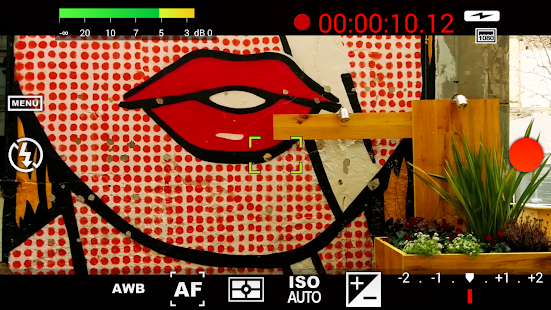
● Adjust all the image sensor parameters that you only thought pro-videocameras had: exposure compensation, ISO, light metering mode (matrix/center/spot), focus mode and white balance.
● Change sensor parameters (like ISO, exposure compensation or white balance) also during recording.
● Focus adjustments during recording: lock focus on your subject before recording and change focus planes while recording.
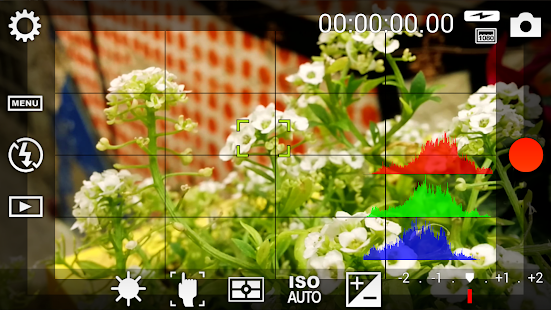
● Professional viewfinder: 10+ compositing grids, 10+ crop guides available, safe areas display and much more.
● The most advanced electronic viewfinder on a video camera: live RGB and luminance histogram are available also during recording.
● Professional sound metering options: display audio peaks and sound clipping warnings during recording.
● Use any audio input source for your video: built-in microphone, external (wired) microphone or wireless (Bluetooth) headset.
● Choose video and audio codec, adjust the bitrates, audio sampling rates and number of channels.
● Record in 4K UHD (Ultra High Definition) video on supported devices (currently only the Samsung Galaxy Note 3 and S5).
● All camera functions assignable to volume keys. You can adjust EV, ISO, color temperature, zoom and more using volume keys (including those in cable-headsets) as well as focusing and recording. Devices with hardware camera shutter keys are also supported.
● Video geotagging support.
● Autofocus, macro, touch focus and infinity focus modes, plus a focus lock switch (AF-L).
● Autoexposure (AE-L) and auto white balance (AWB-L) locks in Android 4.0+. You can also lock exposure and white balance during clip recording automatically.
● Zoom after and while recording. Set specific focal lengths thanks to the 35mm equivalent-based focal length display.
● Powerful video clips organization options: different storage locations and fully customizable file names (even with variables).
Cinema FV-5 is the perfect app for producing the best footage for any short- to medium-sized production. With it you can record the best material possible with any medium- to high-end device. Cinema FV-5 specially supports Android-based compact cameras, so you can even leverage a high-quality, optically stabilized zoom. The footage captured with Cinema FV-5 can be easily edited on any NLE like Apple Final Cut Pro, Adobe Premiere, Sony Vegas or DaVinci Resolve.
For more information, visit the official website http://www.cinemafv5.com or download the official Cinema FV-5 User Guide at http://www.cinemafv5.com/tutorials/user_manual.php. For technical support, please read the FAQ (http://www.cinemafv5.com/faq.php) or write to support@cinemafv5.com.
Permissions explained:
- Approximate location and precise location: only used for geotagging functionality (disabled by default, and requires manual GPS activation).
- Modify or delete the contents of your USB storage and take pictures and videos: required for the usual camera operation.
Nue – PA/CM11 Theme One – Carribean Green
6/19/2014 5:20:04 PM
Current Version: One – Carribean Green
Requires Android: Varies with device
Category: Personalization
vOne – Carribean Green update:
Overview:
Important Note: Only for use with Theme Chooser / Theme Engine. A custom rooted ROM with Theme Engine / Chooser is required to run this application. If you do not understand these terms and they just go over your head, this application is not for you.
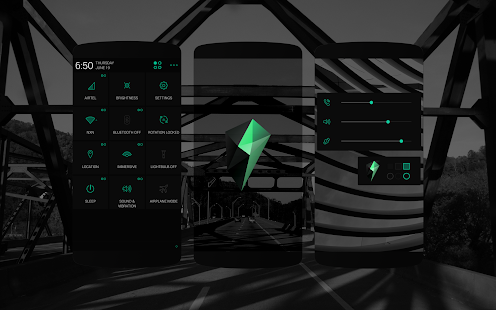
Nue is follows a Flat UI – Monotone Design Language. Aimed to provide a great user experience, Nue was designed keeping in mind the ability of the human eye – It was made sure that the colors were not too saturated/strong making even the unusual themed elements look subtle.
Nue would soon be released in 4 different colors – Carroty Red (Fi), Blue, Kitkatty White & Orange.
The attention to detail gone into Nue is incredible. Each and every draw (themed elements) was carefully analyzed on 4 different screens in order to get the perfect color, sharpness & anti-aliasing qualities. Having various elements, Nue had to be properly coded & of course designed.
Nue is optimized for XXHDPI & XHDPI devices.
To know your screen density, you could go to: http://goo.gl/alcpMv
IMPORTANT: Those who uses a device with 512mb or less RAM, I recommend NOT applying the bootanimation. Also, recently all the ROMs Hard-Coded Quick Settings and Status Bar Battery Icons – Therefore this theme DOES NOT include those icons.
Nue Includes:
Nue Wallpapers (Default & Lockscreen)
Nue Tones (Nue 'Crafted Ringtone, Notification Tone & Alarm Tone)
Fi/Nue Navigation Bar Dot-Icons (Minimalistic Dot Navbar Items with State Changes – Perfectly matching the theme)
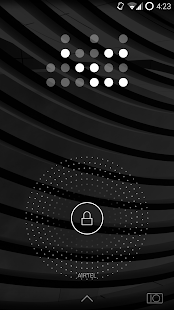
Nue Custom Lockscreen
Nue/Layars Bootanimation
Nue Custom Google Keyboard Skin
Nue Slim Fonts
Themed Items:
Holo Dark & Holo Light Values
Quick Settings Icons
Settings Icons (PA, CM11)
Notification Backgrounds
Glowdots (Lockscreen, Google Now Swipe Up)
Action Bars
Flat Action Bars (Dark & Light)
Buttons & Checkboxes (Buttons, Radio Buttons, Checkboxes, Scrubber Tabs)
Navigation Bar Glow (Flat, No Shadow)
Notification Panel (Dark – Caribbean Green Elements)
Custom Switches
Dialog Windows
Alert Windows
List Views
Lockscreen Layers (Player Background)
Menu Windows/Lists/Dropdowns
Progress Bars (Caribbean Green)
Scrubbers (Caribbean Green)
Rating Stars (Caribbean Green)
Keyboard Text Handlers
Toast Frame
Calculator UI
Appwidget Settings
Gmail Widget Header (Concept Blue)
Google Quick Search Toast Frame
Bonus: Whatsapp Action Bar – Dark
Nue is a part of the Layars Theme Project. Community & Support – http://goo.gl/rkYOwq
Note: This theme is optimized for Paranoid Android (PA) – http://goo.gl/XXr3gv
SolMail – All-in-One mail app 2.0.5
6/19/2014 4:57:18 PM
Current Version: 2.0.5
Requires Android: 2.3.3 and up
Category: Communication
v2.0.5 update:
Ver.2.0.5
■ LG G3 display optimization
■ Fixes 'spam' function on 'View all Messages'
■ Fixes 'permanently delete' function on some folders
■ Increases file download speed on Daum mail account
■ Fixes several bugs
■ App Stability improved
Ver.2.0
■ Conversation View
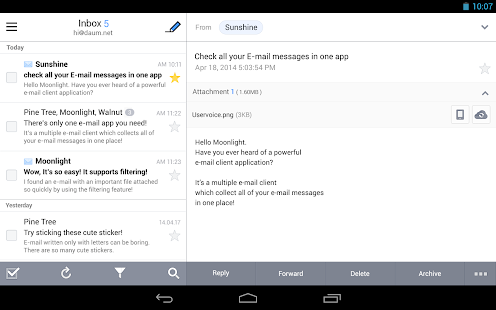
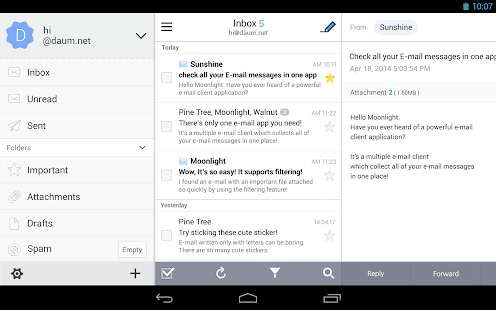
■ Tablet View
■ Actionable Notification
■ Scrollable, resizable Widget(if launcher supports)
■ Folder Sync – Choose any folders to sync & get notified
■ Easily Add Account – Adding account became much simpler
■ Launcher Icon Badge
Overview:
*** Global IT Media 'TNW (The Next Web)' introduced SolMail as one of the '30 of the most beautiful and well-designed Android apps'. ***
*** Chinese Android Market 'Wandoujia' selected SolMail to the Design Award. ***
*** Japanese top magazine 'Gigazine' reviewed and mentioned SolMail as 'Update expected' app. ***
SolMail is a powerful e-mail client that helps you to manage all of your e-mail accounts & messages in one app!
It supports many email services via standard Internet email protocols: IMAP/SMTP/POP3.
No additional fee for using our special features. It's 100% FREE!
2. Just swipe your messages to Archive or Delete. To change the default setting(Swipe to Delete), go to Settings and select 'Swipe to Archive'.
3. Easily categorize your messages in 4 types of filter: Starred, Attached, Unread and To Me! Check all of your Starred messages in one page by a single click.
4. View your messages by conversation. Check your sent & received messages in thread view.
5. Fun stickers! Use them when writing to your loved ones. 700+ of emoji are ready to help your expression.
6. Optimized view for tablet users. Feel the maximized user-experience with a wide tablet view.
7. Sync any folders you want. You can choose which folders to sync & get notifications.
8. Customize the font size of your email (both title and text).
9. Set your own Signatures to express your identity or character, which will be shown at the bottom of your email.
Your usernames and passwords are safely encrypted on your device.
SolMail requires Android 2.3.3 or higher OS version. (Swipe function needs 3.0 or higher OS version)
If you have any inquiries or inconveniences, visit SolMail user forum or Facebook page.
* SolMail User Forum: http://solmail.uservoice.com
* SolMail Facebook page: https://www.facebook.com/pages/SolStudio/1432371780321690
Support : Google Gmail, Yahoo mail, AOL(America Online) mail, iCloud, Microsoft Hotmail, Outlook, MSN, GMX, Naver, Daum (hanmail), Nate, QQ, 163, 126 and more.
Special Thanks to Contributors
- Contributor (German) – Van Quy Luu
- Contributor (Portuguese_Portugal) – Isildo Mendes
- Contributor (Japanese) – Kuro NAKAMURA
- Contributor (Spanish) – Anibal Ardid
What is SolStudio?
We try to shine your life like a gleaming sun with the essential services.
Make your day even brighter with SolStudio sister apps.
- SolMail http://bit.ly/13Rhul5
- SolCalendar http://bit.ly/19pbi2s
- SolGroup http://bit.ly/1opG9n8
ES File Explorer File Manager 3.1.8
6/19/2014 4:36:34 PM
Current Version: 3.1.8
Requires Android: Varies with device
Category: Productivity
v3.1.8 update:
V3.1.8
-Share/Open in browser menu in webview
-Can login using key file in sftp
FAQ
1)Download Facebook video?
-FB link in homepage
2)Meet Android bug error -24 (not ES issue) & cant update?
-Clear Google play cache,reboot
-Clear data/data/com.estrongs.android.pop(for root)
V3.0.0~V3.1.7
Homepage;En/Decrypt;Saveto;Multithread copy;Thumbnail;Web Search;OTG;Recycle Bin;Batch Rename;GIF;Open As;Task Manager;Playlist;WiFi send;Gesture;Theme;Root Explorer,Bitcasa…
V1.6 available on our website
Overview:
ES, 300 millions global downloads, file manager trend leader on Android!
Rated as one of best resource management tools on Android market.
ES File Explorer is a free, full-featured file and application manager.
It functions as all of these apps in one: file manager, application manager, task killer, download manager, cloud storage client (compatible with Dropbox, Google Drive, SkyDrive, Box.net, Sugarsync, Yandex, Amazon S3, and Ubuntu One…), FTP client, and LAN Samba client.
It provides access to pictures, music, video, documents, and other files on both your Android devices and your computers.
ES File Explorer allows Android users, no matter where they are, to manage their resources freely. You can access all of your files from your mobile device and share them with others. This app makes it easy to stay connected over 3G, 4G, EDGE, or Wi-Fi to share with friends, upload photos, and watch videos.
ES File Explorer 3.0 currently supports 30+ languages:
English, Russian, Japanese, Korea, French, Spanish, German, Italian, Czech, Hungarian, Ukrainian, Tamil, Catalan, Turkish, Lithuanian, Portuguese…
This standard version is for Android 2.1, 2.2, 2.3, 3.1, 3.2, 4.0, 4.1,4.2 and 4.4. Android 1.5 ~ 2.0 users, please use ES File Explorer Cupcake.
You can download older version from our official website.Classic Theme can be downloaded on Google Play.
Features List:
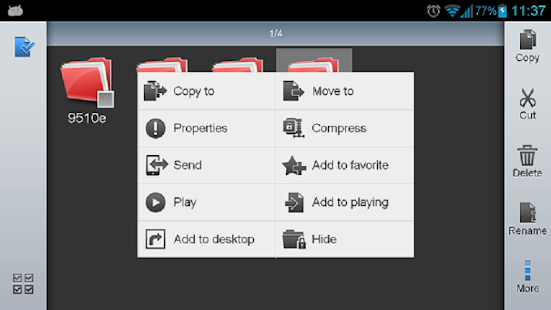
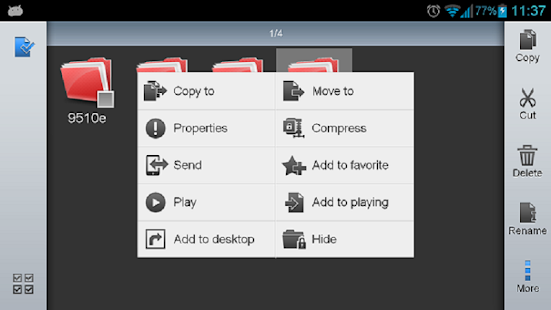
* File Manager – Manage your files like you do on your desktop or laptop using Multiple Select, Cut/Copy/Paste, Move, Create, Delete, Rename, Search, Share, Send, Hide, Create Shortcut, and Bookmark; operations can be performed on local files (on Android device) or remotely (on your computer)
* Application Manager – categorize, uninstall, backup, and create shortcuts to your apps
* Remote File Manager – when enabled, manage files on your phone from your computer
* Built-in ZIP and RAR support allows you to compress and decompress ZIP files, unpack RAR files, and create encrypted (AES 256 bit) ZIP files
* Built-in viewers and players for various file types, including photos, music, and videos; supports third-party applications, such as Quick office, for opening others
* Shows thumbnails for APKs and images
* Text viewers and editors
* Access your home PC via WiFi with SMB
* Functions as your FTP and WebDAV client. Manage files on FTP, FTPS, SFTP, and WebDAV servers just like you manage files on your SD card
* Supports Dropbox, Box.net, Sugarsync, Google Drive (Google Docs is now a part of Google Drive), SkyDrive, Amazon S3, Yandex and more.
ES File Explorer is an enhanced cloud storage client with more functions than the official versions,
it can save photos, videos, and other files to your internet drives and share them with others.
* Bluetooth file browser You can copy and paste files between Bluetooth ready devices. It supports OBEX FTP for browsing devices and transferring files between Bluetooth devices.
* Kill tasks with a single click, increase memory and speed up your device — includes a simple widget that stays on your home screen for knowing your current RAM situation and automatically killing tasks, with an ignore list to ignore the applications you want to keep running.Task Manager module required
* Cache Cleaner and Autostart manager — Delete those junk files that take up valuable storage space.Task Manager module required.
* Root Explorer — the ultimate set of file management tools for root users. Provides access to the entire file system and all data directories, and allows the user to change permissions.
* Developers can visit our website for the developer interface for picking files from your applications, emailing attachments, etc.
* More features included, and more to come
We're working to create the best file manager on Android Market, so plz do not hesitate to CONTACT US with your comments, suggestions, issues.
FACEBOOK: https://www.facebook.com/EStrongs
Video from others: https://www.youtube.com/watch?v=l6lcJZdflac
QuickPic 3.5.0.1
6/19/2014 4:15:52 PM
Current Version: 3.5.0.1
Requires Android: 2.0 and up
Category: Photography
v3.5.0.1 update:
v3.4.9.1:
Fix “load failed” and crash bug
v3.4.9:
Better zoom effect
Faster hide a folder
Reload the picture if modified by other app
Fix possible crash bugs
Spanish translation completed
v3.4.8:
Fix: copy/move pictures to external SD card in Android 4.4 KitKat
v3.3:
Immersive mode for KitKat 4.4
Double touch drag to zoom like Chrome
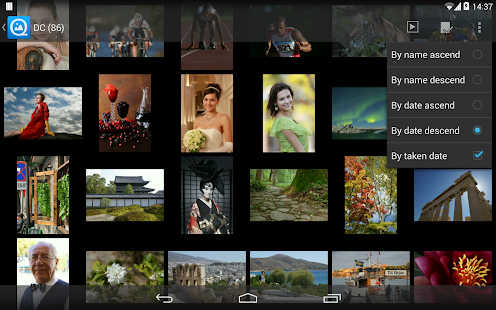
Sort by EXIF taken date for single folder
v3.2 for 4.1+
NFC beam
v3.0 for 4.x:
100% decode large images
Multi-core optimization
Overview:
## **Description**
Fast, lightweight, classic yet modern, QuickPic is the ideal alternative album app for all your beloved photos.
> “Arguably the best gallery app for Android.”"Best Android Apps & Games (2013)” -UltraLinx
> “QuickPic is one of our top picks in this area.” -Android Police
> “QuickPic is our favorite gallery replacement.” -Life Hacker
> “QuickPic definitely comes out on top.” -Make Use of
**Features:**
- Free & clean. We won't ask for unnecessary permissions
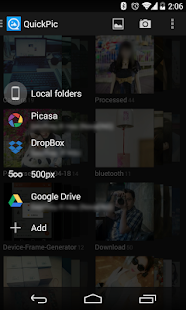
- Support online album services (Picasa, Google Drive, Dropbox, OneDrive, etc.)
- List thousands of pictures in a flash, find new pictures instantly without background service
- View and slide show your Photos with the best quality, clearer than other apps
- Include or exclude specified folders for more efficient scanning
- Easily hide your photos and videos from all gallery apps' scanner, protect them with a password.
- Play GIFs and videos
- Smooth experience: sliding shift or switch, pinch, double tap (and drag) to zoom
- Internal picture editor which allows you to rotate, shrink, crop pictures, set wallpaper with best quality freely
- Powerful file management features, including sort, rename, create new folders, moving and copying pictures
- Optimized for large screens, such as tablets
- KitKatified! (Immersive mode, translucent bars)
**Tips:**
- Please BACKUP YOUR IMPORTANT PHOTOS before your do file operations!
- Can't modify the external storage in KitKat (Android 4.4). This is Google's new rule. 
- Long press a thumbnail to enter multi-select mode.
- Can't display TIFF.
- Can't set lock screen's wallpaper because of manufacturer's private interface.
- Reinstall the app to clear your password.
- Video is no our target, if you think video playing is not good enough, please go to the market and find a better one…
Dear users:
**FRAGMENTATION** is a common problem faced by the entire Android community. While we keep trying our best to treat all devices equally, certain glitches may still exist under certain contexts. So if you find any issues, please email us instead of leaving unfriendly comments or 1-star ratings, we will try our best to solve your problem!
You are receiving this email because you subscribed to this feed at feedmyinbox.com
If you no longer wish to receive these emails, you can unsubscribe from this feed, or manage all your subscriptions


No comments:
Post a Comment