 | Reducing our carbon footprint one bottle at a time! From our sponsors  |
| APKTOP |
| Free Android Apps,Games Download From Android Market |
Bridge Constructor Medieval 1.2
6/19/2014 7:07:15 AM
Current Version: 1.2
Requires Android: 2.3 and up
Category: Simulation
v1.2 update:
Thanks for your feedback, Bridge Constructor knights!
Improvements in update 1.2 (v3):
- Major SDK updates to avoid crashes
- Improved handling
- Even more swords, knights and fun!
Overview:
Dive into the Middle Ages and play the successor to the worldwide #1 hit, Bridge Constructor.
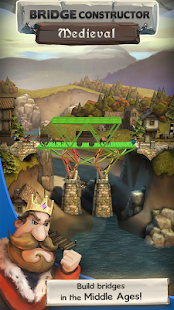
Bridge Constructor Medieval turns back the clock a few centuries to the time of knights and castles. Build sturdy bridges to supply your city with provisions – or cunningly constructed bridges that collapse under the weight of attacking troops, sending the horde of enemies into the abyss below. You won't even be safe from cannon fire in the 40 brand new levels. Protect your foot soldiers and your horse-drawn carriages with covered bridges and stable pillar structures.
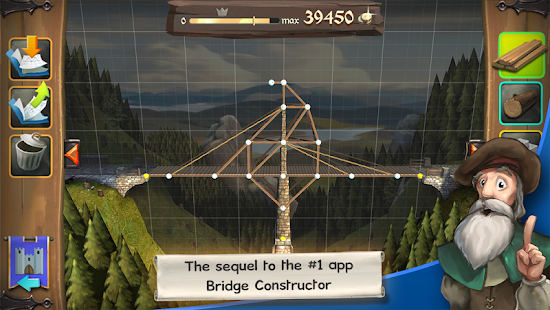
There are a total of five materials available to help you build the perfect bridge: wood, heavy wood, stone and ropes, along with the new addition of the bridge roof.
Throughout the exciting background story, you will familiarize yourself with the various materials on a step-by-step basis, and learn everything you need to know so that your bridges meet the requirements of the different levels.
Innovative game modes in store for you!
Besides building stable bridges, there's also plenty on offer for veterans to discover in the new game modes.
In the siege level, your bridge is bombarded by enemy catapults. Strengthen your bridge so that it doesn't collapse, and protect your own troops on the bridge with a bridge roof.
In another new game mode, you build your bridges so that they collapse under the load of enemy units to send as many of them as possible into the abyss.
In addition, the unique bonus challenges will leave even the most experienced players at their wit's end. That way, both bridge-building professionals and novices will face a challenge in Bridge Constructor Medieval.
FEATURES:
- For the first time: Build bridges in the Middle Ages!
- Brand new levels and game modes for a completely new gaming experience
- Design sturdy bridge roofs to protect yourself from enemy catapults
- Construct cunning bridge traps to send advancing enemy troops into the abyss
- Exciting and funny background story
- Enjoy beautiful medieval landscapes
- Google Play Game Services Achievements and rankings
- Tablet support
Like the game? Then support us with 5 stars in the Google Play Store!
Follow us on Twitter and Facebook:
www.facebook.com/headupgames
www.twitter.com/headupgames
If you have any problems with the game, send us an email to: support@headupgames.com
Inspire Launcher 16.0.1
6/19/2014 6:44:25 AM
Current Version: 16.0.1
Requires Android: 4.1 and up
Category: Personalization
v16.0.1 update:
READ: This is a test version. The launcher 3 from Google got updated and this version contains all the new fixes and improvements: Many of them related to give a more powerfull and faster launcher. Many fixes, Many improvements! However i said this is a test version becouse due to the massive quantity of changed things I'm unable to guarantee that everything will works fine. If you are going to test it, please, provide a review with your device and how it's going, otherwise, wait for 16.1.0!
Overview:
★★ Inspire Launcher is a brand new launcher based on the new KitKat Android Launcher with tons of features and customizations. It combines the major features of the most common Android Launchers with some goodies from iOS and Windows Phone. ★★
★★★★ Reviews: ★★★★
★★
★★ AndroidPolice:http://www.androidpolice.com/2014/03/11/hands-on-inspire-launcher-is-noteworthy-a-new-home-screen-that-looks-delicious/ ★★
★★
★★★★★★★★★★★★★★
★★ This is not NOVA or APEX so don't expect to meet the same features or ask for them!! If you want features already seen in every launcher use them instead of Inspire! ★★
★★ Inspire Launcher is the most customizable launcher ever created! ★★
★★ Inspire community: https://plus.google.com/u/0/communities/104695304515771826360 ★★
★ FEATURES ★
* Flat UI and design
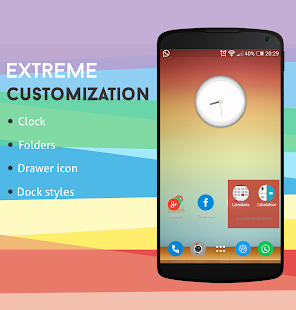
* Homescreen customizations
* App drawer customizations
* Custom icons and folders size
* Dock bar customizations
* Background with flat colors or custom images (Also for drawer)
* Custom opacity control
* Ability to hide applications
* Scroll effects and animations
* Text colors
* Custom single shortcut icons and rename
* Gestures
* Custom dock, appdrawer, icons and folder styles
* Appdrawer sidepanel for custom appdrawer categories!
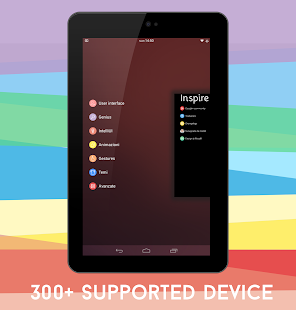
* Genius Page inspired from iOS finder search and Google Now Launcher page!
* System toggles and Recent applications in genius page
* Support for Nova, ADW, Apex and all launchers icons pack and theme!
* Ability to backup, restore and reset own configurations
* Included flat clock widget with different styles
* Included a fresh colored theme called inspire colors that will enable a little colorfull icon pack with a drawer and folder custom icon!
* Free unread counters badge for SMS and Calls
* Over 500 free customizations
★ PRIME ★
* Intelligent UI aka IntelliUI: Automatic change background with great flat colors based on the hour of day
* Good morning notification with date and weather informations!
* Password protected applications
* Genius Bar search through youtube, maps, play store and more!
* Custom animations on applications launch and close
* Custom dock background
* Folders customization
* Custom folder icon
* Custom drawer launcher icon
★ Add-ons ★
* miOs
* Inspire Counters
* Inspire wallpapers
This launcher is under heavy development and tons of new features will be added on every update!
My Tracks 2.0.7
6/19/2014 6:23:32 AM
Current Version: 2.0.7
Requires Android: Varies with device
Category: Health & Fitness
v2.0.7 update:
- export to Google Maps Engine
- remove export to Google Fusion Tables and Google Maps
Overview:
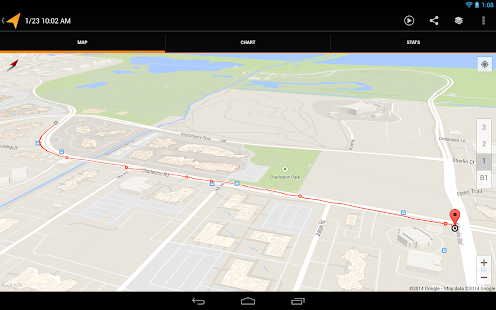
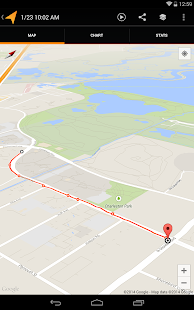
My Tracks records your path, speed, distance, and elevation while you walk, run, bike, or do anything else outdoors. While recording, you can view your data live, annotate your path, and hear periodic voice announcements of your progress.
With My Tracks, you can sync and share your tracks via Google Drive. For sharing, you can share tracks with friends, see the tracks your friends have shared with you, or make tracks public and share their URLs via Google+, Facebook, Twitter, etc. In addition to Google Drive, you can also export your tracks to Google Maps Engine, Google Spreadsheets, or external storage.
My Tracks uses the GPS sensor in your device to record geographic and velocity statistics, but the app also syncs with third-party biometric sensors, including:
– Zephyr HxM Bluetooth heart rate monitor
– Polar WearLink Bluetooth heart rate monitor
– ANT+ heart rate and speed distance monitors (these require an ANT+ compatible phone)
Hangouts 2.1.311 (1231142-30)
6/19/2014 6:23:09 AM
Current Version: 2.1.311 (1231142-30)
Requires Android: 2.3 and up
Category: Communication
v2.1.311 (1231142-30) update:
2.1.2
● Customize ringtones for each of your Hangouts
● Block SMS messages from specific phone numbers
● Restore contacts that you have previously hidden
● Layout support for right-to-left languages
Overview:
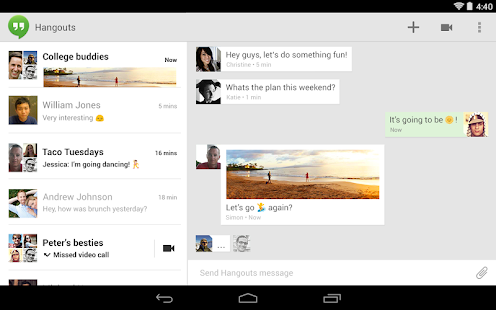
Google+ Hangouts is a messaging app that lets you send and receive messages, photos and videos, and even start free video calls — one-on-one or with a group!
● Send and receive both Hangouts and text messages (SMS/MMS) and easily switch between message types.
● Include all your friends with group Hangouts and MMS conversations.
● Say more with photos, emoji, and animated GIFs.
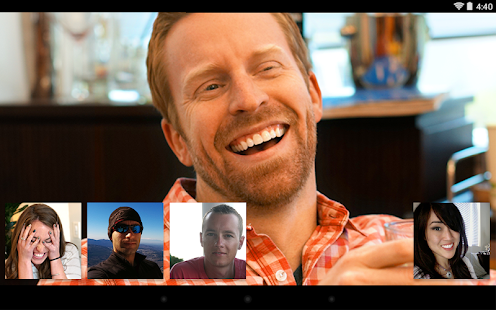
● Turn any conversation into a free group video call with up to 10 friends.
● Use Hangouts to connect with friends on computers, Android and Apple devices.
● Easily share Maps locations and People contacts with your friends.
● Message friends anytime, even if they're not connected right now.
Notes:
● Unlike Google Talk, Hangouts does not support “invisible” status.
Google Translate 3.0.10
6/19/2014 6:02:07 AM
Current Version: 3.0.10
Requires Android: Varies with device
Category: Tools
v3.0.10 update:
• Improved offline language packs experience.
• Phonetic input support: Bengali, Gujarati, Hindi, Kannada, Marathi, Punjabi, Tamil, Telugu
• Minor bug fixes.
Overview:
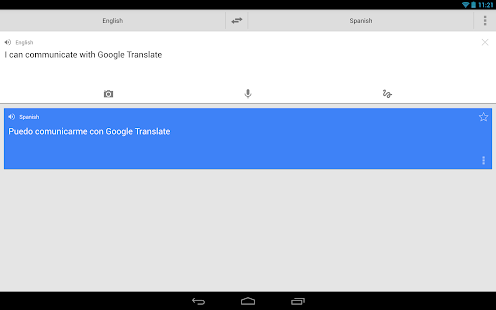
Break through language barriers with Google Translate.
• Translate between 80 languages
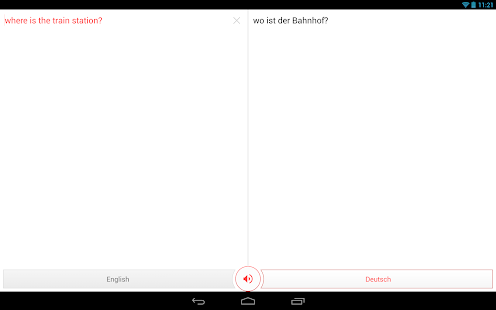
• Converse naturally and let Google translate
• Speak, type, write, or take a picture to translate
• Translate offline while traveling. No internet connection needed.
• Save your translations and access from any device
(Camera input and offline translation are available for Android 2.3 and above)
Translations between the following languages are supported:
Afrikaans, Albanian, Arabic, Armenian, Azerbaijani, Basque, Belarusian, Bengali, Bosnian, Bulgarian, Catalan, Cebuano, Chinese (Simplified), Chinese (Traditional), Croatian, Czech, Danish, Dutch, English, Esperanto, Estonian, Filipino, Finnish, French, Galician, Georgian, German, Greek, Gujarati, Haitian Creole, Hausa, Hebrew, Hindi, Hmong, Hungarian, Icelandic, Igbo, Indonesian, Irish, Italian, Japanese, Javanese, Kannada, Khmer, Korean, Lao, Latin, Latvian, Lithuanian, Macedonian, Malay, Maltese, Maori, Marathi, Mongolian, Nepali, Norwegian, Persian, Polish, Portuguese, Punjabi, Romanian, Russian, Serbian, Slovak, Slovenian, Somali, Spanish, Swahili, Swedish, Tamil, Telugu, Thai, Turkish, Ukrainian, Urdu, Vietnamese, Welsh, Yiddish, Yoruba, Zulu
Sliding Messaging Pro 8.50
6/19/2014 4:41:31 AM
Current Version: 8.50
Requires Android: 4.0 and up
Category: Social
v8.50 update:
Version 8.50:
- Pushbullet integration for sending replies from a computer!
- Android Wear support in anticipation for release this summer
- Bug fixes
Overview:
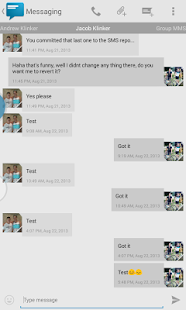
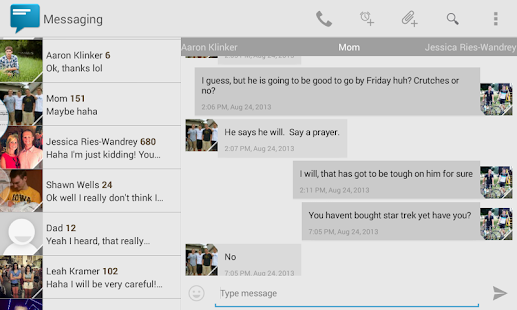
Easily manage text messages in a new and up to date format compliant with the Android design guidelines and visually based on the stock messaging app from Google, with added features.
Features:
- Easily switch between conversations by dragging out the sliding menu on the left side of the screen.
- Start a new conversation by sliding out the menu on the right side of the screen
- Manage old messages with a single click
- Choose between 10 different themes or make your own from scratch
- Emoji support (1300+ to choose from)
- Google Voice support
- Quick reply popup
- Quick message templates
- Multi-window support for Galaxy Note
- Light Flow support
- Support for sending and viewing picture and group messages
- Option to choose background images for conversations menu and message list
- Custom animations
- Widget
- Individual notification settings
- Contact blacklisting settings
- Security settings
- And so much more!
If you are having problems receiving notifications, you may need to uninstall 3rd party messengers such as Go SMS.
Please email me if you have issues before leaving a poor review and I will help you out with whatever it is.
Credits:
- Aaron Klinker for the icon
- Jeremy Feinstein for his SlidingMenu on GitHub
- Google for their stock messaging app off of which this app is visually based
- Alexey Slavutsky for Russian translation
- Felix Hopfer for German translation
- Spadewalk for French translation
- Antonio Porcelli and Enrico Speranza for Italian translation
- Tobias Prahl for Swedish translation
- Alireza Afkar for Persian translation
- Kamil Wojtczyk for Polish translation
- Yusuf Rende for Turkish translation
- Cyanogenmod and Google for emoji icons
- And everyone else who's contributed
NOTE: Due to limitations of the Android System starting in Android 4.4, you will not be able to use your tablet for Google Voice support. It will only be possible to use Google Voice on a device that has SMS functionality. This is due to the new SMS API's included with KitKat and setting up a default SMS application, which can't be done on a tablet.
EZ Weather HD Beautiful Widget 0.9 beta 3
6/19/2014 4:41:03 AM
Current Version: 0.9 beta 3
Requires Android: 2.2 and up
Category: Weather
v0.9 beta 3 update:
- New Awesome Smart Alert
- Iconset switch support
- Taking photos with weather information, share with your friends! (This requires Camera permission)
v 0.8 beta 6
- Zip traffic data
- Add some translation
- Delete image after share
Overview:
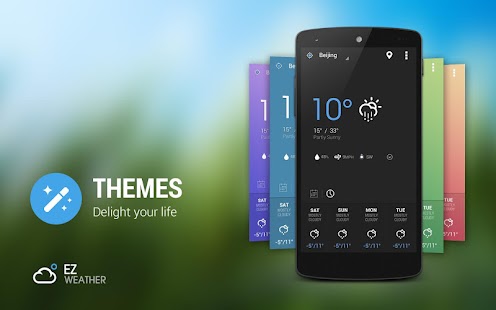
EZ Weather has a simple, clean and beautiful HOLO interface. It's designed for easy using .
You can get weather conditions quickly including daily and hourly forecasts for any location.
Your best weather app on home screen!
The camara permission is required by a new feature in the new version that users can take photo to share weather info with their friends.
■ TESTIMONIALS
—————————————————————
"EZ Weather is, in my opinion, the best looking app on show….EZ Weather is actually an app of high quality. It displays weather data with a light-on-dark colour scheme, which makes for glorious clarity."- Appstorm
“If you're tired of your weather app and want something new, EZ Weather HD is definitely an app to try!”-Androidtapp
"A clean simple weather app. Great app: Great widgets: Great notification weather. Can't ask for much more!
"-Androiddissected
"A simple and easy to use weather app. Currently ad-free, so get while the getting's good."-Bestappsmarket
■ FEATURES
—————————————————————-
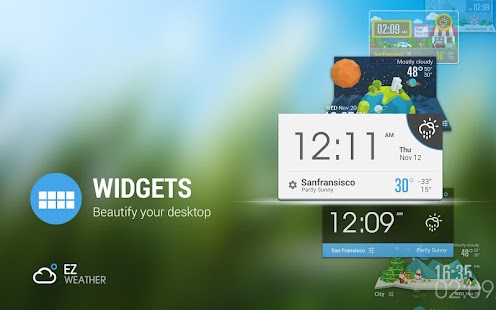
- Transparent weather widget
- Daily and hourly weather report ( 7 days and 24 hours), current detail conditions
- Intuitive information of temperature , wind speed and direction, humidity, visibility, pressure, dew point, UV etc.
- Auto-location,updated with your position
- Multi weather data source service.
- Support show current and future weather in expandable notification bar.
- Support clock & weather, forecast and current weather info widget for tablet and phone.
- Support Lock Screen Widget and DashClock extension.
- Quick-Action:You could open clock, calendar, weather, widget settings, or any other app by click different area in widget
- Support tens of thousands cities's climate around the world, also support world clock take it when you are traveling!
- Support Arabic, Catalan ,Chinese ,Croatian ,Czech ,Danish ,Dutch ,English French ,German ,Greek ,Hebrew ,Hungarian ,Italian ,Japanese ,Korean ,Norway ,Polish ,Portuguese(Brazil) , Portuguese(Portugal), Romanian, Russian, Serbian, Slovakia, Spanish, Swedish, Turkish, Ukrainian, Vietnamese etc.
- Support new feature on KitKat 4.4 – Full-screen immersive mode
■ COMMING SOON
—————————————————————-
- More Widget Style
- Severe forecast alert
- Customize Elements
- Doppler and Radar map.
- Feel like and wind chill temperature
■ USER REVIEWS
————————————————————
“Beautiful design & fantastic usability I love this app. It has a beautiful minimalist design and a lot of options to choose from, and it's wonderfully efficient at much more than just reporting the weather.” — by Melissa Kim
“Nice simple and clean! Finally a good looking simple weather app! Developer very responsive on feedback.” — by Brett Watson
“Awesome Weather App Great App, great customer support service, as after update crashed widgets, the creator sent me a email with a newer version which fixed the issues…. Best weather app I've used.” — by Steven Murphy
“I don't like it… I Love It! “Beautiful Widgets” doesn't van compare to this app/widget. This app is amazingly clean, simple, and exactly what I've been looking for. I do however have one suggestion, and it isn't a flaw, just a personal preference. Would it be possible to make the weather icon in the notification have the same functionality as the icon on the widget? That would make this even more quick for me. Again, I seriously LOVE this app so far. Thanks for developing!” — by Josh Bach
EZ Weather is AD-FREE at present, get your personal meteorologist now!
Any suggestion and problem, please contact support@infolife.mobi
#KW
Weather, weather forecasts, severe weather, travel weather, world weather, weather widget, clock and weather, minimal weather, minimal widget , transparent weather, transparent widget, world clock, climate, meteoearth, meteorology, forecasting, dashclock;
You are receiving this email because you subscribed to this feed at feedmyinbox.com
If you no longer wish to receive these emails, you can unsubscribe from this feed, or manage all your subscriptions


No comments:
Post a Comment