 | Learn How to Measure Success & Engagement For Your Mobile App From our sponsors  |
| APKTOP |
| Free Android Apps,Games Download From Android Market |
Nights Keeper (do not disturb) 2.2.0
6/29/2014 1:47:16 PM
Current Version: 2.2.0
Requires Android: 2.2 and up
Category: Lifestyle
v2.2.0 update:
version 2.2.0
NEW: New widget design.
NEW: Dark and light theme for widget.
NEW: Block of sound mode can be switched off in settings.
FIX: Improvement of Italian translation.
Overview:
If you fed up to be worried by call or SMS during sleep or important meeting – this app designed specially for you.
Nights Keeper blocks all calls, but "white list" contacts will be able to go through. You can specify separate contacts or groups in your exceptions list.
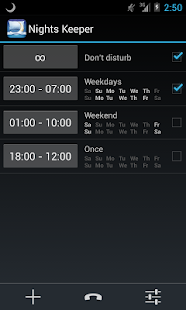
You can create several profiles for different week days and time. In addition to the night profile, you can create the day profile too. It's important for those who work at night or like to take a nap afternoon. If you work by shifts app has solution for you as well.
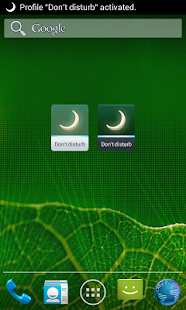
If you decided to take in a movie or have important meeting, you can use «Don't disturb» profile that can be managed by home screen widget.
App can automatically send SMS notification to the blocked caller just to let him know that you are ok.
And if you are worry about urgent call from a contact not specified in your “white list”, you can use «Emergency call» option. In this case caller will go through after several attempts.
You can specify night ringtone, special volume level and ascending ring.
App can help you to save your battery life by turning off Auto Sync, Mobile Network, Wi-Fi and Bluetooth at night.
Some features available only for PRO version. The license can be purchased by in-app billing. Support developer and get all application features on all your devices. Price is about $2.99.
If you have any questions, please, visit our FAQ page first:
http://www.nightskeeper.com/?page_id=29
Lockdown Pro – App Lock 1.1.8
6/29/2014 12:28:19 PM
Current Version: 1.1.8
Requires Android: 2.2 and up
Category: Tools
v1.1.8 update:
★New features:
- Lock screen: This feature will replace your default lock screen.
- Fixed bug “Observer”, taking pictures, and can't send email.
- Add feature upload to Google Drive.
- Add feature share link with friend to unlock theme.
Overview:
You don't want other people access and read your private information such as: email, message, photo and video… on your smart phone? It's too difficult for you to find out any solutions? So don't worry too much, Lockdown Pro is an excellent app that helps you solve this problem.
Features:
★ Lockdown Pro is the BEST app lock and privacy protect tool, it can lock any app, such as SMS, Gmail, Facebook, Whatsapp, SnapChat, Instagram, Viber, Line, Evernote, etc and special apps including Lock install/uninstall apps, Lock incoming calls, etc.
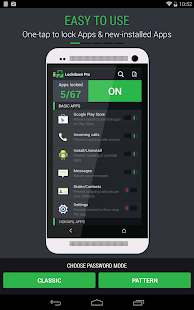
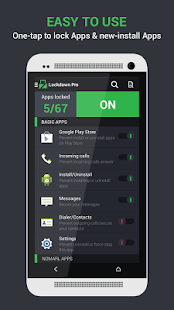
★ One-tap to lock Apps.
★ Auto lock new-install app.
★ Lock screen: This feature will replace your default lock screen.
★ Taking pictures after wrong password.
★ Auto uploading pictures to Google Drive
★ Auto send email with some info and pictures of the person who wants to access your phone.
★ Auto lock & unlock when you get in/out your setting locations.
★ Auto lock & unlock when connect/disconnect with wifi.
★ Active lock apps with a SMS
★ Three password modes: Pattern Lock, Classic Lock & Calculator Lock
★ Fake Error Message (Distract from unauthorized access.). Video: https://www.youtube.com/watch?v=5JKZ_XpfFd8&feature=youtu.be
★ Random keyboard password
★ Time pin password (Ex: If the time is 13:12, your PIN will be 1312)
★ Themes store (so many beautiful themes for your choice)
★ Screen timeout: The screen will never turn off when running registered app
★ Auto-Rotate: The screen of your device will not auto-rotate when running registered app.
Facility Security:
★ Prevent uninstall Lockdown Pro & clear the memory on some devices (Activate Device administrator)
★ Lock Deactive Device administrator
★ Hide Lockdown Pro icon (Remove Lockdown Pro icon on App Draw & Home screen)
Language support:
★ Help me translate to your language: http://www.getlocalization.com/LockdownPro/
NiLS Lockscreen Notifications 1.5.420
6/29/2014 12:27:56 PM
Current Version: 1.5.420
Requires Android: 4.0 and up
Category: Personalization
v1.5.420 update:
<b>v1.5.420</b>
- Fixed a crash when changing options on settings.
- Fixed to hide NiLS when notification opens.
- Fixed a crash with some notifications when using icon packs.
- Other bug fixes
<b>v1.5</b>
- NiLS FP has been integrated into NiLS – reduced memory usage and improved stability
- New and improved appearance – new card base UI and the left navigation drawer
- Supports almost <b>any</b> lock screen
- New privacy options
- Auto screen turn off
- Many bug fixes
Overview:
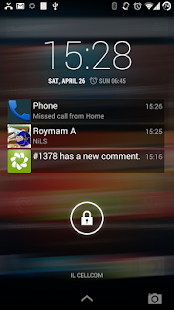
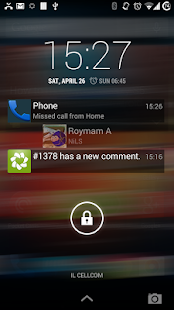
NiLS provides the best way to display and interact with notifications on your lock screen.
NiLS displays a list of your notifications on top of your lock screen and it doesn't need a widget to be placed. it supported on most of the lock screens including WidgetLocker, Cover, GoLocker and many more.
Main features
• Displayed on top of any lock screen (no matter if it supports widgets or not)
• Provides swiping gestures such as swipe right to dismiss, drag icon to open, swipe down to dismiss all, etc.
• Displays full notification content as it appears on Android notifications bar and provides ability to perform actions such as archive gmail or reply missed call with SMS if available on the notification.
• Highly customizable and provides 3rd party themes support
Use swiping gestures to interact with the notifications:
- Swipe notification left or right to dismiss.
- Swipe notifications list down to dismiss all.
- Swipe notification icon right to open notification or perform additional actions.
- Click to show a preview, scroll down or up in the preview to read all text.
Customize NiLS however you want:
- Set position and size, anywhere you want on your lock screen.
- Set any colors you want as your title color & text color, font sizes & vertical alignment
- (Premium) Change icon background and notification background.
- (Premium) Show multiple lines of each notification and change icon size.
- (Premium) Use 3rd party themes for great looking notifications.
Please note – NiLS requires you to enable a notifications service, please follow installation instructions within the app
Permissions used:
Photos/Media/Files – Allows NiLS to save & restore backup file on the sdcard
Device & app history – Allows NiLS to detect what is the current running lock screen app
In-app purchases – Allows NiLS to suggest you to upgrade to full version
Support
First, read FAQ for installation instructions and see answers for most common questions:
http://bit.ly/nils-faq
Didn't find an answer? Have a bug report or feature request? contact support@roymam.com.
Every email will open a ticket. we'll respond any request usually within 24 hours.
Community
Join our community on Google Plus for discussions and announcements.
https://plus.google.com/u/1/communities/115156552435983276604
Beta testing
If you want to get early access to beta versions and help us test new versions, request to join our beta community here:
https://plus.google.com/communities/101363646487255542423
and follow instructions here:
https://plus.google.com/100604435295012114289/posts/LfzLjvKXGd6
Photosphere Free Wallpaper 1.11
6/29/2014 12:27:45 PM
Current Version: 1.11
Requires Android: 2.2 and up
Category: Personalization
v1.11 update:
v1.11:
- Fixed issue with auto scroll
Overview:
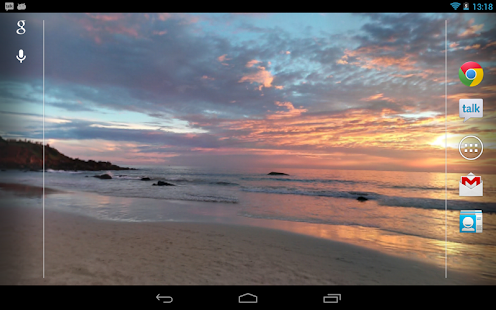
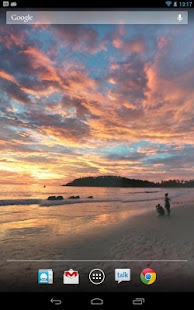
Take advantage of Android's unique Photosphere feature by viewing one right on your home screen! Photosphere Live Wallpaper properly displays a Photosphere image on any Android device, with appropriate camera controls when swiping between home screens and tilting your device!
Includes one example image (Beach!), and the ability to select your own Photosphere images.
TO USE: Home Screen -> Long Press -> Live Wallpapers
If you enjoy this, please help support us by checking out our other products, or get the paid version of Photosphere Live Wallpaper! This free version has one ad, displayed on the settings screen, and no other limitations.
Explanation of Permissions:
– READ_EXTERNAL_STORAGE is required for image access on 4.4+ devices
– INTERNET & NETWORK_STATE is needed for the ad on the settings screen (not present on paid version)
AppWererabbit Backup 4.0.0
6/29/2014 12:27:16 PM
Current Version: 4.0.0
Requires Android: 4.0 and up
Category: Tools
v4.0.0 update:
*** Your rating is appreciated ***
v4.0.0
* Added Backup/Restore App's data
* Updated App List function
* Updated Chinese (Simp/Trad), Dutch, Italian, Norwegian, Russian and Slovak (Slovakia) translation. Thanks to martinusbe, xda_dentex, Frisurfer, gaich, pyler
* Updated Help and FAQ
* md5: 298adc9b733755c3e6706270d0d085d1
Overview:
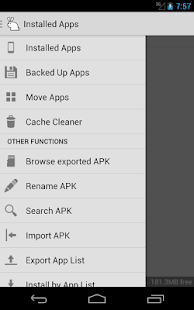
AppWererabbit is a set of tools developed to help you manage apps and apk files on your smartphone and tablet.
Tools:
★ Backup & Restore (APK)
- Backup/Restore apps to/from SD card
- Backup Play Store link for protected apps
- batch backup
- batch restore
- Auto backup on install
- multiple version backup with version management
- Quick uninstalling
- User definable backup folder location
★ Backup & Restore (Data)
- Backup/Restore app's data (ROOT & BusyBox required)
★ App List Backup
- App list backup for easy restore on new device
- Support multiple list
★ App2SD (Move apps to SD)
- Identify and facilitate the moving of apps that support App2SD
★ App Cache Cleaner
- 1-Tap Cleaner
- Schedule cleaning
- Auto cleaning after startup/boot
- Auto cleaning on low storage space
★ App Sharer
- Share interesting apps you discovered with your friends
- Send apk files to cloud storage like Dropbox, etc…
- Search app from Play Store
★ Apk Installer
- Search the device's storage for .apk files for install
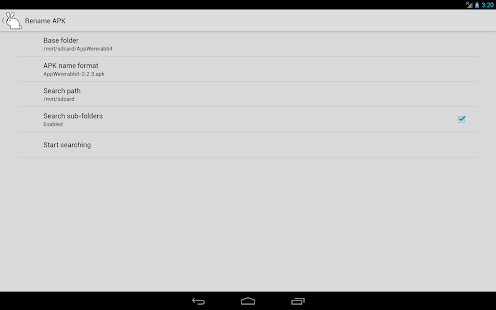
★ Apk Renamer
- Search the device's storage for .apk files for rename
- Custom APK name format
- batch rename
★ Other Features
- Filter apps by System, User, Frozen, etc…
- Sort apps by install-date, name, size, cache size, etc…
- Selectable display language
- No Ads
- No Analytics
Comparison between FREE and PRO version
http://tinyurl.com/kycb7pw
Localization:
* Arabic [العربية]
* Azerbaijani [Azeri]
* Chinese [繁體中文/简体中文]
* Danish [Dansk]
* Dutch [Nederlands]
* English
* Farsi [فارسی] – Persian
* French [Français]
* German [Deutsch]
* Hungarian [Magyar]
* Italian [Italiano]
* Macedonian [Македонски]
* Norwegian [Norsk bokmål]
* Polish [Polski]
* Portuguese (Brazil) [Português (Brasil)]
* Portuguese (Portugal) [Português (Portugal)]
* Romanian [Română]
* Russian [Русский]
* Serbian [Cрпски]
* Slovak [Slovenčina]
* Spanish (Spain) [Espaٌol (España)]
* Thai [ไทย]
* Turkish [Türkçe]
* Vietnamese [Tiếng Việt]
Want to fix, improve or add a translation?
Goto http://www.getlocalization.com/AppWererabbit/
Below are links to some external reviews:
1) maketecheasier.com http://tinyurl.com/pezt6f9
2) ghacks.net http://tinyurl.com/pfekgyp
3) xda http://tinyurl.com/cyg6h3w
4) getandroidstuff.com http://tinyurl.com/mdzdcwa
5) makeuseof.com http://tinyurl.com/plu5xgj
For previous version and Help/FAQ files visit the XDA forum
http://forum.xda-developers.com/showthread.php?t=2196069
If you find any issues or have suggestion, then please contact me via email.
(I no longer reply to comments in the app reviews section)
PPS (for Mobile) 3.0.3
6/29/2014 12:27:07 PM
Current Version: 3.0.3
Requires Android: 2.2 and up
Category: Entertainment
v3.0.3 update:
3.0.2更新說明:
1.優化了站外內容的播放體驗,載入速度更快啦
2.修復了部分機型奔潰的bug,不再需要頻繁重啟
Overview:
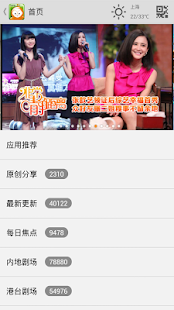
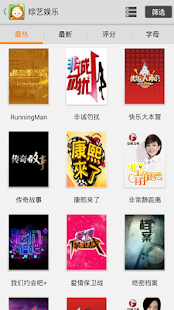
PPS for Mobile is developed by PPS.tv(called PPStream).It's customized free for Android Mobile Phone users,and you can watch online or download thousands of HD videos, including movies, TV series, animation, entertainment and sports information.
Last but not least, you can contact with PPS by post Email to tiankong@ppstream.com when you have any questions or need helps.PPS thanks for you to install the software and give PPS the favorable comment.
Fluid SE 1.01
6/29/2014 11:48:41 AM
Current Version: 1.01
Requires Android: 2.3 and up
Category: Racing
v1.01 update:
1.01
* Added group time display if you have 25 stars in a group.
* Added a help screen (start of game, and from pause menu).
* Added an instant restart button (appears after you start moving).
* Decreased the number of stars needed to unlock some groups (up to 10 stars less).
* Slight rendering speed-up.
* Fixed Rate The Game link to appear sooner.
* Couple minor fixes.
Overview:
“A fast-paced and relentlessly hard racer, Fluid SE is well worth your time. 8 out of 10″ – PocketGamer
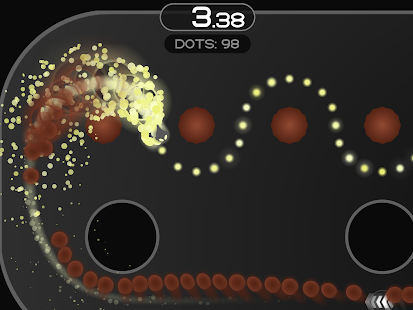
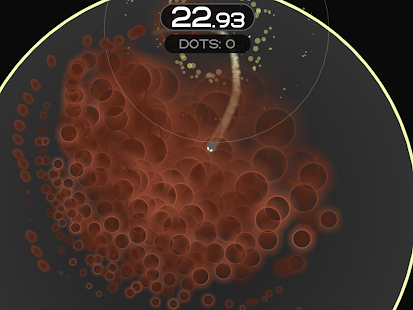
Fluid SE is a thrilling time-trial racer mixed with the arcade gameplay of Pac-Man, brought to you by Radiangames, creator of Inferno+, JoyJoy, Super Crossfire, and more. Speed through the mazes to collect the dots, find the optimal path, and avoid the swarms of spectres.
In Fluid: Special Edition, you guide Streak (a speedy black fish) through 40 levels filled with dots, obstacles, and powerups. Each dot you collect spawns a spectre that tries to chase you down, while the powerups give an upperhand temporarily, either with a speed boost, a vortex that attracts spectres, or spectre-bursting spikes.
* Finish the levels as fast you can and you're rewarded with up to 5 stars.
* 5-star times aren't initially shown, but getting a 4-star or higher time will reveal that level's 5-star time.
* Levels are unlocked in groups of 5, with each group requiring a minimum amount of stars.
* Every 5th level is a bonus level (with no spectres), while every 4th group has Turbo Levels, which increase Streak's speed even more.
* Track your progress with 12 achievements.
* Use the amazingly smooth and accurate virtual controls or an Bluetooth HID-compatible game controller.
FRep – Finger Replayer 3.2patched
6/29/2014 11:48:39 AM
Current Version: 3.2patched
Requires Android: 2.3.3 and up
Category: Productivity
v3.2patched update:
[3.2/patched] (Need USB connection to PC/Mac/Android to complete update)
- Supported more non-rooted devices. (Require updated setup tool) Confirmed on Galaxy S5 (SC-04F), Note3.
- Added “Calibration Input” menu in main app, which enables Tap center option in image match control on non-rooted devices, Long-tap and Swipe actions in Touch control.
- Added “Default Device Check” option for support.
- Infinite Loop control by setting Loop:0.
- Fixed error on Split Trace.(patched) (Thanks for report)
Overview:
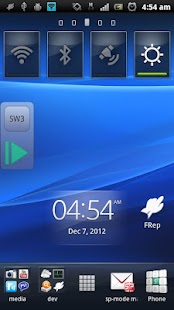
FRep is Finger Record/Replay App. Once you record the routine operation, you can replay it by single trigger. Your own automatic operation button will be easily created.
- Record and Replay/Repeat/Edit operations of touchscreen and/or keystroke
- Easy record/play on current app, by pushing the button of floating console
- Console shows/hides depending on playable records for current app
Unlock key provides the unlimited number of records & Tasker/Locale plugin functionality.
Usage Example
- Recording analog Push/Swipe/Flick operations for automatic process/scroll/gesture
- Playing continuous virtual space key push with interval for browsing
- Preload delayed or continuous pushing in prospect of processing delay, such as CPU load or network communication
- Avoid blind area or blurring by the finger operation
- Combination with automation App through FRep replay shortcut/Tasker plugin
- Demonstrate your App in actual device
=== Initial Setup ===
FRep needs the initial setup below. If your Android is ROOTED, you can skip this section by permitting su.
To setup FRep initially or when Android rebooted, you need USB connection to Win/Mac/Linux/Android. Please retrieve and run the setup tool from following URL.
Initial Setup Tool http://strai.x0.com/frep/#tool
[Tested devices]
Xperia Z, Xperia Ray, Sony Tablet S, Nexus 7, Medias N-06C, Galaxy Note 3 (SM-N9005), Galaxy S5 (SC-04F)
================
Tutorials http://strai.x0.com/frep/category/tutorial
Show/Hide console
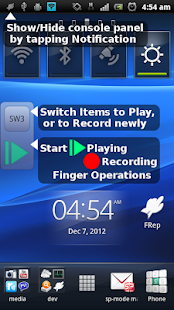
After starting service, FRep will stay in the notification. By tapping it, the console shows/hides. Once you record by the recording circle button, FRep automatically show console on the app on recorded. Then, the record can be replayed by the playing triangle button.
Recording mode
Choose which you like at the FRep front app;
Simple: record until Power push.
Till Gap: record until designated seconds of no input.
Progress: record and construct editable sequence separated by input gap.
*Time limit: 10 min per record.
Repeat/Edit playing
By setting the Repeat number >1 in Manage Traces, FRep play the record continuously by the count. You can also create/edit the playing sequence consisting of multiple records/controls. In addition, each stroke in traces can be moved/set wait/clipped.
Power button
FRep do not record Power push, which will finish any recording/playing immediately.
Restrict by current App
In record/replay, occasional call or App change may cause a problem. To avoid that, FRep is restricted on Phone, Google Play and FRep itself. You can configure restriction for other Apps.
Interruption of playing
To abort replaying, you can interrupt easily by the overlapping the operation.
Virtual keyboard
Double-tapping the upper button on the console, you can open another page which has key operation editor.
Customization
Notification type/icon, console size/transparency, drag/flick sensitivity, default settings, etc.
= Notice&Tips =
- Do not record including personal information and/or password.
- The replay result may differ depending on the CPU load and/or network traffic. To make good reproducibility, take longer delay for processing wait, stop touch at end point for dragging/flick, and more, try to Edit Sequence with image matching (see Tutorial category in support site).
- By default option, the records will be saved in sdcard. Though it can be copied for backup, it has no compatibility with other device.
If you have any question or request, please mail us. The reply will be in English.
== DISCLAIMER ==
THIS SOFTWARE AND THE ACCOMPANYING FILES ARE DISTRIBUTED and SOLD “AS IS” AND WITHOUT WARRANTIES AS TO PERFORMANCE OR MERCHANTABILITY OR ANY OTHER WARRANTIES WHETHER EXPRESSED OR IMPLIED. LICENSEE USES THE SOFTWARE AT HIS/HER OWN RISK. NO LIABILITY FOR CONSEQUENTIAL DAMAGES.
================
Simple Notepad 1.7.8
6/29/2014 11:48:38 AM
Current Version: 1.7.8
Requires Android: 2.2 and up
Category: Productivity
v1.7.8 update:
IMPORTANT: Unset all the passwords before you update android OS. Some devices are known to get an incompatible security provider upon 4.3 update which makes password protected notes unusable.
v1.7.8
- bug fixes
v1.7.7g
- back button bug fix
v1.7.7f
- bug fixes
- German/Polish update
v1.7.7c/d/e
- bug fixes
- Italian/German update
v1.7.7b
- FC on start fixed
- Simplified Chinese/French update
Overview:
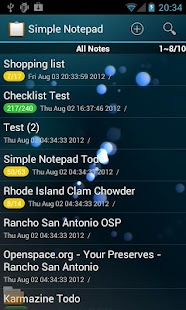
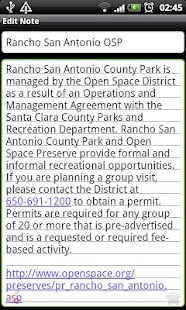
Simple Notepad is a notepad app that gives you a quick and easy note taking experience. It's not only simple and easy to use but also comes with many features: checklist, widget, reminder, password protection, search, picture attachment, share, and more!
*Features
————————————————-
✔ Checklist
✔ Password protected note/checklist
✔ Reminder
✔ Widgets/shortcuts – pin Post-it like notes/folders to your home screen
✔ Widget customization (solid/transparent/translucent color, different size)
✔ Convert note to checklist (lines -> check items)
✔ Attach pictures from camera and gallery
✔ Search and sort
✔ Share
✔ Color title
✔ Readonly mode
✔ Lock screen widget (4×4)
✔ Upload to Dropbox, Evernote, Google Drive, etc
✔ Dropbox Sync (requires Simple Notepad Upload Addon)
✔ Auto/manual export to SD card
✔ Import .txt from SD card
✔ Archive deleted items
✔ Add to Calendar
✔ Pin to status bar (sticky reminder)
✔ Folders to group notes/checklists
✔ Google Cloud Print (experimental, download Simple Notepad Cloud Print Addon to enable it)
✔ Web clipping (requires Simple Notepad Webclip Addon)
✔ Custom Fonts (copy .ttf files in $sdcard/simplenotepad/fonts)
✔ Local clipboard to insert frequently used texts and timestamp
✔ Customizable font and background
✔ Clickable links (url, email, phone, and map) in readonly mode
✔ Character/Word count
✔ Voice input
If you have troubles/questions, please mail me instead of using the review comment. FAQ is available in the settings.
Moving app to the SD card disables widgets. Android does not support widgets from SD card. Moving hides shortcut icons too on reboot.
Export/Import are not Backup/Restore. When you export a note/checklist, its text content is saved as .txt file 'without' meta data like color, priority, folder, etc.
Awesome translators:
Chinese (simplified) – Cye3s
Chinese (traditional) – Ensign Lau
Croatian – Cvita
Czech – rizla, Zbynek Krivka, and DuckDaffy
French – Patrice Lesieurr
German – Reiner Südding, Andre Ramnitz, Frank, HB9KNS, Michael and anonymous users.
Italian – Giovanni Aneloni, Emanuele Brown
Japanese – anonymous user
Korean – 허선영, 김희재, 정성엽, Hoyeon Cho
Polish – Karol Bieńkowski, Argail
Romanian – Cristian Savin
Russian – Oleg Avilov, anonymous user
Spanish – Yamil
Swedish – Mattias
(in case your name is missing, please let me know)
Keywords: notepad, note, memo, widget, post-it, checklist, todo list, shopping list
Google Play services 5.0.82 (1253724-036)
6/29/2014 11:48:36 AM
Current Version: 5.0.82 (1253724-036)
Requires Android: Varies with device
Category: Tools
v5.0.82 (1253724-036) update:
4.4.52
- New Street View API
- Updates to activity recognition, Play Games services, and Instant Buy APIs
- Bug fixes
Overview:
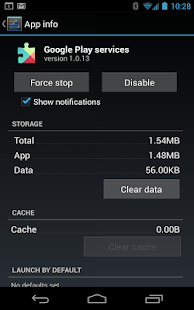
Google Play services is used to update Google apps and apps from Google Play.
This component provides core functionality like authentication to your Google services, synchronized contacts, access to all the latest user privacy settings, and higher quality, lower-powered location based services.
Google Play services also enhances your app experience. It speeds up offline searches, provides more immersive maps, and improves gaming experiences.
Apps may not work if you uninstall Google Play services.
You are receiving this email because you subscribed to this feed at feedmyinbox.com
If you no longer wish to receive these emails, you can unsubscribe from this feed, or manage all your subscriptions


No comments:
Post a Comment