 | Track and analyze all of your farming inputs, costs and profits so you can farm more efficiently this season and in the future! From our sponsors  |
| APKTOP |
| Free Android Apps,Games Download From Android Market |
ZWCAD Touch 1.3.0
6/22/2014 10:20:04 AM
Current Version: 1.3.0
Requires Android: 3.0 and up
Category: Productivity
v1.3.0 update:
Special optimization for Android users:
1. Added main screen widget to quickly open recent drawings..
2. Enhance ease of use of Menu and Return Button.
3. One-hand operation of zooming in and out drawing.
4. Crash bug fix and other enhancements for ease of use.
Overview:
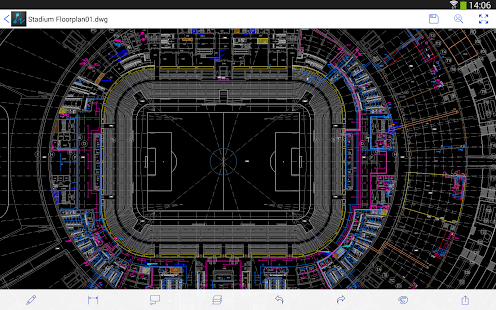
As the first choice for over 100,000 designers around the world, ZWCAD Touch has finally hit the Android platform. Download now and discover the beauty of the on-the-go design experience!
ZWCAD Touch is the 1st CAD (Computer-Aided Design) application that integrates 3rd-party Cloud Storage Service (like Dropbox) internally. Developed by ZWCAD Software Co., Ltd., ZWCAD Touch can open and save DWG files directly, guarantees high compatibility and seamless interaction with ZWCAD on a desktop PC.
ZWCAD Touch helps you view and edit your e-drawings anytime anywhere. It allows you to communicate with clients/designers without having to bring lots of heavy paper drawings, as well as the latest voice annotation support, making your life and work much easier!
ZWCAD Touch also support fully offline usage. By transferring drawings from PC via USB cable, you can always take your design with you, and view and edit them wherever you are, no matter whether there is network connection or not.
File Management:
1. Support both DWG files from 2000 to 2013 format
2. Open and save files from local storage, online storage (DropBox, GoogleDrive, SkyDrive, etc.) and email attachment
3. Transfer files via USB cable line from PC to Local Drawing, and support full offline usability (Open, Rename, Save as, Delete)
4. Supports auto-sync and remote operations (Open, Rename, Save as, Delete) for cloud files
5. Supports auto cache for cloud files, which allows users to open them offline
6. Manage WebDav sites (Create, Delete, Modify and File Sync)
7. Share drawing via Email
Drawing Functions:
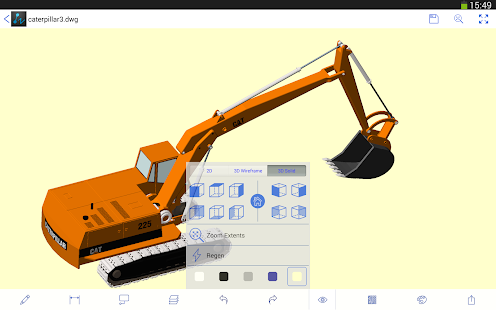
1. Supports easy-to-use multi-touch operations for Zooming, Panning, Snapping and Polar Tracking
2. Supports drawing functions like Lines, Polylines, Circles, and Texts
3. Supports editing functions like Copy, Move, Rotate and Mirror
4. Supports annotating functions like Revision cloud, Dimension and Voice
5. Supports magnifier for details, and prompt for "Last Point"
6. Supports Undo and Redo
7. Supports layer and layout management
XBlast Tools-Xposed 1.8.7
6/22/2014 9:40:17 AM
Current Version: 1.8.7
Requires Android: 4.0.3 and up
Category: Personalization
v1.8.7 update:
★ Fixed FC for many devices
★ Updated translations
Overview:
Requirements:
★It Requires Root Access
★It Requires BUSYBOX
★It Requires Xposed Framework
Features:
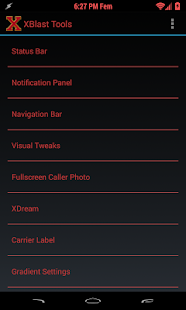
★you can choose your favorite color for your Clock with out modifying APK files
★You can add custom text along with the clock, which will be displayed in status bar and notification bar
★You can add color to Date field in notification bar…
★You can choose your favorite font for clock & Date field in status bar & notification bar…
★You can add your favorite fonts into your /sdcard/fonts/ folder, it will be listed in the app
★You can add bar code fonts for clock & Date field in status bar & notification bar..
★You can choose any color for status bar…
★You can make full transparent for notification
★You can enable 180 rotation of phones(can rotate in all directions)…
★You can choose any color for Battery…
★You can choose any color for Wifi signal
★You can choose any color for Mobile signal
★You can change the carrier name in lock-screen and notification…
★You can can apply color to carrier name in lock-screen and notification…
★Change the carrier name size in lock-screen
★You can have Full screen caller picture in your phone
★Set default caller image for full-screen caller function
★Set any color for name, phone number etc
★Hide Am Pm
★Complete transparency for status bar
★Choose any Notification panel bg image or color
★Status bar Center Clock
★CRT Screen off effect (No Effect,Horizontal Effect and Vertical Effect)
★Enable or disable status bar during the full screen call
★Apply any font for name, phone number etc for full screen caller
★Ram usage in recent panel
★Button to Clear all recent tasks
★Choose WiFi and mobile in out color
★Mobile Color will be applied to mobile type as well
★In full screen caller function… during incoming call glowdots color will be changed…
★Choose Ticker text color
★Choose Toast text color & Toast bgcolor
★Build.prob tweaks
★Choose Notification text & content color (this is experimentel)
★New Color picker with hex code option
★Network speed will be displayed in status bar & Choose color for it
★Smart alarm icon option
★Added gesture anywhere module
★Added new module Quiet Hours
★Skip tracks on volume keys long-press while screen is off
★Controls cursor using volume keys in text fields
★Added breathing missed call option
★Added New Module For Day dream
★Select Day dream background color or image
★Select Day dream Clock color
★Can change Holo background to any color or image
★Added New Module For navigation bar
★Added statusbar and navigationbar gestures like left swipe, right swipe, long press, double tap
★Choose any color for divider line
★pulse notification light aka LED control
★Added keypad pin shuffler option
★Added new module appbar aka sidebar
★Added Notification Peek
★Added Circle App launcher
Requirements:
★Android 4.0+ and ROOT
★It Requires BUSYBOX
★It Requires Xposed Framework
Install Instructions
★Install Xposed Installer
★Install Xposed Framework (from the Xposed Installer app)
★Install XBlast Tools
★Activate the module in Xposed Installer app
★Configure the application as you like
★Soft reboot the phone to see the changes
If you find any bugs please contact me in the email.
I will support u ASAP…
Pls dont give me the bad rating here….
*DISCLAIMER*
I take no responsibility for any fault or damage caused by any procedures of the app. No warranties of any kind are given.
CN Superstar Soccer 1.8.0
6/22/2014 7:59:06 AM
Current Version: 1.8.0
Requires Android: 2.3.3 and up
Category: Arcade
v1.8.0 update:
Overview:
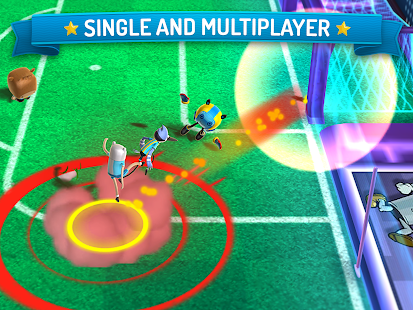
Join all your favorite cartoons and defeat your competition to take home the biggest prize in the soccer world: The Superstar Soccer Championship Cup!
EXCLUSIVE TEAMS
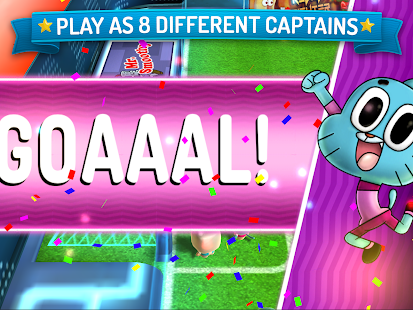
Face a variety of challenging cartoon characters in the craziest, most colorful championship you've ever seen. Choose your captain from 8 different characters straight out of your favorite shows: Adventure Time, Regular Show, The Amazing World of Gumball and Ben 10.
MULTIPLAYER ACTION
Test your soccer talents by playing against people from all over the world! In multiplayer mode, no two matches are alike. Get your strategy ready and fight for the Championship Cup!
TAKE ON THE WORLD
Superstar Soccer lets you represent your country and carry your nation's flag all the way to the podium. Show your true skills and take the top spot!
*********************
If you're having any problems with this app, feel free to contact us at advanced.platforms@turner.com. Tell us about the issues you're running into as well as what device and OS version you're using.
*********************
IMPORTANT CONSIDERATIONS:
This app may contain ads that feature other products, services, shows or offers from Cartoon Network & our partners.
Some social media elements are enabled for eligible players.
PRIVACY INFORMATION: Your privacy is important to us at Cartoon Network, a division of Turner Broadcasting System, Inc. This game collects and uses information as described in Cartoon Network's Privacy Policy linked below. This information may be used, for example, to respond to user requests; enable users to take advantage of certain features and services; personalize content; serve advertising; perform network communications; manage and improve our products and services; and perform other internal operations of Cartoon Network web sites or online services. Our privacy practices are guided by data privacy laws in the United States. For users residing in the EU or other countries outside the U.S., please note that this app may use persistent identifiers for game management purposes. By downloading this application, you accept our Privacy Policy and End User License Agreement, and you give permission for such uses for all users of your device. The Privacy Policy and End User License Agreement are in addition to any terms, conditions or policies imposed by your wireless carrier and Google, Inc. Cartoon Network and its affiliates are not responsible for any collection, use, or disclosure of your personal information by Google or your wireless carrier.
Terms of Use: http://www.cartoonnetwork.com/legal/termsofuse.html
Privacy Policy: http://www.cartoonnetwork.com/legal/privacy/mobile.html
Sliding Messaging Pro 8.51
6/22/2014 7:56:44 AM
Current Version: 8.51
Requires Android: 4.0 and up
Category: Social
v8.51 update:
Version 8.51:
- Bug fixes
Version 8.50:
- Pushbullet integration for sending replies from a computer!
- Android Wear support in anticipation for release this summer
- Bug fixes
Overview:
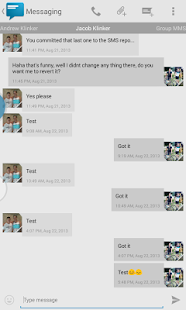
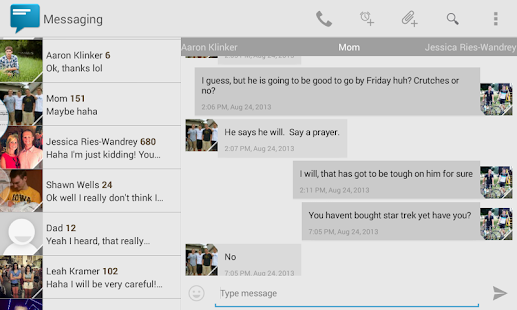
Easily manage text messages in a new and up to date format compliant with the Android design guidelines and visually based on the stock messaging app from Google, with added features.
Features:
- Easily switch between conversations by dragging out the sliding menu on the left side of the screen.
- Start a new conversation by sliding out the menu on the right side of the screen
- Manage old messages with a single click
- Choose between 10 different themes or make your own from scratch
- Emoji support (1300+ to choose from)
- Google Voice support
- Quick reply popup
- Quick message templates
- Multi-window support for Galaxy Note
- Light Flow support
- Support for sending and viewing picture and group messages
- Option to choose background images for conversations menu and message list
- Custom animations
- Widget
- Individual notification settings
- Contact blacklisting settings
- Security settings
- And so much more!
If you are having problems receiving notifications, you may need to uninstall 3rd party messengers such as Go SMS.
Please email me if you have issues before leaving a poor review and I will help you out with whatever it is.
Credits:
- Aaron Klinker for the icon
- Jeremy Feinstein for his SlidingMenu on GitHub
- Google for their stock messaging app off of which this app is visually based
- Alexey Slavutsky for Russian translation
- Felix Hopfer for German translation
- Spadewalk for French translation
- Antonio Porcelli and Enrico Speranza for Italian translation
- Tobias Prahl for Swedish translation
- Alireza Afkar for Persian translation
- Kamil Wojtczyk for Polish translation
- Yusuf Rende for Turkish translation
- Cyanogenmod and Google for emoji icons
- And everyone else who's contributed
NOTE: Due to limitations of the Android System starting in Android 4.4, you will not be able to use your tablet for Google Voice support. It will only be possible to use Google Voice on a device that has SMS functionality. This is due to the new SMS API's included with KitKat and setting up a default SMS application, which can't be done on a tablet.
Smash the Office – Stress Fix! 1.8.3
6/22/2014 7:36:07 AM
Current Version: 1.8.3
Requires Android: 4.0.3 and up
Category: Action
v1.8.3 update:
Hotfix 1.8.3: Fix for issues on Android 4.0.3-4.0.4 devices and removed intro video since it may have caused issues.
Update #8: Smash-o-Vision
Try our new game “Smash the School” to unlock a free First-person smashing mode!
Please update your review.
Thank you!
Overview:
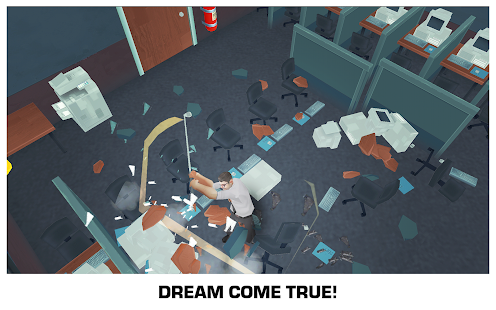
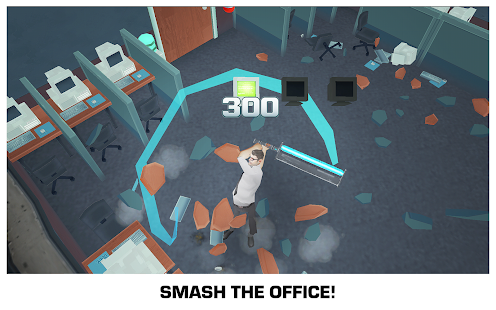
Cubicle warrior's dream come true!
Are you ready to smash stuff!?
1. Destroy the office with guerilla weapons!
2. Work your way up to executive suites!
3. Instant stress relief!
Play as Steve Snaps and rage against the machine!
Great way to blow off steam!
ZaZaRemote 2.8.6
6/22/2014 7:33:56 AM
Current Version: 2.8.6
Requires Android: 3.0 and up
Category: Tools
v2.8.6 update:
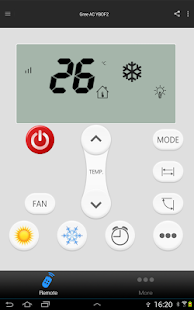
add programing AC remote (supper AC), you mobile can adjust you AC temp. smartly, so that you can have a nice sleep.
Overview:
Free APP, one advertisement, can close.
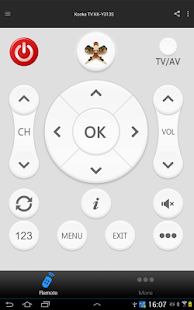
Missed the football just because did not grab the remote control? ZaZaIRmote help you: one click switch to the football channel.
Could not find the remote in sofa? Use your phone now, one click open all infrared appliances.
Still use the thousands-hand-touched remote of hotel? better choice comes.
Tips 1:Try zazaIRemote, app can directly use the built-in infrared head of Galaxy S5/S4/S4 mini/Note3,Galaxy Note10.1/Note8/Tab7/Tab27,OPPO 831T,ZTE Memo-II M901C. For HTC NEW ONE and Huawei Honor-3 ZaZaIRmote support IR-signals learning function.
Other situation, If your mobile don't have built-in IR, or have IR but don't support learning, You need one tiqiaa OTG accessory.(“zazaRemote' at www.aliexpress.com, this fantastic accessary has been sold more than 20,000 units at Taobao China.)
Tips 2:The APP builded in more than 58000 remotes, you can match your remote even without WIFI.
PRELOAD IS BUSINESS, DOWNLOAD IS SERVICE, LET'S SUPPORT FREEDOM.
Tian Jia (Shanghai) Mdt InfoTech Ltd. publish.
Reindeer VPN – Climb the GFW 1.292
6/22/2014 7:32:53 AM
Current Version: 1.292
Requires Android: 4.0 and up
Category: Tools
v1.292 update:
fix bug
Overview:
Note: If failed downloading it from Play, you can download from : http://zh.swably.com/a/16325?r=reindeer_playstore
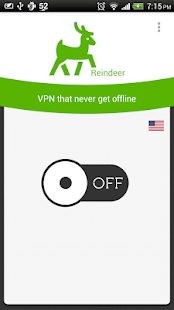
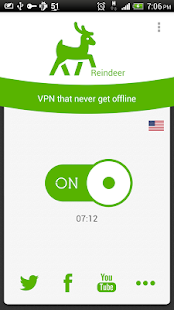
With only one tap, you can access Twitter, Facebook, Youtube and all the Internet without restriction in China.
Optimized for access Internet on the move, can stay online even restart flight mode.
Features:
* No registration required, no settings required
* No speed limitation, no bandwidth limitation
* Automatically bypass Chinese website
* Servers on multiple countries, easy to select the fastest route with One Tap Speed Test©
* Free to use without time limit, but need to pay for route selecting
keywords:
GFW, over the wall, vpn, privacy, Twitter, Facebook, Youtube, fqrouter, shadowsocks
PiazzA Theme 2.1
6/22/2014 7:27:15 AM
Current Version: 2.1
Requires Android: Varies with device
Category: Personalization
v2.1 update:
Dialer is now gray where the blue use to be.
Small changes in Framework and SystemUI.
I actually made changes to Avia that were bugging me.
Added a bunch more app icons have been PiazzA'd as requested from users.
More icons to come……
Overview:
PiazzA Theme is for the new CM Theme Engine introduced in CM11.
You will need to have a custom Rom that supports the CM11 TE installed on your phone or tablet.
CM11, PA4+, and AOKP are some examples of the custom Roms.
The main focus of PiazzA is to be square. 
A lot of icons have been Piazza'd. Over 350+ and more to come.
What has been themed in Styles so far?
Android Framework
Android SystemUI
Android System
Android Calculator
Android Keyboard
Google Keyboard
Google News and Weather
This theme will grow in icon support.
But to do that, I'll need your help.
Please goto the PiazzA Theme Community on Google+ if you have an icon not Piazza'd.
https://plus.google.com/u/0/communities/109283716999357818152
Thank you for your support and I hope you enjoy PiazzA.
Nue – PA/CM11 Theme Three – Carribean Green
6/22/2014 7:25:29 AM
Current Version: Three – Carribean Green
Requires Android: Varies with device
Category: Personalization
vThree – Carribean Green update:
Update Three -
Dialer – Themed
Keyboard Buttons are a bit Lighter for Better Visibility
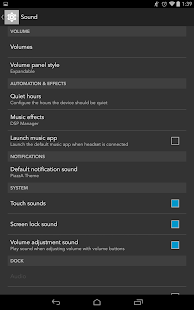
Notification Sound Icon Themed – Volume Panel
Vanir Vibrate Tile Themed
Sound Tile Silent Icon “Cross – /” Themed
Overview:
Important Note: Only for use with Theme Chooser / Theme Engine. A custom rooted ROM with Theme Engine / Chooser is required to run this application. If you do not understand these terms and they just go over your head, this application is not for you.
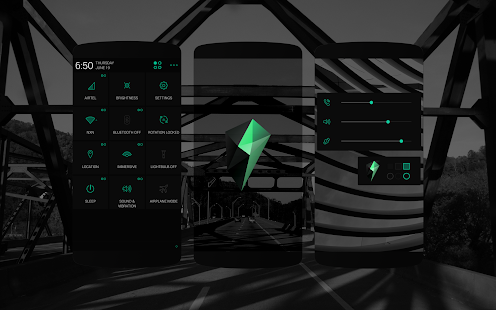
Nue is follows a Flat UI – Monotone Design Language. Aimed to provide a great user experience, Nue was designed keeping in mind the ability of the human eye – It was made sure that the colors were not too saturated/strong making even the unusual themed elements look subtle.
Nue would soon be released in 4 different colors – Carroty Red (Fi), Blue, Kitkatty White & Orange.
The attention to detail gone into Nue is incredible. Each and every draw (themed elements) was carefully analyzed on 4 different screens in order to get the perfect color, sharpness & anti-aliasing qualities. Having various elements, Nue had to be properly coded & of course designed.
Nue is optimized for XXHDPI & XHDPI devices.
To know your screen density, you could go to: http://goo.gl/alcpMv
IMPORTANT: Those who uses a device with 512mb or less RAM, I recommend NOT applying the bootanimation. Also, recently all the ROMs Hard-Coded Quick Settings and Status Bar Battery Icons – Therefore this theme DOES NOT include those icons.
Also, All ROMs hardcoded the battery tile (Normal aosp behavior) therefore editing it for QS is impossible using the new theme chooser framework – PA will soon be rewriting it to make it themeable.
Nue Includes:
Nue Wallpapers (Default & Lockscreen)
Nue Tones (Nue 'Crafted Ringtone, Notification Tone & Alarm Tone)
Fi/Nue Navigation Bar Dot-Icons (Minimalistic Dot Navbar Items with State Changes – Perfectly matching the theme)
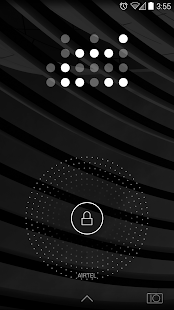
Nue Custom Lockscreen
Nue/Layars Bootanimation
Nue Custom Google Keyboard Skin
Nue Slim Fonts
Themed Items:
Holo Dark & Holo Light Values
Quick Settings Icons
Settings Icons (PA, CM11)
Notification Backgrounds
Glowdots (Lockscreen, Google Now Swipe Up)
Action Bars
Flat Action Bars (Dark & Light)
Buttons & Checkboxes (Buttons, Radio Buttons, Checkboxes, Scrubber Tabs)
Navigation Bar Glow (Flat, No Shadow)
Notification Panel (Dark – Caribbean Green Elements)
Custom Switches
Dialog Windows
Alert Windows
List Views
Lockscreen Layers (Player Background)
Menu Windows/Lists/Dropdowns
Progress Bars (Caribbean Green)
Scrubbers (Caribbean Green)
Rating Stars (Caribbean Green)
Keyboard Text Handlers
Toast Frame
Calculator UI
Appwidget Settings
Gmail Widget Header (Concept Blue)
Google Quick Search Toast Frame
Easter Egg!
Bonus: Whatsapp Action Bar – Dark
Nue is a part of the Layars Theme Project. Community & Support – http://goo.gl/rkYOwq
Note: This theme is optimized for Paranoid Android (PA) – http://goo.gl/XXr3gv
nicoid (Nicovideo Player) 3.2
6/22/2014 7:24:52 AM
Current Version: 3.2
Requires Android: 2.1 and up
Category: Media & Video
v3.2 update:
Implemented background playback.
Modified to not check the cache when obtaining from the video list.
Fixed comment can not be posted in some conditions (fail) the problem.
Fixed an issue with the seek bar is flashing tablet mode full-screen display of the (Kindle Fire HDX, etc.) some terminal.
Fixed processing during the transition to playing each method.
To be able to run the cash acquisition, pop-up playback and background information from the movie playback screen.
Overview:
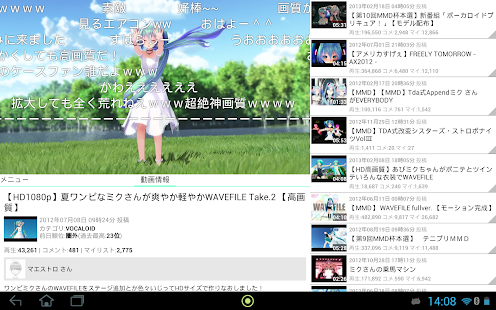
nicoid is an application for viewing and comfortable video community site “Nico Nico Douga”.
The main function
- Watch video
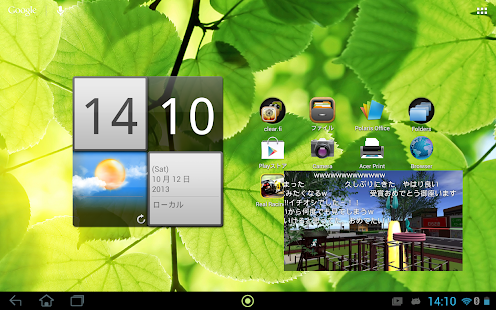
- Pop-up video playback (overlay)
- Play offline
- Post a Comment
- editing of My List (Add, delete, copy, etc.)
- View of viewing history, Delete
- Keywords video, tag search
Operating environment
Android 2.1 or higher
Operation confirmed models
- Xperia Z1f (SO-02F)
- GALAXY S (SC-02B)
- GALAXY SIII (SC-06D)
- SHARP IS03
- HTC EVO 3D (ISW12HT)
- ARROWS Z (ISW13F)
- Acer A700
- Kindle Fire HD
- Kindle Fire HDX
言語について
現在言語ファイルの翻訳にGoogle翻訳を使用しています。そのため日本語から英語に翻訳をしてくださる方を募集しています。
翻訳をしてくださる方は”デベロッパーに連絡”からメールでお願いします。
You are receiving this email because you subscribed to this feed at feedmyinbox.com
If you no longer wish to receive these emails, you can unsubscribe from this feed, or manage all your subscriptions


No comments:
Post a Comment