 | BookBub brings you free & bargain national bestselling eBooks in the genres of your choice! Sign up now & join 1.5 million happy readers. From our sponsors  |
| APKTOP |
| Free Android Apps,Games Download From Android Market |
Pomotodo – Pomodoro meets GTD 1.1.2
6/5/2014 12:52:39 PM
Current Version: 1.1.2
Requires Android: 4.0 and up
Category: Productivity
v1.1.2 update:
minor bug fixes
Overview:
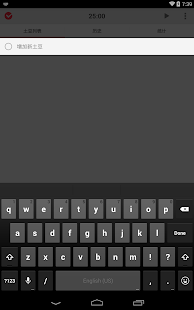
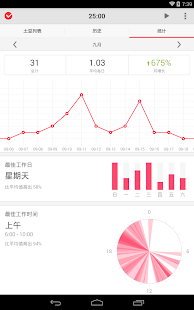
Pomotodo is a simple app based on Pomodoro Technique® and To-do List. With its beautiful and simple design, Pomotodo can help you to collect, process, organize, review and do. Start using Pomotodo today, Do Remarkable Work!
Combination of two fo the most efficient methods of time management “Pomodoro Technique” and GTD (Getting Things Done).
Use Pomotodo to manage your Todo and record history, all of the data will be safely stored in the cloud, for you to use anytime, anywhere.
A complete collection of workflow management. Collecting ideas, Plan projects, Complete tasks, Review the history in one App.
e-CAL Calendar 1.4.1
6/5/2014 12:52:31 PM
Current Version: 1.4.1
Requires Android: 4.0.3 and up
Category: Productivity
v1.4.1 update:
✪ Improved design
✪ Bugfixes
Coming up in 1-2 weeks > Better widgets!
Overview:
CLEAN CALENDAR APP & WIDGET FOR ANDROID
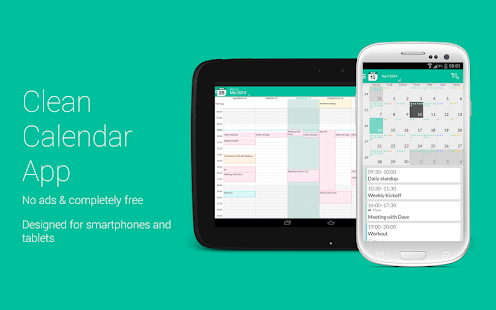
e-CAL Calendar is a fresh designed, clean and easy to use FREE calendar app for Android that is synchronizing with your Google, Exchange, Outlook and Facebook calendars. Designed for smartphones and tablets.
WHAT VIEW SUITS YOU BEST?
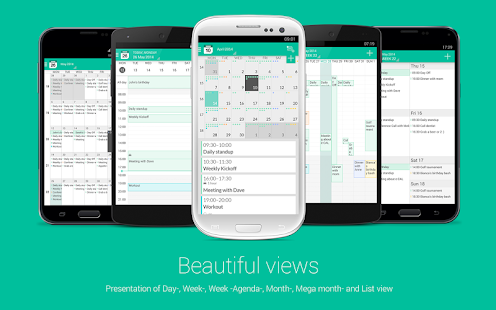
6 beautiful views of your appointments and events in day, week, week-agenda, month, mega-month and list view. All available in portrait and landscape mode and including free local weather updates.
FAST AND EASY TO USE
E-CAL Calendar has a magnificent interface and intuitive usability. Designed for both light as extensive calendar users
YOU
We listen to our users. Miss something? Need help? Please let us know at support@e-calapp.com and let's get in touch.
FEATURES
● Easy to use, feature rich smartphone and tablet calendar solution
● Beautiful display of appointments and events in day, week, month, mega-month and list view. In portrait and landscape mode
● Pretty navigation with smooth and fast transitions
● Displaying multiple calendars in one view makes managing work, projects and home calendars easy
● Use colors to make events stand out
● Drag and drop events
● No ads and completely free
● Works without setup for all calendars on your Android device (Google, Facebook, Exchange, Outlook, etc)
● Uses Android's native calendar backend and syncing process
● Low battery drainage
● Homescreen widgets for fast calendar access
● Quickly add events on the right time using tap-and-hold
● Pinch to zoom for a perfect fit in your screen
● Link contacts to events
● Many options for recurring events
● Invite participants/ share appointments and events by e-mail
● Manage attendees and invitations
● Search function
● Rich Notifications
SPECIAL FEATURES
● Add visible travel time to your appointments
● Add multiple attachments to your appointments, also available for non-e-CAL users
● Add local weather info to your calendar views
● Flat and clean design
● Available in English, Dutch, Spanish, Swedish, Italian, Spanish, Portuguese, German, Chinese and Russian
AVAILABLE IN THE CALENDAR STORE
● 180.000 + live-calendars (Sports, Holidays, Weather, Financial)
● Live updated (live scores) soccer calendars like Barcelona, Bayern Munchen, Real Madrid, Barcelona, Paris Saint Germain, Manchester City, Chelsea, Atletico Madrid, Juventus and many more
● Live updated Formula1, Nascar and DTM calendars
● Live updated NBA, NFL, NHL calendars
● Official holidays, school holidays and religions holidays available for every country
● Finance calendars like Nasdaq, AEX, Nikkei, Euronext
● Moon phase calendar
● Sunrise calendar / sunset calendar
● Name Days
● Week Numbers
SUPPORTED ANDROID VERSIONS
● Android OS 4.0.3 and higher
LIKE
♥ If you love eCAL Calendar, please rate or comment and recommend it to your friends.
IMPROVEMENTS
● If you have improvements, or if you find a bug please send an email to support@e-calapp.com and we'll try to fix it.
COMING UP SOON
● Personal Assistant
● Event planner option
● Smart tasks
● Configurable font sizes for the app and the widgets
● Dark theme
● Customize background, colors and settings
● Agenda view
● And much more …
Multitasking 1.12
6/5/2014 12:51:37 PM
Current Version: 1.12
Requires Android: 2.3 and up
Category: Personalization
v1.12 update:
Overview:
Are you tired of the classic work interface which blocks you in a single application?
Multitasking is the perfect app for you!
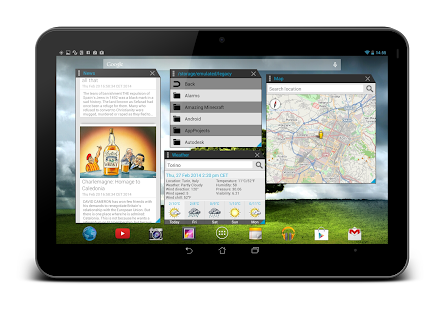
You can use this app to open multiple tools simultaneously.
Multitasking is composed by the settings menu, the sidebar and the floating tools. To access the tools bar do a swipe gesture to the right.
The windows can be modified in various ways:
- they can be resized;
- they can moved anywhere on the screen;
- they can be used in fullscreen mode;
- they can be minimized into the notification bar;
During the development phase the following libraries were used:
1. Standout (https://github.com/pingpongboss/StandOut)
2. Showcase View (https://github.com/amlcurran/ShowcaseView)
3. WheelWidget (https://github.com/yankovskiy/WheelWidget)
4. HoloColorPicker (https://github.com/LarsWerkman/HoloColorPicker)
For any problems do not hesitate to contact us:
E-mail: oryoncorp@gmail.com
Facebook: https://www.facebook.com/OryonCorpApk
Carousel 1.1
6/5/2014 12:51:08 PM
Current Version: 1.1
Requires Android: 4.0.3 and up
Category: Photography
v1.1 update:
- ¿Hablas español? 你说汉语吗?Carousel speaks 15 languages now!
- Carousel uses less space on your phone. Go ahead, stretch your legs and enjoy the extra room 
- We're tidying up a bit: squashed some bugs and swept away some crashes.
Overview:
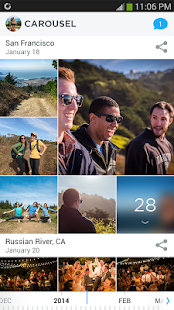
Carousel is the new gallery from Dropbox for your life's memories.
● It's a single home for all your photos and videos, automatically organized and always with you.
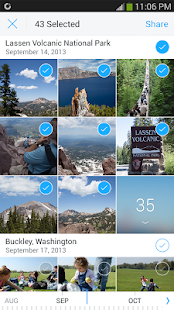
● Swap and share photos and videos instantly in private conversations. Save the memories your friends share with one tap.
● Carousel automatically backs up photos and videos to Dropbox as you take them, so all your memories are kept safe in one place.
IntelliRing 1.7.0
6/5/2014 12:28:33 PM
Current Version: 1.7.0
Requires Android: 2.2 and up
Category: Tools
v1.7.0 update:
1. Calibration removed in favor of more flexible ambient mode setting – see ambient tab and adjust to match your preference
2. Small bugfixes
Overview:
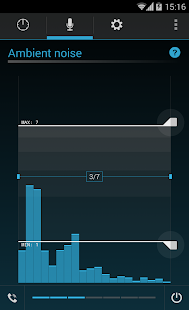
IntelliRing makes your phone smarter by:
1. Ringing loud when your phone is in your pocket, a bag, or cover. Then, as you pull your phone out, the volume is lowered.
2. Ringing just a bit louder than the ambient noise when not in your pocket (no more embarrassing loud ringtones in your quiet office).
3. Beeping subtly, when your phone is flat on your desk, face down (meeting mode).
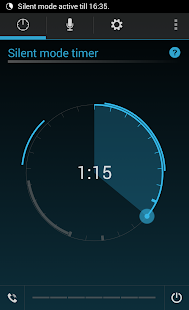
4. Silencing your phone for an interval you set – useful e.g. when you go see a movie.
5. All of the above can be enabled for audible notification sounds as well (e.g. SMS, email, etc.).
6. Mute an incoming call by placing your phone face down (soft reject – the phone call is not rejected, just stops ringing).
Everything happens automatically right after an incoming phone call (or new notification) is detected. The ringer volume level is auto-adjusted based on determined environment (all relevant available device sensors are used – including microphone for ambient noise detection). Additional transitions occur while the phone is ringing and changes to the environment are detected (quieter once pulled out of pocket, vibrator stopped when uncovered, etc).
Permissions explained: https://plus.google.com/u/0/108236931163619803631/posts/4iBQehZYzh4
Low battery usage explained:
https://plus.google.com/u/0/108236931163619803631/posts/NB5pCNwVHzy
We can't respond to comments in the Google Play store, so if you have an issue, please send us email to intelliring@sleekbit.com and we will do everything we can to resolve your issue.
Advanced Task Manager Pro 5.0.2
6/5/2014 12:28:19 PM
Current Version: 5.0.2
Requires Android: Varies with device
Category: Productivity
v5.0.2 update:
-v5.0.2
#Fix auto kill apps selection disappeared bug
-v5.0.1
#Add pull down refresh
-v5.0.0
#New UI Design
#FAQ of how to use the app
Overview:
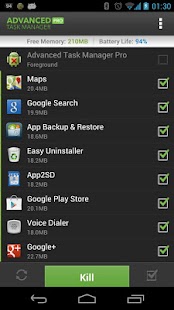
Kill tasks,free memory,speed up phone,save battery.
#Feature
*Kill selected tasks
*Android optimizer & booster
*Ignore apps when kill tasks
*Auto kill tasks on every screen off
*Regular kill
*Startup Kill
*One click task kill widget
*Quick uninstaller
*Show battery life
*Support android 1.5/1.6/2.2/2.3/3.x/4.0
*Ad Free
#FAQ
Q: Why do apps restart again?
A: Some apps are restarted by system events apps cannot be prevented from restarting because of the limitation of the system. It is suggested to enable auto kill in settings, and it will kill tasks on every screen off. It will help to save battery life and release memory for the phone.
Q: How can I add app to ignore list?
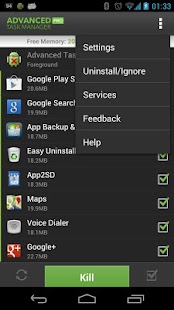
A: You can long click on the task that you want to ignore, then you will get a poped up context menu, click “Ignore”. The ignored apps will not be listed in the task list, and will never be killed. You can manage the ignored apps in settings.
Q: How can I manage startup apps?
There is “Startup Kill” in settings, it can help you to kill tasks on system startup.
#User Feedback
——————by Matt Meltzer–
I honestly wish everyone who supports and uses ATK, would give your's a try.
They'd never go back to ATK!!!!
ATM does SO much more than ATK!!!!
A TON more features!!!!
AND……………..ABOUT HALF THE PRICE OF ATK!!!!!
————————————
AllCast 1.1.1.5
6/5/2014 12:27:59 PM
Current Version: 1.1.1.5
Requires Android: 4.0 and up
Category: Entertainment
v1.1.1.5 update:
Smashing some bugs:
Media server now shows mp3s
Don't offer to intercept all web pages to AllCast
“SMASH THE BEETLES. SMASH EM!. KUKUNG CLUNG KUNG!”
Overview:
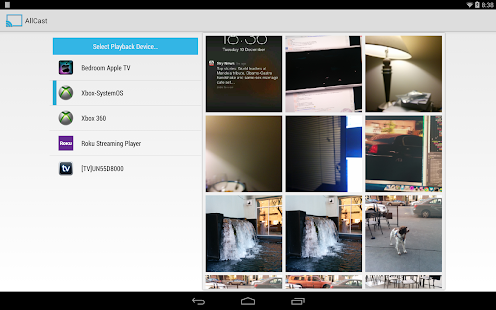
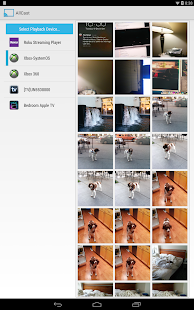
AllCast lets you send photos, music, and videos on your Android to your TV!
AllCast lets you cast to:
* Chromecast (http://amzn.to/1lOq4bI)
* Subtitles supported
* Amazon Fire TV (http://amzn.to/OMqmnj)
* Subtitles supported
* Apple TV (http://amzn.to/1izCgJ3)
* Xbox 360, Xbox One (http://amzn.to/1iBWxz1)
* Roku (http://amzn.to/1ef4T2p)
* WDTV (http://amzn.to/1oRCTGX)
* Samsung, Sony and Panasonic Smart TVs
* Other DLNA Renderers
This is the free version of AllCast, which has a 5 minute viewing limit on pictures and videos. Upgrade to the premium version to remove the viewing limit.
*Permissions:*
Internet – Streaming from Dropbox/Drive
Wifi/Network State – Check if wifi is on
Change Wifi States – Search for devices on local network
Wake Lock – Keep Android on while streaming
Read/write External Storage – Play from SD Card
Read Phone State – Used for premium license verification
Get Accounts – Search for Google accounts
Use Credentials – Log into Google Drive
Superuser – Google Music casting
Troubleshooting? Check out the wiki:
https://github.com/koush/support-wiki/wiki/AllCast-Wiki
Mercury Browser 1.6.1
6/5/2014 12:27:03 PM
Current Version: 1.6.1
Requires Android: 2.3.3 and up
Category: Productivity
v1.6.1 update:
**Improvements:
- Optimize User Interface for Android.
- Optimize the display of articles.
- View Pocket articles in Mercury Reading List.
- Sync Reading List with Pocket account.
- Add articles in other apps to Mercury Reading List.
- New reading data analysis.
- Create Private Folder in File Manager or Bookmark manager.
- Turkish and Swedish language support.
**Bug fixing:
- Minor bugs fixes.
Overview:
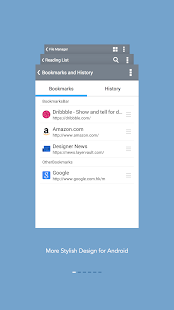
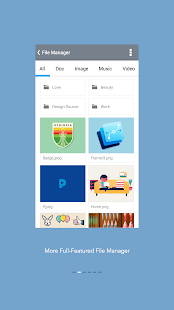
As one of the most popular iOS browser, Mercury was expected for an Android version for a long time. We now roll out Mercury for Android to you. As excellent as Mercury iOS browser, Mercury for Android is fast and elegant, with awesome features to let you enjoy surfing the Internet.
Fast browsing—Mercury let you browse and search webpages smoothly within a blink. You can personalize your Speed Dial and go to pages directly.
Powerful functions—Plugins, User Agent, Gesture Control, Auto Saved forms help you to enjoy browsing not only more convenient but also much easier.
Safeguard—To protect your privacy, Mercury for Android has many security functions. Private mode, Login passcode, history & cookies cleaner keep other's from your privacy and make sure you stay safe.
Features:
★Plugins – Useful Reader, Translate, Dropbox, Ad block help you surfing the internet with comfort.
★User Agent – By changing User Agent, Mercury browser can spoof website's severs to provide you desktop-style webpages.
★Private Mode – Enable Private Mode will stop Mercury from recording your browsing history and cookies.
★One-tap history and cookies clear – Prevent you from being spied personal privacy.
★Login Passcode – Keep others from using your Mercury Browser.
★Large window for tab preview – Let you have a clear view of open tabs.
★12 Search engines – You can choose a powerful search engine as you like.
★Search in Page – Search in Page will highlight words you are searching in current page.
★Gesture control – Make order by moving fingers on the screen save many switching troubles.
★Various share methods – SMS, Mail, Blue tooth, SNS and cloud storage are supported. You can share files with your friends without limitation.
★Import/Export bookmarks – You can import/export html bookmark files to sync bookmarks between devices.
★Brightness Control – You can manually change brightness or leave this matter to Mercury's smart Auto-Brightness.
★Day/Night mode – Protect your eyes by switching to specific mode in different environment.
★Many other fabulous functions wait for your try!
Reviews from users:
“Best browser I've used in a while. I've tried dolphin, Chrome, Safari, IE,Firefox, UC browser, opera mini and many others.This browser is my currently loving.”
“Sync with desktop bookmarks Export chrome desktop bookmarks place HTML file in Mercury folder imports as featured. Brought new life to older Android. Thank you!”
“Beautiful UI and most importantly, fast! Blazingly fast, way faster than.Chrome. a little better than Stock on Note 2. But need more features. I'll give 5 star for a good start. Definitely give this a try.”
About Mercury
Mercury is a browser presented by iLegendsoft, Inc. During years of working on iOS, Mercury browser is welcomed all over the world and has millions of users now.
Learn more about Mercury at: http://mercury-browser.com
Follow us on Twitter: @iLegendsoft
Follow us on Facebook: https://www.facebook.com/mercurybrowser
Follow us on Weibo: @Mercury浏览器
Agent – do not disturb & more 1.3.9
6/5/2014 12:25:58 PM
Current Version: 1.3.9
Requires Android: 4.0 and up
Category: Tools
v1.3.9 update:
Improvements:
Play store log of “Recent changes”
1.3.9 (2 June)
Improvements:
- Integration with Shush app
- preventing Drive Agent false positives and bug fix where it didn't stop properly
- bug fix for excessive GPS usage (sorry!)
Overview:
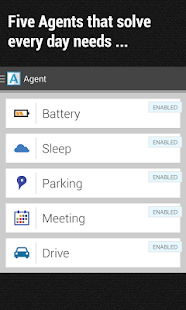
Agent is a must have app for any Android user and gives you these essential missing features for your smartphone: AUTOMATIC battery saving, drive, meeting, and sleep modes!
★Featured as one of TechCrunch's best apps of 2013! http://techcrunch.com/2013/12/31/the-best-ios-and-android-apps-of-2013/★
★Watch us on CBS' Good Day Show as App of the Week! http://gooddaysacramento.cbslocal.com/video/9727659-app-of-the-week/★
Agent automatically saves your battery, silences your phone during meetings, remembers where you've parked, auto-responds when you're driving and allows only urgent calls and messages through when you're sleeping.
What users are saying:
“Before finding this app, I had 3 other apps that each did only part of what this app does altogether!”
“This is perfect. It's simple, elegant and works perfectly without fail. Great job.”
“Awesome functionality! I highly recommend! This app is so cool. You've got to get it and see for yourself. It handles the things that are normally hassles so you don't have to fuss with it. It just works and puts your phone to work for you!”
“When I get in the car, it handles my texts and reads incoming ones aloud. When I'm in bed asleep, it knows to screen my calls. I love this app!”
“Agent is different. It worked perfectly first time, with almost no setup. This is a must have app for me.”
Find us on twitter: https://twitter.com/agentfeedback
★ Drive Agent is triggered by bluetooth and motion sensing (activity detection). It can be configured to read SMS messages aloud, respond with voice, auto respond to texters and callers to let them know you're driving (editable message) & only respond to your own hand-picked list
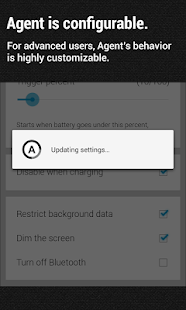
★ Battery Agent triggers at a percentage you choose. It helps conserve battery by giving you the option to turn off bluetooth, dim your screen and reverts back to normal settings automatically when you charge your phone. Will also let you know how much battery it saved you.
★ Parking Agent remembers where you parked, based off your speed or bluetooth connection. Will remember your last five parking spots
★Meeting Agent syncs with your calendar to silence/ put your phone on vibrate when you don't want to be disturbed. It can be configured to activate for busy events only, gives you the ability to specify your working week so that it only syncs with your calendar on days and times you prefer, works with shared calendars and auto responds to selected contacts during these “busy” events.
★ Sleep Agent will silence your phone automatically when you go to sleep. You can configure sleep times for different days of the week, minutes of inactivity before activating, auto response to selected callers and texters during your sleeping hours, list of contacts that can wake you & Bluetooth, autosync, wifi and mobile data deactivation.
App Permissions Explanation:
-NEW Reroute outgoing calls: For our new status sharing feature which will be released in the next few weeks. we won't actually re-route calls but users have the option to have a notification pop up if you call another agent user and they are in a meeting or sleeping (ie one of the agent states are active). You will both have the option to opt into this status sharing feature.
- Send SMS: We use this when auto-responding to texts whilst you are driving (if selected), or when you are sleeping for emergencies.
- Read SMS: When driving Agent will read out your text messages to you to prevent distraction. We don't know the contents of any messages.
- Read Contacts: This is so that the app can determine whether a contact is in your address book or not (an option for who is allowed to contact you when busy)
- Precise Location: Parking Agent requires this to store your parking location.
Finally, build customized Agents with our free Trigger app! Available for download on Google Play Store: https://play.google.com/store/apps/details?id=com.jwsoft.nfcactionlauncher&hl=en
Animated Analog Clock Widget 3.3.1
6/5/2014 12:25:34 PM
Current Version: 3.3.1
Requires Android: 2.2 and up
Category: Lifestyle
v3.3.1 update:
Version 3.3.1
Fixed “onclick open clock” bugs.
Version 3.3
Dramatically reduced the app size.
Version 3.2
Added inapp-donate functionality.
Switched to the Android Holo ui design on.
Added “onclick open clock” support for Sony Devices.
Added “onclick open clock” support for Android KitKat.
Added the ability to add the widget to the lock screen.
Overview:
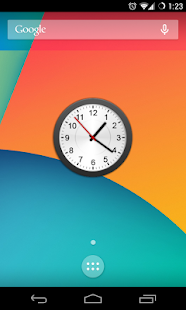
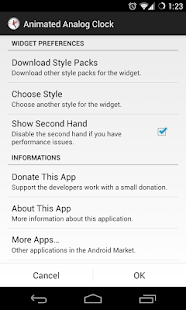
Animated analog clock widget with ticking second hand. Compatible with all launchers (e.g. Launcher Pro, ADW Launcher or Home++).
THE FIRST CLOCK WITH TICKING SECOND HAND!
You are receiving this email because you subscribed to this feed at feedmyinbox.com
If you no longer wish to receive these emails, you can unsubscribe from this feed, or manage all your subscriptions


No comments:
Post a Comment