 | Name anything in the world, and we'll show you hundreds of products that celebrate it. Or, you can design your own. From our sponsors  |
| APKTOP |
| Free Android Apps,Games Download From Android Market |
ES File Explorer File Manager 3.1.5.3
6/4/2014 11:53:32 AM
Current Version: 3.1.5.3
Requires Android: Varies with device
Category: Productivity
v3.1.5.3 update:
V3.1.5.3
Patch:Fix freeze issue on some rooted devices
V3.1.5
-New Window
-Dozens of minor improvements
FAQ
1)Download Facebook video?
-FB link in homepage
2)Meet Android bug(not ES issue) & cant update?
-Clear Google play cache,reboot
-Clear data/data/com.estrongs.android.pop(for root)
V3.0.0~V3.1.3
Homepage;Multithread copy;Folder icon;Thumbnail;Web Search;OTG;Recycle Bin;Batch Rename;GIF;Open As;Task Manager;Playlist;WiFi send;Gesture;Theme;Root Explorer…
V1.6 available on our website
Overview:
ES, 300 millions global downloads, file manager trend leader on Android!
Rated as one of best resource management tools on Android market.
ES File Explorer is a free, full-featured file and application manager.
It functions as all of these apps in one: file manager, application manager, task killer, download manager, cloud storage client (compatible with Dropbox, Google Drive, SkyDrive, Box.net, Sugarsync, Yandex, Amazon S3, and Ubuntu One…), FTP client, and LAN Samba client.
It provides access to pictures, music, video, documents, and other files on both your Android devices and your computers.
ES File Explorer allows Android users, no matter where they are, to manage their resources freely. You can access all of your files from your mobile device and share them with others. This app makes it easy to stay connected over 3G, 4G, EDGE, or Wi-Fi to share with friends, upload photos, and watch videos.
ES File Explorer 3.0 currently supports 30+ languages:
English, Russian, Japanese, Korea, French, Spanish, German, Italian, Czech, Hungarian, Ukrainian, Tamil, Catalan, Turkish, Lithuanian, Portuguese…
This standard version is for Android 2.1, 2.2, 2.3, 3.1, 3.2, 4.0, 4.1,4.2 and 4.4. Android 1.5 ~ 2.0 users, please use ES File Explorer Cupcake.
You can download older version from our official website.Classic Theme can be downloaded on Google Play.
Features List:
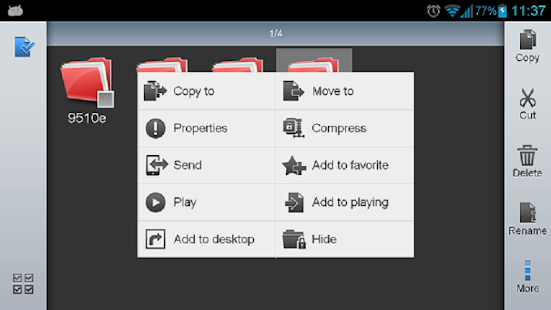
* File Manager – Manage your files like you do on your desktop or laptop using Multiple Select, Cut/Copy/Paste, Move, Create, Delete, Rename, Search, Share, Send, Hide, Create Shortcut, and Bookmark; operations can be performed on local files (on Android device) or remotely (on your computer)
* Application Manager – categorize, uninstall, backup, and create shortcuts to your apps
* Remote File Manager – when enabled, manage files on your phone from your computer
* Built-in ZIP and RAR support allows you to compress and decompress ZIP files, unpack RAR files, and create encrypted (AES 256 bit) ZIP files
* Built-in viewers and players for various file types, including photos, music, and videos; supports third-party applications, such as Quick office, for opening others
* Shows thumbnails for APKs and images
* Text viewers and editors
* Access your home PC via WiFi with SMB
* Functions as your FTP and WebDAV client. Manage files on FTP, FTPS, SFTP, and WebDAV servers just like you manage files on your SD card
* Supports Dropbox, Box.net, Sugarsync, Google Drive (Google Docs is now a part of Google Drive), SkyDrive, Amazon S3, Yandex and more.
ES File Explorer is an enhanced cloud storage client with more functions than the official versions,
it can save photos, videos, and other files to your internet drives and share them with others.
* Bluetooth file browser You can copy and paste files between Bluetooth ready devices. It supports OBEX FTP for browsing devices and transferring files between Bluetooth devices.
* Kill tasks with a single click, increase memory and speed up your device — includes a simple widget that stays on your home screen for knowing your current RAM situation and automatically killing tasks, with an ignore list to ignore the applications you want to keep running.Task Manager module required
* Cache Cleaner and Autostart manager — Delete those junk files that take up valuable storage space.Task Manager module required.
* Root Explorer — the ultimate set of file management tools for root users. Provides access to the entire file system and all data directories, and allows the user to change permissions.
* Developers can visit our website for the developer interface for picking files from your applications, emailing attachments, etc.
* More features included, and more to come
We're working to create the best file manager on Android Market, so plz do not hesitate to CONTACT US with your comments, suggestions, issues.
FACEBOOK: https://www.facebook.com/EStrongs
Video from others: https://www.youtube.com/watch?v=l6lcJZdflac
Nightfall Lands (Action RPG) 2.0.0
6/4/2014 10:32:12 AM
Current Version: 2.0.0
Requires Android: 4.0 and up
Category: Role Playing
v2.0.0 update:
Overview:
Have you ever wanted to play a simple fantasy role-playing game without the overcomplicated background stories or the confusing skill point systems?
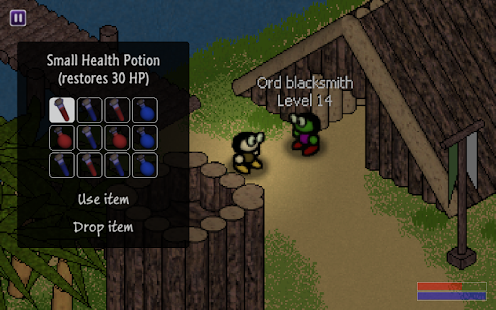
This friendly little action RPG features four races, three playable casts and an exciting, diverse world to explore. Create and customize your own character and save the Nightfall Lands from a terrible enemy!
During your adventures you automatically gain skill points based on your cast, gender, playing style and other decisions. Hidden treasures, optional quests, a complex trading system, logic puzzles and various achievements make the game more exciting.
If you like the app, please consider writing a review!
Key Features:
- Open world action RPG
- 3 casts, 6 skills, upgradable equipment, trading
- 16 different regions
- Unique isometric pixel art graphics
- Hidden treasures, optional quests

Google Translate 3.0.6
6/4/2014 10:08:54 AM
Current Version: 3.0.6
Requires Android: Varies with device
Category: Tools
v3.0.6 update:
• Improved offline language packs experience.
• Phonetic input support: Bengali, Gujarati, Hindi, Kannada, Marathi, Punjabi, Tamil, Telugu
• Minor bug fixes.
Overview:
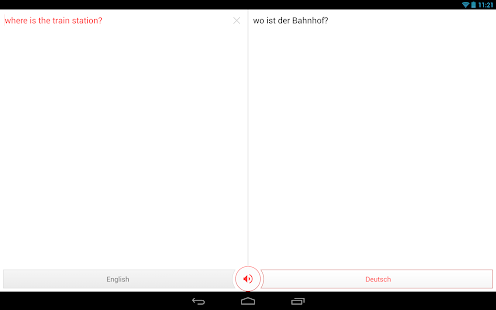
Break through language barriers with Google Translate.
• Translate between 80 languages
• Converse naturally and let Google translate
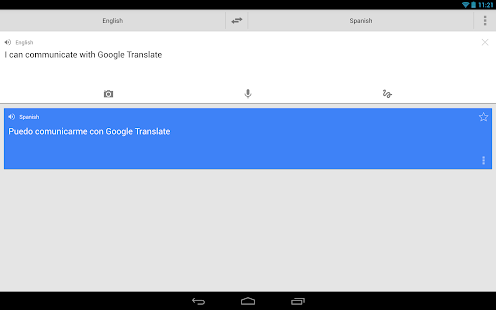
• Speak, type, write, or take a picture to translate
• Translate offline while traveling. No internet connection needed.
• Save your translations and access from any device
(Camera input and offline translation are available for Android 2.3 and above)
Translations between the following languages are supported:
Afrikaans, Albanian, Arabic, Armenian, Azerbaijani, Basque, Belarusian, Bengali, Bosnian, Bulgarian, Catalan, Cebuano, Chinese (Simplified), Chinese (Traditional), Croatian, Czech, Danish, Dutch, English, Esperanto, Estonian, Filipino, Finnish, French, Galician, Georgian, German, Greek, Gujarati, Haitian Creole, Hausa, Hebrew, Hindi, Hmong, Hungarian, Icelandic, Igbo, Indonesian, Irish, Italian, Japanese, Javanese, Kannada, Khmer, Korean, Lao, Latin, Latvian, Lithuanian, Macedonian, Malay, Maltese, Maori, Marathi, Mongolian, Nepali, Norwegian, Persian, Polish, Portuguese, Punjabi, Romanian, Russian, Serbian, Slovak, Slovenian, Somali, Spanish, Swahili, Swedish, Tamil, Telugu, Thai, Turkish, Ukrainian, Urdu, Vietnamese, Welsh, Yiddish, Yoruba, Zulu
ES File Explorer File Manager 3.1.5.2
6/4/2014 9:28:11 AM
Current Version: 3.1.5.2
Requires Android: Varies with device
Category: Productivity
v3.1.5.2 update:
V3.1.5.2
Patch:Fix freeze issue on some rooted devices
V3.1.5
-New Window
-Dozens of minor improvements
FAQ
1)Download Facebook video?
-FB link in homepage
2)Meet Android bug(not ES issue) & cant update?
-Clear Google play cache,reboot
-Clear data/data/com.estrongs.android.pop(for root)
V3.0.0~V3.1.3
Homepage;Multithread copy;Folder icon;Thumbnail;Web Search;OTG;Recycle Bin;Batch Rename;GIF;Open As;Task Manager;Playlist;WiFi send;Gesture;Theme;Root Explorer…
V1.6 available on our website
Overview:
ES, 300 millions global downloads, file manager trend leader on Android!
Rated as one of best resource management tools on Android market.
ES File Explorer is a free, full-featured file and application manager.
It functions as all of these apps in one: file manager, application manager, task killer, download manager, cloud storage client (compatible with Dropbox, Google Drive, SkyDrive, Box.net, Sugarsync, Yandex, Amazon S3, and Ubuntu One…), FTP client, and LAN Samba client.
It provides access to pictures, music, video, documents, and other files on both your Android devices and your computers.
ES File Explorer allows Android users, no matter where they are, to manage their resources freely. You can access all of your files from your mobile device and share them with others. This app makes it easy to stay connected over 3G, 4G, EDGE, or Wi-Fi to share with friends, upload photos, and watch videos.
ES File Explorer 3.0 currently supports 30+ languages:
English, Russian, Japanese, Korea, French, Spanish, German, Italian, Czech, Hungarian, Ukrainian, Tamil, Catalan, Turkish, Lithuanian, Portuguese…
This standard version is for Android 2.1, 2.2, 2.3, 3.1, 3.2, 4.0, 4.1,4.2 and 4.4. Android 1.5 ~ 2.0 users, please use ES File Explorer Cupcake.
You can download older version from our official website.Classic Theme can be downloaded on Google Play.
Features List:
* File Manager – Manage your files like you do on your desktop or laptop using Multiple Select, Cut/Copy/Paste, Move, Create, Delete, Rename, Search, Share, Send, Hide, Create Shortcut, and Bookmark; operations can be performed on local files (on Android device) or remotely (on your computer)
* Application Manager – categorize, uninstall, backup, and create shortcuts to your apps
* Remote File Manager – when enabled, manage files on your phone from your computer
* Built-in ZIP and RAR support allows you to compress and decompress ZIP files, unpack RAR files, and create encrypted (AES 256 bit) ZIP files
* Built-in viewers and players for various file types, including photos, music, and videos; supports third-party applications, such as Quick office, for opening others
* Shows thumbnails for APKs and images
* Text viewers and editors
* Access your home PC via WiFi with SMB
* Functions as your FTP and WebDAV client. Manage files on FTP, FTPS, SFTP, and WebDAV servers just like you manage files on your SD card
* Supports Dropbox, Box.net, Sugarsync, Google Drive (Google Docs is now a part of Google Drive), SkyDrive, Amazon S3, Yandex and more.
ES File Explorer is an enhanced cloud storage client with more functions than the official versions,
it can save photos, videos, and other files to your internet drives and share them with others.
* Bluetooth file browser You can copy and paste files between Bluetooth ready devices. It supports OBEX FTP for browsing devices and transferring files between Bluetooth devices.
* Kill tasks with a single click, increase memory and speed up your device — includes a simple widget that stays on your home screen for knowing your current RAM situation and automatically killing tasks, with an ignore list to ignore the applications you want to keep running.Task Manager module required
* Cache Cleaner and Autostart manager — Delete those junk files that take up valuable storage space.Task Manager module required.
* Root Explorer — the ultimate set of file management tools for root users. Provides access to the entire file system and all data directories, and allows the user to change permissions.
* Developers can visit our website for the developer interface for picking files from your applications, emailing attachments, etc.
* More features included, and more to come
We're working to create the best file manager on Android Market, so plz do not hesitate to CONTACT US with your comments, suggestions, issues.
FACEBOOK: https://www.facebook.com/EStrongs
Video from others: https://www.youtube.com/watch?v=l6lcJZdflac
AllCast 1.1.1.3
6/4/2014 9:27:51 AM
Current Version: 1.1.1.3
Requires Android: 4.0 and up
Category: Entertainment
v1.1.1.3 update:
Websites that open full screen videos can be sent to AllCast. (tested with Chrome)
Overview:
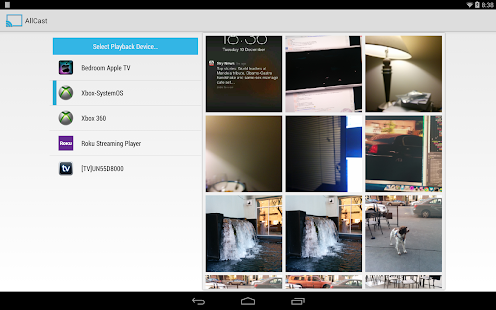
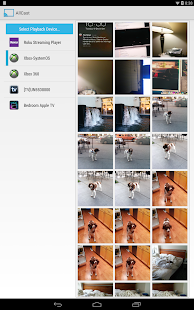
AllCast lets you send photos, music, and videos on your Android to your TV!
AllCast lets you cast to:
* Chromecast (http://amzn.to/1lOq4bI)
* Subtitles supported
* Amazon Fire TV (http://amzn.to/OMqmnj)
* Subtitles supported
* Apple TV (http://amzn.to/1izCgJ3)
* Xbox 360, Xbox One (http://amzn.to/1iBWxz1)
* Roku (http://amzn.to/1ef4T2p)
* WDTV (http://amzn.to/1oRCTGX)
* Samsung, Sony and Panasonic Smart TVs
* Other DLNA Renderers
This is the free version of AllCast, which has a 5 minute viewing limit on pictures and videos. Upgrade to the premium version to remove the viewing limit.
*Permissions:*
Internet – Streaming from Dropbox/Drive
Wifi/Network State – Check if wifi is on
Change Wifi States – Search for devices on local network
Wake Lock – Keep Android on while streaming
Read/write External Storage – Play from SD Card
Read Phone State – Used for premium license verification
Get Accounts – Search for Google accounts
Use Credentials – Log into Google Drive
Superuser – Google Music casting
Troubleshooting? Check out the wiki:
https://github.com/koush/support-wiki/wiki/AllCast-Wiki
360 Launcher(Font,Wallpaper) 5.5.2
6/4/2014 9:27:07 AM
Current Version: 5.5.2
Requires Android: 2.1 and up
Category: Personalization
v5.5.2 update:
5.5.2
1.Easy to find – new recommendations using algorithms
2.Intuitionistic experience – improved experience under preview mode
3.Less Net Traffic – improved performance of all the theme pages
4.Upgraded edit mode – easy to edit the workspace appearance
5.Upgraded Auto-Classify – with white list capacity
6.Customized Folder – you can specify the folder appearance
7.Improved sliding experience, 25%+
8.Some useful plugins provided inside home settings
Overview:
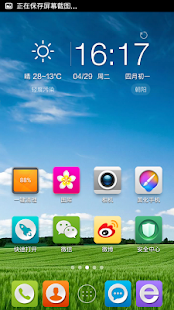
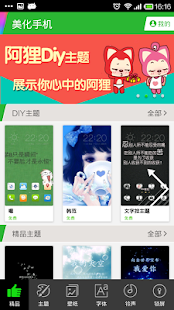
360 Launcher is an powerful home launcher. We offer you a series of highly customized features, tens of thousands themes, wallpapers and fonts, plenty of lock screens, a lot of transition animations, app starting animations, dozens of widgets, and even icon and icon background.
Now 500 milions+ free themes are provided!
Please check our thread in XDA-Developers before leaving low rating and bad reviews.
If you love ADWLauncherEX or GO Launcher EX, you will love it even much.
Features
1. Smoothly transition animation effects
2. Lots of personalized theme, wallpaper and lock screen to choose
3. User customized folder to manage apps category
4. Convenient custom home screens
5. Built in plenty of widgets, such as clock, calender, task manager, device switcher
6. powful apps manage: sort, hide, new install view & tip, recently view, etc
7. Built in Cleaner that clear up your RAM
8. Built in power saving widget that saves you more battery
9. Up to 9 home screen can be created
10. Supported English (Special thanks to Melvin Chng Yi Cong, from Malaysia), Chinese, French(Special thanks to Johan Jaworski, from France), Russian(Special thanks to Mr.Roman, from Russia), Spanish(Special thanks to Jordi Luna)
Themes and Wallpapers: http://meihua.360.cn/
Home at XDA: http://forum.xda-developers.com/showthread.php?t=1345601
Sina weibo: http://e.weibo.com/360launcher
Forum: http://bbs.360safe.com/forum-110-1.html
http://www.360.cn
奇虎360 (NYSE:QIHU) Qihoo 360 Technology Co. Ltd
You are receiving this email because you subscribed to this feed at feedmyinbox.com
If you no longer wish to receive these emails, you can unsubscribe from this feed, or manage all your subscriptions


No comments:
Post a Comment