 | The natural approach to cancer, heart disease, obesity, and other chronic conditions. From our sponsors  |
| APKTOP |
| Free Android Apps,Games Download From Android Market |
RAR for Android 5.10.build16
5/11/2014 3:30:34 AM
Current Version: 5.10.build16
Requires Android: 4.0 and up
Category: Tools
v5.10.build16 update:
- Tapping on files like .docx or .apk opens them in associated apps. Long press them and select “Open as archive” to open them as ZIP archive;
- folder with extracted files is displayed on extraction completion. Turn off “Display extracted files” option in extraction dialog to disable it;
- quick ways to access writable folder on external SD card for Android 4.4 devices from navigation panel, archiving and extracting dialogs.
Learn more: http://www.rarlab.com/rar_android_new.html
Overview:
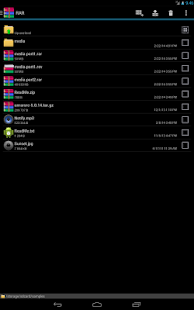
RARLAB's RAR for Android is an all-in-one, original, free, simple, easy and quick compression program, archiver, assistant, extractor, manager and even a basic file explorer.
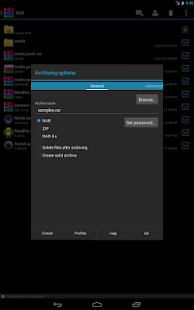
RAR for Android can create RAR and ZIP and unpack RAR, ZIP, TAR, GZ, BZ2, XZ, 7z, ISO, ARJ archives. List of functions include repair command for damaged ZIP and RAR files, benchmark function compatible with RARLAB's WinRAR benchmark, recovery record, usual and recovery volumes, encryption, solid archives, utilizing multiple CPU cores to compress data.
Additionally to standard ZIP files, unzip function supports ZIP and ZIPX with BZIP2, LZMA and PPMd compression also as password protected ZIP. Unrar command is available for all versions of RAR archives including the latest RAR5, password protected and multipart files.
If you wish to help us translating RAR to your language, please download RAR for Android language files in “RAR extras” section of www.rarlab.com and follow instructions in readme.txt. Thank you.
500 Firepaper 2.27
5/11/2014 3:30:15 AM
Current Version: 2.27
Requires Android: 4.0 and up
Category: Photography
v2.27 update:
v2.27:
- Fixed crash on close
- Fixed occsasional rapid succession refresh
v2.26:
- Fix startup crash on 4.0/4.1
v2.25:
- Hardware acceleration:
— Reduce flicker
— Fixed an auto-refresh issue
— Double tap to deblur
- Muzei: fixed an auto-refresh issue
- Added wakelock timeouts
- Adjusted rotation refresh
- Separated components into processes
- Blur and Pin settings no longer affect daydream or Muzei
- Reworked parallax scrolling
- Reduced resource usage
- Touch detection adjusted
Overview:
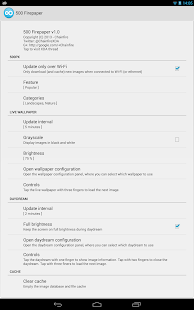
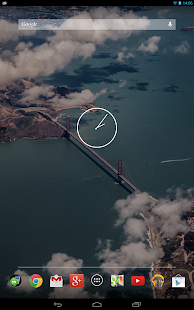
500 Firepaper provides a live wallpaper and a daydream showing you the latest images from 500px throughout the day.
You never need to look at that boring old wallpaper again, or search for hours for a nice new one. This app will show you quality photographs from all over the world – different ones each day!
The feature (popular, editor's choice, fresh, etc) and categories displayed are of course configurable, as is the refresh interval and the brightness of the images.
Please note that high resolution imagery and animation takes quite a bit of memory, so obviously this app is aimed at high-end devices.
If you are a Muzei user, 500 Firepaper also presents itself as an art source to Muzei.
FAQ
What does buying Pro get me?
In cooperation with 500px, purchasing Pro will extend the maximum cache time from 24 hours to 7 days, and will also give you the option to (re-)set any image from the History Browser as your background (for up to 7 days)
Why is there no save feature ?
Not allowed per 500px API terms.
Three finger tap to go to the next image doesn't seem to work, what now ?
On some devices (like the HTC One) you need to put down your fingers one-by-one.
Why can't I pause indefinitely or show an image for longer than a day ?
Per 500px API terms the app cannot keep an image around for longer than 24 hours – unless you purchase Pro.
Why does this use so much RAM ?
High-resolution imagery takes a lot of memory in uncompressed form, and multiple buffers are required. But fear not, should your device need the memory while the wallpaper/daydream is not visible, the memory occupied by the app will automagically be released and repurposed.
Disk usage just keeps growing. Why can't I configure any limit ?
The built-in cache limit is around 256 MB – I've never seen it actually reach that limit before cleaning itself up, though.
Can the cached images be put somewhere else, like on my sd card ?
No, they cannot.
Do you want a balloon ?
No, but thanks for asking.
Notices
This application is completely dependent on the availability of 500px and its APIs. 500px can remove the APIs or revoke this application's API keys at any time. This will cause the application to stop working.
Due to 500px's API usage conditions, the application cannot cache images for longer than 24 hours (unless you buy Pro). As such, if you are not connected to Wi-Fi while either charging or having a near-full battery for more than a day, the application will run out of images to display.
This application uses the 500px(tm) API and is not endorsed or certified by 500px or 500px Inc. All 500px Trademarks displayed on this application are property of 500px Inc.
No personal or private information about you or your device is collected or transmitted by this app.
You are receiving this email because you subscribed to this feed at feedmyinbox.com
If you no longer wish to receive these emails, you can unsubscribe from this feed, or manage all your subscriptions


No comments:
Post a Comment