 | Pamper yourself and save money with value size items on sale. From our sponsors  |
| APKTOP |
| Free Android Apps,Games Download From Android Market |
SeriesGuide 14.0.3
5/16/2014 9:15:06 AM
Current Version: 14.0.3
Requires Android: Varies with device
Category: Entertainment
v14.0.3 update:
v14
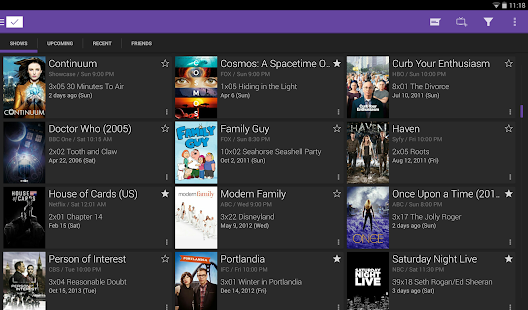
• View a stream of your and your friends trakt check-ins for shows and movies.
• Option to sort shows and movies by title while ignoring articles (English only).
• Easier trakt setup: after connecting your shows and movies are automatically merged with your trakt profile.
• Extensions replace watch options for episodes. Added extensions for Google Play, YouTube and Web search.
Overview:
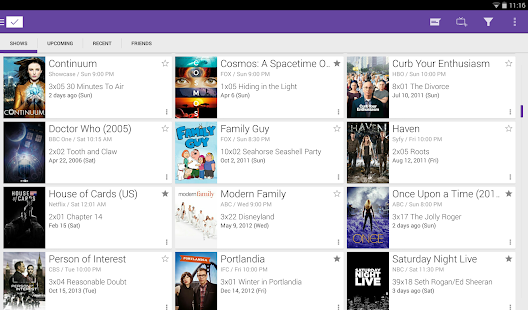
Manage (re-)watching your favorite TV shows and movies.
- See what is coming up, keep track of what to watch next.
- Check in with trakt (https://trakt.tv) or tvtag (http://tvtag.com) to share what you are watching.
- Sync shows and movies with trakt.
- No sign-in required, keep going even without an internet connection.
- DashClock extension.
…..
Get the X Subscription in Settings! X features include more list widget options and notifications for new episodes. You also support continued fixes and new features.
NOTE: Dates and times are limited to the first release in the country of origin. You can't watch episodes.
Flatro – Icon Pack 2.1
5/16/2014 9:13:32 AM
Current Version: 2.1
Requires Android: 4.0.3 and up
Category: Personalization
v2.1 update:
2.1
- 43 new icons (a couple of ALTs inc.)
- Activity Name Updates
- New Maps and PlayMusic default icon (depending on feedback, they may be modified again).
- Modified some colours on some icons.
Check out my Murum for some more wallpapers! https://play.google.com/store/apps/details?id=com.ryanmkelly.me.murum
Overview:
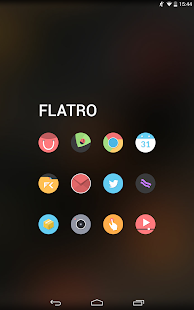
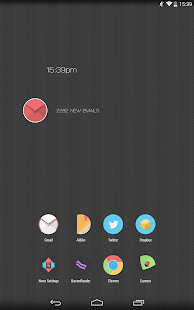
Flatro is a icon set for launchers, a blend of Retro, Minimal and Flat, they all come together to create a fresh and unique icon set.
———————
What's in Flatro version 2.1?
- Over 1050 custom icons.
- Icon masking/backing support for unthemed icons.
- Matching Zooper Widgets
- Dashboard App
- 24 minimal wallpapers crafted to suit the icons.
- Various alternatives to some icons.
- Various misc icons for general use.
- Wallpaper picker with crop function in the dashboard application
- Support for Apex, Nova, ADW, Smart, Action, TSF (Basic Icon Support), Go (Basic Icon Support) and a few others.
———————
Why the permissions?: http://ryanmkelly.me/android/iconpacks/permissions/
——————–
How do I use this?
Inside the Dashboard app, you'll see various options, In the Apply section, you can easily Apply to 5 supported launchers.
For others, you have to go into the Launcher settings yourself and change the theme, this happens on launchers such as GO, SL Launcher and many more. (Go users must remove the icon masking in the settings for it to correctly apply).
Flatro DOES NOT support Buzz Launcher.
———————
Want more wallpapers? Check these out! https://play.google.com/store/apps/details?id=com.ryanmkelly.me.murum
——————–
Something isn't working, what can I do?
If something isn't working for you, or you need help with something, please email me. I'll reply with in 48hrs. You can find my email in the app itself, or under this description.
———————
Please rate/review and check out my other work. Enjoy!
Chrome Beta 35.0.1916.117
5/16/2014 9:09:40 AM
Current Version: 35.0.1916.117
Requires Android: 4.0 and up
Category: Productivity
v35.0.1916.117 update:
Our latest release contains stability and performance fixes. More information can be found on the Chrome Releases blog at http://goo.gl/CCPRW
Overview:
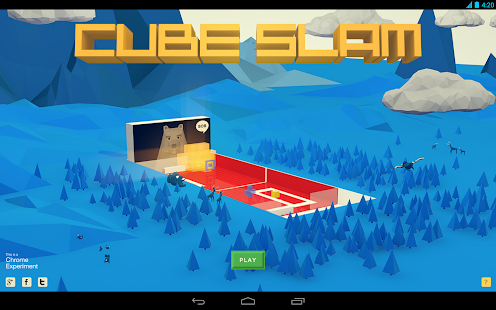
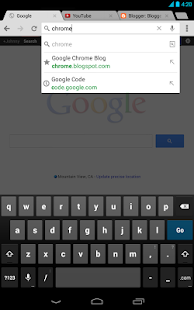
Welcome to Chrome Beta for Android!
• Preview the latest features: Try out the newest features. (Sometimes these may be a little rough around the edges.)
• Give early feedback: Let us know what you think and help make Chrome for Android a better browser.
You can install Chrome Beta alongside your current version of Chrome for Android. Chrome Beta will request additional permissions when using Chrome Sync for the first time.
Androidesk Wallpaper 3.4.5
5/16/2014 8:47:34 AM
Current Version: 3.4.5
Requires Android: 2.1 and up
Category: Personalization
v3.4.5 update:
[独家]《X战警—逆转未来》官方独家壁纸提供商;
[更新]动漫新番壁纸、铃声持续更新中;
[优化]页面加载速度提升;
Overview:
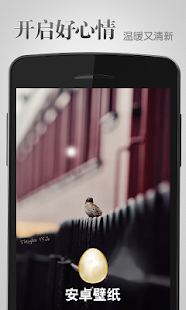
Androidesk,the NO.1 wallpaper app in China.
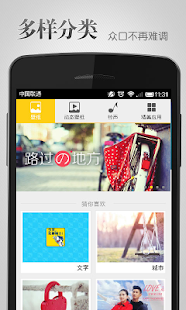
Androidesk provides massive, free, awesome,HD wallpapers and selected livewallpapers for the android mobile phones.
-The only wallpaper app who has more than 60 million users .
-Browse over 300,000+ hd wallpapers.
-Adding 1000+ hd wallpapers daily.
-300+ categories/subcategories, easy to use.
-Best collection of popular live wallpapers.
Features:
-One click,wallpaper automatically matches your screen
-Downloading the FREE and AMAZING wallpapers
-Searching efficiently
-Fun labels, fun users interactions
-Saving online, saving your flow
-Local albums management, set as wallpaper more conveniently&fast
-One click wallpaper changer online, meet surprise
-Automatic wallpaper changer
-NO ADs, NO plugin.
-Feedback/Report a problem dialog.
Snap Camera HDR 4.3.0
5/16/2014 8:46:01 AM
Current Version: 4.3.0
Requires Android: Varies with device
Category: Photography
v4.3.0 update:
4.0.20:
New Icons
Better HDR
Many bugfixes
4.0.8:
Fix focus problems on Galaxy Nexus
Fix tap to focus during video recording
Add continuous video focus mode
Fix crash in editor on low memory devices
4.0.5:
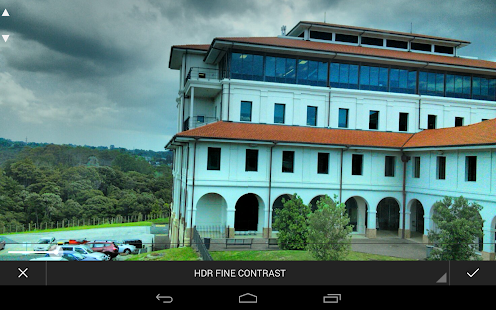
New HDR review mode allows you to change HDR parameters on the fly after a photo has been taken
New non-destructive editor from Android 4.4 with lots of new presets and effects (android 4.0 and above only)
New focus animation
Allow camera icon to be changed
Many bugfixes and enhancements
Overview:
A Fast HDR camera experience with regular updates and new features added all the time.
Now with optional Android 4.4 style user interface
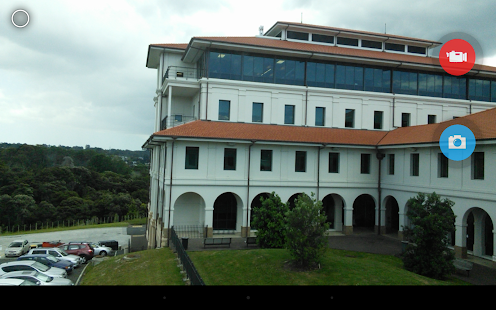
Snap Camera lets you take pictures and record video with a single click, no cluttered preview screen, just the two buttons you really need.
Snap Camera's interface is based on the camera included in Android 4.4 (kitkat) on the Nexus 5 but with many extra features.
If you want to test this camera before buying, please install the trial version..
The trial version has all the features of the paid app but will only start immediately in Airplane mode.
Snap Camera has a simple, powerful user interface featuring:
* Touch to focus
* Pinch to zoom
* Swipe to review
* Long press to adjust photo settings with the photo controller.
The photo controller includes settings for:
* Colour and Contrast (if supported by the hardware).
* Silent Shutter
* Burst Mode
* Self Timer
* Stable Shot
* Panorama mode
* Flash mode
* Whitebalance
* Exposure
* Grid lines
* Fast picture mode
* HDR
* Additional Settings
The additional settings menu gives you access to many extra settings.
* Picture and Video Size
* Scene mode
* Self Timer delay
* Burst Mode settings
* Time Lapse
* Still and Video Focus Modes
* JPEG Quality
* Effects
* ISO
* Anti-banding
* Scene Detection
* Video Bitrate, Format and Codec
* Audio Settings
The photo editor lets you:
* Add colour effects
* Add a border
* Crop, Rotate, Mirror
* Straighten
* Add image effects
* Histogram Modification
* Vignette
Additional Features
- You can see what effects will be applied and undo an effect at any time from the history menu
- Share an image with any other app such as Facebook or Google+ by clicking on the share icon
- Create panoramas by selecting the panorama icon (Android 4.0 and above)
- Fast picture mode instantly captures photos at the preview resolution.
- Capture still snapshots during video recording (if supported)
- Use the volume buttons to focus and take a picture or zoom
- Auto torch mode for low light video recording
- Use the advanced video settings to record video in resolutions not allowed by other cameras. For example, this gives you 720p video recording on the Nexus 7
- Stable shot mode only takes a photo when the camera is completely still
High Dynamic Range (HDR)
HDR is a feature that lets you take pictures of scenes with very dark and very light areas. The app takes two photos at different exposures and combines them to make one HDR photo. By default the app will save the original exposures and open an HDR editor but this behaviour can be changed from the settings menu.
See here for details of HDR:
http://marginz.co.nz/index.html#HDR
Refunds:
Please contact us if you have any issues with Snap Camera, we will give you a refund and later notify you once we've fixed the problem.
Some features are only available on newer devices.
Camera apps are notoriously difficult to make compatible with all hardware.
Please install and test the trial version first before you buy the paid app.
Please visit our website for tips and more details about the settings and features.
There is a discussion forum here:
http://forum.xda-developers.com/showthread.php?t=2055140
Please use this to report bugs, ask questions and suggest new features. Remember to say which device you have and which Android version it is running.
This app will install 2 icons in your launcher, one for the Gallery and one for the Camera. Some launchers also put the Gallery icon on your home screen.
To try a beta version of the app, join this Google+ group:
https://plus.google.com/u/0/communities/118331767490819704996
and click the link under “About this community”
Check out our great video to see Snap Camera in action.
SMS Text Messaging ↔Text on PC 5.3.1
5/16/2014 8:45:20 AM
Current Version: 5.3.1
Requires Android: 2.2 and up
Category: Communication
v5.3.1 update:
Font size: Resize the font in the mysms settings
Location sharing: Display different layers, view location in Maps app.
Registration: Improvement of registration in Andorra
Overview:
TEXT MESSAGING ANYWHERE, TEXT MESSAGING ANYTIME AND TEXT MESSAGING ON ANY DEVICE & TEXT FROM COMPUTER!
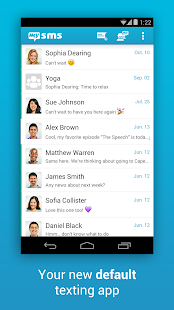
Text from your computer and tablet – just like on your smartphone! mysms is synced with your phone and uses your current Android phone number.
After installing mysms on your Android device you can start to text from your computer and web browser at app.mysms.com. mysms uses your existing mobile number, contacts and SMS text messages from your Android phone.
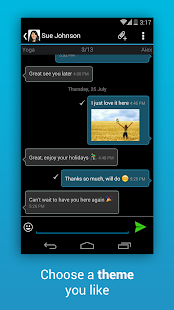
But there's even more – mysms is your messenger (like iMessage) for Android. If your contact uses mysms too – you can use mysms as your new Messenger and text 100% free (free instant messages) using mysms friends. It does not matter if you're using your phone, tablet, computer or web app.
HOW TO GET STARTED WITH THE MYSMS SMS APP
1) Install this Android app on your phone
2) Go to https://app.mysms.com on your computer, sync your phone with your browser and send your first text message.
MYSMS SMS APP FEATURES YOU'LL LOVE:
- SMS text messaging from your computer or tablet
- Receive SMS text messages directly in the browser, on your tablet or desktop app
- Sync SMS and MMS between your Android phone, tablet and on your computer
- Sync messages and calls between two smartphones (-> download mysms mirror*)
- Unlimited free texting (instant messaging) to other mysms users
- Group Chat: Add up to 50 contacts to a group and start texting right away
- Remote SMS: Text online via your mobile carrier (no additional charge from what your carrier charges)
- Phone calls: Answer, dismiss, mute or dial a call on your tablet & computer*
- Automatic SMS and MMS back-up to the cloud
- Restore messages to your new smartphone*
- Backup SMS & MMS: Archive SMS and MMS messages in your Evernote, Dropbox or Google Drive*
- Multimedia messages: Sending pictures messages and messages with files
- GPS location: Share your location with your friends
- DashClock integration: Notifications on incoming SMS messages
- Desktop notifications: Instant notifications on computer and tablet for new SMS text messages
- Evernote integration: Archive & backup messages. Your texts are saved to Evernote*
- Smileys & Emoticons: Add emojis to your messages to show your friends how you feel.
- Expandable notifications
mysms is not only a great SMS texting app, you can even make voice calls on your tablet and computer (Bluetooth headset required). Works with PC, Mac and any browser (Internet Explorer, Firefox, Chrome, Safari, Opera …).
mysms is different from texting apps like Whatsapp and Kakaotalk because we not only support instant messaging/chat, we also integrate with your phone's SMS inbox.
Connect mysms with Evernote, Dropbox, Google Drive or Email. Forward your messages to Evernote, Dropbox and Google Drive or save your SMS and MMS in your email account.* mysms serves as an SMS backup and archive.
* This is a Premium feature
We'd love to hear from you! Do you have a suggestion, question or comment? Just email us at android@mysms.com. We're trying to reply within 24 hours during weekdays.
You can also reach us on Facebook at http://facebook.com/mysms, Twitter http://twitter.com/mysms and Google+ http://gplus.to/mysms.
Keywords: text messaging, computer sms, computer texts, texting apps, sms app, texting from computer, text from pc, text from computer, sms from browser, browser sms, text free, remote desktop, dashclock sms notifications, imessage, remote sms, backup sms, backup mms, sms backup and restore, mightytext, browser texting, browser sms, desktop sms, save text messages to cloud, text from tablet, send sms via computer, dialer on tablet, dialer on computer, dial contacts from tablet, call from tablet, call from computer, call logs, SMS & MMS archive
Complete Action Plus 2.1.4
5/16/2014 8:24:19 AM
Current Version: 2.1.4
Requires Android: 4.1 and up
Category: Tools
v2.1.4 update:
(Required restart after apply this update to make new changes applied.)
<b>Changelog:</b>
- Added auto-start first app feature
- Should be fixed FC when launch.
Overview:
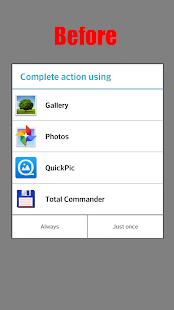
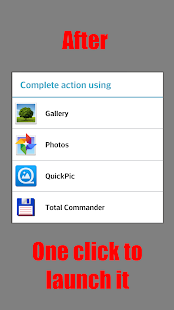
Do you want to have one-click “Complete action using” dialog?
Do you want to change layout to List or Grid?
Do you want to hide Apps in list or put your favorite at the top?
Are you rooted and have installed Xposed Framework?
» This Xposed Mod will hide bottom buttons and change behavior to one-click launch action.
» Optional “Always” checkbox
» Change layout styles: List or Grid with custom number of columns, Text Size
» Change dialog theme and colors
» Manage List of Apps (hide or set favorite)
» Integrated support for XHaloFloatingWindow mod
Supported any device with Jelly Bean and KitKat ROM.
More information on XDA: http://forum.xda-developers.com/showthread.php?p=48901633
VGBA – GameBoy (GBA) Emulator 4.3.13
5/16/2014 7:08:38 AM
Current Version: 4.3.13
Requires Android: 2.2 and up
Category: Action
v4.3.13 update:
* Added decorative background that looks like a real GBA SP.
* Fixed directional pad activated by touching outside.
* Hopefully fixed “O” button on Sony Xperia gamepads.
* Fixed cheats not showing up automatically for recently added games.
* Added Gauntlet Dark Legacy to the Cheatopedia.
* Added Galidor to the Cheatopedia.
* Added Monster Force to the Cheatopedia.
* Added Phalanx to the Cheatopedia.
Overview:
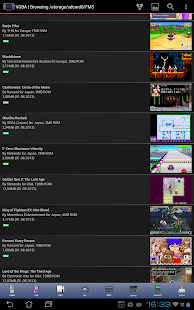
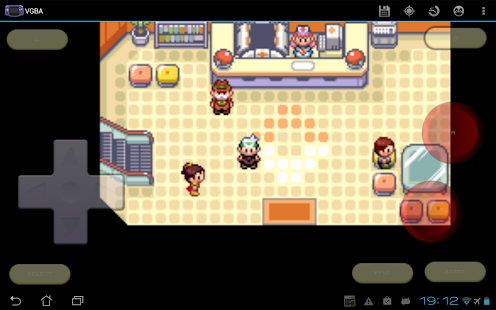
VGBA is a GameBoy Advance emulator. It runs GBA games on your Android phone or tablet, saves GameBoy game progress at any time, and even lets you cheat by adding health points, strength, or becoming invincible. Share your GameBoy game progress with friends, then let them continue where you've left off. Use network play to trade Pokemon or battle other VGBA users via WiFi. VGBA supports GoogleTV and lets you play GameBoy Advance games with generic Bluetooth joysticks, Xperia gaming buttons, Moga gamepads, iCade joysticks, and Sixaxis controllers. Other features:
* Specifically optimized for Android devices, using assembly language and hardware acceleration to run GBA games as fast as possible.
* Supports full screen landscape and portrait modes, with many special effect options.
* The built-in Cheatopedia offers cheat codes for dozens of popular GameBoy Advance games.
* Save GBA game play at any point and go back to that point once your character gets killed.
* Share your current GBA game progress with other users via State Exchange feature.
* Supports real time clock, rumble, and tilt features found in GameBoy Advance games.
* Supports network play with other VGBA users via WiFi.
* You do not need GBA BIOS file: VGBA emulates BIOS internally.
* Play with your hardware keyboard, gamepad, touch screen, or accelerometer.
* Supports Xperia Play special buttons, generic gamepads, MOGA gamepads, iCade joysticks, and Sixaxis gamepads.
* Supports GoogleTVs upgraded to Android 4.x, such as LG G2/G3.
VGBA package itself does not contain any games. You should place your own game files onto the SD card before running VGBA. Notice that VGBA will not play Classic GameBoy games: you will need VGB for that.
Please, do not run any software you do not own with VGBA. The author cannot and will not tell you where to find free GameBoy Advance games.
Please, report any encountered problems here:
http://groups.google.com/group/emul8
Camera Timestamp Add-on 2.06
5/16/2014 7:07:53 AM
Current Version: 2.06
Requires Android: 3.0 and up
Category: Productivity
v2.06 update:
11/9/2013
Added “Text Outline” option in Settings.
11/28/2013
Added two new date format.
12/29/2013
Added the ability to add custom text above the time stamp.
01/14/2014
Fixed a force close error.
02/16/2014
1. You can use your own date/time instead of photo date/time.
2. You can choose photo directories on a different SD card than the default SD card.
02/25/2014
Added error reporting.
03/03/2014
Bug fix.
05/15/2014
- improved ram usage
Overview:
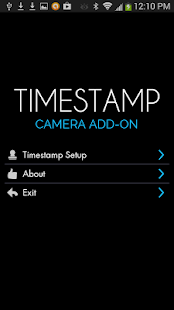
Stamp a single or multiple photos at once! Use with all your favorite camera applications!
Camera Timestamp Add-On is NOT a camera application; rather, it creates time-stamped copies of photos taken by other camera applications.*
Notice: ORIGINAL PHOTOS ARE NOT ALTERED IN ANY WAY. A copy of the original photo is made before timestamps are added. BE SURE TO TEST OUT THE FREE TRIAL VERSION BEFORE YOU BUY THIS APPLICATION.
The trial version can be found in our “MORE BY ASCENDAPPS” section at the bottom of this page, or downloaded at the following link:
https://play.google.com/store/apps/details?id=com.ascendapps.cameratimestamp.trial
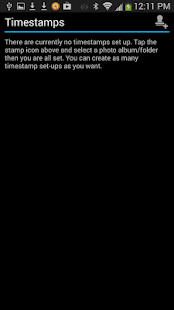
It is easy to customize the settings for each camera application on your mobile device:
- Easy one time setup and you are good to go.
- Choose a date/time format from many available formats.
- Choose a text color – any color you want.
- Choose a text size – automatic or choose your own size.
- Add outline to text to make it more visible even when the text color is similar to its background color.
- Choose where to put text – lower left corner or lower right corner.
- Allow you to use custom date/time instead of photo date/time.
- Add custom text above date/time.
- Include location on the photo if the file contains geotagging information.
- Choose the quality of the time stamped copy.
- Choose where the time-stamped photos are stored.
*Only standard Android EXIF headers are preserved in the time-stamped copies.
We welcome your comments, suggestions, or bug reports. You can contact us at admin@ascendapps.net.
CM11 CM10.2 GALAXY S5 TW theme 1.1.3
5/16/2014 7:07:47 AM
Current Version: 1.1.3
Requires Android: 4.0 and up
Category: Personalization
v1.1.3 update:
v1.1.3
Fixes and improvements
Please send me an email if something isn't themed correctly!
Overview:
Bored of your current theme?
Loving the looks of the brand new Samsung GALAXY S5?
Don't want to spend a lot of money on a new phone?
This is the answer!
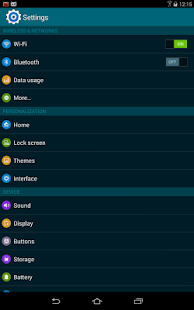
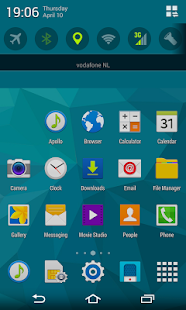
This theme, designed for the CyanogenMod theme engine, will make your phone's system look like the Samsung GALAXY S5!
This theme has been optimized for XXHDPI and XHDPI devices running the official CyanogenMod ROM.
FAQ
* Battery icon doesnt get themed? Unfortunately it's not possible to theme the battery icon on CM11 
* When installing this theme, you may ignore the “Sorry, this theme is missing assets for your device's screen size.” message!
* Something is not themed correctly? Please send me an email, I will try my best to help you out!
********************************************************
[Themed (non)-system apps]
- Apex Launcher
- Nova Launcher
- Trebuchet
- Default launcher
- Action Launcher Pro
- ADW Launcher EX
- Apollo
- Android music player
- Poweramp
- Go Contacts EX
- Go Dialer EX
- exDialer & Contacts
- Root Explorer
- ASTRO Filemanager
- OI Filemanager
- ES File Explorer
- Solid Exporer Beta
- Camera ICS
- Camera ICS+
- Camera JB+
- Camera Launcher for Nexus 7
Now supporting Android 4.1 Jelly Bean! (CM10)
Now supporting Android 4.2 Jelly Bean! (CM10.1)
Now supporting Android 4.3 JellyBean! (CM10.2)
Now supporting Android 4.4 KitKat! (CM11)
You are receiving this email because you subscribed to this feed at feedmyinbox.com
If you no longer wish to receive these emails, you can unsubscribe from this feed, or manage all your subscriptions


No comments:
Post a Comment