 | We're committed to presenting a line of sleep products that have a minimum impact on both your pocketbook and the environment. Visit us today! From our sponsors  |
| APKTOP |
| Free Android Apps,Games Download From Android Market |
QQmail 3.2.0
5/28/2014 12:53:40 PM
Current Version: 3.2.0
Requires Android: 2.1 and up
Category: Tools
v3.2.0 update:
Overview:
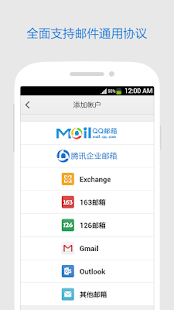
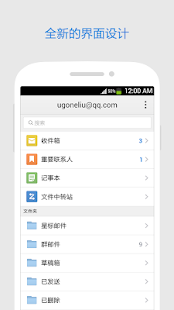
QQmail app gives you excellent email experience and instant new mail notification. You may access your QQ e-mails from android device more efficiently.
QQmail also lets you:
1. Get new mail notification instantly.
2. Send photos and files from your phone using QQmail.
3. Preview attachments online or open them with apps on your phone.
4. Search emails in all or specific folders.
5. Manage emails easily in inbox,group-mail folder, personal folders and other POP account folders.
6. Access emails with enterprise email accounts.
7. Synchronous update data between your phone and computers.
Chrome Browser – Google 35.0.1916.138
5/28/2014 12:53:37 PM
Current Version: 35.0.1916.138
Requires Android: 4.0 and up
Category: Communication
v35.0.1916.138 update:
• Undo Tab Close
• Fullscreen video with Subtitles and HTML5 controls
• Support for some multi-window devices
• Support for casting some videos with Chromecast
• Other bug fixes
Overview:
Browse fast on your Android phone and tablet with the Google Chrome browser you love on desktop. Pick up where you left off on your other devices with tab sync, search by voice, and save up to 50% of data usage while browsing.
• Sync Across Devices – seamlessly access and open tabs and bookmarks from your laptop, phone or tablet
• Save Data – reduce mobile data usage by up to 50% while browsing
• Faster Browsing – choose from search results that instantly appear as you type and quickly access previously visited pages
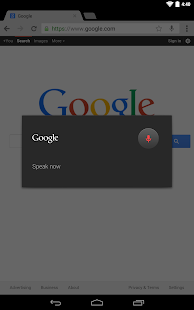
• Voice Search – use the magic of Google voice search to find answers on-the-go without typing
• Translate – easily read webpages in any language
• Intuitive Gestures – open as many tabs as your heart desires and quickly flip through them by swiping from side to side on the toolbar
• Privacy – use Incognito mode to browse without saving your history
Qunar Travel – Flights • Hotel 7.2.3
5/28/2014 12:30:52 PM
Current Version: 7.2.3
Requires Android: 3.0 and up
Category: Travel & Local
v7.2.3 update:
Overview:
Qunar Travel, Smart Your Travel! The coolest travel application to purchase discount air tickets and hotels online easily and safely with the best user experience.
- Real-time flight status and air ticket price trends at a glance.
- Location-based and last-minute hotel booking.
- All the travel information coverage and price compare from Ctrip, Elong, VeryZhun, Taobao Travel, Flight Housekeeper and other online travel agents.
- Your travel smart assistant with additional train search, nearby attractions, local travel group buy functionalities.
- Information sharing on major SNS platfors like Sina Weibo.


Polaris Office 5.1.8
5/28/2014 12:29:29 PM
Current Version: 5.1.8
Requires Android: 4.0 and up
Category: Business
v5.1.8 update:
[v.5.1.8]
●(Premium service) Documents opened from external storage can be edited and saved directly on the external storage.
●(Premium service) For extra security, the App Passcode option (direct password input) has been added.
●Attached documents in the e-mails sent from Evernote can be viewed on Polaris Office.
●The design has been improved so that users can easily create new documents (Word, Excel, and PowerPoint).
●Chinese, Spanish, German, Russian, and French UI have been added.
Overview:
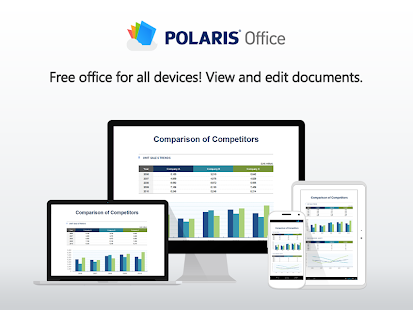
* Free office application for Smartphone/Tablet PC/Desktop – Polaris Office
* More than 600 million users picked Polaris Office's new service!
* Document viewed in Polaris Office is automatically saved in mobile device, it allow users to read and edit document during offline.
[Description]
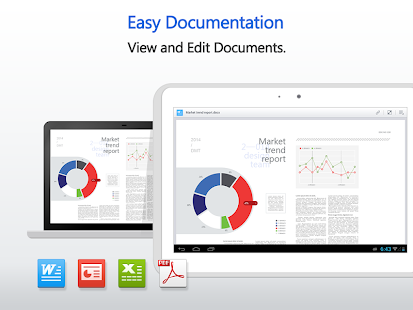
Polaris Office is a free office application with which you can read and edit Microsoft Office documents on your mobile device and on your desktop. You can also open PDF documents with Polaris Office.
▶ Did you ever have trouble because a slide show chart did not properly fit on your mobile device?
: Your original Microsoft Office document will appear just how it is with Polaris Office. Now you can read and edit that same file on your mobile device, the same way you would on your desktop.
▶ Work on your documents wherever you are.
: Documents that you open on your desktop or mobile device will be automatically saved on cloud storage and mobile device, giving you access to your documents, wherever, whenever even during offline. (Free storage offered)
: Polaris Office for Windows (Desktop) can be downloaded at the download page.
▶ Did you ever think it was inconvenient to send a revised document via e-mail again?
: With Polaris Office, you can use your contact list, e-mail, or social media (Messenger, Facebook, Twitter) to easily share documents. Your revised documents will be updated automatically.
[Features]
- View and edit Microsoft Office documents / Open and view PDF and HWP documents
- Various file formats supported: doc/docx, xls/xlsx, ppt/pptx, pdf, txt, hwp
- A variety of cloud storage services (Google Drive, OneDrive, Dropbox, WebDAV, etc.)
- Fast and convenient document upload/download from desktop
- Add and edit header, footer, endnote, and footnote / Ruler available
- 37 slide transition effects / View animation
- 24 templates / 20 2D/3D charts / 173 shapes / More than 300 functions and automatic data calculation
- Camera mode that can be used to take and add pictures to the document / Insert and play video clips
[Links]
- Homepage: https://www.polarisoffice.com
- Facebook: www.facebook.com/polarisoffice
- Twitter: www.twitter.com/polarisoffice
- For any inquiries go to Application > Settings > Customer Support or visit our [Homepage] and click on Contact Us.
CM (Clean Master) Locker 1.3.0 Beta
5/28/2014 12:06:09 PM
Current Version: 1.3.0 Beta
Requires Android: 4.0 and up
Category: Productivity
v1.3.0 Beta update:
V1.3.0.72
1. Hold and drag to customize the order of applist
2. Status bar can be set to hidden
Overview:
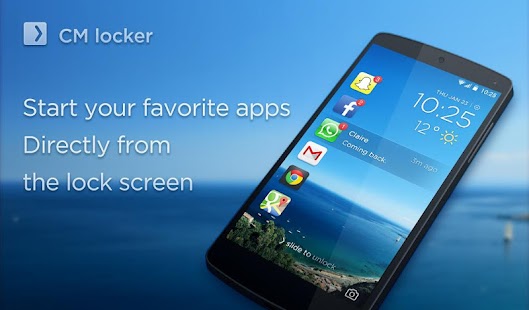
CM Locker is a smart lock screen application which allows you to start your favorite apps directly from the lock screen. Just swipe and go to use your apps with no hassle.
Main features:
1. Smart List: CM Locker learns your most commonly used apps and gives you quick access to opening them directly. You can also easily take pictures, handle missed calls or read messages from the lock screen.
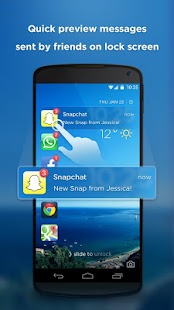
2. Notification preview: Quick preview messages sent by friends on lock screen (available in Android 4.3 and above).
3. Real-time Weather: Displays the current weather information and forecast at the first time.
Note:
1. It's best to disable password locks or other lock screen applications to avoid having to unlock multiple times.
2. To use the weather feature, GPS services must be enabled.
3. If several locker apps are enabled, such as Go Locker and Cover Lockscreen, they will all be used at the same time. This may cause problems, so please only keep CM Locker active.
Requested permissions:
1. GPS & Wi-Fi status: These are used to deliver accurate weather information about your local area.
2. Contact & SMS: Used to mark messages as read and clear missed call notifications.
3. Start at boot: This will ensure the app is turned on after the device is restarted.
Contact us:
locker@ksmobile.com
Paperama 1.1.0
5/28/2014 10:44:58 AM
Current Version: 1.1.0
Requires Android: 2.3.3 and up
Category: Puzzle
v1.1.0 update:
- Now with Google+ cloud saving
- several bugs fixed
Overview:
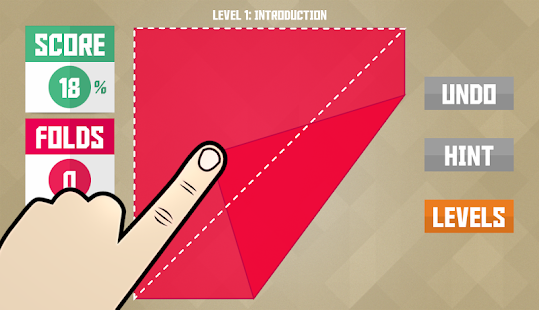
Enter a beautiful Origami world and bring it to life!
**Introducing a new and unique puzzle adventure**
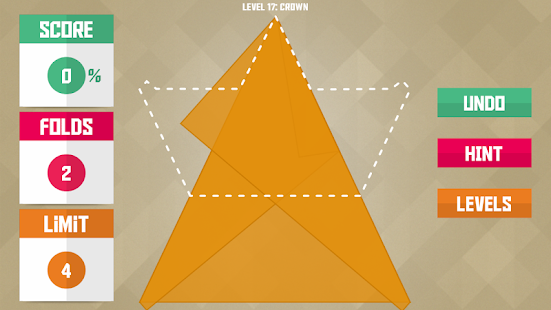
- Fold the paper sheets to create origami figures
- work as accurate as possible to fit the form
- Don't use too many folds!
-> Enjoy how a wonderful origami world comes to life
Features:
- Amazing 3D folding effect
- Lovely Soundtrack
- More than 70 puzzles
- Smart Hint System
- Game Services Support
S-Tools (support Spen) 1.6
5/28/2014 10:22:05 AM
Current Version: 1.6
Requires Android: 4.0 and up
Category: Tools
v1.6 update:
ver 1.1
Fixed bug (share&save)
ver 1.2
Fixed bug( Unit Conversion “cm” to “inch”)
ver 1.3
Add to Import from gallery
ver 1.4
Fixed Bug ( Sometimes applications are terminated )
ver 1.5
Fixed Bug ( Terminates the application, depending on the language setting – excluding English/Korean)
ver 1.6
Fixed Bug ( memory problem )
Overview:
Super Tools!
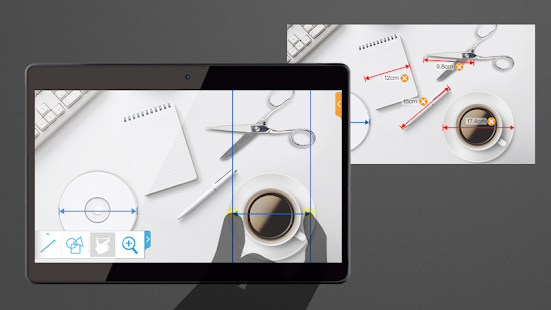
S-Tools can measure any “length”, “ratio”, “angle”.
With S-tools, you can measure straight lines, curves, triangles, ovals,
the human body and all kinds of objects.
(ex. height of newborn & baby , body parts, furniture size, the ratio between someone's face and height)
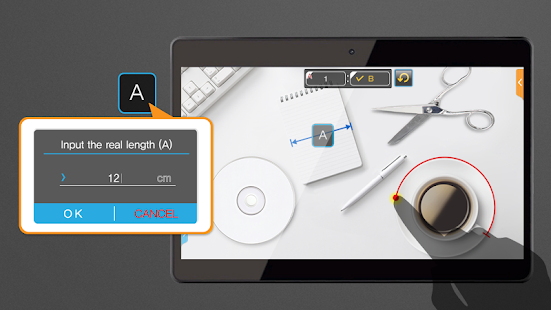
Just by touching the phone screen with your fingers or smartphone's pen, you can measure anything. (support S-pen)
* unit (inch, cm)
* in “Measure real length MODE”, need reference object(like credit card, a4 paper, CD …)
* next update(ver, 2.0) : measure the area , memo
LINE Pokopang 2.0.8
5/28/2014 9:41:02 AM
Current Version: 2.0.8
Requires Android: 2.2 and up
Category: Puzzle
v2.0.8 update:
New Info
- Added more Boss monsters.
- New Boss battle exclusive Gem, Cherry, and Summon Ticket blocks.
- Power up your acquired Boos monsters!
Update Details
Boss Battles
- Gems, Cherries, and Summon Tickets can now appear as blocks, increasing your chances to get them for free!
- Challenge and beat the Bosses multiple times to power up the ones you have.
We're using all of our Cherries to come up with even more awesome ideas to make the game more exciting for our Poko-players!
Overview:
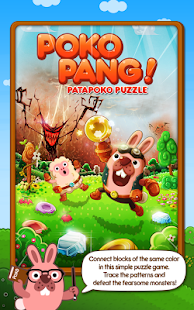
LINE GAME presents you with a revolutionary new puzzle game – LINE PokoPang!
An official game from “LINE” – the free call/messenger app.
Monsters have invaded the Animals' village! Join pink bunny BONI and his family and friends in eliminating the puzzle Blocks and beating the Monsters!
[What kind of game is it?]
LINE PokoPang is a simple but addictive puzzle game. All you have to do is join the Blocks!
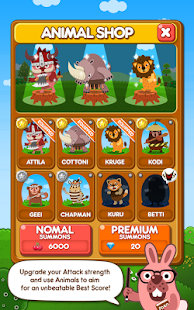
Upgrade your Attack strength to get higher scores.
You can also call for Helping Animals and work together with them!
If you're looking for something innovative, simple and addictive, then PokoPang is the perfect game for you! Let's PokoPang!
[How to play]
Draw lines to join 3 or more adjoining Blocks of the same color.
The Blocks will explode, firing veggies at the Monsters! Upgrade the Blocks to improve their Attack strength!
Call for the adorable Animals – they can help you tackle the Monsters! Take your very own Helping Animals with you, and aim for a high Best Score!
QR Code Reader 2.2
5/28/2014 9:38:22 AM
Current Version: 2.2
Requires Android: 2.3.3 and up
Category: Tools
v2.2 update:
What's new in version 2.2
- Fixes to minor issues and enhancements
What's new in version 2.1.5
- Fixes issues with moving the app to a SD card
- Fixes for various bugs experienced by some users
- Enhancements to application stability
- Create and scan your own QR codes on our site at http://scan.me
Overview:
QR Code Reader is the fastest and most user-friendly QR code scanner available. If your Android came with a built-in scanner, this would be it. Here is what our reviewers are saying:
"Quick and very reliable. I'd give it six stars if it were possible."
"No ads, beautiful design, and even caught blurry QR codes I didn't expect it to scan"
HOW THE APP WORKS
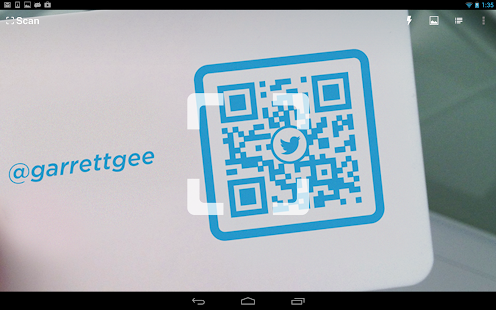
To scan a QR code simply open the app, point the camera at the code, and you're done! There is no need to take a photo or press a button. QR Code Reader will automatically recognize any QR code your camera is pointing at.
When scanning a QR code, if the code contains a website URL, you will automatically be taken to the site. If the code just contains text, you'll immediately see it. For other formats such as phone numbers, email addresses, or contact info, you will be prompted to take the appropriate action.
ADDITIONAL FEATURES
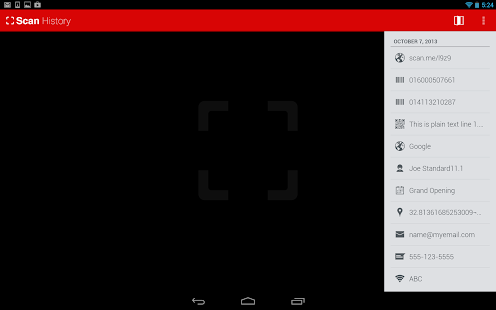
• View a history list of all of your past scans
• Sync your scan history across the web and all of your devices
• Scan pictures of QR codes from your camera roll
• A switch to turn on your device's light (if it has one) for scanning in low-light circumstances
UPGRADE TO SCAN
Our app, Scan, is the feature-rich, premium upgrade to QR Code Reader. Find Scan by searching for "Scan" on Google Play.
DEDICATED TO PERFECTION
Our goal is to make our app the best scanning app in the store. We can't do this without you. We are dedicated to your satisfaction and need to hear feedback from you. If you have an issue with QR Code Reader, please do not write a review of the app saying “it didn't work.” This does not help us make things better for you. Instead, please contact us at support@scan.me or on Twitter @scan and we'll do our best to help.
REQUIREMENTS
In order to use QR Code Reader, your device must have a built-in camera. When scanning codes that redirect to online content, such as websites, you will need Internet connectivity.
MAKE YOUR OWN QR CODES ON SCAN.ME
Want to make your own QR codes for others to scan? Visit our site at http://scan.me to create and manage your own QR codes for free.
Update: We recently released a new Wi-Fi QR code type on our site. These new Wi-Fi QR codes allow visitors to your home or business scan a QR code to get easy access to your wireless network.
One Calculator FREE Beta 0.5
5/28/2014 9:17:48 AM
Current Version: 0.5
Requires Android: 4.0 and up
Category: Tools
v0.5 update:
Added new module: Grapher!! (it still need some work, but it does what it is supposed to do 
– Grapher:
added g(x) function
Overview:
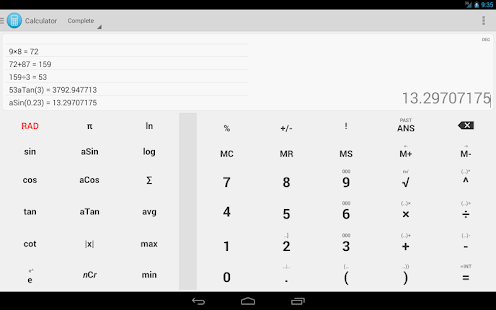
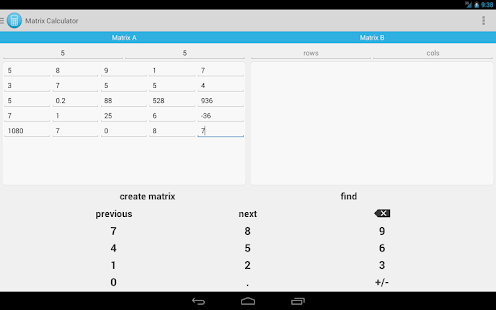
One Calculator is a fully featured scientific calculator with a simple and clean interface, perfectly integrated with Android Holo style. Supplying different calculus modalities, One Calculator is suitable for solving easy common calculus and more complex mathematical calculations.
One Calculator characteristics:
* Basic Arithmetic
* Trigonometry (sin, cos, tan, arcsin, arccos, arctan)
* RPN calculations (Reverse Polish notation/postfix notation)
* Matrix calculus
* Measurement unit conversion
* Graphs for X,Y equations
* Conversion between decimal, hexadecimal, octal and binary
* Intreactive chronology of operations
* Specialized warning of errors
* Possibility to modify the calculator interface
* Support for tablet and smartphones
One Calculator is still in beta version.
Inside the app there is the possibility to directly contact the developer to inform him of possible bugs or send feedback; if you think that One Calculator should have more functionalities that might be useful, do not hesistate to contact me. If the request is reasonable, I will do my best to implement it.
—
KW: onecalc, one calculator, onecalculator, one, calc, free, onecalcfree, android calculator, percentage, percent, science, scientific calculator, advanced, sine, simple, best, kalkulator, RPN, Reverse Polish notation, postfix, graph, grapher, plot, function graph, algebra, matrix, conversion, converter, meter, weight, mass, liter, kilogram, basic, holo, holostyle
You are receiving this email because you subscribed to this feed at feedmyinbox.com
If you no longer wish to receive these emails, you can unsubscribe from this feed, or manage all your subscriptions


No comments:
Post a Comment