 | You can reap the rewards with great discounts at participating Pullman, M Gallery, Grand Mercure, Novotel, Mercure, ibis and Formule 1 hotels. From our sponsors  |
| APKTOP |
| Free Android Apps,Games Download From Android Market |
KK Launcher (KitKat Launcher) 4.0
5/28/2014 8:57:25 AM
Current Version: 4.0
Requires Android: 4.0 and up
Category: Personalization
v4.0 update:
v4.0 update(2014-5-27):
1. Optimize scroll smoothness
2. Add KK Google search widget
3. Add KK Cleaner widget
4. Sidebar drag handle can be put on right side
5. Add drawer background color option
6. Remove 4 KitKat wallpaper to reduce APK size. (if still want them, get KK Live Wallpaper)
7. Add vibration, editing option for App drawer button
8. Enlarge default icons size a bit
9. Fix several FC bugs
We dev ACTIVELY, please email us if error, please rate high and spread KK if you like, thanks
Overview:
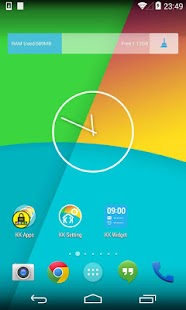
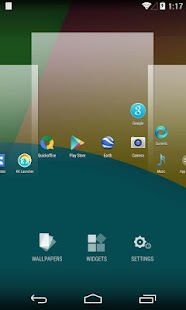
KK Launcher, is the most polished, highly customizable KitKat style launcher, Smooth, Rich features, NO AD, Your best choice!
“The closest you get to stock Android KitKat. It's amazing how many options this launcher gives” –Kostas
“Really good, seriously the best KitKat launcher on the market ! ” –Steven
Q: What is the difference between KK Launcher and Nova Launcher, Apex Launcher ?
A: KK Launcher base on AOSP Android 4.4, while Nova and Apex base on Android 4.0, so the KK's UI and UE is pure KitKat experience and inherit the HUGE improvement from Android 4.4
Q: What is the difference between KK Launcher and Google Now Launcher ?
A: KK Launcher has MANY enancement features and MANY customizable options, supporting Android 4.0+
Features:
1. Based on Android 4.4 launcher, support for Android 4.0+ (ICS, JB, KitKat)
2. Support icon theme, compatible with theme and icon pack that users made for nova launcher, adw launcher, go launcher, apex launcher, etc
3. Translucent status bar and navigation bar (Android4.4 devices, and Galaxy S4, Galaxy Note2/3, Tab2/3 ,etc )
4. Transparent status bar clone for Android 4.0-4.3
5. Drawer features: Hide app, Create folders, Sort app, Quick A-Z bar
6. Drawer style: Horizontal, Vertical, Vertical with category
7. Many Desktop and Drawer transition effect
8. Many gestures and Dock icon gesture
9. Unread Counts/Notifier
10. Support edit icon
11. UI Size Mode: Small, Medium, Large, Extra large
12. Parallax effect
13. 1*1 widgets on dock
14. Allow swipe right to Google Now
15. Nexus 5 HD wallpapers
16. Resize any widget
17. Backup and restore launcher setting and layout
18. Import layout from other launcher
19. Sidebar anywhere
20. Highly customizable, MANY options:
【Launcher Desktop :】
+ Set launcher desktop grid
+ Set icon size, icon text size/color, hide icon text
+ Lock desktop option
+ Hide search bar, status bar
+ Hide shadow, indicator
+ Infinite scrolling
+ Set launcher default Home Screen to Left, Middle or Right
+ Wallpaper scrolling
+ Theme support: such as Galaxy, iOS 7, Win 8 icon pack
【Launcher Dock :】
+ Multi Dock pages
+ Number of Dock icons
+ Dock icon size
+ Hide Dock
+ Drawer icon position
【Launcher Drawer :】
+ Set launcher drawer grid
+ Drawer folder
+ Set icon size, icon text size/color
+ Background transparent
【Launcher Sidebar:】
+ Quick toggle
+ Favorite apps, Recent apps
+ KK Clearner
【Launcher Folder :】
+ Max rows and columns
+ Folder background
+ Folder preview style
+ Bulk add for folder
KitKat launcher, AOSP launcher, Android4.4 kit kat theme, KitKat home,
Android 4.4 nexus 5 launcher, GEL launcher, Google Experience Launcher
Permissions explaination:
- Directly Call Phone Numbers: only used if you place a direct-dial shortcut on the homescreen
- READ_SMS, READ_CONTACTS, READ_CALL_LOG: used by Unread SMS Counts and Missed Call Counts
- Gmail READ_CONTENT_PROVIDER: used by Gmail Unread Counts
- CAMERA: used by Sidebar–Camera and Flashlight
Feedback:
Email: kkappteam@gmail.com
- KitKat is a registered trademark of Societe des Produits Nestle S.A.
Note for icon pack creators:
To set icon pack from your icon pack's dashborad, please use intent with action: “com.kk.launcher.APPLY_ICON_THEME”, and fill com.kk.launcher.theme.EXTRA_PKG with your icon pack's package name, fill com.kk.launcher.theme.EXTRA_NAME with icon pack's name
If you like KK Launcher (KitKat Launcher), please help to spread KK Launcher, and press g+1 to support KK Launcher development, thanks
We dev features and fix bugs ACTIVELY, release WEEKLY, please email us with detailed info if error, 1 star can not help to improve, thanks
Nova Launcher 3.0beta2
5/28/2014 8:56:51 AM
Current Version: 3.0beta2
Requires Android: 4.0 and up
Category: Personalization
v3.0beta2 update:
v2.3 Dec 10
KitKat scroll indicator (Desktop – Scroll Indicator)
KitKat folders styles (Folders – Folder Background, Light Background)
KitKat font (Look and Feel – Icon Font – Condensed, Android 4.1+)
KitKat app drawer icon
Google KitKat icon theme (Look and Feel – Icon Theme)
Small autohiding tabs in app drawer (Drawer – Small Tabs)
Transparent system bars on KitKat (Look and feel – Transparent Notification Bar. Requires KitKat)
Backup/Restore from external sdcard
Overview:
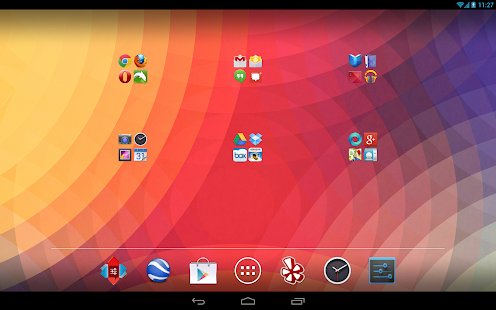
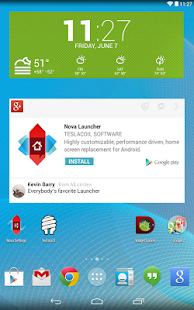
Highly customizable, performance driven, home screen replacement for Android 4.0+
Accept no substitutes! Nova Launcher is the original and most polished customizable launcher for Android 4.
Features include:
Color Themes
Change the accent color of the launcher, full color picker support
Icon Themes
Apply ADW or Go launcher icon themes to all app icons
Scrollable Dock (for Tablets and Phones)
Keep all your favorite apps on the dock, with up to 7 icons per page and up to 3 pages.
Customizable App Drawer:
Transparency
Scrolling style, choose between horizontal paginated or vertical continuous
Scroll Effects
Enjoy eye candy when scrolling your desktop and drawer. Effects include Cube and Cardstack and more for Prime users.
Infinite Scroll
Never be far from your favorite page, loop through your desktop continuously.
Folder Icons
You can chose a background, preview style or even replace the whole icon.
Backup/Restore
Export your settings and layout before a wipe to quickly get back up and running.
Widgets in dock
Add any 1×1 widget to the dock
Widget Overlapping
Overlap on resize or placement, long-press to send to back or bring to front
Bulk Add
Add multiple apps to the desktop or a folder at once
Activities shortcut
Select hidden activities from your favorite apps
Import Layout
Import your desktop layout from the default launcher or another replacement launcher.
*Nova Launcher Prime Features (Paid version)*
Nova Launcher Prime unlocks the following features in Nova Launcher:
Drawer Groups:
Folders in App Drawer
Unlimited custom tabs
Organize apps into tabs and folders in the app drawer
Gestures
Quickly start Nova Actions or Apps from gestures on the desktop, such as pinching, swiping or two-finger swiping.
Hide Apps
Keep a clutter free drawer by hidding never used apps.
Dock Swipes
Get more use out of your dock apps by setting swipe-actions
Unread Counts
Never miss an email. Unread count badges for SMS, Missed calls, Gmail, Email, Google Voice and more. Counts show in the dock, desktop, drawer and folders.
More Scroll Effects
Permissions:
Access Widget Data: This is in order to display the widget and widget's data to you. This dialog/permission is new in Jellybean. The data is not used for anything aside from displaying it.
Internet/Network State/Wifi State: Optional & Anonymous error/usage reporting
Directly call phone numbers: Only used if you place a direct-dial shortcut on the homescreen.
Wallpaper/Vibrate/Status Bar/Choose Widgets: Standard Launcher functions
USB (SD) Storage: Backup/restore
Retrieve Running Apps: Used by Aggressive Desktop setting and to warn in settings when multiple launchers are running in history.
Scan – QR and Barcode Reader 2.2
5/28/2014 8:56:31 AM
Current Version: 2.2
Requires Android: 2.3.3 and up
Category: Tools
v2.2 update:
What's new in version 2.2
- Fixes to minor issues and enhancements
What's new in version 2.1.5
- Fixes issues with moving the app to a SD card
- Updates to the scan map
- Fixes for various bugs experienced by some users
- Enhancements to application stability
- Create and scan your own QR codes on our site at http://scan.me
Overview:
ON SALE FOR A LIMITED TIME
To celebrate our latest update, Scan is on sale for a limited time for $1.99 down from $4.99! (over 50% off!)
ABOUT SCAN
Scan is the fastest and most user-friendly QR reader and barcode scanner available. If your Android came with a built-in scanner, this would be it. Here is what our reviewers are saying:
"Quick and very reliable. I'd give it six stars if it were possible."
"No ads, beautiful design, and even caught blurry QR codes I didn't expect it to scan"
"I've saved over $80 by scanning products in the store and finding them cheaper online"
HOW THE APP WORKS
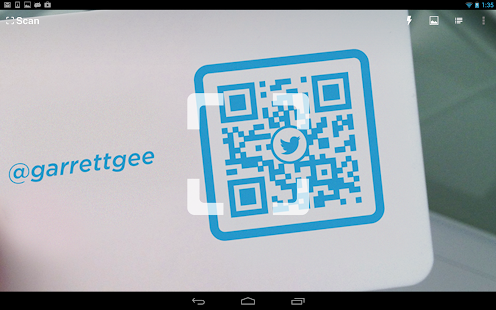
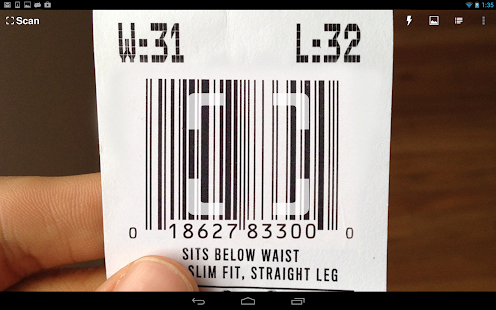
To scan a QR code or barcode simply open the app, point the camera at the code, and you're done! There is no need to take a photo or press a button. Scan will automatically recognize any code your camera is pointing at.
When scanning a QR code, if the code contains a website URL, you will automatically be taken to the site. If the code just contains text, you'll immediately see it. For other formats such as phone numbers, email addresses, or contact info, you will be prompted to take the appropriate action.
PRODUCT BARCODES
Scan recognizes all of the popular barcode types (UPC, EAN, and ISBN) and shows you pricing, reviews, and more about any products you scan. Barcode scanning requires a newer device in order to work reliably. Cameras on older devices do not provide the resolution or focus required for barcode scanning.
ADDITIONAL FEATURES
• View a history list and map of all of your past scans
• Sync your scan history across the web and all of your devices
• Toggle your front or rear camera for scanning
• Set a default browser to open websites in
• Scan pictures of QR codes and barcodes from your camera roll
• A switch to turn on your device's light (if it has one) for scanning in low-light circumstances
DEDICATED TO PERFECTION
Our goal is to make our app the best scanning app in the store. We can't do this without you. We are dedicated to your satisfaction and need to hear feedback from you. If you have an issue with Scan, please do not write a review of the app saying “it didn't work.” This does not help us make things better for you. Instead, please contact us at support@scan.me or on Twitter @scan and we'll do our best to help.
REQUIREMENTS
In order to use Scan, your device must have a built-in camera. When scanning codes that redirect to online content, such as websites, you will need Internet connectivity.
MAKE YOUR OWN QR CODES ON SCAN.ME
Want to make your own QR codes for others to scan? Visit our site at http://scan.me to create and manage your own QR codes for free.
Update: We recently released a new Wi-Fi QR code type on our site. These new Wi-Fi QR codes allow visitors to your home or business scan a QR code to get easy access to your wireless network.
Convert To F2FS 2.2
5/28/2014 6:55:13 AM
Current Version: 2.2
Requires Android: 4.0.3 and up
Category: Tools
v2.2 update:
- Fix for some ROMs (N4 – N5)
- Keep Screen On during Conversion (To prevent Slow Conversion)
- Fix a problem with File Managers
- Fix a Crash
- Add Support for Mooke ROM (Nexus 7)
- Fix for some ROMs
- Add Support for Nexus 5 NON-CAF (Experimental)
- Add Support for Nexus 7 3G (2012)
- Better User Interface
- Fix a Crash
- Fix Bugs
- Add Support for PAC ROM
- Add Support for Nexus 4 CAF
- Add Stop Button
Overview:
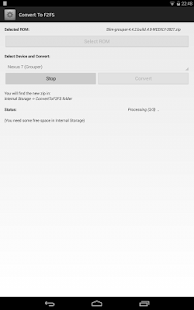
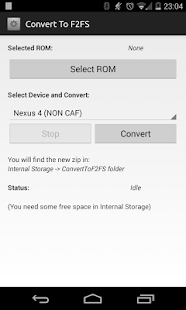
This Tool convert a Standard ROM to All-F2FS Compatible ROM.
It is made for:
- Nexus 7 2012 (grouper)
- Nexus 7 2012 (tilapia)
- Nexus 4 (NON CAF Rom)
- Nexus 4 (CAF Rom)
- Nexus 5 (NON CAF Rom) (Experimental)
(If you want to add your device email me)
This App should work with most KitKat ROM.
In case of problem email me.
To prepare your device for F2FS read here:
- Nexus 7:
http://forum.xda-developers.com/showthread.php?t=2678140
- Nexus 7 3G:
http://forum.xda-developers.com/showthread.php?t=2745298
- Nexus 4:
http://forum.xda-developers.com/nexus-4/orig-development/recovery-rom-kernel-f2fs-05-04-14-t2706825
- Nexus 5:
http://forum.xda-developers.com/google-nexus-5/orig-development/recovery-twrp-2-7-0-0-f2fs-support-t2746030
Tested with:
- SlimROM
- Paranoid
- Ominrom
- Etc..
(Note: This is provided with no warranty. You are installing this software at your own risk)
3D Parallax Weather 1.0
5/28/2014 6:52:57 AM
Current Version: 1.0
Requires Android: 3.0 and up
Category: Personalization
v1.0 update:
Overview:
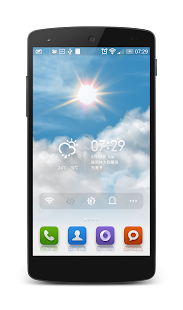
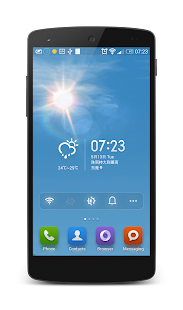
The first and only app on Google Play that simulates real-world weather conditions with eye-catching multi-layered parallax effects! All packed in iOS 7 weather app like beautiful visualisations.
There are no pre-prepared animations or downloaded images. Beautiful and realistic visualisations are generated in real-time using the latest OpenGL technology allowing for seamless daytime to nighttime transitions and fluid movement.
The amount of rain or snow actually mirrors the current weather conditions: clouds will move according to the current wind speed; the position of the Sun is based on actual sunrise and sunset times and even the brightness and the colour of the sky is based on live data.
Watch the lens flare effect as you move your device around on a sunny day, see the volume and depth of the clouds on a cloudy day or watch the raindrops settle on the screen on a rainy day.
Features include the following:
- Real-world weather beautifully rendered using real weather data
- Current weather details displayed as a notification (can be disabled)
- True 3D parallax depth effect using an unlimited number of layers (can be disabled)
- Parallax effect on raindrops and snowflakes
- Smooth daytime to nighttime transitions
- Color palette, and the position of the moon and the sun based on current sunrise and sunset times
- Cloud movement based on the actual current wind speed
- See twinkling stars on a clear nighttime sky
- Special effects like lens flare reacting to device movement, thunder and lightning or raindrops on glass effect
- Automatically detects your location and changes the weather on screen to match
- Raining all the time where you live? Set the location manually to anywhere in the world!
- No ongoing background services
- Doesn't use GPS – no battery draining network calls
**Disclaimer: weather data is provided by OpenWeather.org, at times might not exactly match your local weather conditions
n7player Music Player 2.3.5b
5/28/2014 6:17:18 AM
Current Version: 2.3.5b
Requires Android: 2.2 and up
Category: Music & Audio
v2.3.5b update:
2.3.5:
- Reduced binary size
- Bass boost fixes
- Reduces cracks during seek
- Added Hungarian translations
2.3.4:
- Updates in the Czech translations
- Added the EQ icon to the main screen action bar
2.3.3:
- Removed Coarse Location permission!
- Added Czech translation (thanks to Dominik Palla!)
Overview:
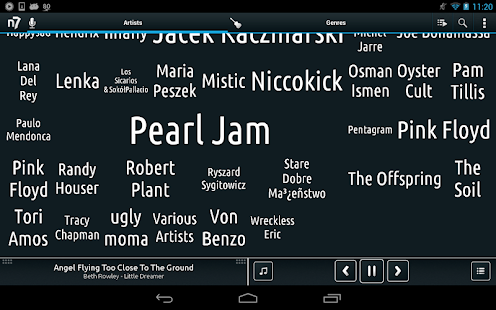
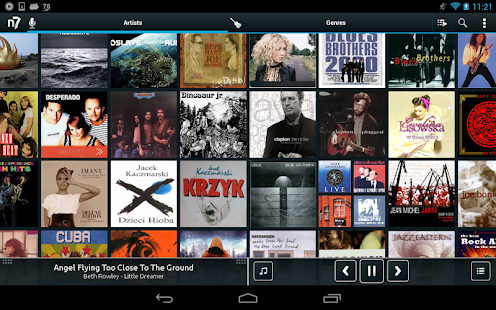
n7player is a supreme music player with innovative user interface and powerful audio processing.
The great interface allows quick and easy music browsing based on artists and albums. The n7player music player is also great in playing audio from folder, playlists or using lockscreen or music widget.
Bass boost & 10 band equalizer (5 band on Android 2.3-4.1) will help you achieve the best sound quality.
www.lifehacker.com:
“n7player makes browsing your own library and finding music to listen to fun again.”
Main features of n7player Music Player:
- Plays music files: mp3, mp4, m4a, ogg, wav, 3gp, mid, xmf, ogg, mkv(4.0+), Free Lossless Audio Codec – flac (3.1+), Apple Audio Codec – aac (3.1+), Windows Media Audio – wma (supported on selected devices)
- DLNA / UPNP and Chromecast media support via Tosster Cast (can wirelessly stream music to your HiFi, Smart TV, game console or PC/Mac)
- 10 band graphic equalizer (+preamp) on Android 4.1+, 5 band equalizer on Android 2.3+
- Bass Boost, treble boost, volume normalization and sound virtualization (SRS/Dolby Surround) (2.3+)
- 8 Built-in equalizer presets and custom presets
- Downmix to mono, left/right balance control (4.1+)
- Unique multi-touchable OpenGL user interface, perfect to present your CD collection
- Album art downloading (manual & auto)
- Gapless playback
- Tag editor
- File and folder music player, support for 3rd party file browser (ES, Solid Explorer, Astro…)
- Own media library, play your music by: albums, artists, genres, songs, folders and playlists
- Dynamic queue, add track as next (as in iTunes)
- Widgets
- Expandable playback notification
- Different visual styles available via themes & skins
- Lyrics support, using the embedded track lyrics & musicXmatch plugin
- Playlist support: m3u, m3u8, pls, system, Google Play Music. User can create and edit playlists within the player
- Sleep timer
- Scrobbling Last.fm
- Wired & Bluetooth A2DP headset support with customizable headset buttons
- Swipe to next/prev track gesture support
- Customizable lockscreen (ICS or our own)
- Share sounds via Facebook, Google Drive and other
- Rich customization and settings to suit every audiophile.
Advanced audio processing, folder browser and tag editor will be locked after 10 days of trial. Further access to these modules will require fee. License key for the these features of n7player Music Player is available on the market & via in-app payments.
Reading log data permission is required only to provide more information in case of application crash when user decides to send log to developers.
DLNA, UPNP and Chromecast features are available when Tosster Cast DLNA / UPNP Player is installed in the system.
Updates, beta & free giveaways:
Google+: http://plus.google.com/communities/105390517371231483038
Facebook: http://www.facebook.com/n7player
iTunes is a trademark of Apple Inc., registered in the U.S. and other countries.
You are receiving this email because you subscribed to this feed at feedmyinbox.com
If you no longer wish to receive these emails, you can unsubscribe from this feed, or manage all your subscriptions


No comments:
Post a Comment