 | Organize work & collaborate efficiently with your team! Start your free trial now From our sponsors  |
| APKTOP |
| Free Android Apps,Games Download From Android Market |
Peek 1.72
5/26/2014 6:45:23 AM
Current Version: 1.72
Requires Android: Varies with device
Category: Tools
v1.72 update:
- Peek now has 3 detection modes: battery saving, always active, and active while charging.
- Added security options: Notification title and text on secure lockscreen.
- Fixed dismissed notifications being displayed on peek.
- Fixed a lot of minor bugs.
1.71
- Live wallpaper support.
1.72
- Fix blacklisted notifications being displayed when dismissing notifications.
Overview:
IMPORTANT NOTES:
-This application was successfully tested on stock Android 4.4 and AOSP based 4.4 ROMs, on multiple Nexus devices (including tablets) and Oppo Find 7a.
- Internet permission is used for bug catching.
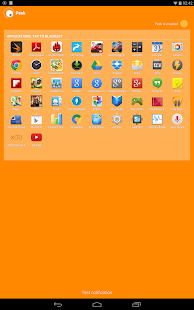
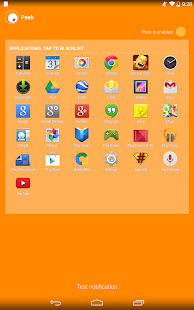
This application is a complete redesign of the known “Peek” feature by ParanoidAndroid project, built to work on any 4.4+ ROM. The whole concept lies into allowing users to quickly interact with their notifications, without having to press any button. The new design includes sharper typography, nicer placement of the items, breathtaking new effects and extended functionality (including blacklist). It works on secure locked devices, with the ability to customize what information to show.
How peek works:
When you receive a notification, and screen is off, peek will start polling your sensors. If some movement is detected on your device (either it was on a table and you lifted it, or it was in your pocket and you got it out), peek will show. Sensors will be polled for 10 seconds (by default, customizable) and then it stops doing so, to save battery. It is not possible to simulate the behavior of devices like the Moto X, without affecting battery, since they have special hardware for the task.
Featured on:
Android Police: http://goo.gl/0Dtr2P
Android Authority: http://goo.gl/iJ9GC9
Droidlife: http://goo.gl/WCo7C0
Chris Nacca YouTube channel: http://goo.gl/233P2G
And many more!
CM10/CM11 Transparent Theme 6.8
5/26/2014 6:24:52 AM
Current Version: 6.8
Requires Android: 4.0.3 and up
Category: Personalization
v6.8 update:
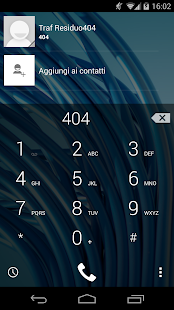
-6.8: after a lot of work, added transparent dialer for CM11 (first transparent theme of theme chooser with this feature 
[if theming for google playstore is messed up, send me a mail and I'll provide you a solution]
-If you like, add me on google plus: http://goo.gl/AFm9wU
Overview:
IMPORTANT: read full description before purchasing or leaving a bad review. If there are problems, instead of leaving a bad review, send me a mail and I will do my best for fixing them. I can help you with a mail, not with comment. If you like the theme, rate it!
[This theme requires a ROM with Theme Engine (like Cyanogenmod and AOKP)]
NOTE: this theme is available in five different colored versions: Gold, Green, Orange, Purple and Red (you can find them in my apps list here: http://goo.gl/blGjPv).
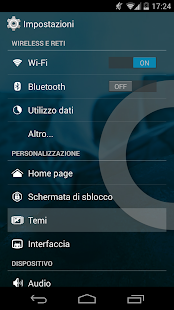
Like a glass!! This is Transparent CM theme for CM9, CM10, CM10.1, CM10.2 (Cyanogenmod), CM11, AOKP, PA (Paranoid Android) and other custom roms. Many apps and widgets of your rom will become transparent! I started developing this theme because I like very much the holo interface and the transparency too. I suggest to try this theme also with live wallpapers.The apk size is very small because most of the work is done with xml files. This is actually my main project (you can see the changelog below).
Many other screenshots can be found here: http://goo.gl/ay7vK
More screens will be added after new updates of the theme!
WHAT IS TRANSPARENT:
-apps that depend from Theme.Holo of framework (like settings app, various menus,downloads,some stock browser's parts,dsp manager,torch and much other)
-apps that depend from Theme of framework (like sim toolkit, goomanager and much other)
-apps that depend from Theme.Black of framework
-action launcher pro quickdrawer (holo)
-apollo (cm10.1/cm10.2/cm11 version)+widget
-calculator+widget
-dsp manager
-stock calendar
-clock app
-CM filemanager (dark theme)
-contacts/people app
-cpu-z
-dialer app (first theme of theme chooser with transparent dialer for cm11)
-email widget
-google gesture search
-google now
-google playstore
[google play store is being updated these days. Depending of the version are you running, theming for that app can be messed up. If you have problems, email me and I'll tell you what to do, while I am working for a complete solution]
-google play music (only widget)
-lux (free and paid)
-keyboard
-pie controls
-quicksettings tiles
-quicksettings widget
-messagging app+widget
-movie studio
-news & weather widget
-notification background
-notification drawer 50% transparent (cm10.1/cm10.2/cm11)
-offline dictionaries free and pro (dark mode)
-omich player+widget
-panels, dialogs and popups (both dark and lights)
-seeder
-some launchers settings (like nova and apex)
-swype (classic theme)
-tablet-ui (for roms that support it)
-tesla unread plugin
-theme chooser
-torch app+widget
NEXT UPDATES:
-more apps and fixes!!
If you want other apps transparent, send me a mail and i will do my best!
COMPATIBILITY:
-Transparent theme actually is compatible with XHDPI,HDPI,MDPI,LDPI devices (should be compatible with all devices and tablets)
(As I own only a device, send me a mail if there are problems)
If you are interested in the changelog, you can see it here: http://goo.gl/iq1hW
INSTRUCTIONS:
-Apply theme in theme chooser and reboot.
-If it says “Sorry this theme is missing assets for your device” apply anyway and reboot.
-if it says “This theme is incorrectly compiled” apply default theme,reboot,apply TransparentCM, reboot.
(if you see a black image instead of preview image in theme chooser, don't worry and apply the theme 
NB: The wallpaper that i use in the screenshots is not included in Transparent theme! Choose your favourite wallpaper and it will become the background of the apps listed above!
For questions, problems and requests, send me a e-mail.
(If the app is not available in your country, please e-mail me)
If you like, add/follow me on Google Plus: http://goo.gl/AFm9wU
Nickname on XDA-Developers and other forums: SpadaBoss
Enjoy Transparent Theme!
GLTools (graphics optimizer) 1.26
5/26/2014 6:24:45 AM
Current Version: 1.26
Requires Android: 2.2 and up
Category: Tools
v1.26 update:
It is not 100% stable, so contact author for any questions! (n0n3m4dev@gmail.com)
1.26:
sRGB hotfix.
1.25:
Guess what is now supported.
Added emulation options: now some features can not only be faked but also emulated.
1.08:
Bugfix release, all GLTools symbols in shared libraries are now hidden.
Overview:
——-**** Root and a writable /system partition are required! Please, read the description completely! ****——-
GLTools is a custom OpenGL driver (proxy), that is compatible with any known OpenGLES 2.0-compatible GPU + ARM processor, x86 processors are not supported (Galaxy Tab 3 for example). If you still don't understand, what this app is, the closest known analog is Chainfire3D.
Features list:
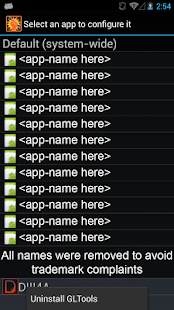
- Change resolution and rendering bitness in any app, even if it doesn't support that by default.
- Change GPU name and enjoy enhanced graphics even on a noname low-end GPU.
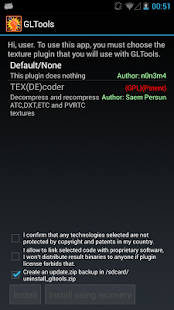
- Take full control over textures: now you can decompress/recompress them (even if your GPU doesn't support that texture format) and resize. Note that decompression feature is available only if you'll install a plugin (internet is required to do that)
- Optimize shaders on-the-fly for optimal performance (the same optimizer is used in Unity3D engine by default)
- Enable MSAA or CSAA in any app to improve graphics quality (make sure that your GPU supports that)
- Measure gained performance with a nice onscreen FPS counter (or you can output FPS information to Logcat if you are a pro)
GLTools is 100% safe if you have a custom recovery installed (and you didn't disable backup in GLTools install dialog), if you'll find it non-working, you can just flash uninstall_gltools.zip in recovery and email me with details (or request a refund).
Tested on:
- HTC One X
- Nexus 7 2013
- LG G2
Failed on:
- Some Samsung devices (random). The lowest success rate is with SGN3 and SGS4 (thx to Knox). Installing a custom kernel can help, this problem is firmware-related. The same for Lenovo devices.
Legal information:
By using this app, you agree to all the following terms:
User is responsible to make sure that any plugins he uses are legal to use. All texture plugins (except for Default) are written by independent developers and are placed on a 3rd-party webserver (except for Default which is builtin), which has nothing to do with me, a GLTools author, except for that I provide a simple in-app browser to install them (as all we know, browser creators have nothing to do with any abusive Internet content, the same thing here).
User is responsible to make sure that this app won't cause any EULA violation. GLTools is designed for debugging of apps that user is author of, any other usage is not officially supported. Anyway, this app changes system libraries only and doesn't cause any binary modification of 3rd-party apps.
All trademark usage is nominative, nominative usage is Fair Use, it doesn't require any permission from trademark holder. Any trademarks are the property of their owners anyway.
If you think that GLTools itself is illegal, you can always contact me via n0n3m4dev@gmail.com
Source code of used GNU Binutils (assembler, linker, etc) and Busybox can be obtained by writing to n0n3m4dev@gmail.com
You are receiving this email because you subscribed to this feed at feedmyinbox.com
If you no longer wish to receive these emails, you can unsubscribe from this feed, or manage all your subscriptions


No comments:
Post a Comment