 | Lose weight the right way and keep it off. From our sponsors  |
| APKTOP |
| Free Android Apps,Games Download From Android Market |
VGBA – GameBoy (GBA) Emulator 4.3.14
5/18/2014 5:33:18 AM
Current Version: 4.3.14
Requires Android: 2.2 and up
Category: Action
v4.3.14 update:
* Added decorative background that looks like a real GBA SP.
* Fixed directional pad activated by touching outside.
* Hopefully fixed “O” button on Sony Xperia gamepads.
* Fixed cheats not showing up automatically for recently added games.
* Added Gauntlet Dark Legacy to the Cheatopedia.
* Added Galidor to the Cheatopedia.
* Added Monster Force to the Cheatopedia.
* Added Phalanx to the Cheatopedia.
Overview:
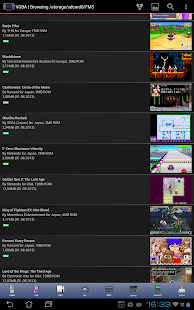
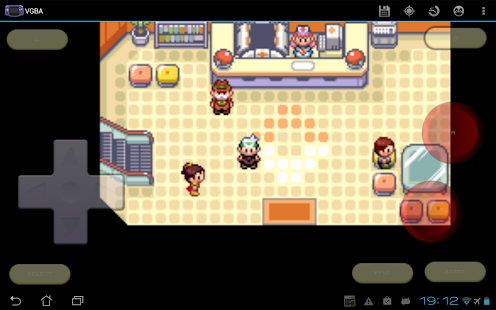
VGBA is a GameBoy Advance emulator. It runs GBA games on your Android phone or tablet, saves GameBoy game progress at any time, and even lets you cheat by adding health points, strength, or becoming invincible. Share your GameBoy game progress with friends, then let them continue where you've left off. Use network play to trade Pokemon or battle other VGBA users via WiFi. VGBA supports GoogleTV and lets you play GameBoy Advance games with generic Bluetooth joysticks, Xperia gaming buttons, Moga gamepads, iCade joysticks, and Sixaxis controllers. Other features:
* Specifically optimized for Android devices, using assembly language and hardware acceleration to run GBA games as fast as possible.
* Supports full screen landscape and portrait modes, with many special effect options.
* The built-in Cheatopedia offers cheat codes for dozens of popular GameBoy Advance games.
* Save GBA game play at any point and go back to that point once your character gets killed.
* Share your current GBA game progress with other users via State Exchange feature.
* Supports real time clock, rumble, and tilt features found in GameBoy Advance games.
* Supports network play with other VGBA users via WiFi.
* You do not need GBA BIOS file: VGBA emulates BIOS internally.
* Play with your hardware keyboard, gamepad, touch screen, or accelerometer.
* Supports Xperia Play special buttons, generic gamepads, MOGA gamepads, iCade joysticks, and Sixaxis gamepads.
* Supports GoogleTVs upgraded to Android 4.x, such as LG G2/G3.
VGBA package itself does not contain any games. You should place your own game files onto the SD card before running VGBA. Notice that VGBA will not play Classic GameBoy games: you will need VGB for that.
Please, do not run any software you do not own with VGBA. The author cannot and will not tell you where to find free GameBoy Advance games.
Please, report any encountered problems here:
http://groups.google.com/group/emul8
SimSimi 6.2.4
5/18/2014 5:33:03 AM
Current Version: 6.2.4
Requires Android: 2.2 and up
Category: Entertainment
v6.2.4 update:
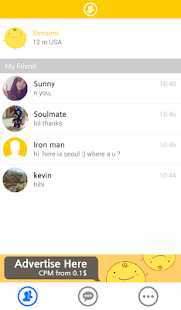
Now, meet new friends through simsimi!
- All new design
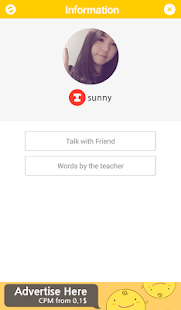
- Click on the photo of a friend, Can be talk with a friend
- Talk with the person who taught Simimi
- Can receive real-time alerts about friend's messages
Overview:
Teach good words,
Report bad words,
Everybody be happy with SimSimi!
When SimSimi says a bad word, just tap SimSimi's speech bubble to report it. A bad word will be deleted by two reports (from difference devices.) Also, you can turn on/off Bad expression filter in Settings.
Full change is going on!
Funny features are coming soon one by one.
———————————————
SimSimi is a super advanced chatting robot that makes amusing conversation to engage with users.
Using this app is really simple. Just start a talk session at your touch screen then SimSimi will instantly greet you with a cheerful chat. Like those typical messaging apps, just send your message through a chatting box. Don't be surprised by SimSimi's fast response. It's a super-duper robot, you know!
SimSimi's vocabulary grows by your input. You can teach SimSimi your own words as other users teach their own ones too.
Have fun with the cutest chatting robot ever, SimSimi!
———————————————
SimSimi was originally developed to be a fun and friendly chatting robot. Things SimSimi says are totally taught by users and not intended by the developer.
Complete Action Plus 2.2.0
5/18/2014 5:32:48 AM
Current Version: 2.2.0
Requires Android: 4.1 and up
Category: Tools
v2.2.0 update:
(Required restart after apply this update to make new changes applied.)
<b>Changelog:</b>
- Added “Long press app action” choices: “No action”, “App Information”, “Set as default”, “XHalo Window”
- Fixed auto-start delayed launch after other choice was made
- Fixed “Always” button issue
- Updated translations
Overview:
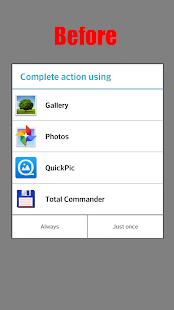
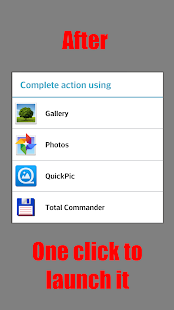
Do you want to have one-click “Complete action using” dialog?
Do you want to change layout to List or Grid?
Do you want to hide Apps in list or put your favorite at the top?
Are you rooted and have installed Xposed Framework?
» This Xposed Mod will hide bottom buttons and change behavior to one-click launch action.
» Optional “Always” checkbox
» Change layout styles: List or Grid with custom number of columns, Text Size
» Change dialog theme and colors
» Manage List of Apps (hide or set favorite)
» Integrated support for XHaloFloatingWindow mod
Supported any device with Jelly Bean and KitKat ROM.
More information on XDA: http://forum.xda-developers.com/showthread.php?p=48901633
Screenshot ER 2.4.3.6.B7
5/18/2014 4:57:27 AM
Current Version: 2.4.3.6.B7
Requires Android: 2.3 and up
Category: Tools
v2.4.3.6.B7 update:
If you need help, please contact support@fahrbot.co.uk or discuss the app at the Google Plus community: https://plus.google.com/communities/111767250758462769072
2.4.3.6.B7
• General fixes and tweaks
• Removed airpush
2.4.3.4.B3
• Fixed issue on SGS5
• General fixes and tweaks
Overview:
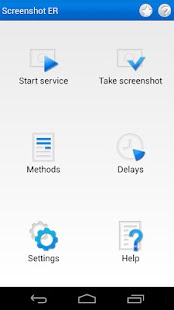
Screenshot ER is a screen capture app for rooted devices, proven to work where nothing else does. Easy to use and with lots of settings for capture maniacs too!
This app is a pure screen capture utility and nothing more. You get all the possible capture methods:
★ Long press on search button
★ Shortcut
★ Delay
★ Device shake
★ Visible or invisible notification icons
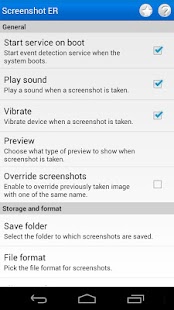
The root daemon is complemented by a powerful suite of options designed to increase ease of use and compatibility across a wide range of devices:
★ Edit screenshot images
★ Interactive thumbnail preview
★ Rotate and flip images
★ Manage service with widget
★ Customize file names
★ Dynamic image override
★ Disable service when screen is off
And of course, all the usual options are there – image type, countdown timers, share menu integration, and an editable storage folder.
DEMO VERSION is watermarked.
APP NEEDS ROOT ACCESS, visit our website for more information: http://fahrbot.co.uk/root
LOG PERMISSIONS are for feedback – you don't have to send logs if you don't want to, and if you do no private information is sent.
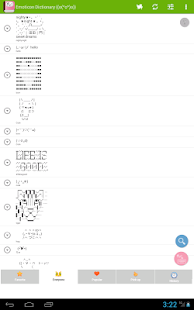
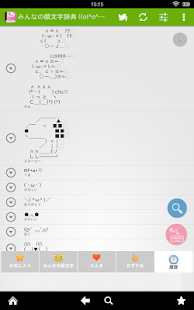
Emoticon Dictionary((o(^o^)o)) 6.4.12
5/18/2014 4:57:12 AM
Current Version: 6.4.12
Requires Android: 2.3 and up
Category: Tools
v6.4.12 update:
Some bugs fixed.
New search option “prefer ASCII arts”.
Refreshable the emoticons by pulling the list.
Overview:
Whenever you can get the latest and hottest emoticons in fashion.(ง •̀_•́)ง
They are super Kawaii ( = cute) emoticons.(๑・ω-)~♥"
- Use emoticons with just one tap! (。・ω・。)
- Categorize your emoticons, Setting up only your emoticon dictionary! ヽ(´∀`)ノ
- Share emoticons with everyone. ( ・ิω・ิ)
♦♫♦*:..。♦♫♦*゚¨゚゚・*:..。♦♫♦*゚¨゚゚・*:..。♦♫♦*:..。♦♫♦*゚¨゚゚・*:..。♦♫♦*゚¨゚゚・*:..。
Emoticon Dictionary is Free!!
♦♫♦*:..。♦♫♦*゚¨゚゚・*:..。♦♫♦*゚¨゚゚・*:..。♦♫♦*:..。♦♫♦*゚¨゚゚・*:..。♦♫♦*゚¨゚゚・*:..。
[How to use]
Use emoticons with a tap, copying to the clipboard.
Save emoticons with a long tap.
- By a stand alone app, emoticons are copied to clipboard.
[About all tabs]
Favorite…The tab for favorite emoticons. You can save an emoticon you like on another updated tab.
Everyone…Emoticons of everyone's favorite emoticons. You can search much more emoticons by keywords!
Popular…Popular emoticons used by everyone.
Recommend…Picked up emoticons that will be used.
History…Used emoticons.
♦♫♦*:..。♦♫♦*゚¨゚゚・*:..。♦♫♦*゚¨゚゚・*:..。♦♫♦*:..。♦♫♦*゚¨゚゚・*:..。♦♫♦*゚¨゚゚・*:..。
[About permissions]
-INTERNET
For downloading new emoticons
-ACCESS_NETWORK_STATE
-ACCESS_WIFI_STATE
For determining if it is no service or not on downloading new emoticons
-WRITE_EXTERNAL_STORAGE
For backup your emoticons into SD cards
-RECEIVE_BOOT_COMPLETED
For displaying the icon in your status bar on your reboot
(If you select it is displayed in the setting of this application)
[Tested devices]
Xperia(SO-01B)
AQUOS PHONE(SH-12C)
Galaxy Nexus
HTC One X+
[For iPhone]
http://itunes.apple.com/jp/app/id465250131
[For Chrome Extension]
https://chrome.google.com/webstore/detail/pbnfoocjojdfnhnalpocedblfgcfgmij
[Inquiry]
http://twitter.com/#!/eqrobot
gReader Pro | Feedly | News 3.7.0
5/18/2014 4:57:04 AM
Current Version: 3.7.0
Requires Android: 2.2 and up
Category: News & Magazines
v3.7.0 update:
v3.7.0
* NEW: 2 new beautiful themes: Blue and Green
* NEW: Custom notification for feeds (Pro)
* NEW: Create shortcut for subscriptions/tags
* NEW: Change settings in Tasker : Synchronization, Offline Usage, Notification, Theme
* NEW: OPML Export (Manage Sources)
* IMPROVED: RSS Reader (local) loading feed information
* IMPROVED: OPML Import (RSS Reader only)
* IMPROVED: Sort by feed now sorts like Manage sources
* FIXED: Display issue on some websites (cache contents should be saved again)
Overview:
★★★ “gReader Is Hands Down The Incomparable King Of RSS Readers On Android.” – AndroidPolice ★★★
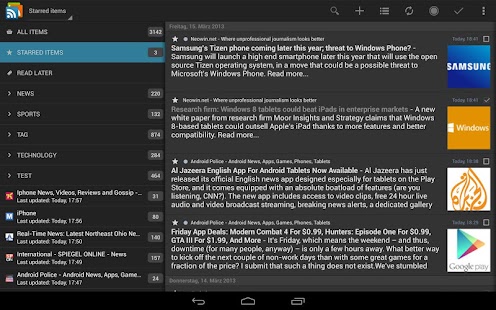
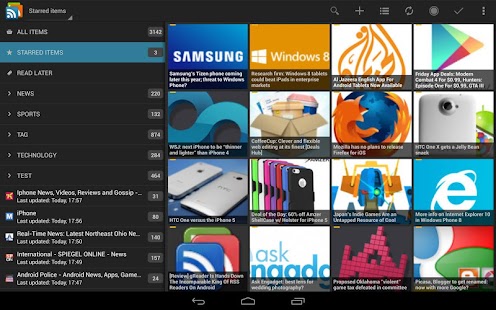
gReader is a simple, fast and intuitive feed/rss reader for Android, featuring beautiful themes, podcast support and full offline support. Read all your rss/feed news in one place, where keeping up with your favorite websites is as easy as checking your email.
more on http://greader.co
NOTES:
* The Old Reader: To use The Old Reader you need to create a mobile login in TOR settings
* Instapaper server for mobilizer seems to have an issue.
* Please let us know of any issues you encounter via email.
* If you still get ads: Clear the cache of the market and check the license in gReader again (Menu->More->Check License)
* Read the FAQ before commenting: http://greader.co/faq
* You want to suggest new features or report issues, use the Feedback button.
* Localization If you are interested in translating gReader to other languages, visit http://crowdin.net/project/greader/
* Beta: http://greader.co/beta
* Play Store: https://play.google.com/store/apps/details?id=com.noinnion.android.greader.readerpro
SERVICES:
* Feedly Cloud: Feedly Cloud is a new way to browse the content of your favorite sites.
* The Old Reader: The Old Reader is a simple, web-based RSS reader with lots of great sharing features.
* RSS Reader: Use gReader without any online services. All data are saved locally.
FEATURES (PRO):
* Support developers
* Ad free version
* Better Widgets (Ticker)
* Downloading Podcasts
* Voice-Reading
FEATURES:
* Synchronization: Use gReader at home, at your office, or anywhere you go and keep your feeds, tags and shared items synched in one place.
* 2-Way Sync: Synchronize your read items between gReader and Google Reader. Keep your articles up-to-date
* Auto synchronization
* User Interface: Simple, fast and intuitive
* Tablet optimized: Read your news more comfortable on a tablet
* Themes: Light, Black and Dark
* Night Mode: Read your articles with white font on black background. Save battery and increase readability in the night.
* Offline Reading with full article content without internet connection.
* Mark read on scroll
* Podcast support (streaming)
* Voice-Reading (Text-To-Speech)
* Folders / Tags support
* Notification
* Share articles via Email, Facebook, Twitter, …
* Services: Translation, Mobilizer (Google, Instapaper, Readability)
* Save to Pocket (Read it later) / Instapaper / Readability
* Search feature: Search and filter keywords, save search results
* Sort: by newest, by oldest, by feed
* Quick and Swipe actions: faster access to useful functions
* Rich article list (snippet and thumbnail)
* Widget: Icon widget with unread badge
* Easy Reading: Reading mode view, inverse webpage color
* Fullscreen mode: Enlarge your reading space
* Recommended items / sources
* HTTPS connection: Use Http Secure to get your feeds
* App2SD
* Backup/Restore: Backup/Restore your preferences
Try it yourself and build your own opinion.
PERMISSIONS:
* GET_ACCOUNTS, USE_CREDENTIALS: Allows access to the list of accounts for quick login.
* READ_LOGS: Used for feedback feature. Users could send logs to developer for identifying issues.
SolMail – All-in-One mail app 2.0.1
5/18/2014 4:56:27 AM
Current Version: 2.0.1
Requires Android: 2.3.3 and up
Category: Communication
v2.0.1 update:
V.2.0.1
At last, SolMail is back with major improvements.
Thank you so much for waiting patiently. Now all you have to do is enjoy.
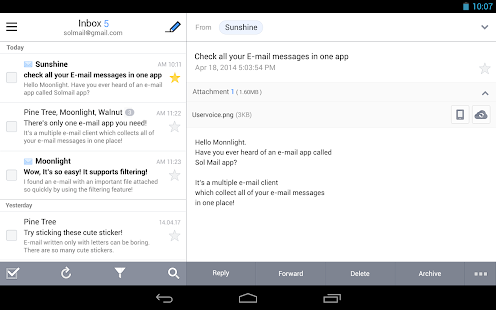
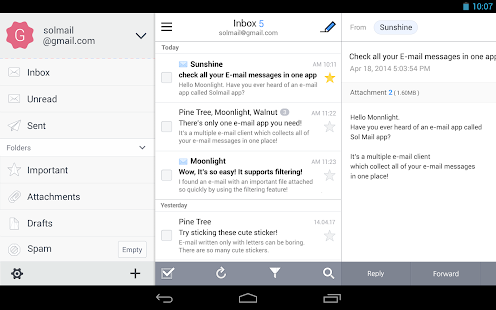
- Conversation View
- Tablet View
- Actionable Notification
- Scrollable, resizable Widget(if launcher supports)
- Folder Sync – Choose any folders to sync & get notified
- Minimal Sync Interval Shortened to 3 mins
- Easily Add Account – Adding account became much simpler
- Google Apps Support
- Launcher Icon Badge
- App Stability improved
Overview:
*** Global IT Media 'TNW (The Next Web)' introduced SolMail as one of the '30 of the most beautiful and well-designed Android apps'. ***
*** Chinese Android Market 'Wandoujia' selected SolMail to the Design Award. ***
*** Japanese top magazine 'Gigazine' reviewed and mentioned SolMail as 'Update expected' app. ***
SolMail is a powerful e-mail client that helps you to manage all of your e-mail accounts & messages in one app!
It supports many email services via standard Internet email protocols: IMAP/SMTP/POP3.
No additional fee for using our special features. It's 100% FREE!
2. Just swipe your messages to Archive or Delete. To change the default setting(Swipe to Delete), go to Settings and select 'Swipe to Archive'.
3. Easily categorize your messages in 4 types of filter: Starred, Attached, Unread and To Me! Check all of your Starred messages in one page by a single click.
4. View your messages by conversation. Check your sent & received messages in thread view.
5. Fun stickers! Use them when writing to your loved ones. 700+ of emoji are ready to help your expression.
6. Optimized view for tablet users. Feel the maximized user-experience with a wide tablet view.
7. Sync any folders you want. You can choose which folders to sync & get notifications.
8. Customize the font size of your email (both title and text).
9. Set your own Signatures to express your identity or character, which will be shown at the bottom of your email.
Your usernames and passwords are safely encrypted on your device.
SolMail requires Android 2.3.3 or higher OS version. (Swipe function needs 3.0 or higher OS version)
If you have any inquiries or inconveniences, visit SolMail user forum or Facebook page.
* SolMail User Forum: http://solmail.uservoice.com
* SolMail Facebook page: https://www.facebook.com/pages/SolStudio/1432371780321690
Support : Google Gmail, Yahoo mail, AOL(America Online) mail, iCloud, Microsoft Hotmail, Outlook, MSN, GMX, Naver, Daum (hanmail), Nate, QQ, 163, 126 and more.
Special thanks to all contributors.
What is SolStudio?
We try to shine your life like a gleaming sun with the essential services.
Make your day even brighter with SolStudio sister apps.
- SolMail http://bit.ly/13Rhul5
- SolCalendar http://bit.ly/19pbi2s
- SolGroup http://bit.ly/1opG9n8
You are receiving this email because you subscribed to this feed at feedmyinbox.com
If you no longer wish to receive these emails, you can unsubscribe from this feed, or manage all your subscriptions


No comments:
Post a Comment