 | 100 shapes on sale, up to 40%, at Sur La Table! From our sponsors  |
| APKTOP |
| Free Android Apps,Games Download From Android Market |
Subway Surfers 1.24.0
5/29/2014 4:17:47 AM
Current Version: 1.24.0
Requires Android: 2.3.3 and up
Category: Arcade
v1.24.0 update:
★ Travel to Japan with the Subway Surfers World Tour
★ Grind trains with charming Harumi in vibrant Tokyo
★ Drift through the Subway on the powerful Windglider board
★ Customize your crew with cool new Outfits for Harumi and Ninja
★ Reach new goals to earn the Board Rider Award
Overview:
DASH as fast as you can!
DODGE the oncoming trains!
Help Jake, Tricky & Fresh escape from the grumpy Inspector and his dog.
★ Grind trains with your cool crew!
★ Colorful and vivid HD graphics!
★ Hoverboard Surfing!
★ Paint powered jetpack!
★ Lightning fast swipe acrobatics!
★ Challenge and help your friends!
Join the most daring chase!
A Universal App with HD optimized graphics.
By Kiloo Games and Sybo Games


UpTo – Calendar and Widget 3.0.5
5/29/2014 4:15:11 AM
Current Version: 3.0.5
Requires Android: 4.0 and up
Category: Productivity
v3.0.5 update:
3.0.5 / 3.0.4:
- Use UpTo without creating an account. Just download and manage your calendar!
- Better Facebook birthdays integration.
- Numerous other bug fixes and improvements.
3.0:
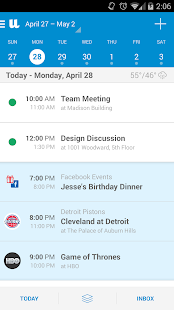
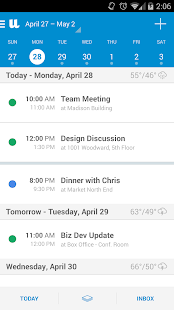
- New, multi-layered calendar interface.
- Swipe an event on the back layer to bring it to the front layer.
- Integrated daily weather forecast.
- Facebook events.
- Thousands of public calendars, including TV Shows, concerts, and popular events.
- Multiple calendar views: Day, Week, Month.
- So much more!
Overview:
Life goes beyond meetings and appointments. Your calendar should too. UpTo gives you a more complete view of everything coming up that matters to you – without the clutter.
Featured on CNN, TechCrunch, Fast Company, Mashable and NBC Nightly News.
Experience a new dimension of the calendar:
Your UpTo calendar has two layers. The front layer is your existing calendar. The back layer includes calendars you follow based on your location, likes and interests. Expand your calendar to reveal the back layer of events with just a pinch or tap.
Follow the calendars you care about:
From your favorite sports teams and TV shows to upcoming concerts and even the people in your life, UpTo has you covered. Discover thousands of public calendars and follow the ones you care about.
Privately connect with friends:
Unlike other calendars that are limited to all-or-nothing sharing, UpTo lets you privately connect with close friends and family to share events on an event by event basis.
Sync your existing calendars:
UpTo works with Google Calendar, Outlook, Facebook Events and any other calendar that syncs with your phone.
UpTo Widget:
View events from your personal calendars, Facebook, and calendars you follow in UpTo directly on your phone's homescreen.
Have questions? Comments? Just want to say hello? Email us any time at support@upto.com. We're here to help
Toshl Finance Budget & Expense 1.7.20
5/29/2014 4:14:22 AM
Current Version: 1.7.20
Requires Android: 2.2 and up
Category: Finance
v1.7.20 update:
- added support for Toshl Currency Converter
Overview:
★★★★★ “Of all the apps for monitoring spending, one of the hardest to beat is Toshl Finance." – New York Times
★★★★★ “Now I know where my money is disappearing to, thanks to Toshl…" — BBC
★★★★★ " Toshl is simple to use and organizes expenses in a streamlined manner. If you use multiple smartphones running on a variety of platforms, you will really love Toshl. " — The Next Web
★★★★★ Winner of The Europa award 2013 for Best Commerce, Finance or Payments Startup
Toshl Finance is a personal finance manager made fun. Find out where your money is going, keep on top of bills and spending, set up budgets and live easy with a financial peace of mind.
It's intuitive, safe, private, designed with character and attention to detail. Toshl is like your personal financial advisor that's with you all the time. Except it's less awkward in bed. 
★ Expense tracker
- track expenses and incomes with ease
- incredibly quick & intuitive expense entry
- set up repeating expenses and incomes to organize your bills
- export your expense reports into PDF, Excel, Google Docs and CSV
★ Budget keeper
- easy and versatile budgeting
- track spending and make budgets for specific tags
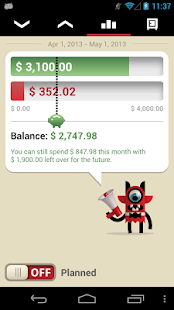
- compare the rate of your spending with the time of the month
- one-time budget, daily budget, weekly budget, bi-weekly budget, monthly budget, yearly budget
- move remaining funds to the next budget
- learn from your budget history
★ Bill organizer
- reminder for your bills as they become due
- plan family bills for upcoming months and know how much your family can spend
- note when you need to repay your loans
★ Travel companion and currency converter
- works with any currency
- track your spending and budget your travel
- convert foreign currencies
- daily updated exchange rates for top 160 currencies
- enter custom exchange rates
★ Finances on multiple devices
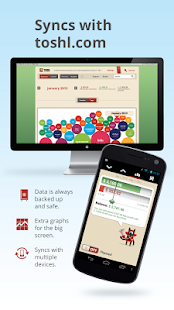
- automatically syncs with multiple devices and toshl.com
- access your personal finances from anywhere, just log in
- track family finances with other family members in the same account
★ More graphs & backup on toshl.com
- manage your finances on the big screen
- visualize your finances with infographics
- your data is automatically backed up and saved
★ Keep it safe and private
- use a passcode to lock the app
★ Toshl Pro
The Toshl Finance app is free to use, but there are more features and capabilities available with Toshl Pro that can be purchased within the app.
Toshl Pro – $1.99 monthly subscription
Toshl Pro – $19.99 yearly subscription
You get:
- multiple budgets
- multiple monthly incomes & repeating incomes
- more export options (PDF, Excel, Google Docs & monthly email reports)
- more cool graphs on the web
- search on the web
Not to mention all the positive karma points you get for supporting the development of Toshl Finance.
★ Ahead of Mint, Pageonce, EasyMoney, Expense Manager
Use Toshl, track your money spending and save money with ease. Compare it with other finance managers and budget apps like Expense Manager, My Budget Book, EasyMoney, Mint, Pageonce, Mint.com, Daily Money, Spendroid, You Need a Budget, Money Manager and enjoy the ease of use and security in Toshl Finance Expense Tracker.
Why is Toshl Finance better than Mint, Expense Manager, Pageonce or EasyMoney?
- Mint.com only works in the US and Canada, Lemon.com, Pageonce only in the US,
- less cluttered, prettier and easier to understand than Mint.com, EasyMoney or Expense Manager
- Mint.com is only available on Android and iOS, EasyMoney and Expense Tracker on Android, but Toshl Finance is available on Android, Windows Phone, iOS, MeeGo, Symbian with cross-platform sync
- friendly Toshl Monsters to make finance fun and quirky!
Every Stripe Live Wallpaper 1.3.03
5/29/2014 3:53:50 AM
Current Version: 1.3.03
Requires Android: 2.3 and up
Category: Personalization
v1.3.03 update:
1.3.03
• bug fix
Overview:
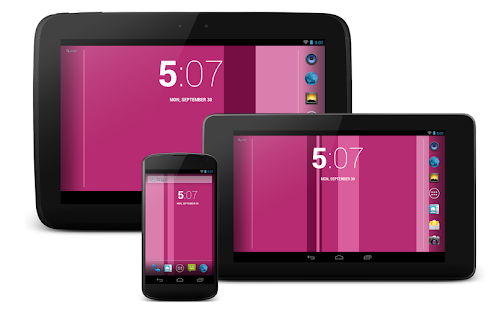
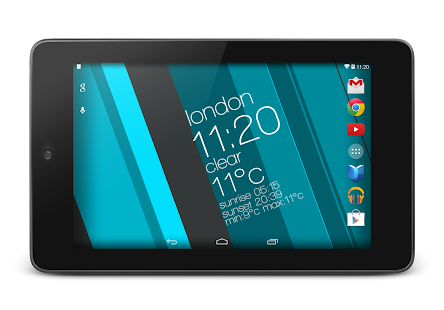
Express your feelings through the colors and put them on your homescreen or share with your friends!
If you are looking for minimalistic but animated and live wallpaper then you just found it!
Simple but beautiful. That's Every Stripe Live Wallpaper.
————————————————————-
Features:
• animated live wallpaper
• highly customizable
• 31 built-in color themes
• billions of possibilities when using Palette Creator
• support for every screen
• ultra-low battery and memory usage
• hardware accelerated graphics
This is a live wallpaper application so you have to set it up via launcher icon (Every Stripe icon and then follow the instructions) or go to
Settings -> Display -> Wallpaper -> Live Wallpapers -> Every Stripe and tap “Set wallpaper” button
Camera 2 3.0.0
5/29/2014 3:53:39 AM
Current Version: 3.0.0
Requires Android: 4.0.3 and up
Category: Photography
v3.0.0 update:
3.0.0
* Totally reworked UI
* New metallic look for the whole app
* New effects bar with bigger thumbnails, it can also be hidden
* New more intuitive menu that appears from the bottom of the screen
* New icon
* Different interface for tablets
* Video import
* On some devices you can now load existing videos into the app and add effects to them
* Other improvements
* On some high end devices, you can now record 1080p video with effects
* Many other bug fixes and general improvements
Overview:
Camera 2 is the ultimate real-time effects app.
Take better pictures, amazing videos and have fun creating them.
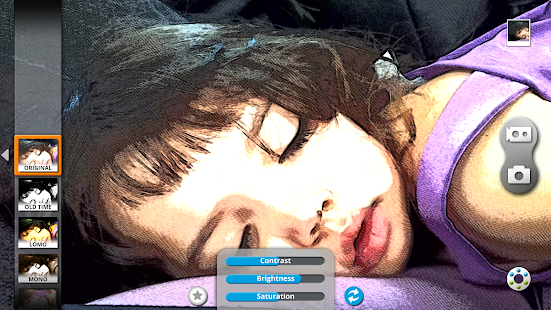
Featuring many unique high quality effects, grouped into families sharing a common theme:
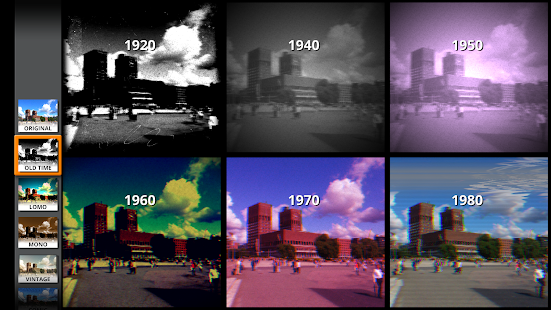
● Old Time: make your camera look like something from the 20's, 40's, 50's, 60's, 70's or 80's
● Lomos and Vintage: more subtle retro effects
● Comic and Sketch: to express yourself, half tone, B&W, printed comics, new style, mix and match
● Art: sometimes you just want to create a piece of art with a tap
● Sci-Fi: see it to believe it
● Computer: and finally, for every geek out there, this is unmissable: old computer monitors
Many of the effects can be boosted by applying a superb “out of focus”/”depth of field” filter, and, as usual, it's all real time.
Main features:
● Capture high resolution photos with effects, or apply them to your existing images
● Capture video with effects (*)
● All the features from a standard camera app: Auto-focus, timer, flash modes etc.
● More than 40 high quality effects
● Share your creations straight from the app
● Tweak each effect to achieve your own unique look
(*) Video recording requires that your device supports NEON instructions, most modern devices do.
FAQ
● Why does the video recorder launch the default camera recording app?
- On some devices this happens when taking unfiltered videos because it is faster
● Zoom doesn't work on the preview of my device why?
- Try the Software Zoom option in the settings, this might fix the problem.
CUSTOM ROMS
● Camera 2 doesn't officially support custom ROMs. The app might work, but there are know issues especially with CyanogenMod. Please update to an official ROM or ask us for a refund if you've purchased the app.
POLICIES
If you are unhappy with the app please contact us to our support email we'll try to either fix the problem or give you a full refund.
Feel free to contact us if you want to share your feedback or experience.
Finally, Camera 2 does not store/collect/send/manage any personal data, all photos and videos taken with Camera 2 are solely yours and yours only.
PERMISSIONS
Internet: only required to share your pictures. If you don't share, internet won't be used.
Microphone: only to record audio with your videos, no other use.
Location: only used to store location to your photos, it's disabled by default and it's optional.
LEGAL
This software uses code of FFmpeg licensed under the LGPLv2.1 and its source can be downloaded here: jfdplabs.com/ffmpeg
Fives 1.7.0
5/29/2014 3:32:41 AM
Current Version: 1.7.0
Requires Android: 4.0.3 and up
Category: Puzzle
v1.7.0 update:
- New 'Head Start' mode which gives you a head start!
- Bug fixes
Overview:
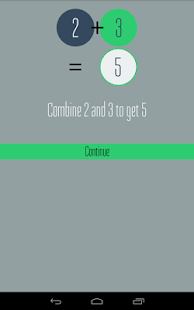
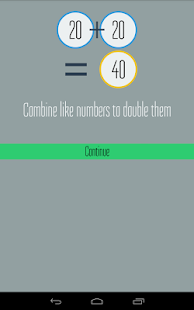
Fives is a deceptively simple puzzle game where you match similar numbers. You can combine twos and threes, but not twos and twos, or threes and threes!
“Fives for Android can replace your Flappy Bird addiction!” – Android Community
“Like Threes! for iOS? Fives provides a similar experience for Android.” – Android Authority
“Fives is a free alternative to Threes! for Android users!” – Pocket Gamer
“Great challenge, great mechanics, great fun. What else can I say. I should be in bed but I'm up playing my tenth 'one more game'…” – Jeremy S
- Multiple game board sizes (including Expert Mode)
- Timed Mode for quick scoring games
- Undo your last move!
- Randomize the next piece
- Google Play Games integration to compare scores with your circles, and those across the world, as well as sync your scores and progress across devices
- Unlock 30 different achievements
- Quickly and easily share your high score screenshot with friends on any service
- Very lightweight and easy on your battery.
- Android exclusive! Fully designed for Android, so no overhead from Unity or other cross-platform libraries.
Join the Fives Beta and give your feedback!
http://bit.ly/FivesGameBeta
AllCast 1.1.1.0
5/29/2014 3:32:26 AM
Current Version: 1.1.1.0
Requires Android: 4.0 and up
Category: Entertainment
v1.1.1.0 update:
AllCast Receiver for Chrome support… whaaaaat?
https://chrome.google.com/webstore/detail/allcast-receiver/hjbljnpdahefgnopeohlaeohgkiidnoe
Overview:
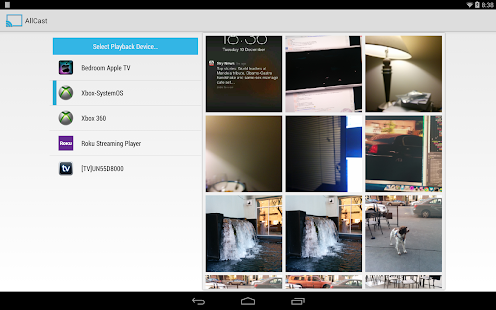
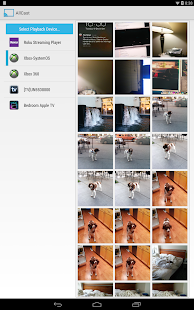
AllCast lets you send photos, music, and videos on your Android to your TV!
AllCast lets you cast to:
* Chromecast (http://amzn.to/1lOq4bI)
* Subtitles supported
* Amazon Fire TV (http://amzn.to/OMqmnj)
* Subtitles supported
* Apple TV (http://amzn.to/1izCgJ3)
* Xbox 360, Xbox One (http://amzn.to/1iBWxz1)
* Roku (http://amzn.to/1ef4T2p)
* WDTV (http://amzn.to/1oRCTGX)
* Samsung, Sony and Panasonic Smart TVs
* Other DLNA Renderers
This is the free version of AllCast, which has a 5 minute viewing limit on pictures and videos. Upgrade to the premium version to remove the viewing limit.
*Permissions:*
Internet – Streaming from Dropbox/Drive
Wifi/Network State – Check if wifi is on
Change Wifi States – Search for devices on local network
Wake Lock – Keep Android on while streaming
Read/write External Storage – Play from SD Card
Read Phone State – Used for premium license verification
Get Accounts – Search for Google accounts
Use Credentials – Log into Google Drive
Superuser – Google Music casting
Troubleshooting? Check out the wiki:
https://github.com/koush/support-wiki/wiki/AllCast-Wiki
ZPlayer 3.99.44
5/29/2014 3:31:45 AM
Current Version: 3.99.44
Requires Android: 2.2 and up
Category: Music & Audio
v3.99.44 update:
-bug fixes
-added option to manually add podcast link
-modified 'colorify' to affect dialog
-application will now remember podcasts which have been previously played.
Overview:
Try out new ZPlayer features by joining the Beta testers.
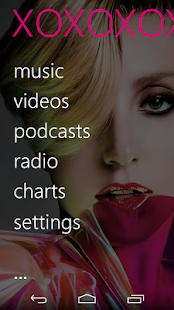
Zplayer is designed around the easy and content driven "metro" style. Although looking minimal, it packs a huge punch!
ZPlayer offers:
• Music Features
- Media Player
- Listening history
- Auto generated playlists (Most Played, Favorite songs, Recently Added)
- Metadata (Album reviews, artist biographies, similar artists, similar albums)
- Music weekly trends (artist top tracks, top songs, top albums)
- Artist events*, song lyrics*.
• SongKick Events
• Last.fm Features:
- Last.fm scrobbling.
- Last.fm 'now playing' status updates.
- Last.fm 'likes' submissions.
- Last.fm messaging (ShoutBox) to other users.
- Last.fm scrobbling history.
• Podcast Features
- Video podcast streaming, subscriptions, downloads, player.
- Audio podcast streaming, subscriptions, downloads, player.
- Podcast search and recommendations.
• Online Radio
- Shoutcast Radio streaming (with DNAS metadata).
- Radio station search.
- Dar.fm radio listings and search
• Multilanguage Support
- ZPlayer supports English, Dutch, French, Spanish, Finnish, Italian, Russian, Turkish, Polish, Hebrew, and Portuguese languages
• ID3 Tag editor
- Single track ID3 editor
- Album editor (artist name, album year)
- Album Art Editor (API Search, Art generator, Pick from Gallery, Use camera to capture Image)
• Video player
- Fullscreen video player
- Sectioned catergories (Music videos, Movies)
- Editable 'music videos', and 'movies' directories
• Browse the albums sections not in your library and even get the album prices, 30 seconds audio samples of tracks, and "Buy" links to the albums.
• Audio Effects
- Audio Equalizer
- Create, save and manage equalizer profiles
- Bass boost
- Virtualizer
- Automatic EQ (based on track genre) **
- Audio Balance
• ZPlayer now fully supports ICS, Status Bar+, and features 5 beautiful widgets, which give different functionality.
• Cool features, including artist background images and panoramas, changeable background images.
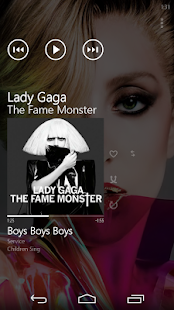
• Swiping the application homescreen to the left/right shows the 'current playing' song and listening history, and "xtras"
+To jump to the 'now playing' screen, use the volume controls to reveal the music controls, and then tap on the track or artist name.
++ if you use a third party equalizer that controls the output mix for all media playing on the device, disable it before using this application. This application needs to control its own audio effects.
** For device sporting Android 2.3+
App Habits 1.2.1
5/29/2014 3:31:29 AM
Current Version: 1.2.1
Requires Android: 4.0 and up
Category: Productivity
v1.2.1 update:
Version 1.2.1
- List of never used apps
- New website www.apphabitsapp.com
- New fancy icons
- Additional info in the cards
- Minor bug fix
Overview:
App Habits is currently in Open Beta
How much time do you spend in calling? or in reading emails? do you have the feeling of wasting your time with useless tasks or apps?
How about a magic tool that helps you to understand how you use your time and will suggest the right app at the right moment? A sort of daily journal about your device usage?
According to O2 Media Advertising, 70% of users consider their smartphone their “most important screen” (http://goo.gl/4yGnsx) and we know that the time you spend with your device needs to be useful and efficient.
Know your time, improve your life.
App Habits helps you in tracking the time you spend with your device so that you can:
- better organize your tasks;
- understand which are the apps you use to carry on your everyday activities;
- optimize the quality of the things you do with your devices;
- eliminate useless apps;
- improve your work performance and enjoy more spare time;
- determine which daily routines make you loose time;
- check which apps you use day by day
- more and more…
How App Habits works?
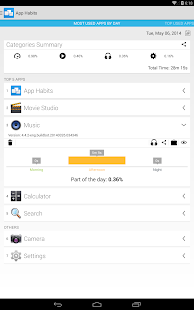
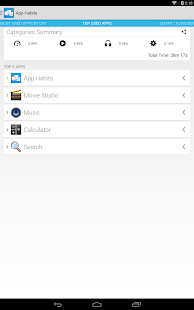
App Habits assists you to explore your app habits with your device. Automatically it takes care of how you use apps and it is able to provide statistics and fancy visualization. One of the most amazing feature are the graphs, you can simply visualize in which moment of the day you used the app as the part of the day spent with it. App Habits adapts the information and its behavior to your needs, but lets to you the control: you can categorize, hide, share or even delete the app from your device. Another magic feature is the journal that is the possibility to navigate back in time and see which apps have been used in the past. (Check the in app help for more info)
First of all, why I need to sign-in?
The sign-in is needed to provide you with a unique and personalized experience with App Habits! Several features like: Journal, It's time for…, Global Statistics Summary or accessing App Habits from multiple devices will not work properly without it. There are several way to sign-in, you can do it via Facebook and Twitter or you can just enter your email and a password of your choice. In this last case an email will be sent to your email to verify your account.
What is App Habits Smart Launcher?
App Habits Smart Lancher helps you in finding the app you need at the moment you need them. It is something magic, we know, but App Habits understands your needs and reorders the apps in the Smart Launcher so that you can find the app you was looking for easily and quickly. (Check the in app help for more info)
… and It's Time For?
App Habits knows that your time is very important as much as fast access to your apps. It's Time For is a special control bar in the notification area, from there, you can launch directly an app. The candy is that the app shown are very probably the apps you are going to use! Now it comes also as widget! (Check the in app help for more info)
Never used apps
App Habits is now able to show you which apps have been never used on your device so that you can decide what to do with them. As always App Habits lets you to take the final decisions.
App Habits is currently in open beta, we are doing our best to provide with you an amazing service and features, but some bug can still be there. We enjoy to get feedback, suggestions and also bug reports from our awesome users. Feel free to circle us on Google Plus http://goo.gl/vrqDFp or send us an email at: orthogonal.minds+apphabitssupport@gmail.com
We hope you will enjoy App Habits. Know your time, improve your life.
invi Messenger 1.0.2
5/29/2014 3:31:01 AM
Current Version: 1.0.2
Requires Android: 4.0 and up
Category: Communication
v1.0.2 update:
v.1.0.2
Google Play!
v.0.9.19
✓ Crash fix
✓ UI improvements
v.0.9.18
✓ Bug fix
✓ Camera flash state saving
v.0.9.16
✓ i18n
✓ share invi links
✓ UX improvements in swipe
✓ various UI fixes
v.0.9.15
✓ added new app to media controller
✓ sharing to invi is enabled
✓ various UI fixes
v.0.9.14
✓ added segment.io
✓ finished drag&drop animation
✓ various bug fixes
v.0.9.13
✓ added drag&drop animation
✓ added media viewer button animation
✓ app will not vibrate when device is silent
Overview:
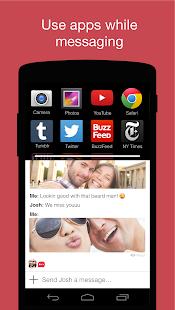
Use apps while you chat. Continue messaging with your friends while you watch YouTube clips, play games, read articles, listen to music, browse the web, and take and edit photos. Drag and drop to share things directly with your friends.
What's New:
5.13.2014
Entirely new version of invi released!
Features:
* Use other apps while messaging
* Hold and drag to share
* Group chats
★ Multitask while messaging: invi's split screen lets you use apps while you message. For example, watch a YouTube clip while you continue chatting with your friends. You can also enlarge the split screen to see everything in fullscreen. invi already has some of your favorite apps built-in, with more on the way
★ Hold and drag to share: Share things directly from the split screen by holding and dragging YouTube videos, photos, articles, and web pages from the split screen into the chat window.
★ Group chats: Spark group conversations with YouTube videos, news articles, games and much more.
★ Free messaging: The app and all messages are free. Messages are sent over wifi and data.
★ No Ads: That's it. There are no ads in invi.
★ Follow us:
Facebook.com/invi
Twitter.com/invi
★ Rate us:
Show us some lovin'! A five-star rating and nice comment will make us smile 
★ Permissions And Privacy:
invi will never use or transfer your personal information for any purpose other than allowing invi to function properly on your device. See full documentation of permissions required and why we require them here: http://goo.gl/az3TYq
★ Become a Beta Tester:
Get the newest versions of invi before they hit the market. Play, explore and tell us what you think. Sign up here: http://goo.gl/bSGyR

You are receiving this email because you subscribed to this feed at feedmyinbox.com
If you no longer wish to receive these emails, you can unsubscribe from this feed, or manage all your subscriptions


No comments:
Post a Comment