 | Start using Mint today to set a budget, track your goals and do more with your money. From our sponsors  |
| APKTOP |
| Free Android Apps,Games Download From Android Market |
Camera 2 3.0.1
5/30/2014 4:20:52 AM
Current Version: 3.0.1
Requires Android: 4.0.3 and up
Category: Photography
v3.0.1 update:
3.0.1
● Tweaks to the icon and other various small fixes
3.0.0
● Totally reworked UI
● New metallic look for the whole app
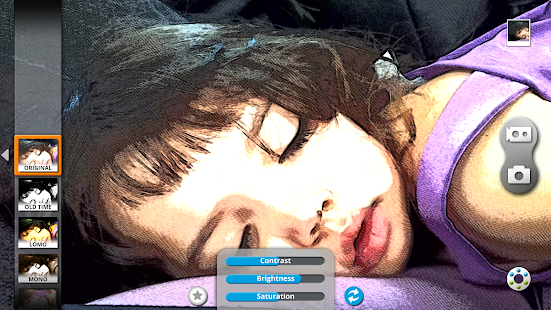
● New effects bar with bigger thumbnails, that can be toggled on and off
● New menu that appears from the bottom of the screen
● New icon
● Other features
● On some devices you can now load existing videos and add effects to them
● On some devices you can no record 1080p video with effects
● Many other bug fixes and general improvements
Overview:
Camera 2 is the ultimate real-time effects app.
Take better pictures, amazing videos and have fun creating them.
Featuring many unique high quality effects, grouped into families sharing a common theme:
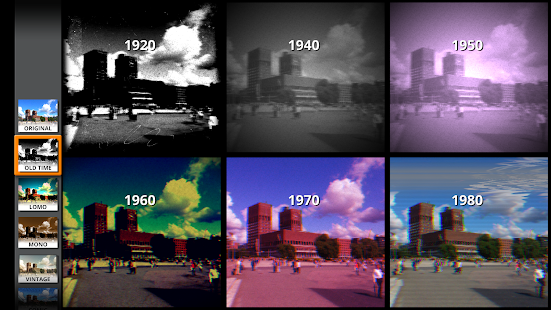
● Old Time: make your camera look like something from the 20's, 40's, 50's, 60's, 70's or 80's
● Lomos and Vintage: more subtle retro effects
● Comic and Sketch: to express yourself, half tone, B&W, printed comics, new style, mix and match
● Art: sometimes you just want to create a piece of art with a tap
● Sci-Fi: see it to believe it
● Computer: and finally, for every geek out there, this is unmissable: old computer monitors
Many of the effects can be boosted by applying a superb “out of focus”/”depth of field” filter, and, as usual, it's all real time.
Main features:
● Capture high resolution photos with effects, or apply them to your existing images
● Capture video with effects (*)
● All the features from a standard camera app: Auto-focus, timer, flash modes etc.
● More than 40 high quality effects
● Share your creations straight from the app
● Tweak each effect to achieve your own unique look
(*) Video recording requires that your device supports NEON instructions, most modern devices do.
FAQ
● Why does the video recorder launch the default camera recording app?
- On some devices this happens when taking unfiltered videos because it is faster
● Zoom doesn't work on the preview of my device why?
- Try the Software Zoom option in the settings, this might fix the problem.
CUSTOM ROMS
● Camera 2 doesn't officially support custom ROMs. The app might work, but there are know issues especially with CyanogenMod. Please update to an official ROM or ask us for a refund if you've purchased the app.
POLICIES
If you are unhappy with the app please contact us to our support email we'll try to either fix the problem or give you a full refund.
Feel free to contact us if you want to share your feedback or experience.
Finally, Camera 2 does not store/collect/send/manage any personal data, all photos and videos taken with Camera 2 are solely yours and yours only.
PERMISSIONS
Internet: only required to share your pictures. If you don't share, internet won't be used.
Microphone: only to record audio with your videos, no other use.
Location: only used to store location to your photos, it's disabled by default and it's optional.
LEGAL
This software uses code of FFmpeg licensed under the LGPLv2.1 and its source can be downloaded here: jfdplabs.com/ffmpeg
invi Messenger 1.0.3
5/30/2014 4:19:53 AM
Current Version: 1.0.3
Requires Android: 4.0 and up
Category: Communication
v1.0.3 update:
v.1.0.3
Google Play!
v.0.9.19
✓ Crash fix
✓ UI improvements
v.0.9.18
✓ Bug fix
✓ Camera flash state saving
v.0.9.16
✓ i18n
✓ share invi links
✓ UX improvements in swipe
✓ various UI fixes
v.0.9.15
✓ added new app to media controller
✓ sharing to invi is enabled
✓ various UI fixes
v.0.9.14
✓ added segment.io
✓ finished drag&drop animation
✓ various bug fixes
v.0.9.13
✓ added drag&drop animation
✓ added media viewer button animation
✓ app will not vibrate when device is silent
Overview:
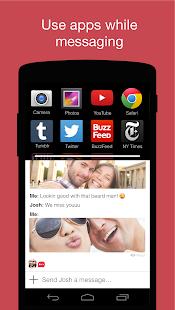
Use apps while you chat. Continue messaging with your friends while you watch YouTube clips, play games, read articles, listen to music, browse the web, and take and edit photos. Drag and drop to share things directly with your friends.
What's New:
5.13.2014
Entirely new version of invi released!
Features:
* Use other apps while messaging
* Hold and drag to share
* Group chats
★ Multitask while messaging: invi's split screen lets you use apps while you message. For example, watch a YouTube clip while you continue chatting with your friends. You can also enlarge the split screen to see everything in fullscreen. invi already has some of your favorite apps built-in, with more on the way
★ Hold and drag to share: Share things directly from the split screen by holding and dragging YouTube videos, photos, articles, and web pages from the split screen into the chat window.
★ Group chats: Spark group conversations with YouTube videos, news articles, games and much more.
★ Free messaging: The app and all messages are free. Messages are sent over wifi and data.
★ No Ads: That's it. There are no ads in invi.
★ Follow us:
Facebook.com/invi
Twitter.com/invi
★ Rate us:
Show us some lovin'! A five-star rating and nice comment will make us smile 
★ Permissions And Privacy:
invi will never use or transfer your personal information for any purpose other than allowing invi to function properly on your device. See full documentation of permissions required and why we require them here: http://goo.gl/az3TYq
★ Become a Beta Tester:
Get the newest versions of invi before they hit the market. Play, explore and tell us what you think. Sign up here: http://goo.gl/bSGyR

Don't Tap The White Tile 2.3.5
5/30/2014 3:58:37 AM
Current Version: 2.3.5
Requires Android: 2.3 and up
Category: Arcade
v2.3.5 update:
+ V2.3.5
Touch area of Share/Exit/Again expanded
Crash in About fixed
Other minor bug fixed
+V2.3.4
Add theme options, your can change the black color now
No more NEW ads while playing arcade/rush
Minor bug fixed
+V2.3.2
Security improved
Lags improved. Note: you would feel better and better after your first game.
Overview:
NOTICE:We use “Piano Tiles – Don't Tap The White Tile” as the name of iOS version on App Store.
LIKE PIANO TILES ON FACEBOOK!
http://www.facebook.com/piano.tiles
FOLLOW US ON TWITTER!
http://www.twitter.com/PianoTiles
So many new features for you.
We will keep improving our game, more features are coming soon.
Any advice and suggestions will be greatly appreciated!
Features:
Charming Piano Sound Effect
5 x 3 Awesome Game Modes
Smoother Gameplay
Better User Interface
Google Game Service Support
Social Share Support
Watch your step, DON'T TOUCH ANY WHITE TILE. This is the core rule in this additive game.
Is it easy? Everyone can handle it, but not everyone can handle it well. What about you?
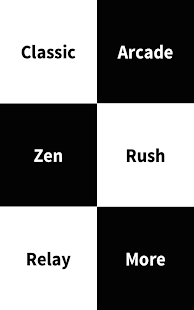
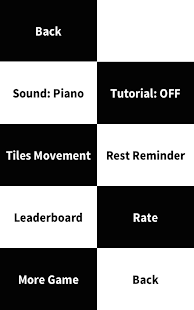
There are five modes in the game:
-Classic mode, get 25/50 black tiles as soon as possible.
-Arcade mode, try your best to tap the dark tiles as many as you can, and do not miss one.
-Zen mode, try your best to tap the black tiles as many as you can in 15/30 seconds.
-Rush mode, another Arcade mode with no upper speed limited.
-Relay mode, complete 50 tiles in 8/10/12 seconds, than you' ll get 8/10/12 more seconds for another 50 tiles.
サモンズボード 1.0.10
5/30/2014 3:57:45 AM
Current Version: 1.0.10
Requires Android: 2.3.3 and up
Category: Role Playing
v1.0.10 update:
・バトチケダンジョンが毎週土曜日と日曜日に出現するようになりました。
・コインダンジョンが毎週日曜日と月曜日に出現するようになりました。
・アプール湖畔の難易度調整を行いました。
・副属性が切り替わりやすくなりました。
・オプションに一度見た進化演出のスキップ設定を追加しました。
・探索終了時のPush通知を実装しました。
・ギルドマスターが30日以上ログインしていない場合にギルドマスターを交代する機能を実装しました。
・ギルド加入申請のキャンセルが行えるようになりました。
・細かな不具合の修正を行いました。
Overview:
ガンホーが放つ新時代のボードゲーム「サモンズボード」!
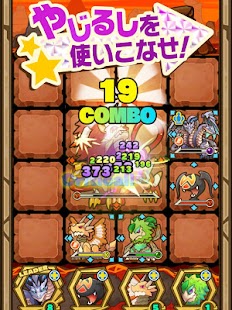
それは4×4マスの召喚盤の中で繰り広げられるモンスターバトル!
—————————————————————–
「サモンズボード」のダウンロードは無料!
一部有料コンテンツもご利用いただけますが、最後まで無料でお楽しみいただくことが可能です。
▼基本ルールはターン制バトル!
①モンスターをスライド操作で移動させよう!
→モンスターごとに移動できる方向が決まっているぞ。
②上手に敵に近づき攻撃しよう!
→モンスターの移動出来る方向がそのまま攻撃できる方向だぞ!動かしたモンスター以外にも攻撃できるモンスターがいたら一斉に攻撃するぞ!
③同時に沢山の味方モンスターで攻撃しよう!
→1度に沢山の味方モンスターで同じモンスターを攻撃すると「コンボ攻撃」が発動!1体で攻撃するより沢山のダメージを与えられるぞ!
▼獲得したモンスターで自分なりのチームを組もう!
敵を倒すとポーンをゲット!ダンジョンをクリアするとモンスターが仲間になるぞ!
移動攻撃方向やスキルなどモンスターによってそれぞれ違うモンスターの能力を見極め、あなただけの最強チームを編成しよう!
▼モンスター育成
モンスターを育成するとモンスターがパワーアップ!
さらにモンスターを育成すると進化するモンスターも…!
強力なモンスターを育ててバトルを有利に進めよう!
▼一致団結ギルド結成!
ゲーム内で知り合った友達とギルドを結成!
一緒にギルドを育てるとギルドメンバー全員のモンスターが強くなるよ!
友達と一緒にギルドを育てて手強い敵モンスターをやっつけよう!
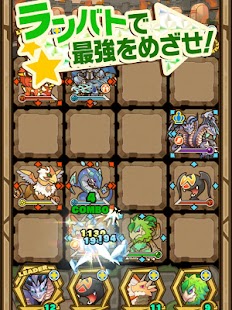
▼ランバトで自分の力を試しちゃおう!
自分の育てたモンスターでお手軽ランキングバトル勝負ができるよ!
ランキングバトルの相手はなんとあなたと同じ冒険者!
育成した自慢のモンスターで簡単腕試しをしちゃおう!
【価格】
アプリ本体:無料
※一部有料アイテムがございます。
ご利用前に必ず利用規約をご確認ください。お客様が本アプリケーションをダウンロードされた場合、利用規約に同意したものとみなされます。
利用規約:http://mobile.gungho.jp/reg/rules/index.html
アプリケーション公式サイト:http://sb.gungho.jp/
—————————————-
【その他のガンホーのゲーム】
◇◆モンスターを育ててパズルで冒険◆◇
「パズル&ドラゴンズ(パズドラ)」
◇◆兵士を蹴り飛ばしてモンスターを倒せ!◆◇
「ケリ姫スイーツ」
◇◆新感覚パネルRPG◆◇
「ディバインゲート」
◇◆1回20秒の操作で天下統一◆◇
「戦国テンカトリガー」
◇◆世界で一番イカれたタワーを作ろう◆◇
「クレイジータワー」
BSPlayer 1.15.168
5/30/2014 3:54:19 AM
Current Version: 1.15.168
Requires Android: Varies with device
Category: Media & Video
v1.15.168 update:
1.15.168
- added multi select option
- more intents supported
- experimental Chromecast support (mostly for mp4's)
- preamp is now remembered
- SMB scan should now also work with ethernet connections
- fixed reversed prev/next in notification area
- some other bug fixes
1.14.167
- added playback controls to notification area (4.1+)
- some small bug fixes
Overview:
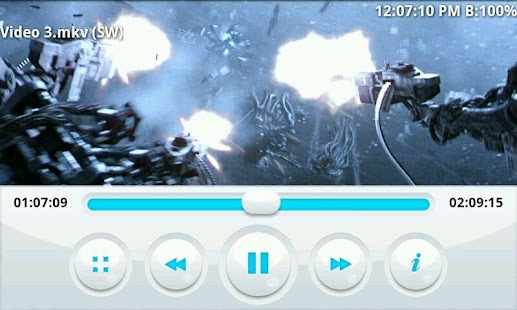
This is full version of BSPlayer for Android multimedia player with full functionallity.
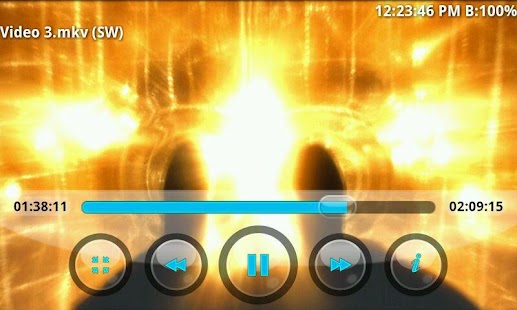
BSPlayer is media player for Android devices: smartphones and tablet PC's, supporting hardware accelerated video decoding, automatic subtitle search and buffered network playback from SMB shares.
Main features:
- ONLY in full version: experimental support for Chromecast (most mp4's are supported)
- NO ADS
- Android 4.4 KitKat compatibility
- hardware accelerated video playback – significantly increases playback speed and reduces battery consumption, supporting multi-core (dual and quad-core) hardware decoding*
- audio pre-amplification (“volume boost” – user definable up to 500%)
- playback in popup window (audio and video)
- support for almost any media file type (video and audio), such as: avi, divx, flv, mkv, mov, mpg, mts, mp4, m4v, rmvb, wmv, 3gp, mp3… and streaming content such as RTMP, RTSP, MMS (tcp, http), HTTP Live stream, HTTP.
- aspect-ratio adjustments and zoom
- multiple audio streams and subtitles
- supports customizable gestures for Seek, Jump, Brightness and Volume control, exit to popup video
- playlist support and various playback modes.
- support for audio headsets and external Bluetooth keyboards
- customizable audio offset, playback speed, gestures and keys
- external and embedded subtitles ssa/ass, srt, sub, txt…
- Automatic subtitle search (mobile or Wi-Fi connection must be enabled to work)
- playback media files such as videos and mp3's directly via Wi-Fi from your network shared drives/folders (such as external USB drives, SMB shares, PC shared folders, NAS servers (Synology and others)) – no need to convert video files and copy media files to SD card
- Playback files directly from uncompressed RAR files
- Lock screen to prevent accidental change of videos (child lock)
- support for USB OTG (On-The-Go) and much more!
****** Licensing troubleshooting: ******
- If after the purchase and installation of the app you get a license failure notification, this is because the purchase may take some time to be recorded on the Google license server. It will resolve within a few hours or you can try re-installing and restarting your device.
- If your download is declined, your credit card authorization will have failed. Please update your card details (usually the address doesn't match) and retry the purchase.
- If you get “Not compatible with your device” from the Market App, please try clearing your Market App Cache (Settings, Applications, Market, Clear Cache) and restarting your device.
- BSPlayer app uses Google's standard licensing service. Keep Wi-Fi or mobile data enabled at the the first run of application. Further internet connection will not be required. Also, for existing users having problems with licensing – you may try “Clear app data” function and run app with internet connection enabled. This should license your app.
If you are having any issues with licensing, please send us an email to sales@bsplayer.com and we will fix the issue.
This package includes support for ARMv7 with VFP and NEON. For other CPU types please download appropriate package. Application will notify you which package you need.
NOTE: When reporting error please add info about your smartphone brand and model. Also you can send us more detailed bug report on e-mail android@bsplayer.com. We are trying to improve the media player for the users and your feedback is highly appreciated.
* Hardware acceleration support depends on device video decoder capability. Hardware accelerated playback in portrait mode may be corrupted on some HTC models (eg. on HTC HD, it is a hardware issue). Also on some devices (Samsung galaxy S2) zoom/stretch may not work on all videos.
This video player uses code of FFmpeg licensed under the LGPLv2.1 and its source can be downloaded from BSPlayer website.
Dedicated support forum can be found here http://forum.bsplayer.com/bsplayer-android/.
Minuum Keyboard 2.5
5/30/2014 3:53:47 AM
Current Version: 2.5
Requires Android: 4.0 and up
Category: Productivity
v2.5 update:
2.5
- New blue theme!
- Fixed emoji colors and other theme issues
- New “enter to send” advanced option
- Gesture sensitivity improvement
- Advanced gesture sensitivity slider
- Badge for Indiegogo backers
- ß can now be typed with shift pressed
- Bug and crash fixes
2.4
- New themes can be set under Settings-Look & Feel
- Add purchase/unlock badge in Settings
- Added new permission to enable GCM services
2.3/2.2
- Custom sounds with adjustable volume
- Dictionary and typing speed bonus panel
Overview:
MINUUM – The smarter, smaller keyboard that lets you do more with your screen space. It's the little keyboard for big fingers!
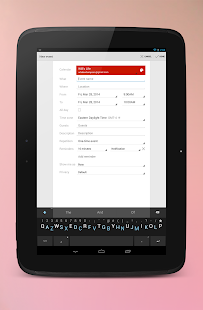
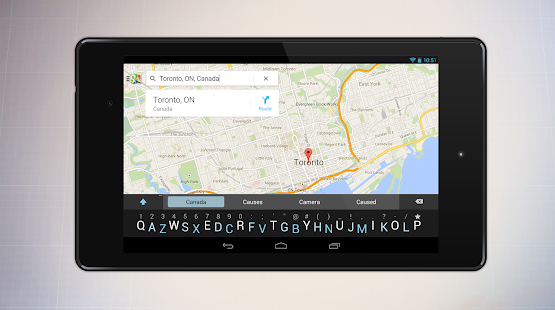
Minuum takes up less than half the screen space of regular keyboards while still allowing you to type delightfully fast and surprisingly sloppy—all thanks to revolutionary new auto-correction. Spend 15 seconds with the introductory tutorial and you'll be able to start typing with Minuum—instantly. The more you type, the better Minuum gets. Try it now.
BONUS PANELS
Minuum is always finding ways for you to enjoy your screen space through brand new bonus panels:
★ EMOJI—Add fun to all your messages via immediate access to 856 emoticons
★ CURSOR CONTROL—Tweak your texts, emails, and posts with ease
★ CLIPBOARD TOOLS—Quickly cut, copy and paste
★ SEARCH & SHARE—Instantly access thesaurus, dictionary, Google search, and share functionality
★ TYPING SPEED—Monitor your typing speed
MULTI-LANGUAGE CAPABILITY
Download different language modules and quickly switch between them. We currently support:
• English
• Spanish
• French
• German
• Italian
• Portuguese-BR (new)
• More coming soon!
SMART WATCH SUPPORT
Minuum is the ideal keyboard for the small screens of smart watches. To try Minuum on your smart watch for free, simply send an email to: free@minuum.com
DISCOVER MORE
The Minuum keyboard for touchscreens is the first step toward a “type anywhere” future. Smart watches are just the beginning. Soon Minuum will let you type in ways you never imagined. For more information: http://www.minuum.com
FEATURES AT A GLANCE
• MORE SCREEN SPACE
Recover more than half of the touchscreen space you lose when using traditional virtual keyboards.
• FAST SLOPPY TYPING
Type fast without worrying about precision, thanks to ridiculously smart auto-correction that learns as you type.
• HELP FOR THE LARGE-FINGERED
Use key magnification for precise letter, number, and punctuation entry—very useful if you have large fingers.
• FAMILIAR KEYBOARD LAYOUT
You already know how to type with Minuum—it's just your familiar layout, minimized.
• DIFFERENT ALPHABET ARRANGEMENTS
Choose from alternate keyboard layouts—such as "QWERTZ," "AZERTY," "A-Z."
• EXPANSION TO FULL-SIZED KEYBOARD
Press with two fingers on the keyboard to quickly switch between mini and full-size modes (useful for URLs and passwords).
• SMART WORD PREDICTION
Speed up your typing via suggestions from a predictive engine that learns from your word list, word combinations, and language use patterns.
• VOCABULARY CONTROL
Minuum learns from your vocabulary, and lets you delete words from your dictionary though a pop-up display.
• RAPID GESTURE SHORTCUTS
Slide your fingers to the corners for quick, convenient access to all your features via pop-up keys.
• VOICE TYPING
Enter text hands-free via Google Voice Typing for voice-to-text typing when performing other activities.
• REAL MULTITASKING
If you've got split-screen capability, multitask more effectively as a result of extra screen space.
• BETTER TEXT EDITING
Edit more efficiently using these bonus panels: cursor control, tools.
• EASY CAPS
Quickly change capitalization of typed words using the shift key.
SUPPORT
Visit http://support.minuum.com to:
• Share ideas with the Minuum community
• Give product feedback
• Get help
PRIVACY
We respect your privacy. The Minuum keyboard stores data about your typing tendencies on your device. We do not collect this information remotely and will not do so without first asking you. Please consult our privacy policy at: http://www.minuum.com/data
ABOUT OUR NAME
Some people call us "Minum" or the "Minimum" keyboard but an easy way to remember "Minuum" is to think of a continuum of letters taking up minimal space.
For updates, join our mailing list at http://eepurl.com/zwd8T
Try Minuum for FREE for 30 days: http://goo.gl/VuCnzj
Floating Calculator 1.0.7
5/30/2014 3:52:10 AM
Current Version: 1.0.7
Requires Android: 2.2 and up
Category: Productivity
v1.0.7 update:
Small bug fixes and improved memory consumption
Overview:
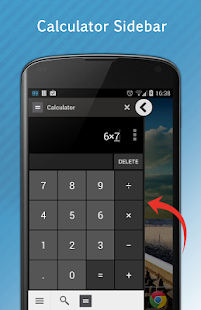
Floating calculator is a simple and elegant calculator app, floating at the front of your screen.
Update: Following questions from developers, we used an SDK called Tooleap to create the floating UI. You can join them here: www.tooleap.com
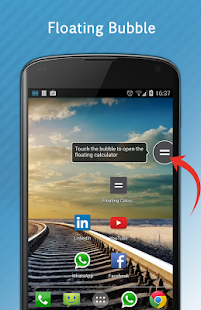
Floating Calculator places a floating bubble on your screen. Just click on the bubble to open the calculator.
You can freely move the calculator bubble, and toss it around the screen.
Floating Calculator gives you a simple and elegant multitasking solution available at the front of your screen.
You don't need to switch back and forth between apps to use the calculator.
Swipe the calculator screen to the left to find more arithmetic operations.
Floating Calculator is based on the Android stock calculator app first appeared in ICS, and is compatible with Android 2.2 and above.
Bonus!
Floating Search is included – Search is always one touch away!
With Floating Search you can easily search the web from anywhere on your device.
Any issues, requests or suggestions?
Email us at floatricks@gmail.com
Join the discussion at xda forums:
http://forum.xda-developers.com/showthread.php?t=2696583
If you like our app please rate us at the play store 
Alarmone -alarm clock/calendar 3.0.1
5/30/2014 3:52:04 AM
Current Version: 3.0.1
Requires Android: 4.0 and up
Category: Tools
v3.0.1 update:
3.0:
- Upgrade to Alarmone³
Overview:
Alarmone has been upgraded to Alarmone³ with all-new features and user interface.
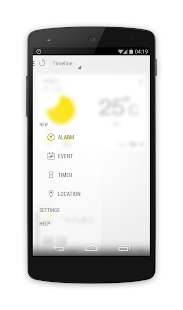
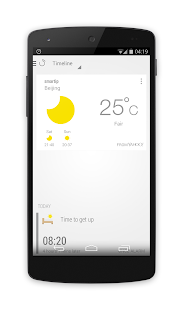
Alarmone takes alarm clock, timer, calendar and event reminder into one app, and shows all your reminders in a timeline. Now you can just slide the screen then you could know your all day's schedule.
•Alarm that meets every needs from you. In addition to the regular repeat function. Alarmone also support single/dual week repeat, and even unlimited dates shift repeat.
•More functional calendar, which not only has the Chinese lunar calendar, but also shows festivals.
•Location based reminder. Powered by the brand new geofencing technology, Alarmone is able to implement location based reminders. Just pick a place on the map, you will receive a notification when entered or leaved.
•Reminder in Alarmone can sync with Google calendar, and you can also pick a location directly on map, using mobile maps app to navigate, add participants from Contacts, send SMS to them anytime.
•Local weather information
•Design for Android 4.4 KitKat
365 Days – So Fancy D-Day 1.3.0
5/30/2014 3:51:09 AM
Current Version: 1.3.0
Requires Android: 2.3 and up
Category: Tools
v1.3.0 update:
1.3
- Opacity setting dialog design changed
- Support Norwegian language
1.2.2
- Fix remaining days counting bug. (Thanks Jonas for the bug notice email)
1.2.1
Changes
- Swipe delete function on edit mode only
New features
- Support Chinese, Russian, Portuguese, Español, Danish, German languages
1.2
New features
- Sequence of days reordering feature on list view mode
- 5 styles of day added
- Starting day option added
Overview:
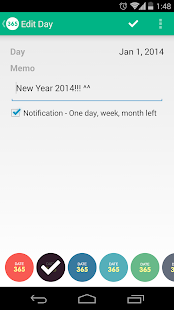
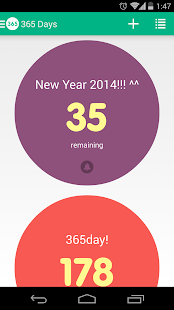
So Fancy D-Day App
Add your memorable days!
You can choose your own type.
It reminds you of the day, before one month, week and day.
One more thing!
Don't forget add app widgets in your home screen~
Design by namss
[Version history]
1.1.2
Changes
- Starting day is changed (0 -> 1)
D-2, D-1, D-day, 2 days, 3 days…
New features
- Widget resizing (Android 4.1+ available)
- Widget opacity setting
- Sync days with Google Drive Account (require Google Play Service)
- Android 2.3 support
- Text day list view
- Several design improvement
1.0.3
every years notification
To help translate another language.
http://goo.gl/W8WyMY
To be a beta tester
1. Join our Google+ Community – https://plus.google.com/communities/107693057796304214768
2. Opt-in to the beta – https://play.google.com/apps/testing/net.muik.days
3. Uninstall and reinstall 365 Days
Coursera 1.1.4
5/30/2014 3:50:29 AM
Current Version: 1.1.4
Requires Android: 4.0 and up
Category: Education
v1.1.4 update:
-added GET_ACCOUNTS permissions to allow automatic population of email address during sign in
-previously added READ_PHONE_STATE permission to allow better error tracking to debug video/network errors
-updated sharing in course preview page
-minor UI tweaks and upgrades
-minor bug fixes
Overview:
With Coursera, education is free, open, online – and now mobile!
Coursera connects students, professionals, and lifelong learners everywhere with free online courses from over 100 top-tier global universities and institutions. Browse courses and watch lectures from the world's best instructors anytime, anywhere – on your commute or on the treadmill, whether you're interested in cooking or computer science.
Features:
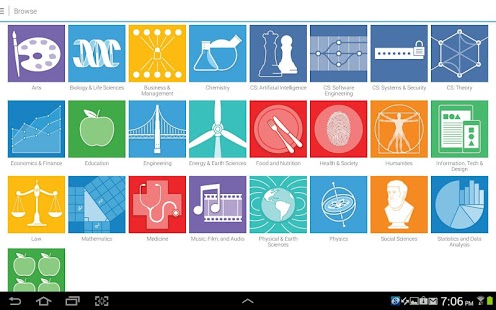
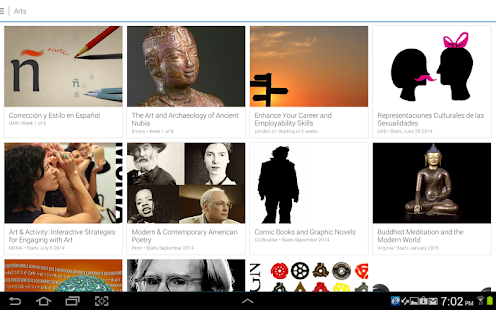
- Browse over 600 courses in more than 20 subject areas, from mathematics to music to medicine
- Enroll in courses and sign up for upcoming course notifications
- Learn from top instructors representing more than 100 partner institutions, including leading US and global universities
- Stream lectures online any time, or download for offline viewing
- Manage downloaded content with built in download manager
- Courses natively taught in 14 languages including English and many in Chinese, Spanish, Portuguese and Russian.
- Subtitles available in all courses' native language and other languages when available.
- Education on your schedule – watch short, modular lectures during your train ride, coffee break, or any other downtime in your day
The Coursera app is the official companion to Coursera.org site – catch up on lectures and prepare for assignments on the go!
You are receiving this email because you subscribed to this feed at feedmyinbox.com
If you no longer wish to receive these emails, you can unsubscribe from this feed, or manage all your subscriptions


No comments:
Post a Comment