 | BookBub brings you free & bargain national bestselling eBooks in the genres of your choice! Sign up now & join 1.5 million happy readers. From our sponsors  |
| APKTOP |
| Free Android Apps,Games Download From Android Market |
Zapya 2.6 (CN)
7/2/2014 5:15:28 AM
Current Version: 2.6 (CN)
Requires Android: 2.2 and up
Category: Tools
v2.6 (CN) update:
Welcome to Zapya Joy Version!
Version: 2.5.0
1. Debut of more interactive games;
2. Add a new group messenger;
· Support group chat
· Remote playing of video and audio
3. Improve reliability, support more models
Overview:
Zapya – The fastest cross-platform wireless file transfer tool.
Product Features:
1) Wireless sharing among Android, iOS and Windows PC devices;
2) Speedy transfer without mobile data, up to maximum of 10MB/sec
3) Surpass Bluetooth, NFC, and AirDrop
4) Local network gaming without using Internet
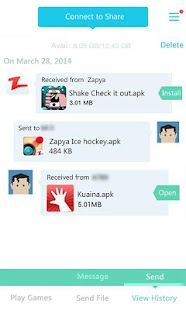
App, photo, music, video, or just any file type, Zapya can transfer them to another device without aid of mobile network nor Wi-Fi routers. The content is duplicated directly from phone to phone at 40 times Bluetooth speed! Besides, Zapya also provides convenient ways to install itself on your friend's phones directly from yours, so you can share anything with your friends anytime, anywhere, without prerequisite.
Other than Wi-Fi file transfer, Zapya also provides on-demand installable local network games for fun. Give them a try!
Newly added Zapya network games.
YoYo! : First mobile fitness app. Shaking 1 minute could burn off 300 calories and reduce the fat on the shaking arms.
PaPaPa! : A pretty three-leg-dual-player coordination game. Playing along with your favorite celebrities, you just need to keep consistent rhythm and not to fall down.
Zapya is the common choice of 70 million users worldwide. It's more innovative than Bump and much faster than Bump. Although Zapya doesn't limit the content you share, please spread only appropriate files responsibly.
GO Launcher EX 5.12
7/2/2014 5:15:13 AM
Current Version: 5.12
Requires Android: 2.2 and up
Category: Personalization
v5.12 update:
↑ ★ ★ ★ ★ ★ ↑
Please light up all to help us serve you better!
(Improve) Add the system shortcut (android 4.1 and up)
(Improve) The smooth of Home Screen Editing
(Fix) Minor bug and crash error
Overview:
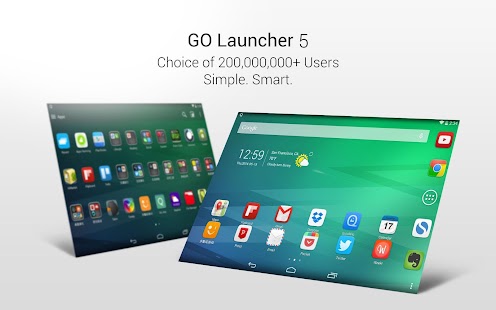
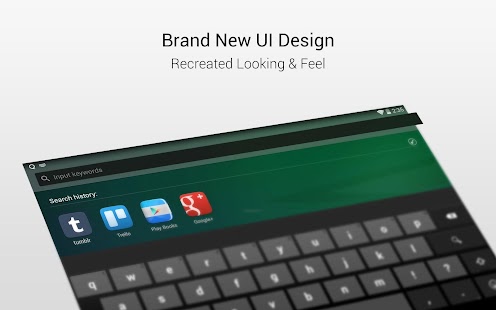
GO Launcher 5 has arrived! Its UI and UX has been recreated from bottom to top. Enjoy simple and intelligent new mobile experience, or start customizing the looking and feel in your own way.
GO Launcher EX – the final choice for 200,000,000+ people! User voted best Android Launcher! Download it now to enjoy 10,000+ themes and experience the super speedy and smooth operation provided by powerful 3D core! As the best home screen replacement, it offers you many first-ever features to customize your own homescreen experience. It is not only for people who taking Android for granted, but for those who take their Android for lifestyle and partner in life.
Want 10+ more advanced features (No Advertising, Gorgeous Transitions, Security Lock, etc.)?
Get Now
■ Testimonials
" GO Launcher EX took the top spot, bringing home over 37% of the overall vote. " – Lifehacker (Releasing the result for the poll "What's The Best Android Launcher")
"If you adopt GO Launcher EX as your default homescreen, you will use it all the time." – Androidtapp
"GO Launcher EX is perfect for people who are getting a bit tired of seeing the same old Android launch interface." – CNET
■ Free Features
- Smart card to show tips or info right time on right place (New)
- GO Panel to add frequently used features with just one click (New)
- More than 10,000 personalized themes (keep increasing)
- Super smooth flipping and transition effects provided by 3D core
- 25+ fancy transition effects
- 15+ widgets available for free (weather, clock, switch, calendar…)
- Launch apps using gestures
■ Pro Features
- Multi-touch to quick access to core functions
- 4 additional splendid transition effects
- No sponsored messages or Ads
■ FAQ
1. How to get more free themes, widgets and other resource for GO Launcher EX?
a. Search in Google Play. Or…
b. Get from built-in GO Store via menu.
2. How to set transition effects?
Menu-> Add -> Effect.
More tips here: http://www.goforandroid.com/GDTEn/faq.aspx?softid=13&nav=2
■ Follow Us
Facebook: https://www.facebook.com/golauncher
Twitter: https://twitter.com/golauncher
Google+: https://plus.google.com/u/0/115238718218136745791/posts
■ Contact Us
Email: golauncher@goforandroid.com
Use of this app is governed by our Terms of Service: http://www.goforandroid.com/GDTEN/terms-of-service.htm and Privacy Policy: http://www.goforandroid.com/GDTEN/privacy.htm
CamScanner -Phone PDF Creator 3.4.0.20140630
7/2/2014 5:14:29 AM
Current Version: 3.4.0.20140630
Requires Android: 2.3 and up
Category: Productivity
v3.4.0.20140630 update:
In this update, we added
1. Greatly improved app performance to a smoother experience
2. Generate a .txt file for OCRed texts and notes of a document (Premium only)
3. Option to "Email to Myself" when sharing document
4. Preview every auto-cropped image during the process of scanning multiple pages (Batch Mode)
5. Option to display pages by "last page on top"
6. Arabic language support
Overview:
* The world's No. 1 mobile document scanning and sharing app today!
* Installed on over 60 million devices in over 200 countries and regions around the world
* Over 50,000 new registrations per day
* CamScanner, 50 Best Apps, 2013 Edition – TIME
* Top Developer – Google Play Store
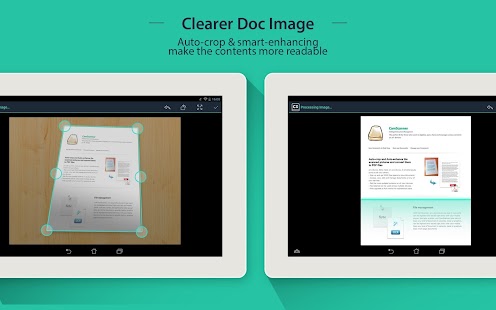
* "The application employs its own image cropping and enhancing algorithm that leads to clearer images." – Makeuseof.com
* "CamScanner may just be the best deal for scanning documents on your phone." – CNET.com
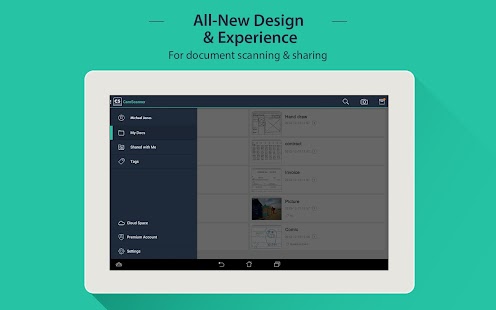
CamScanner helps you scan, store, sync and collaborate on various contents across smartphones, iPads, tablets and computers.
Features:
*Quickly Digitize Document
Just use your phone camera to scan and digitize all kinds of paper documents: receipts, notes, invoices, whiteboard discussions, business cards, certificates, etc.
*Optimize Scan Quality
Smart cropping and auto enhancing ensures the texts and graphics in scanned documents are clear and sharp with premium colors and resolutions.
*Extract Texts from Image
OCR (optical character recognition) feature recognizes texts in document images and extract them from images for later searching, editing or sharing.
*Share PDF/JPEG Files
Easily share documents in PDF or JPEG format with friends via various ways: post on social media, send attachment or document download link through email.
*AirPrint & Fax Documents
Instantly print out any documents in CamScanner with nearby printer via AirPrint; directly select document and fax to over 30 countries from the app.
*Collaborate on Documents
Want to get feedback on your documents? Invite friends or colleagues to collaborate on documents. They can view, comment and exchange ideas on documents in groups.
*Advanced Document Editing
Make annotations on documents with a full set of editing tools. Also adding customized watermarks are made available to mark your own documents.
*Quick Search
When you have plenty of documents, you can use Tags to categorize and easily find them. In addition, OCR for Search helps you find texts inside image and notes. Just enter one keyword, you can quickly find the document you want.
*Secure Important Documents
If you want to protect confidential contents, you can set passcode for viewing important documents; also, while sending document download link, you can set password to protect others from seeing it.
*Sync across Platforms
Sign up to sync documents on the go. Just sign in to any smartphone, tablet or computer (visit CamScanner website) you own and you can view, edit and share any document.
Premium Subscription Service:
-Get 10G cloud space for storing documents
-Add extra 40 collaborators
-Extract texts in images for later editing or sharing
-Documents link shared with password protection.
-Unlimited document annotations
-No default watermarks on PDF file generated
-No in-app ads
Payment models for Premium subscription:
-$ 4.99/month
-$49.99/year
Please note the subscription is automatically renewed at the end of the period unless you choose to cancel the subscription.
CamScanner users scan and manage
* Bill, Invoice, Contract, Tax Roll, Business Card…
* Whiteboard, Memo, Script, Letter…
* Blackboard, Note, PPT, Book, Article…
* Credential, Certificate, Identity Documents…
3rd Party Cloud Storage Services Supported:
-Box.com, Google Drive, Evernote, Dropbox,
The free version is an ad-supported version and scanned documents are generated are with watermark, plus a limit of 30 pages of adding annotations; Uploading to Evernote/SkyDrive is only available for 7 days; Invite 10 collaborators per document at most.
Check out other INTSIG's products:
CamCard – Business Card Reader
CamDictionary – Snap Translator
IS Contacts Kit – Back up all your contacts
InNote – Handwriting note taker
We'd love to hear your feedback: asupport@intsig.com
Follow us on Twitter: @CamScanner
Like us on Facebook: CamScanner
Follow us on Google+: CamScanner
Ifeng News 4.2.3
7/2/2014 5:13:34 AM
Current Version: 4.2.3
Requires Android: 2.2 and up
Category: News & Magazines
v4.2.3 update:
Crash and bug fixes to resolve video player;
Home screen widgets to keep you up to date;
One key to switch with/without pictures mode .
Overview:
Ifeng News connects you to the chinese world.
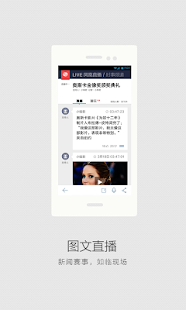
Stay informed with the latest headlines and China regional stories .Get the latest chinese news from the Phoenix TV ,including breaking news, business, military,entertainment, technology, the arts and sport, all divided into clear sections, this free app lets you watch video reports, pictures and read the latest updates wherever you are.
Galaxy Recon 1.0.8
7/2/2014 4:32:26 AM
Current Version: 1.0.8
Requires Android: 3.0 and up
Category: Action
v1.0.8 update:
Overview:
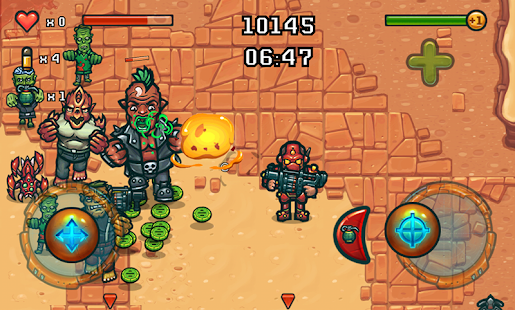
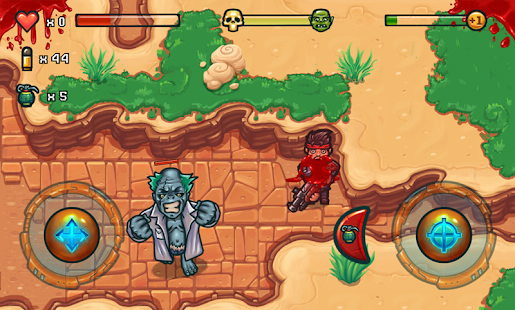
Far future appeared not so bright and cloudless for a mankind. After a global disaster which destroyed entire Solar System, mankind had to make a long, exhausting journey in search of a new home. Safe home.
You are a pilot of a recon ship, you were sent to explore a new liveable planet. You would risk everything for people left on the Ark, a flagship of the last fleet of the Earth.
And while going down to the surface of the new world, you feel a dark shadow somewhere below looks forward to meet you. The walk will not be that easy…
X Construction 1.54
7/2/2014 4:29:58 AM
Current Version: 1.54
Requires Android: 2.3 and up
Category: Puzzle
v1.54 update:
- now using 32 Bit render target in simulation mode
- draw concrete bases in simulation mode
- added russian translation
Overview:
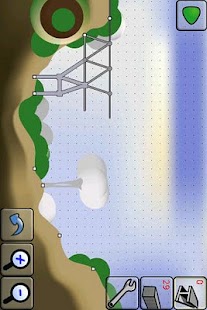
Build a bridge with the given amount of materials to let the train safely cross the valley.
All levels are solvable. Please try the Lite version before you buy the game!
The paid version has the following advantages:
⇒ no ads
⇒ free build mode
⇒ more levels (currently 27)
The permissions are used as follows.
- Write to SD card: Savegames will be stored to SD card
- Internet access: Google Play services leaderboards
Keywords: Bridge Crossing Construction Builder Physics Game

Folt – Fold Puzzle 1.0.4
7/2/2014 4:29:20 AM
Current Version: 1.0.4
Requires Android: 2.2 and up
Category: Puzzle
v1.0.4 update:
V 1.0.3
improved tile swipes
v 1.0.1
Added support for android 2.2
Added practice mode
Improved game play and animation
Overview:
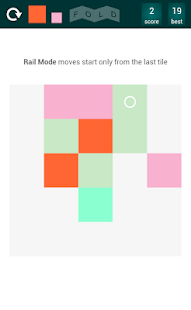
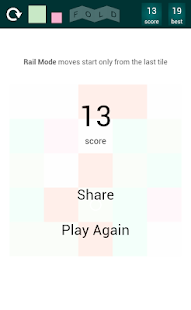
Unfold tiles and match tiles with similar colors. Fold is a great puzzle game that grows on you.Fold has a clean and minimalist design.
Fold game idea is borrowed from Folt. Enjoy the game.
EverythingMe Launcher 2.0.2716
7/2/2014 4:29:14 AM
Current Version: 2.0.2716
Requires Android: 4.0 and up
Category: Personalization
v2.0.2716 update:
1. EverythingMe is ready for the World Cup! We've added the Brazil 2014 Smart Folder, containing news, updates, apps and themes
2. Stability improvements
Overview:
★ Selected by Google as a Top Developer ★
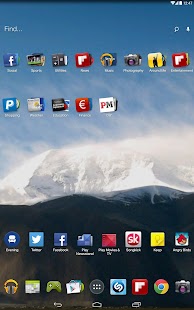
EverythingMe is a launcher for your Android phone that delivers what you need, when you need it. The launcher anticipates the apps, people and information you'd want – giving you the perfect phone, every time.
Unlike other launchers that only deal with customizing your workspace (Nova and GO Launcher, for example), EverythingMe personalizes your phone – automatically matching it to you based on your needs, your location and the time of day.
A launcher, or a home replacement app, can upgrade the look and functionality of your homescreen. It can also personalize the way you open apps, make calls and perform other tasks.
MAIN LAUNCHER FEATURES
The Prediction Bar™
Anticipates what you'll need throughout the day. This area on your homescreen is dedicated to delivering the apps you'll most probably use at a given time and place. For example: news apps in the morning, your calendar at work, and the train schedule on your way home.
Smart Folders™
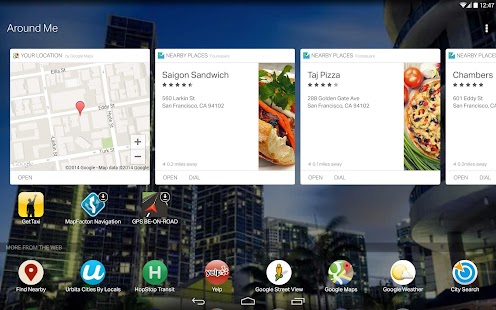
Your apps are automatically organized in folders according to your personal interests, keeping your homescreen neat. Open football stats from the Sports Folder or find cartoons in your Kids Folder. Your launcher's folders also contain cards, which are clean and simple bite sizes for information. Open your 'Around Me' folder and you'll find cards that present the nearest restaurants, or open the 'Weather' folder and get a fresh forecast card.
Fastest Android In-Phone Search
The quickest, most personalised search tool for Android. Enter one letter in your launcher's search bar and get contacts and apps that are relevant just for you – no more app drawer swiping sprees!. Typing "M" might pull up Mom's number, or show the Messaging app first – whichever you use most.
Everyday Uses
► In the morning, your launcher will automatically show you the weather on your screen.
► In the city, get the nearest restaurants, transportation and shops in your Around Me Folder.
► In the evening, plan for dinner and a movie with your launcher's Recipes and Movies folders.
The Buzz
“Everything.me May Be the Smartest, Most Dynamic Android Launcher Yet”. ~ LifeHacker.com
“One app made me love Android and BLOWS AWAY iOS. One app.” ~Robert Scoble
Follow Us
Twitter: https://twitter.com/EverythingMe
Facebook: https://www.facebook.com/everythingme
Contact Us
Need help with EverythingMe Launcher? Check out our Help Center http://support.everything.me. Our Help Center provides support in English, Spanish and Portuguese.
Want to help us translate EverythingMe to your local language? Register here http://bit.ly/translateEvMe
Outlook.com 7.8.2.12.49.7090
7/2/2014 4:28:18 AM
Current Version: 7.8.2.12.49.7090
Requires Android: 2.2 and up
Category: Communication
v7.8.2.12.49.7090 update:
New in this version:
- Server-side search for easy access to all email, not just the ones synced to your phone
- Unlimited sync of all email history for full off-line access
- Capability to send emails from Outlook.com aliases
- Eight new colors to customize the app interface
- Ability to set and manage vacation replies
- Traditional Chinese language support
Overview:
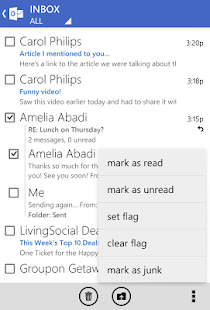
The Official Microsoft Outlook.com app gives you the best mobile experience for your Outlook.com account.
Sign in using your existing Microsoft account, which is usually your Outlook.com email address and password.
With the Outlook.com app, you can:
- Get emails right away with push notifications
- Sync Outlook.com Calendar and Contacts with your device
- View and sync folders and sub-folders
- Choose from 8 different color themes to personalize your experience.
- Group your email conversations with Conversation Threading
- Utilize server-side search for easy finding through all your history of emails.
- Sync multiple Outlook.com accounts and send email from aliases
Tips and tricks
- Change the color theme on the app settings menu by selecting General, and then Theme color.
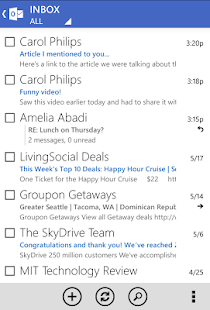
- Filter your emails (all, unread or flagged) by selecting Inbox in the top menu.
- Switch accounts or access your folders and sub-folders by selecting the top left menu.
- Choose which folders automatically sync from the app settings menu by selecting Sync, Folders, and then the folders you want to sync.
Android Tuner 1.0.1.2
7/2/2014 4:27:44 AM
Current Version: 1.0.1.2
Requires Android: 2.1 and up
Category: Tools
v1.0.1.2 update:
Should you experience issues, please send a support request from app settings instead of posting a bad review, we will help you.
1.0.1.2:
Ability to hide tab strip or show it at the bottom (UI/General settings
Add mA support for Xperia M2 and Oppo N1 mini
Add multi-app support in watcher's condition
Further improve S5 Exynos CPU support
Improve CPU frequency times table
Bug fixes
… see info in app for all details
Overview:
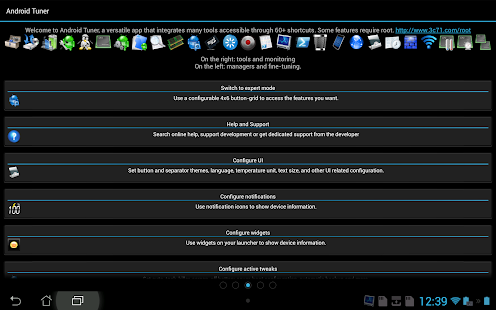
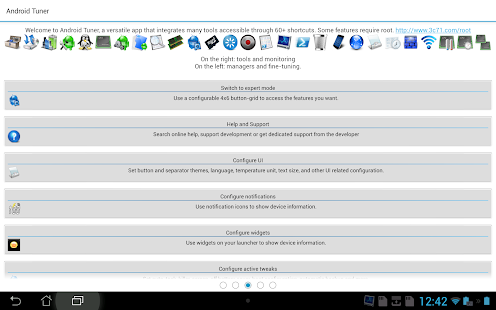
The most comprehensive toolbox to save battery, tweak, tune, backup, secure and monitor any Android devices running any ROMs, any kernels.
What is Android Tuner: http://www.3c71.com/what
♦♦ TRY FREE VERSION BEFORE BUYING: http://www.3c71.com/atfree ♦♦
☺ Replaces 20+ apps easily worth 30€ or more ☺
☺ Getting started: http://www.3c71.com/getstarted
☺ App screenshots: http://www.3c71.com/screenshots
☺ App benchmarks: http://www.3c71.com/benchmarks
☺ Best on rooted phones, works well on stock phones too
◊ Permissions requested: http://www.3c71.com/permissions
◊ Open-source APIs used: http://www.3c71.com/opensource
♦♦ Feature set (some require root access, try free version first) ♦♦
► Device manager *1
◊ Device profiles (CPU, IO, components)
◊ Tasks scheduler (app management, clean-up, etc)
◊ Device watchers to automatically activate a profile, run tasks or display alarms
◊ Battery savings using profiles and tasks
► File explorer *1
◊ Batch copy/paste, zip, delete, move, share and stream files and folders
◊ Change files/folders permissions and ownership
◊ Access all your Samba network shares
► Application manager *1
◊ Backup and verify app apk/data (multiple versions), sms and call-logs
◊ System app uninstaller and update cleaner
◊ Share and backup apps to e-mail, DropBox, GDrive, etc…
◊ Move any apps to user, system, SD or link2SD
◊ Freeze/unfreeze apps, crystallize (eg hibernate/greenify) and control app startup and events
◊ Zip align, clear cache, wipe dalvik-cache, fix permissions and optimize databases
◊ Control app notifications, permissions, locker (secure access), rotation and force screen-on *2
◊ Usage and standby statistics (find app draining your battery)
► Network manager
◊ Set WiFi access point priority
◊ Configure Android firewall, TCP Congestion, DNS *1
► Task manager
◊ Check CPU, network and memory usage
◊ Kill (default) or force-stop *1 any apps or kernel processes
◊ Automatic task killer, memory booster, memory cleaner
► System Control *1
◊ CPU governor, frequency, voltage, GPU controls, thermal and MPDecision controls
◊ Build.prop and sysctl editor (basic and advanced mode)
◊ Boost, analyze and benchmark SD cards
◊ Android memory manager, memory cleaner, SD linker (directory binder)
◊ fsync, sweep2wake, gamma and fast charge control
◊ Safe: restore defaults from app or recovery and CPU settings on boot-loop
► System Monitoring
◊ All Android applications or all processes, battery, CPU, network, memory
◊ Component states (WiFi, Bluetooth, GPS, 3G, Phone, APN)
► Status bar notifications
◊ Battery, cpu, memory, sd, temperature optionally with graphics in drop-down
◊ Add battery remaining bar on top or bottom
◊ Remove original battery icon
► Highly Configurable Widgets
◊ Resizable gauge widget
◊ 1×1 and 2×1 (PRO ONLY) text widgets
◊ 2×1-5×2 graphic widgets (PRO ONLY)
◊ 1×1 and 4×1-1×4 (PRO ONLY) toggle widgets *1
◊ 4×4 summary widget (PRO ONLY)
► System Toggles (manual widgets or in profiles)
◊ GPS, WiFi localization
◊ WiFi, BT, BT discoverable, APN, NFC, airplane
◊ Tethering (USB, WiFi, BT)
◊ Brightness, screen time-out, stay awake, flashlight
◊ Ringer, vibrate, synchro, background data
◊ Debug (over WiFi), unknown sources, USB storage, reboot
► Terminal Emulator & Script Editor
◊ Command history
◊ Run or test any scripts, optionally on boot
◊ Share scripts, commands and outputs
► System Logs Reader *1
◊ Logcat or kernel messages
◊ Advanced filtering and search
and much more that meets the eye ☺
*1 Requires root and kernel support for full feature
*2 Requires root and Xposed framework
Caution: Rooting and root brushing your mobile device can compromise its performance or cause malfunctions.
You are receiving this email because you subscribed to this feed at feedmyinbox.com
If you no longer wish to receive these emails, you can unsubscribe from this feed, or manage all your subscriptions


No comments:
Post a Comment